

Advanced Macros
Provides you with an advanced macro window
Details
Expansion
 Wrath of the Lich King
 Categories
Developers
Having issues?
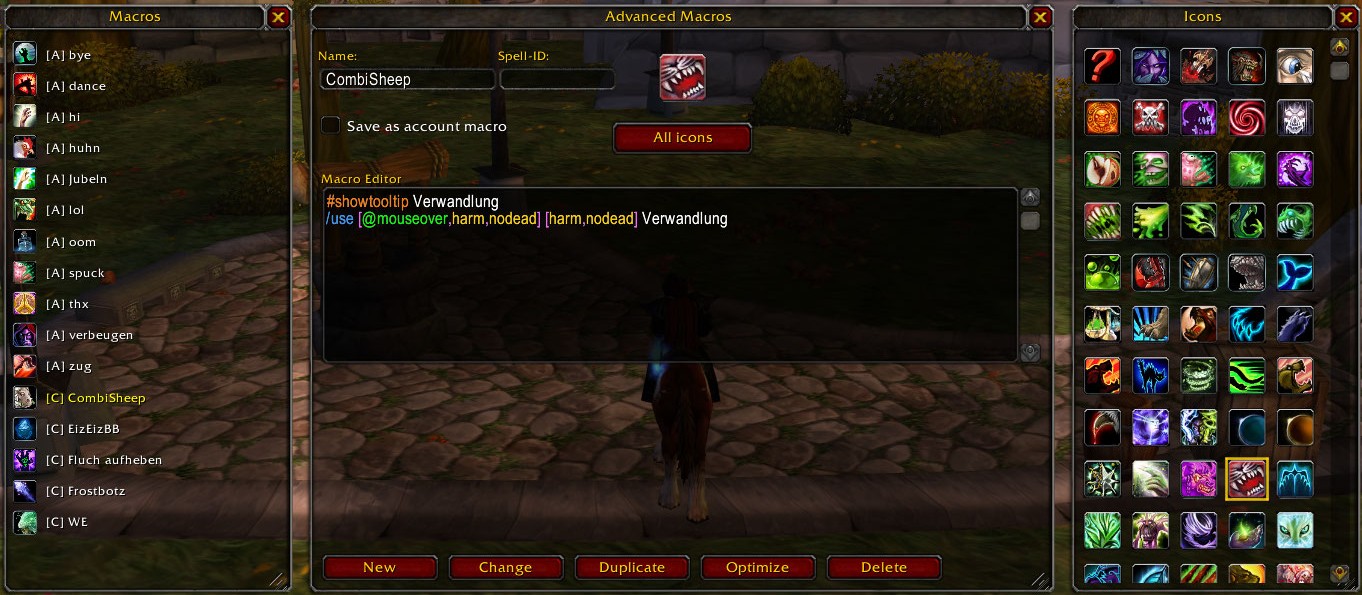
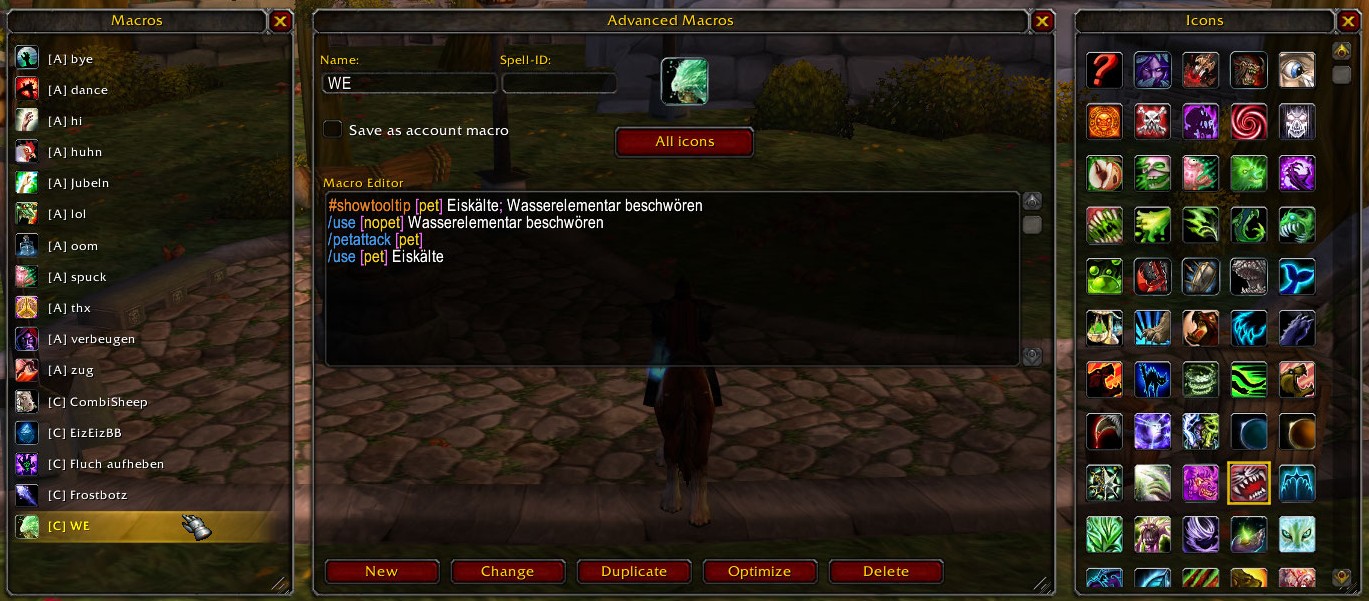
This addon gives you an advanced macro toolkit, to manage your macros efficently. Duplicate, optimize, search icons by
spell-id and macro syntax highlighting! You can also just drag & drop your macro into your actionbar. Access the addon with
/amacro or by clicking the minimap button. You can also drag & drop the minimap button by holding shift+lmb.
Languages: German, English, Italian, French, Spanish
You will be prompted on first use, to choose your language. You can also change language manually in ESC=>Interface=>AddOns=>Advanced Macros.
Do you wish any certain language to be added? Just let me know!
Any suggestions for featueres? Tell me!
If you see this addon distributed by anyone else, do not trust it! Technically there is not a lot of risk since blizzard's limits, but I can't guarantee for the functionality, if it is not provided by me. Also the code is protected.
SHA256-HASH v.1.3.1:
9f5d7b47643799f69a4b18863286019254599dbf079a68d1859c1173af4d9e8b
You can find a .bat tool on my website as well, to easily check and compare hashes of files!
You just drag the file you want to check onto the .bat, follow the given instructions, enter the correct hash code to compare,
and it will compare it for you!
If you encounter any problems with this addon or have any suggestions, please use the contact form on my website or report the
issue on warperia. I will try to fix it as soon as possible.
If you find it helpful, enjoy it, or like what I do, you can find a button to support me on my website as well!
There is also Tips/Tricks/Tweaks to be found on my website as well (for various games)!
Website:
MAD-LABS
All the best! GL&HF!
© 2026. Powered by MadOracle742
- no changes made, only changed the description displayed on warperia.com
- no changes made, only changed the description displayed on warperia.com
- no changes made, only changed the description displayed on warperia.com
- fixed reported issues with missing links in .toc-file
- fixed error within .lua main logic
- changed version labeling
Upcoming: - AceGUI custom skin
- no changes made, just updated the text on warperia.com
- migrated into AceGUI
- fixed minor bugs
- refined minimap button
- refined layout
- added website and label to options menu
Comments (3)

Thanks again!
You must be logged in to leave a comment.