

Analyst
Collects, analyzes and presents information about the virtual economy.


Details
Expansion
Categories
Developers

Having issues?
About Analyst
Analyst collects information about the virtual economy and presents that information to the player. In its Economy panel, Analyst answers questions such as the following:
- How much gold did I earn and how?
- How much gold did I spend and on what?
- How am I doing in the auction house?
- What have I looted from mobs?
- What items did I consume?
- What items did I produce?
- How many currencies (marks, badges, emblems) have I collected?
- What have I deposited or withdrawn from the guild bank?
- What is my gathering and crafting activity?
- ... and much more
All reports can be shown over a configurable period (days, weeks, month).
Screenshots
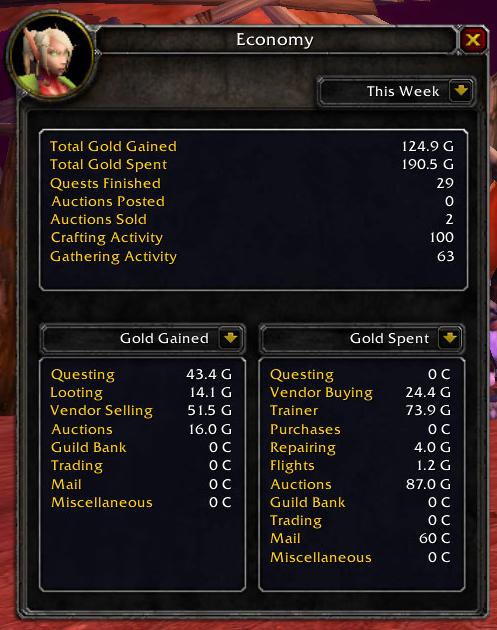
The Economy panel lets you choose between the various reports offered by Analyst. Also, the reporting period of time can be chosen. Central information is displayed in the top frame. Data from two selected reports in shown in the bottom frames.

For the This Week report, the start day of week can be configured in the options. For example, a raid player may want to set the start day of week to the beginning of the raid ID period.
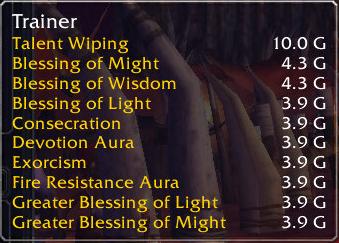
If you mouseover a statistic item, a tooltip provides detailed drill-down information on that statistic:

Usage
If you have a Lightweight Data Broker (LDB) container add-on such as Titan Panel, Analyst shows in that container. Left-clicking the Analyst icon toggles the Economy panel; right-clicking the icon shows the options.
If you do not have an LDB container, type /analyst economy to toggle the Economy panel and /analyst options to show the options.
Analyst provides a key binding to toggle the Economy panel. You may want to assign a key to that binding to gain quick access to Analyst.
You must be logged in to leave a comment.