
ZoneSpec
Saved talents based on location.
Details
Expansion
 Mists of Pandaria
 Categories
Developers

Having issues?
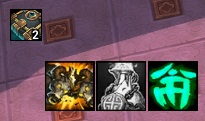
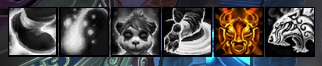
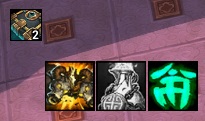
This addon will add a "Save" button to the Talent/Glyph frame. Clicking this button will save your talent and glyph choices to the zone or subzone you are currently in. The next time you enter that zone, a row of icons will be displayed representing the talents or glyphs saved for that location.
When you have six or less of the clearing reagent (Tomes of the Clear Mind, etc.), an icon will appear along with how much you have left.
Slash Commands: /zonespec, /zs
/zs toggle - Lock/Unlock the frame to position where you want it.
/zs clear - Clear any saved data for the current area.
/zs reset - Reset all data for the current character.
If you have a questions or comments, please post them on my WoW Interface page.
Note: The icons shown in the screenshots are from Clean Icons - Thin.
You must be logged in to leave a comment.