

Tyllus’ QuestComplete
Lightweight addon for checking quest competion
Details
Addon ID:
18950
Addon Version:
v1.4
Expansion:
7.3.5
Upload date:
Dec 12, 2025
Last Updated:
Dec 13, 2025
Downloads:
Less than 100
Expansion
 Legion
 Categories
Developers

AW_Tyllus
Creator
Having issues?
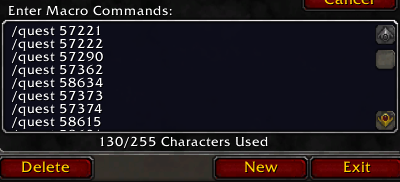
You can check Quest completion InGame with an easy "/quest" command. You can do this individually or by creating a macro like the below.
Macro example:
/quest 58634
/quest 57373
/quest 57374
/quest 58615
/quest 58631
/quest 58632
How to use the addon:
1. Find your Quest ID on the battle.net or any online database like wowhead, thottbot etc. (quest ID is in the link e.g.: wowhead.com/quest=44581/spicing-things-up)
2. use the slash command in-game /quest 44581 (or create a macro if you want to check more than one quest at once)
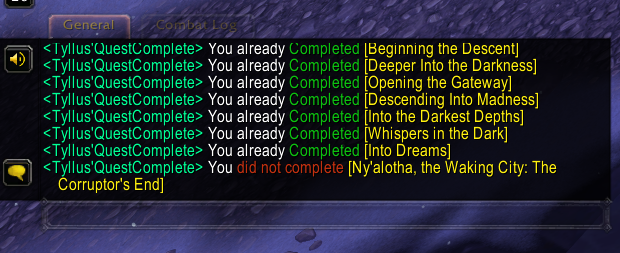
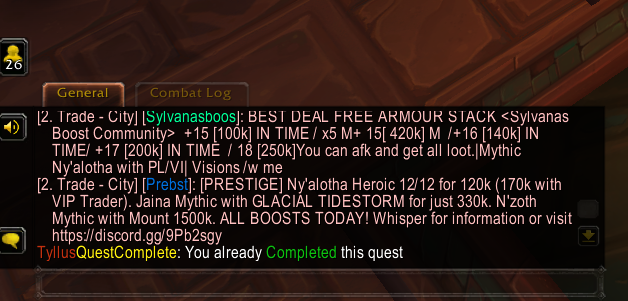
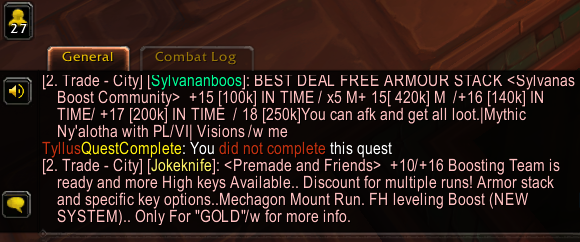
3. You will get a return message like: <Tyllus'QuestComplete> You already Completed [Quest title] OR <Tyllus'QuestComplete> You did not complete [Quest title]
You must be logged in to leave a comment.