
newChatBar
The new Button Bar for opening chat messages of each type

Details
Expansion
 Legion
 Categories
Developers

Having issues?
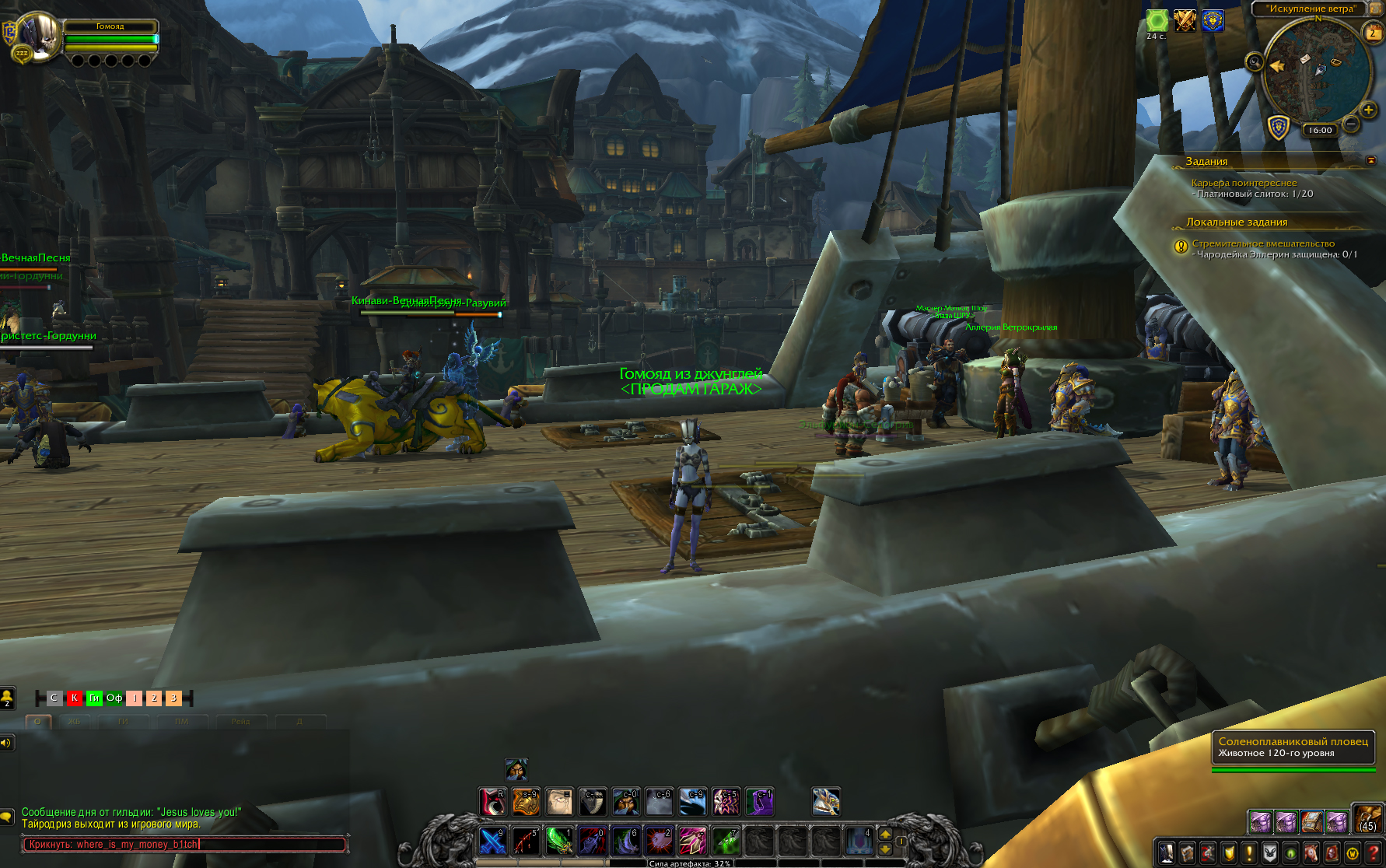
newChatBar - The new Button Bar for opening chat messages of each type.
A little acsii art for demonstration:
|-oooooooo-| o - Buttons, colored the color of a chat type, left click to open editbox of that type. Initial letter of the type on or above the button |--| - Ends of the bar, left click to drag.
v. 0.07 - Optimization for World of Warcraft: Shadowlands.
v. 0.06 - Fixed a bug with the positioning of the addon.
v. 0.05 - Added /rw and copy your message to the next channel.
v. 0.04 - Added a button that opens the voice chat menu .
Button / ChatType Options:
¶ - Channel and voice chat menu button.
S - /s - Sends a chat message to players in your immediate local area.
Y - /y - Sends a chat message to all players in your zone.
R - /raid - Sends a chat message to your raid.
RW - /rw - Sends a raid warning to your raid.
G - /p - Sends a chat message to your party.
B - /bg - Sends a chat message to your battleground.
Gu - /gc - Sends a chat message to your guild.
Of - /osay - Sends a chat message to your guild's officer channel.
You must be logged in to leave a comment.