

INeed
List items into an "I need" list.
Details
Expansion
 Legion
 Categories
Developers

Having issues?
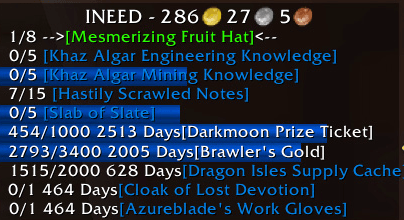
This addon tracks items and currency that you may need. From needing items for a profession, to farming an item, to figuring out what is needed to craft something, to having enough gold to buy something.
Most things that can be linked, can be tracked. Simply use the command:
/in [item link] quantity (0 quantity will remove the item from being tracked)
When an item is added, it will show if you have any, and where they are. Bags, bank, warband bank (WB).
Currency can be tracked the same way:
/in [currency link] quantity
Gold can be tracked with:
/in 100g or /in +50g (I need 50 gold more).
/in +50g20c50s is also valid.
An included 'account' lets you create a slush fund for Ineed to auto purchase items from vendors. Set a percent of incoming gold to go to the slush fund, and a maximum amount in the slush fund. (You can always set the account value higher than max.)
/in slush 20% 1000g will mark 20% of incoming gold, up to 1000g, to your slush fund.
/in account 2000g will set the slush fund to 2000g, and /in account 0 will zero the account.
If you don't have the item link, or currency link, you can use:
/in item:itemid quantity or /in currency:currencyid quantity
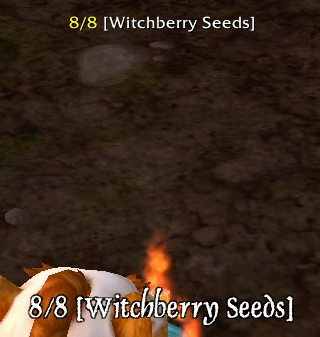
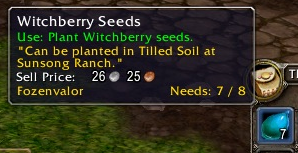
Tracked items will show who needs it in the item tooltip. If other characters need an item, it will show up in the UI with arrows around it.
For macros, or shortcuts, you can use /in i:itemid or /in c:currencyid.
If a vendor window is opened, and they sell an item you need, for a currency other than gold, that currency will be added to your need list. I.E., you need the [Delver's Dirigible Schematic: Rotor Blades] (item:224769), when you visit the vendor who sells this, it will also add 3000 Undercoin (currency:2803 3000).
You can shift-click on rows in the UI to get the link for that item or currency.
The Archaeology currencies you currently know about can be added with:
/in arch
The options panel can be opened with:
/in options
The UI window can be reset with, in case it gets dragged off the screen:
/in reset
An item can be pruned, removed from all characters, with:
/in prune [item link]
A character's entire list of needed items can be removed (deleted character?) with:
/in remove name-realm
New in 1.6:
- Shortcuts for macros: i: for item:, c: for currency:, e: for enchant:
- Because the Warband Bank lets all characters trade to each other, items needed can now be seen cross realm and cross faction.
- When adding an item, it also shows how many are in the Warband Bank (WB:)
- Removed the "others need" spam when opening the mail box.

You must be logged in to leave a comment.