

DejaAuras
Dejablue's simple drag 'n' drop cooldown and buff tracker.
Addon Details
Expansion
 Legion
 Categories
Developers

Having issues?
DejaAuras



Simple Drag 'n' Drop cooldown and buff tracking for lazy Bears, Brahs, and Babes!
DejaAuras Unlocked:
Type "/da u" or "/da unlock"
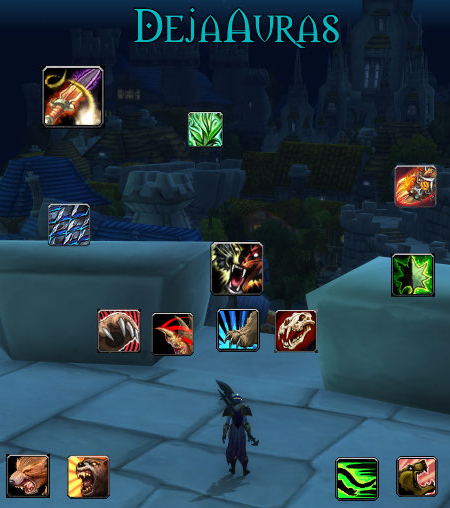
Once unlocked you should see the DejaAuras text in the top third of your screen and or your currently tracked auras.
To track new abilities, spells or items open your spellbook or bags and drag and drop them onto the screen and right click to place them. Once placed, drag as needed to position. Currently only abilities, spells or items that have the same name as the buff they give will display once locked.
The default icon size is the same as the Blizzard UI default of 36.
The minimum icon size is 20.
To increase/decrease the aura icon size:
- Mousewheel scroll up or down to increase/decrease icon size by 1 pixel.
- Hold shift, ctrl, alt and mousewheel scroll up or down to increase/decrease icon size in increments of 5, 10, and 25 pixels, respectively.
- Hold ctrl and alt at the same time and left or right click to remove an icon and its tracking.
- Type "/da l" or "/da lock" or reload your UI to lock the icons into place and start enjoying your DejaAuras!
DejaAuras Slash commands (/dauras):
- /da (u)nlock: Unlocks all DejaAuras frames.
- /da (l)ock: Locks all DejaAuras frames.
- /da (a)lign: Displays the DejaAuras alignment grid.
- /da (c)onfig: Opens DejaAuras Interface Options menu.
- /da reset: Removes (deletes) all DejaAuras.
Example: Typing "/da u" or "/da unlock" will lock DejaAuras.
DejaAuras Interface Options Panel:
Type "/da c" or "/da config"
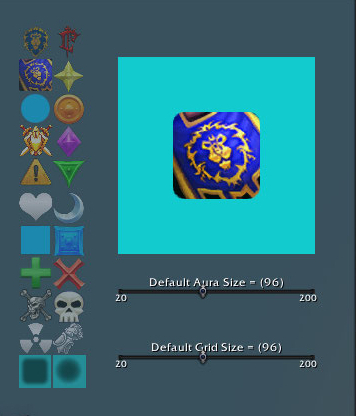
- Select the default aura silhouette from the 22 thumbnail images on the left.
- Move the Aura Size slider to select the default aura size when dragging and dropping spells and items from the spellbook, paperdoll, or bags with a live preview in the upper right quarter of the panel.
- Adjust the size of the default alignment size with a live preview by moving the Grid Size slider.
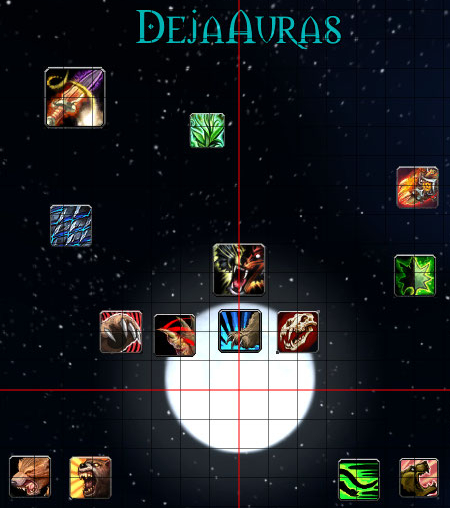
DejaAuras Alignment Grid:
Type "/da a" or "/da align"
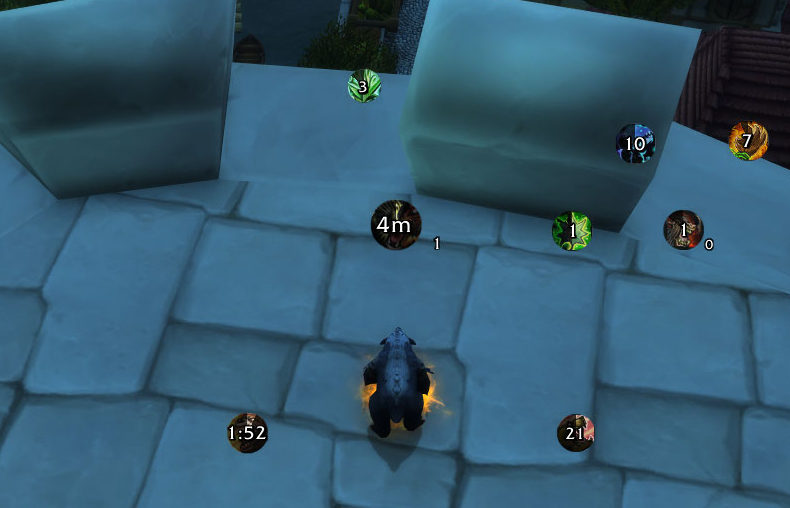
DejaAuras In Use:
Type "/da l" or "/da lock"
More addons for Legion
Discover other addons that might interest you
LegionTreasures
LegionTreasures
Bing
Search Tooltips In-game
LibCandyBar-3.0
Timer bars with that extra sweetness.
BigWigs_MistsOfPandaria – The Mists of Pandaria content pack for BigWigs
A collection of BigWigs modules from the Mists of Pandaria era.
WQAchievements
Notifies you if an achievement related WQ is up.
BigWigs_Cataclysm – The Cataclysm content pack for BigWigs
A collection of BigWigs modules from the Cataclysm era.
Classic Warrior Colossus Smash Sound
Old Warrior Colossus Smash Sound
LibQTip-1.0
Library providing multi-column tooltips.