
ZoneLevelGuide
The zones that suit your level in WoW:Forever. With every quest in them, where it starts, who gives it and its level.
Details
Expansion
 Forever
 Categories
Developers

Having issues?
Zone Level Guide
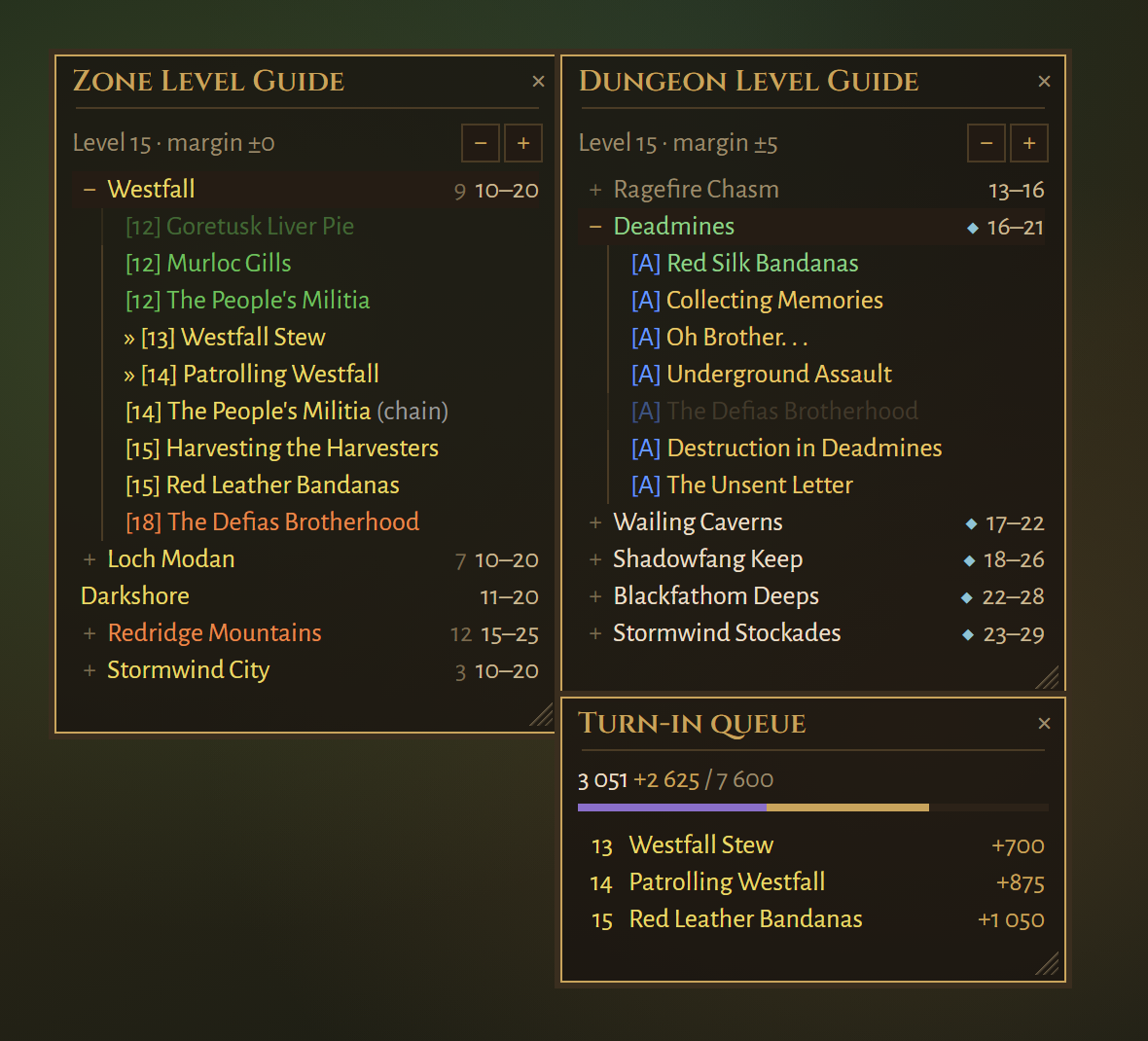
Where do I go next? Zone Level Guide lists the zones in WoW: Forever that suit your level, using the Group Finder's own level ranges, and shows the quests that start in each zone: where, from whom, and at what level.
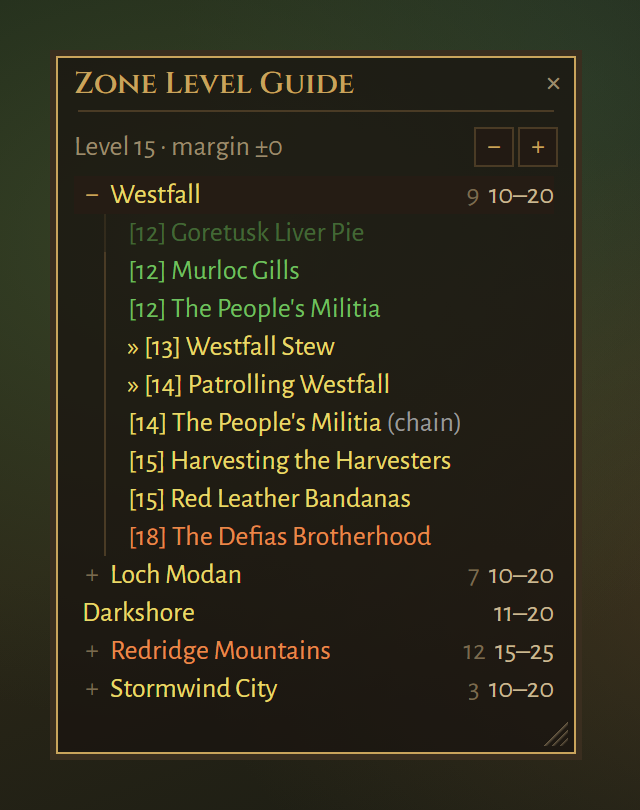
Images are drawn from the addon's own styles and texts, not taken in game.
What it does
- Zones for your level. Zones and their ranges come straight from the Group Finder, so new zones show up even before the addon knows about them. The colour tells you where you are in the range: orange near the bottom, yellow in the middle, green near the top.
- Quests per zone. Click
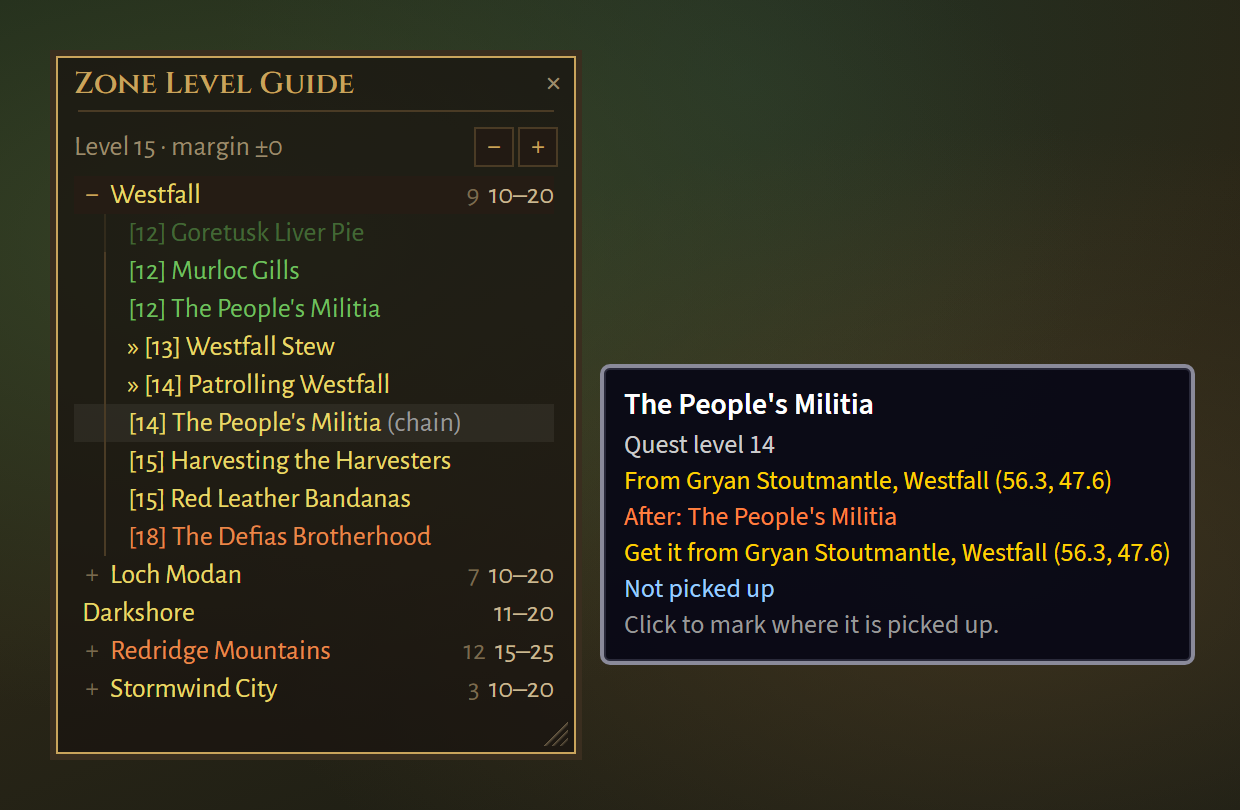
+in front of a zone to see its quests, with level, quest giver and location. Click a zone to open the map on it. - One click to find a quest. Click a quest and a pin is placed on the map where it is picked up. If the quest needs an item lying somewhere known, such as a book, ctrl-click pins the item instead.
- Chains and requirements.
(chain)means another quest must be done first, and the tooltip follows the chain back to where it starts.(needs)means something else is required, such as an item.(either)means only one of two quests can be done. - Learns as you play. Every quest you accept is recorded with its giver, level, zone and coordinates, and what you record always wins over the shipped data.
- Quest data included. Ships with quests recorded in Forever, plus
Classic quests not yet seen in Forever, marked
(preliminary). - Cities appear as their own rows when they have a quest for you.
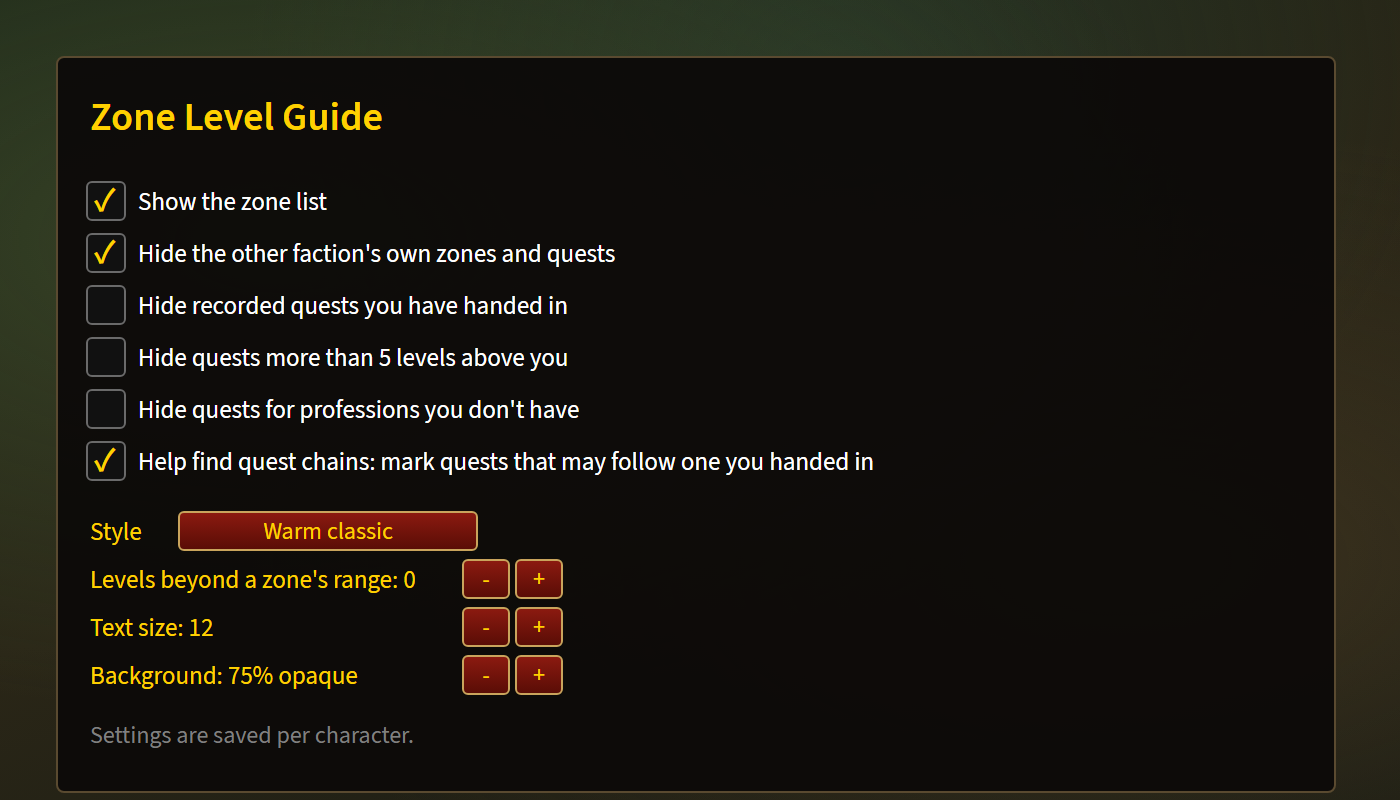
- Filters, all off by default: hide quests you have handed in, quests more than five levels above you, or profession quests you can't do.
Help find quest chains (optional)
Forever's quest chains don't always match Classic. You can help map them:
tick Help find quest chains under Esc → Options → AddOns → Zone Level
Guide, or type /zlg chains. It is off by default.
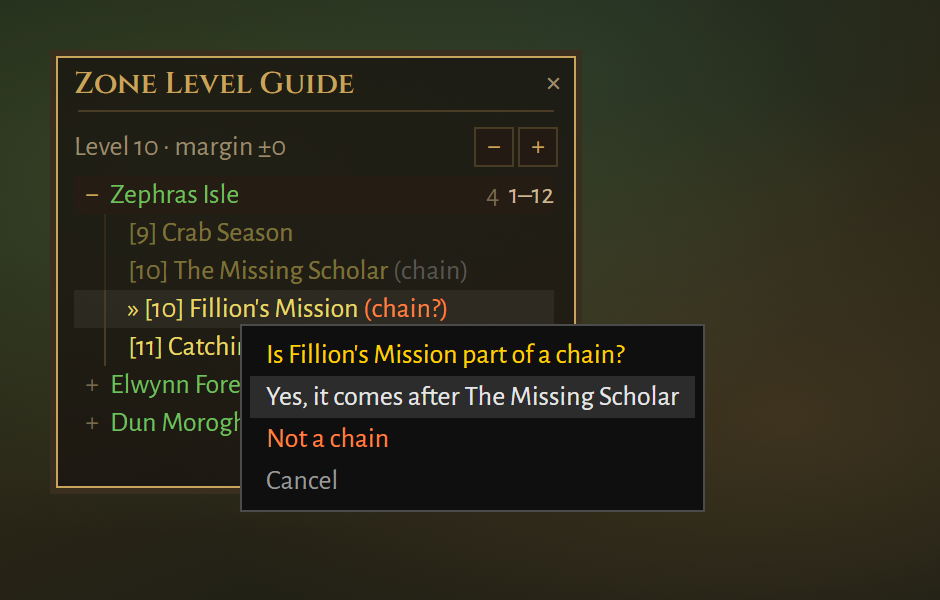
When it is on, a quest that was offered to you straight after you handed in
another one is marked (chain?). Right-click it and answer:
- Yes, it comes after … – it becomes a
(chain)in your list. - Not a chain – the suggestion goes away for good.
Your answers are saved with your recorded quests, in
WTF/Account/<account>/<realm>/<character>/SavedVariables/ZoneLevelGuide.lua
The file also holds every quest you have recorded: givers, levels and
locations. If you'd like your answers and quests included in the next
release, email that file to wowtziera@gmail.com.
Looks
Seven styles: warm (default), flat, blizzard, minimal, and elvui,
details and pfui to match those addons. Text size and background opacity
are adjustable. Drag the title bar to move the panel and the bottom-right
corner to resize it. It snaps to Dungeon Level Guide and Pending Quest
XP: drop one panel next to another and they move together.
Commands
| Command | Does |
|---|---|
/zlg | Show/hide the panel |
/zlg range <n> | Also show zones up to n levels outside their range |
/zlg faction | Show/hide the other faction's zones |
/zlg done | Show/hide quests you have handed in |
/zlg high | Show/hide quests more than 5 levels above you |
/zlg profession | Show/hide quests for professions you don't have |
/zlg chains | Turn chain help on or off |
/zlg quests | List the quests recorded this session |
/zlg style <name> | warm, flat, blizzard, elvui, details, pfui or minimal |
/zlg font <n> / /zlg alpha <n> | Text size and background opacity |
/zlg reset | Put the panel back in its default position and size |
Settings and recorded quests are saved per character.
Credits
By Tziera. GPL-3.0-or-later. Classic quest data from QuestieDB by the Questie team (GPL-3.0). Dungeon quest levels partly from WoW Forever Builds (MIT). Fonts under the SIL Open Font License.
You must be logged in to leave a comment.