

XPBar Forever
Experience bar for World of Warcraft: Forever, with quest and rested XP, time to level, a level history, a pet bar, and many data points and styling options to customize your bar with.
Details
Addon ID:
27383
Addon Version:
1.0.0
Expansion:
1.60
Upload date:
Oct 06, 2026
Last Updated:
Oct 06, 2026
Downloads:
Less than 100
Website:
Source Link
Expansion
 Forever
 Categories
Developers

adio
Creator
Having issues?
XPBar Forever
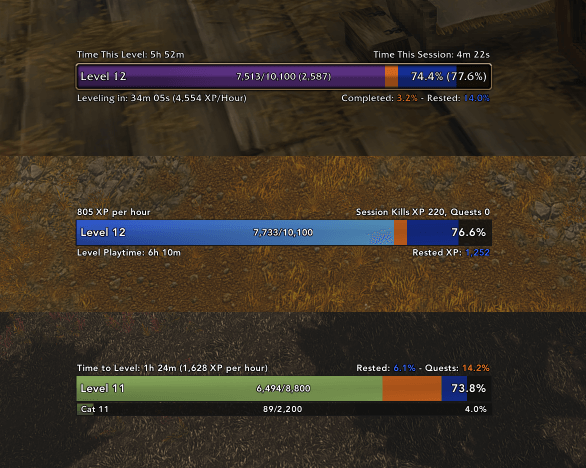
XPBar Forever is an experience bar for World of Warcraft: Forever, inspired by Luxthos' Experience Bar WeakAura. You decide what data it shows and how it looks, and it matches EllesmereUI or ElvUI by default. Hunters get a second bar for the pet, and at the level cap the bar can carry on as a reputation bar.
Features
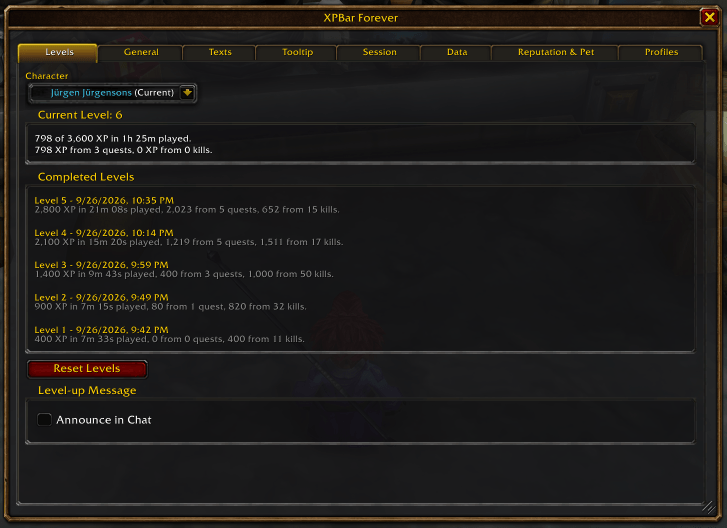
- The Levels tab keeps what each level cost: the time it took, the XP it paid, and how much of that came from quests and from kills. A dropdown switches to any other character on the account.
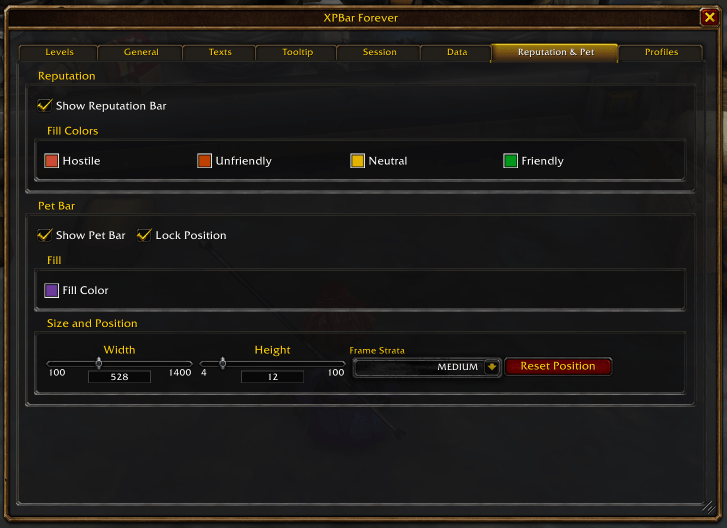
- At the level cap the bar can show the faction you are watching, in the game's own standing colors, with its own texts and tooltip.
- A second bar for a hunter pet's experience, with its own place, size, color and texts. Forever itself shows pet experience on the character sheet only.
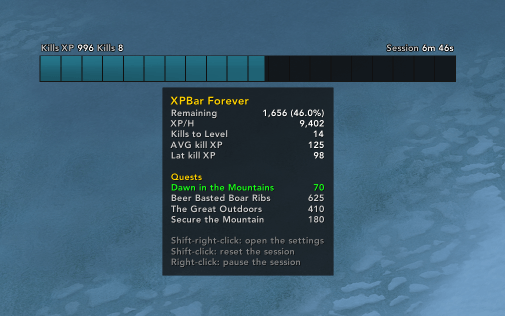
- Kills to level, taken from what your recent kills actually paid.
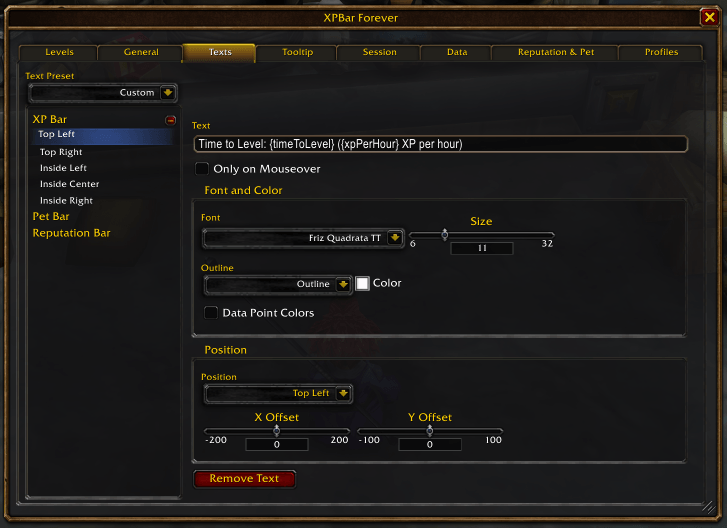
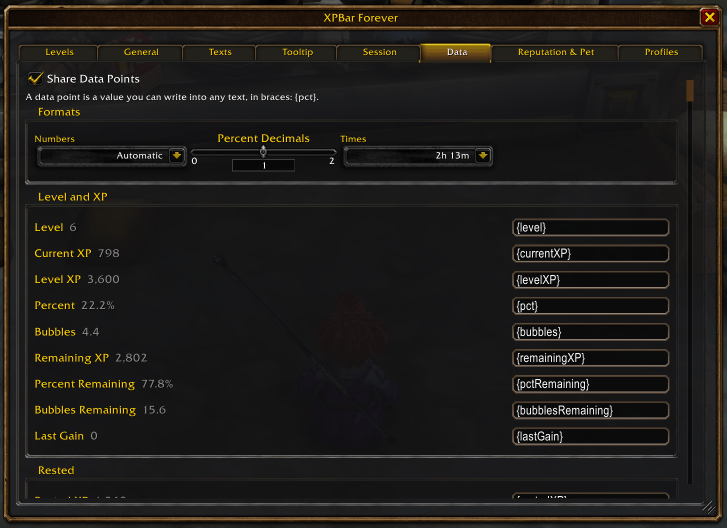
- 58 data points in nine text slots per bar. Every text is written freely and holds the data points you put in it, for example
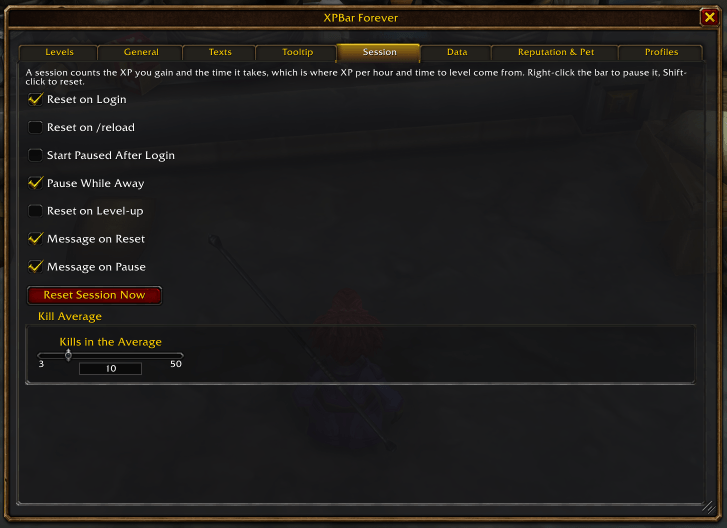
Level {level} - {pct} - {timeToLevel} to go. Clicking a text field opens the list of all 58 beside the window. - Session tracking with XP per hour, time to level and the quests you turned in. It pauses itself while you are away, so the numbers are not measured against hours nobody was playing.
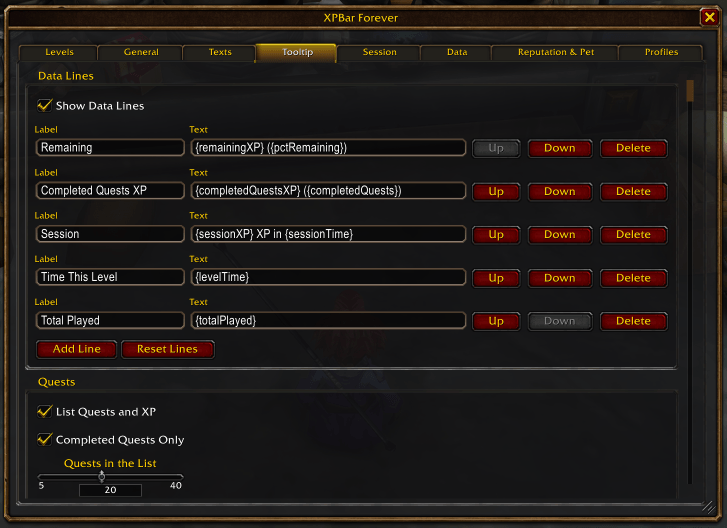
- A tooltip whose lines you write yourself, over a list of the quests ready to turn in with the XP they hold.
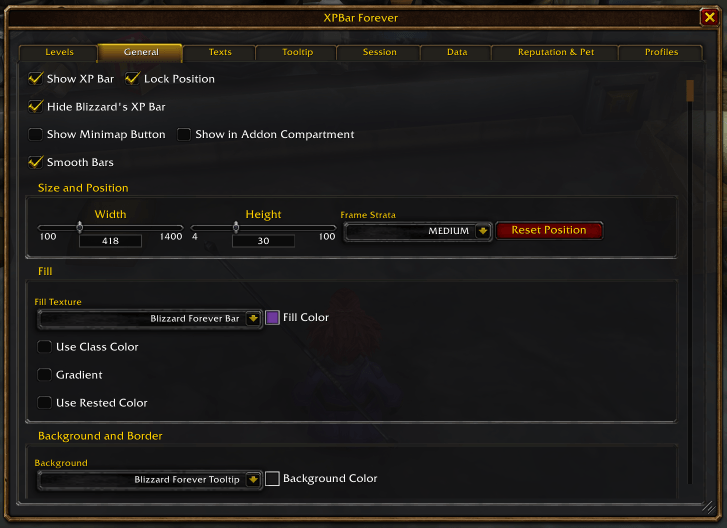
- With ElvUI or EllesmereUI running, the bar takes that interface's colors, font and bar texture and follows along when you change them. Without one, every color, texture, border and font is yours to set.
- Every data point is a LibDataBroker source, for ElvUI, EllesmereUI or Titan Panel datatexts.
Settings
/xpbfor Shift-right-click on the bar opens the settings.- Right-click the bar to pause or resume the session.
- Shift-left-click to reset the session.
Languages
English, German, both Spanishes, French, Italian, Korean, Brazilian Portuguese, Russian and both Chinese.
Problems
Bugs and requests go in the comments on this page.
You must be logged in to leave a comment.