
WoW Forever Builds – Guides & Dungeon quests
Talent guides in your talent window, a Dungeon Quest helper beside the group finder, and one-line character export for wowforeverbuilds.com."
Details
Expansion
 Forever
 Categories
Developers

Having issues?
WoW Forever Builds is the in-game companion for World of Warcraft: Forever. It carries the talent builds, dungeon quest data and route guides from wowforeverbuilds.com, so you do not have to alt-tab while you level.
Nothing is sent anywhere. The addon reads your own character and quest log, and every piece of data it needs ships inside it.
Route guides with waypoints — new guides in every update
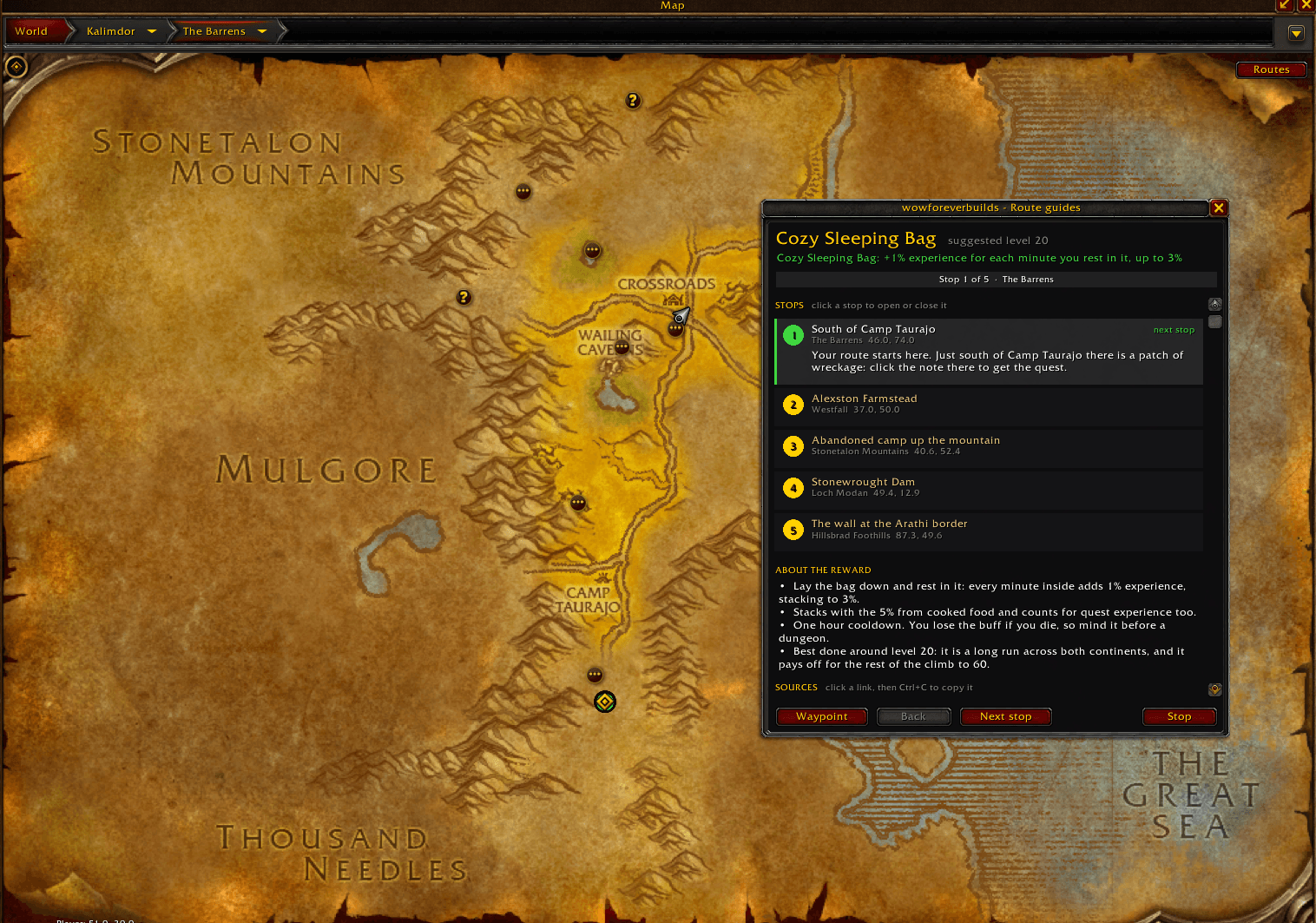
Some of Forever's best rewards sit at the end of an errand the quest log never points you to. The route guides walk you through them stop by stop.
- The current stop gets a map pin, or a TomTom arrow if you use TomTom.
- Chat tells you what to do when you arrive, and picking up the stop's quest moves you on to the next one.
- Alliance and Horde get their own version of a route, and each character only sees its own.
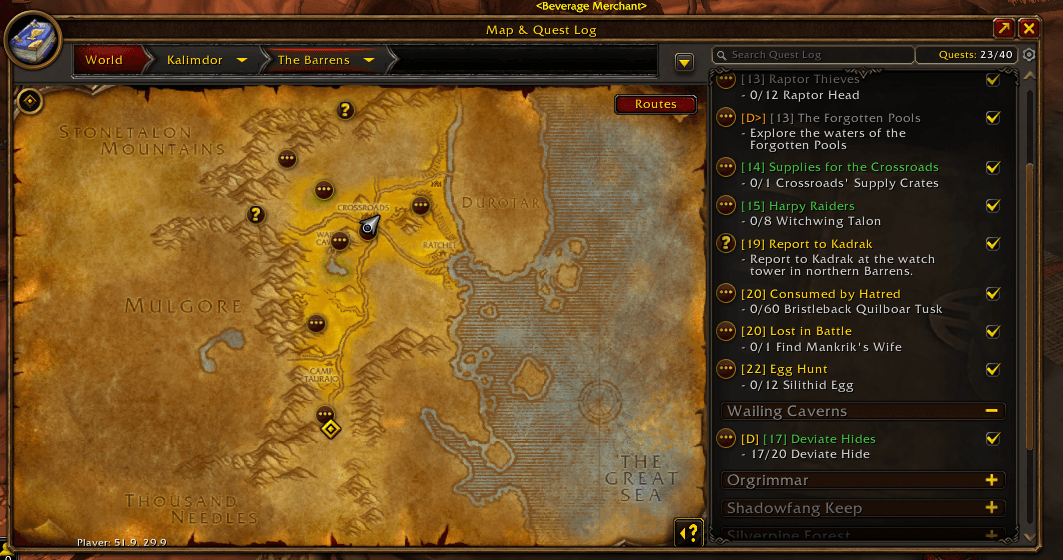
- On the world map, a Routes button picks a route, and its stops show as numbered pins on the zone and continent maps. Hover a pin for what to do there; click it to make it your current stop.
- Progress is kept per character, so a route can wait for another evening.
- Every route names its source, with the links in the panel ready to copy.
The first route is the Cozy Sleeping Bag: five zones on both continents and a jumping puzzle, for up to 3% more experience while you rest in it. More routes are added as they are found — hidden quest chains, collectibles and other errands worth the trip — so keep the addon updated to get them.
/wfb route opens the panel, /wfb route list lists the routes, /wfb route next and /wfb route back move between stops, /wfb route stop clears the waypoint.
Talent guide in your talent window
- Carries the talent build of every leveling and endgame guide from the site.
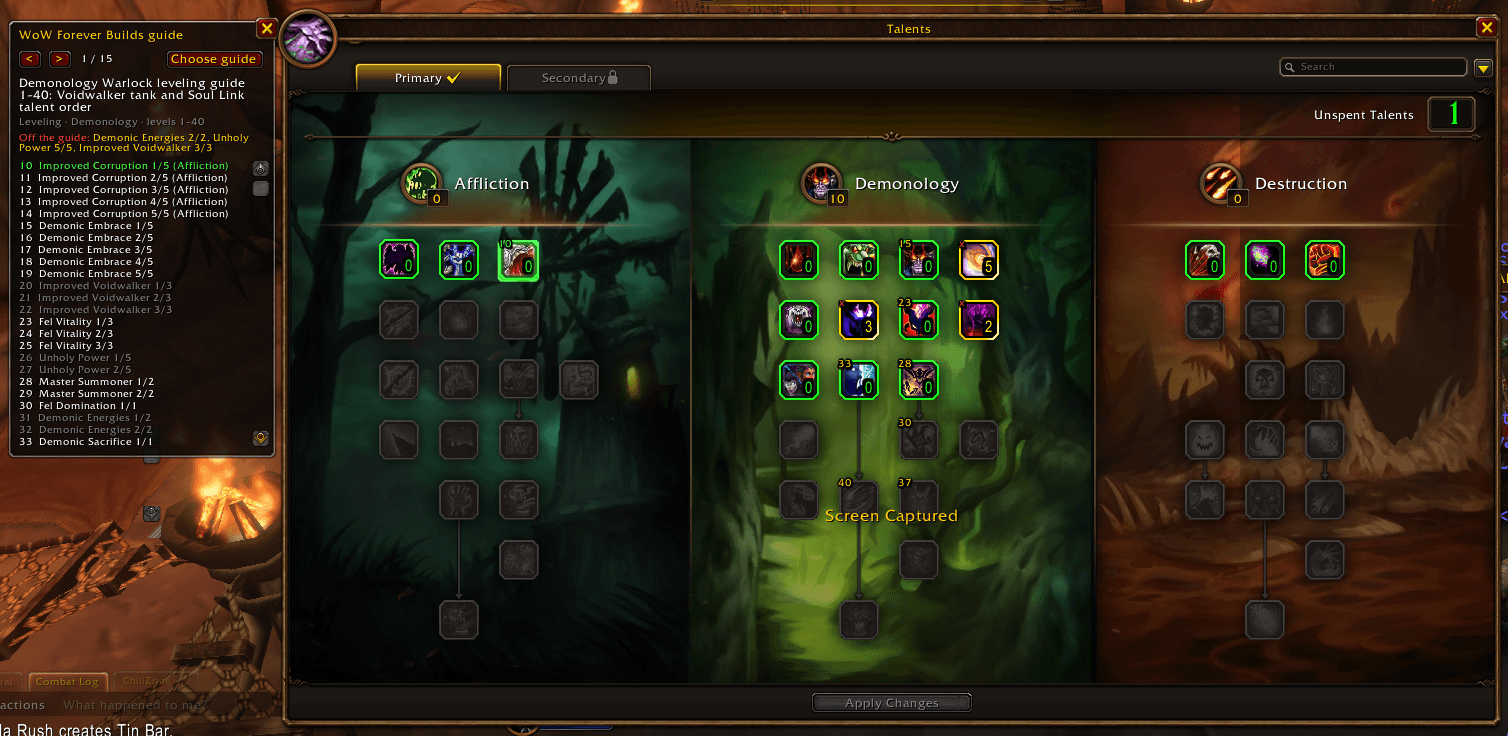
- The next talent glows, and pulses while you have a point to spend.
- Talents the guide still wants show the level of their next point; ones it does not take show a red x.
- A panel beside the talent window lists the whole order, level by level.
- On level up, chat tells you what to take, and warns you when you spend a point off the guide.
/wfb guide list lists the guides for your class, /wfb guide 3 picks one, /wfb guide off turns it off. You can also pick the guide from a dropdown on the settings page.
Dungeon Quest helper beside the group finder
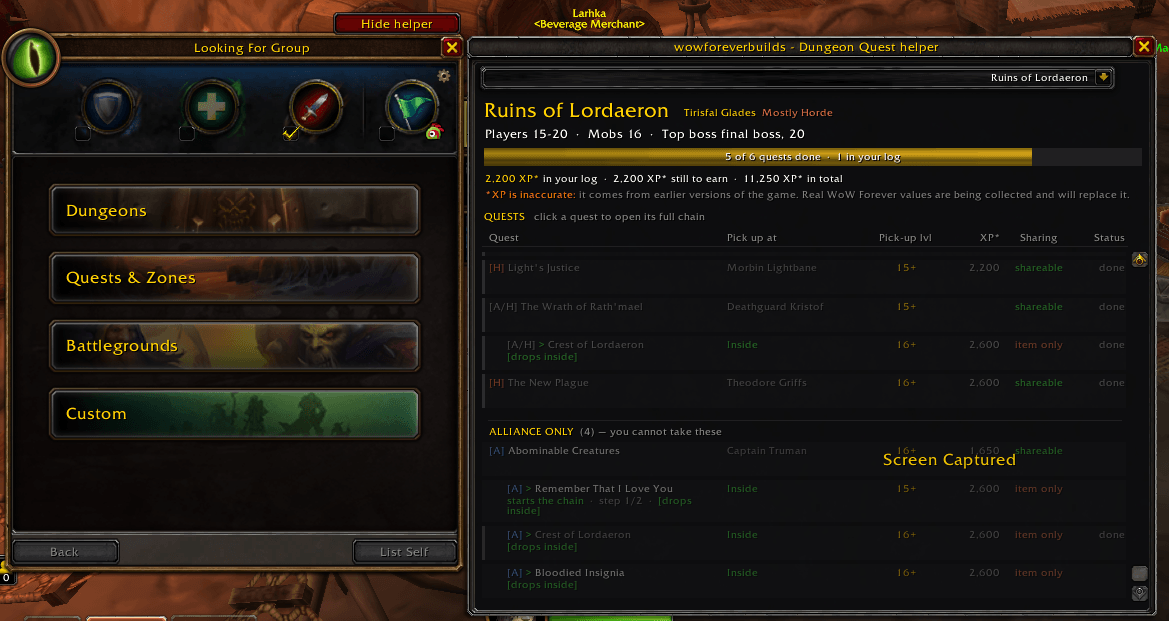
Open the group finder and the Dungeon Quest helper opens next to it, with a Quest helper button above the window to show and hide it.
- Follows what you do: queue for a dungeon, tick one in the finder, or walk into one, and the panel switches to it.
- A progress bar for the dungeon's quests, and columns for the quest, where you pick it up, the level you can pick it up at, its experience reward, whether it can be shared, and your progress.
- Quests are grouped into what you still have to do, what you have finished, and the other faction's quests; the ones in your log stand out.
- Every quest is marked [A], [H] or [A/H], and quests that cannot be shared say why: an item starts them, or they follow another quest.
- Steps that happen inside the dungeon are marked: given inside, drops inside, hand in inside, do inside, or at the entrance.
- Click a quest for the whole chain: where to pick it up, what it asks for, who takes it, and every step with your progress.
- Questlines that open a dungeon chain are listed above it, and your quest log marks those quests with [D] or [D>].
- Running totals: what the quests in your log are worth, what the dungeon still owes you, and the full total. Experience figures come from earlier versions of the game and are marked as estimates until real WoW Forever values are collected.
/wfb quests opens the panel from chat.
Minimap icon and settings page
- A minimap icon: left click opens the route guides, right click a menu with the routes, the Dungeon Quest helper, the talent guide on/off switch, the talent window and the character export. Drag it around the minimap; minimap button collectors such as MinimapButtonButton pick it up.
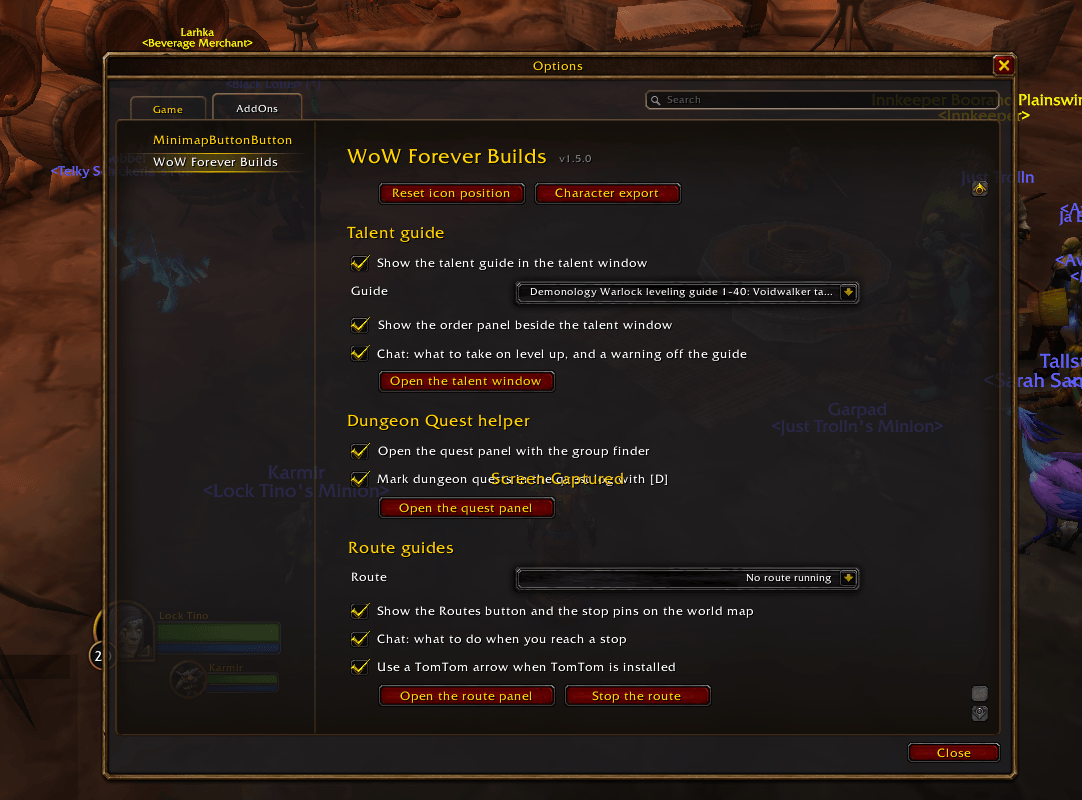
- Its own page under Options → AddOns → WoW Forever Builds (or
/wfb options): switch each part on or off, and pick your talent guide and your route from a dropdown.
/wfb minimap hides or shows the icon.
Character export
/wfb opens a window with a single line: name, realm, class, race, faction, level, talent points per tree, primary professions and whether you are on a Hardcore realm. Copy it, then paste it on My characters to import.
Data
Quest, talent and dungeon data comes from the WoW Forever beta client and from the guides on wowforeverbuilds.com. Route guides are built from tester reports and videos, and each one names its source; the ones we have not run ourselves say so. Beta data changes, so the addon is updated as the game is.
Source code: github.com/Boco10/WoWForeverBuilds-Addon (MIT)
You must be logged in to leave a comment.