

Wick’s UI
A full interface for TBC Anniversary and WoW Forever: action bars, unit and group frames, nameplates, chat, minimap, tooltips, a threat meter and the game's own windows, all in one look and every part optional. Nine looks, shared with every Wick addon.
Details
Expansion
 Forever
 Developers

Having issues?
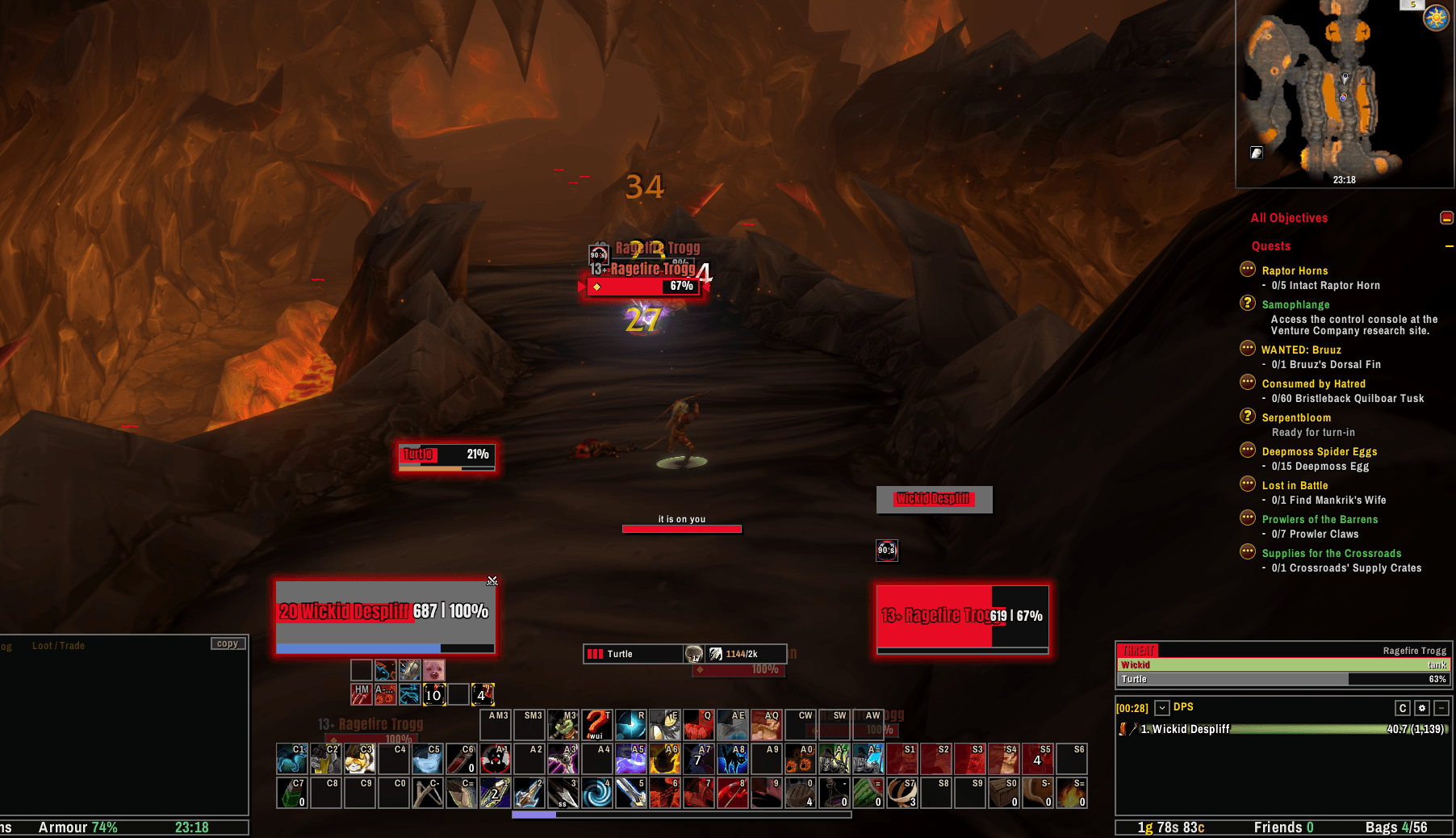
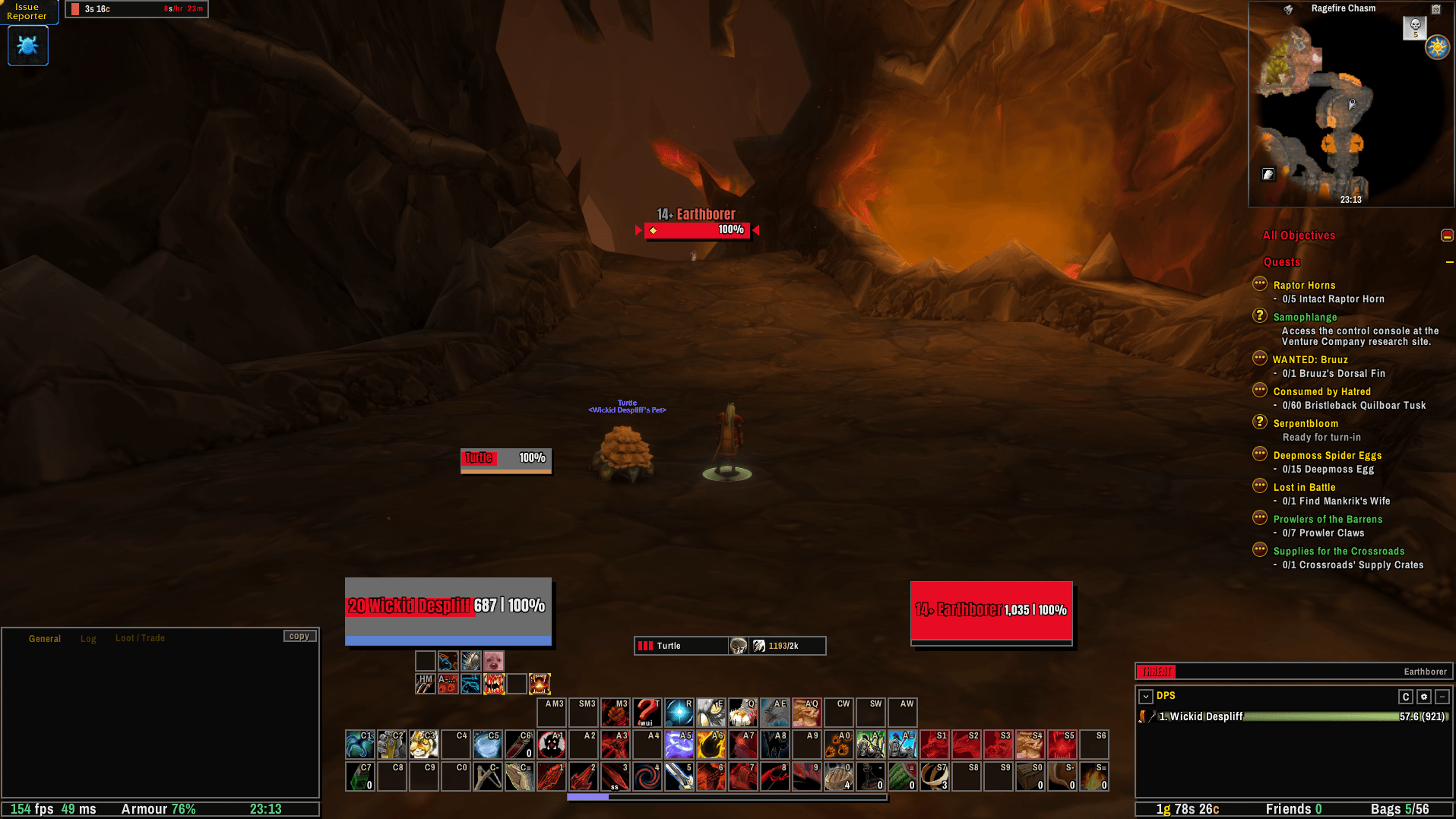
Wick's UI is a full interface for TBC Classic Anniversary and World of Warcraft: Forever, in one download that works on both. It replaces the game's action bars, unit frames, group frames, nameplates, buffs, chat, minimap and tooltips, and dresses the game's own windows to match. Every part can be switched off, and anything switched off is left exactly as the game made it.
Requires WickCore, which carries the shared looks, themes, profiles and options for the suite.
One look for everything
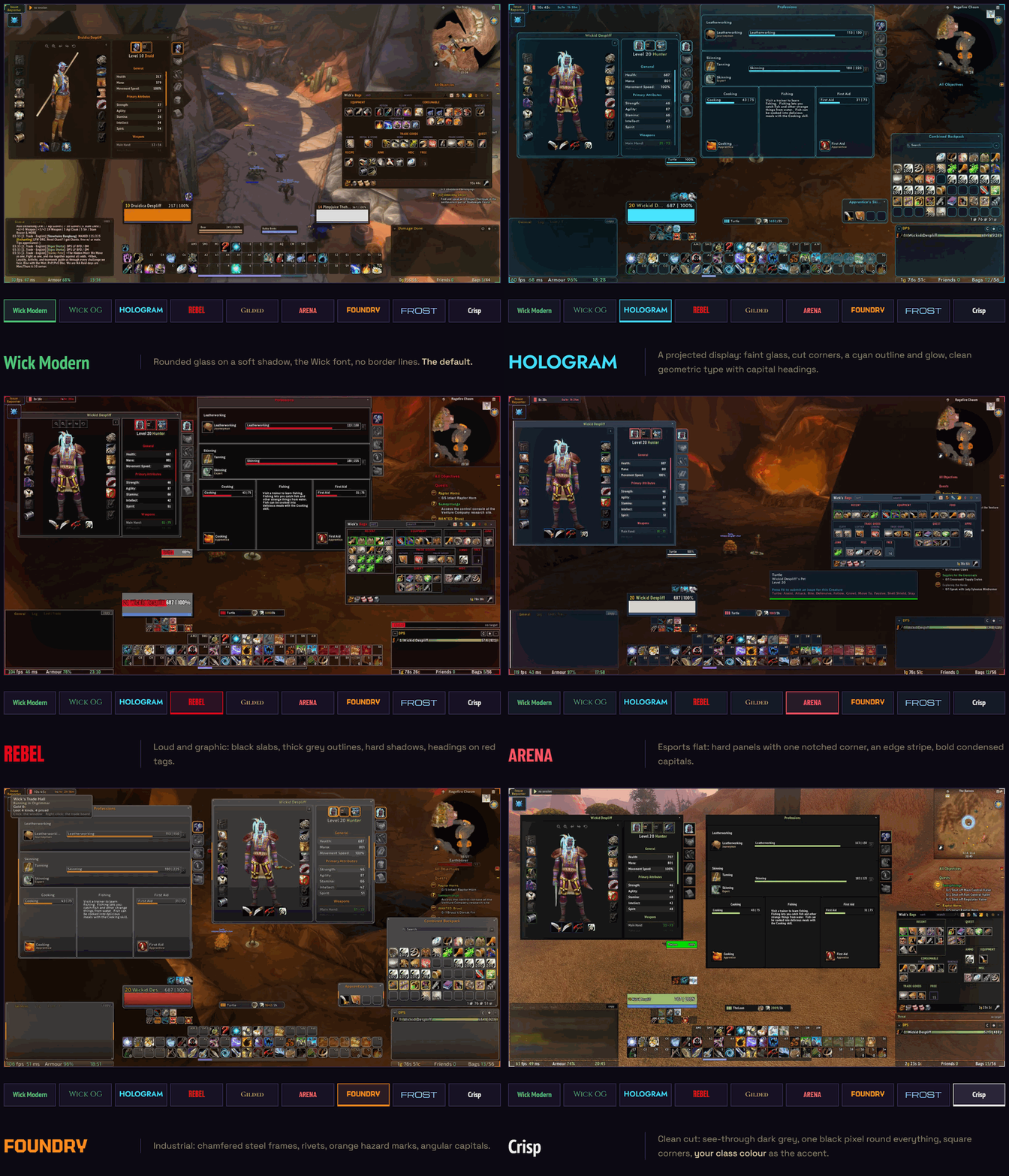
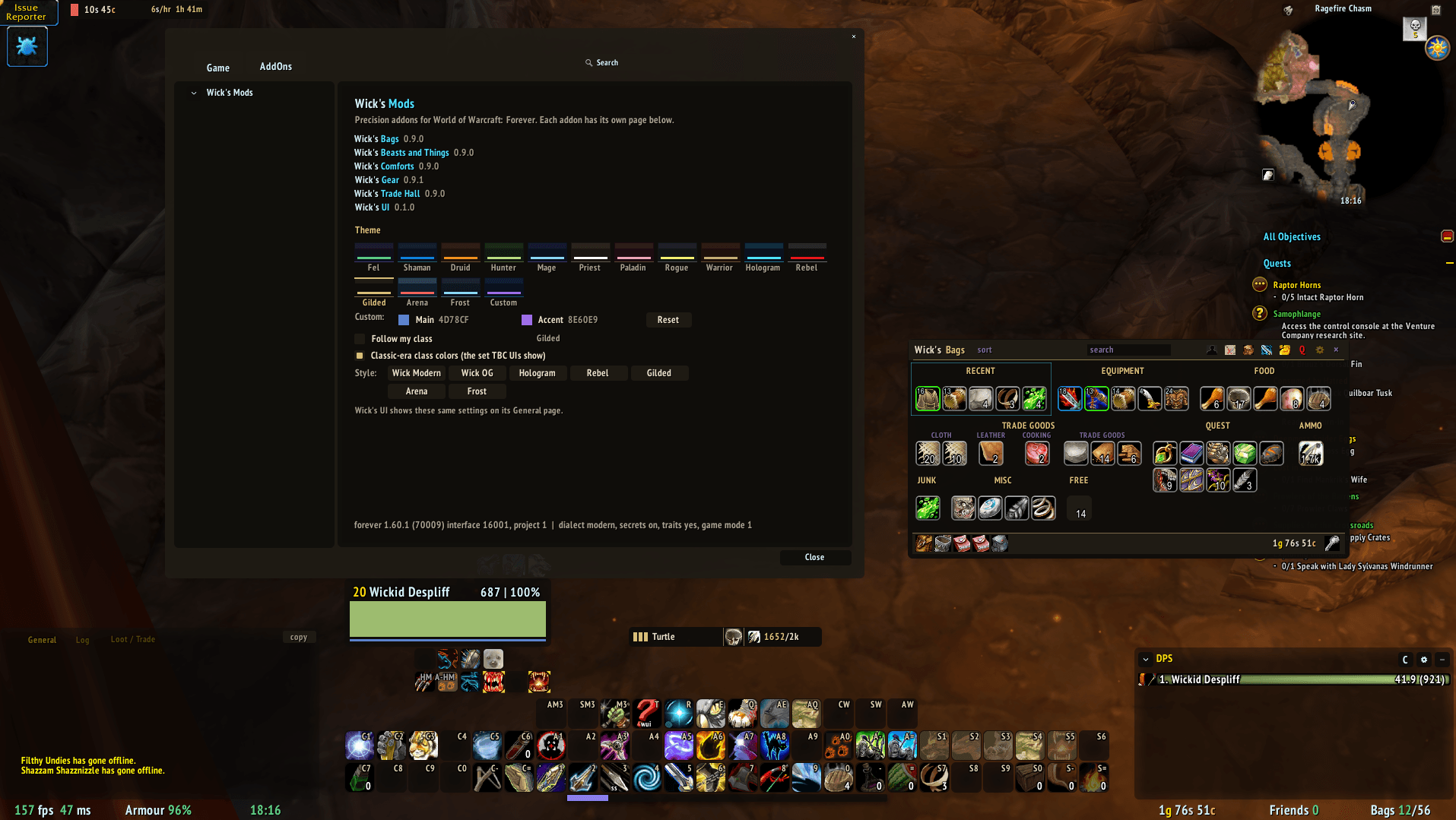
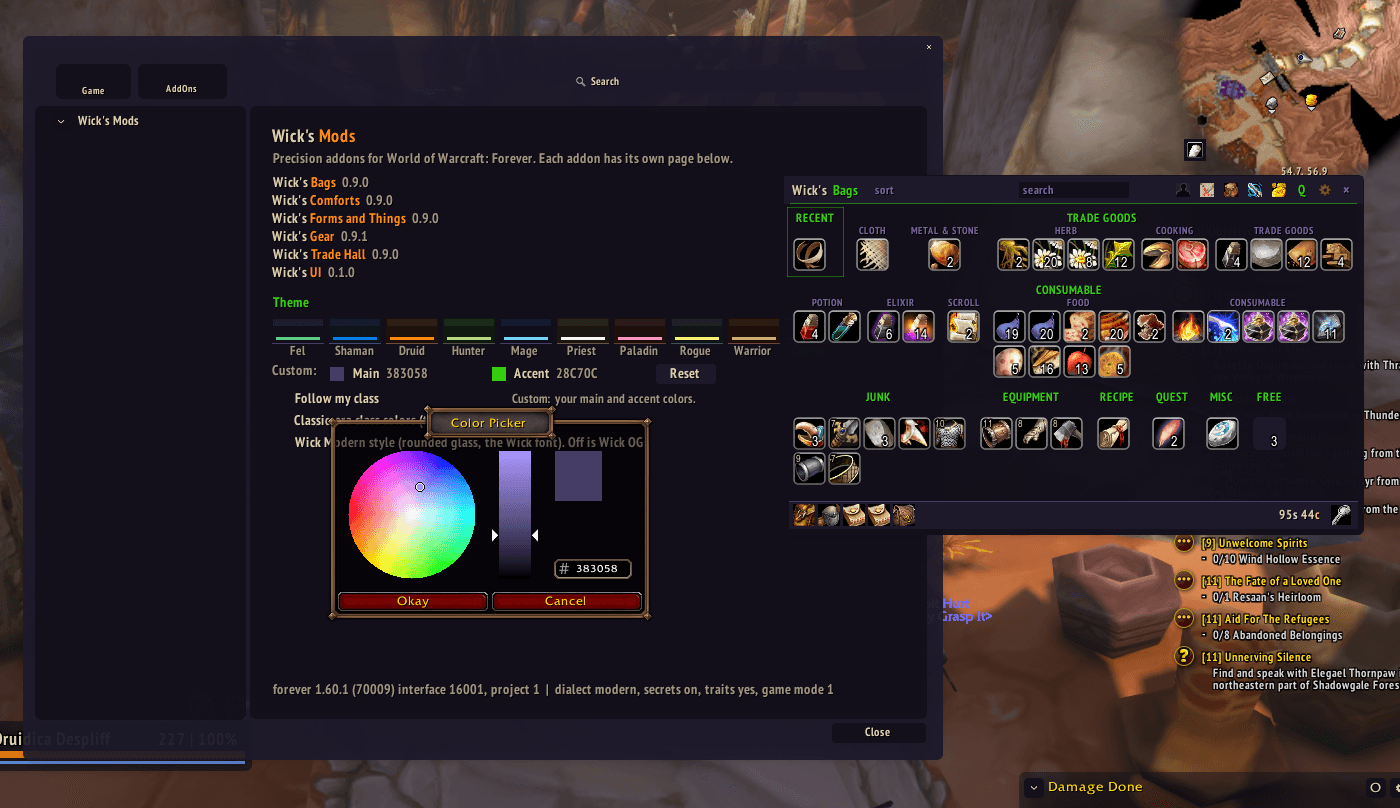
Pick a look and the whole interface changes with it: Wick Modern, Wick OG, Hologram, Rebel, Gilded, Arena, Foundry, Frost and Crisp. Each has its own shapes, fonts and colours, from the bars down to the tooltips and the names over the world. Wick's Bags and the class kits follow the same look, so nothing on screen sits apart from the rest.
Action bars
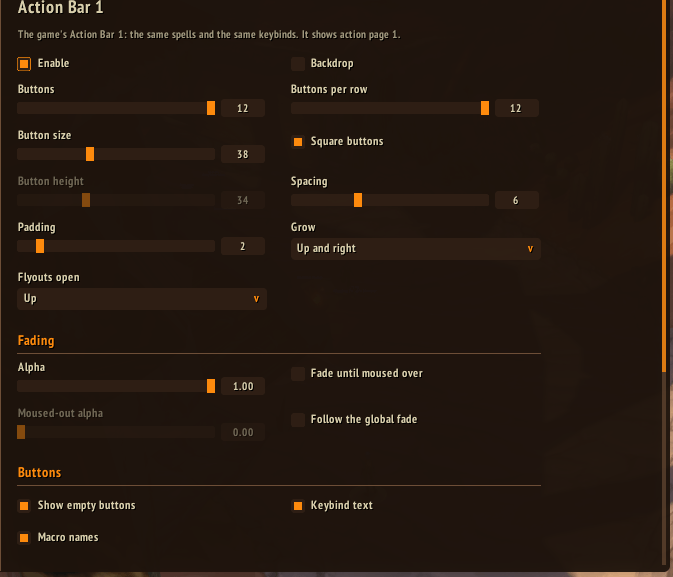
Built on the game's own action pages and keybindings, so the binds you already have keep working. Stance and pet bars, fading, and hover keybinding: type /wui kb, point at a button and press the key. Spells on your bars move up to the new rank when you train it.
Unit frames, party and raid
Player, target, target of target, focus, pet and bosses, with cast bars, auras and the text you choose. Party and raid frames carry the healer pieces: a debuff you can dispel in the middle, your own heals over time in the corners, missing health, and a border on whoever you are targeting.
Nameplates
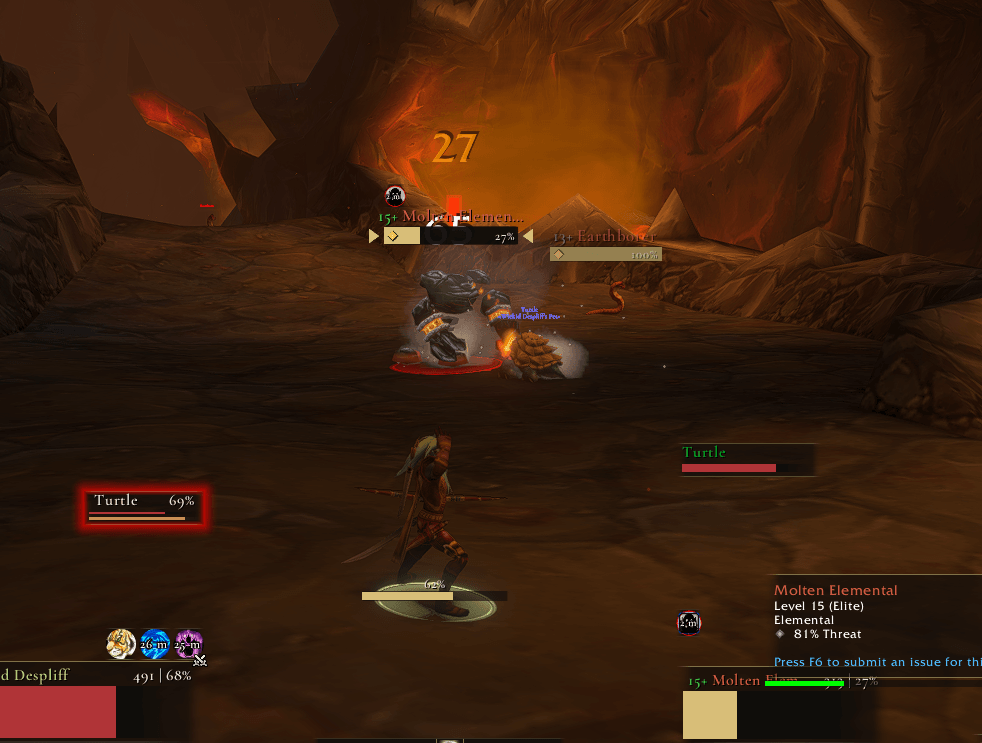
Target and focus markers, class marks, an execute highlight, a lock on casts you cannot interrupt, threat colours while you tank, and friendly plates as names only.
Threat
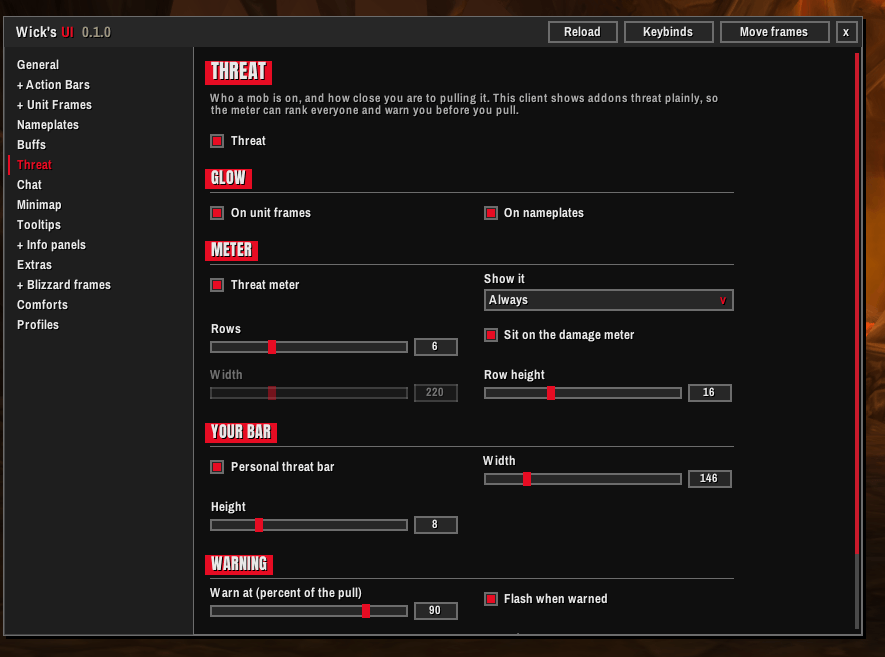
A ranked meter of your group on your target with the tank marked, a slim bar of your own threat that warns before you pull, and frames and plates that glow as a mob turns to you.
The game's windows
Character, spellbook, talents, professions, map, mail, the bank, vendors, trainers, flight masters, quest givers, friends, guild, the group finder, the stable, calendar, collections, settings and menus, all dressed in the look. The damage meter and swing timers too.
And the rest
- Buffs and debuffs, chat, a minimap in the look with other addons' buttons gathered into one flyout, tooltips, info panels, and XP and reputation bars.
- A raid marker bar that works in combat, a quieter error line in a fight, and an AFK screen.
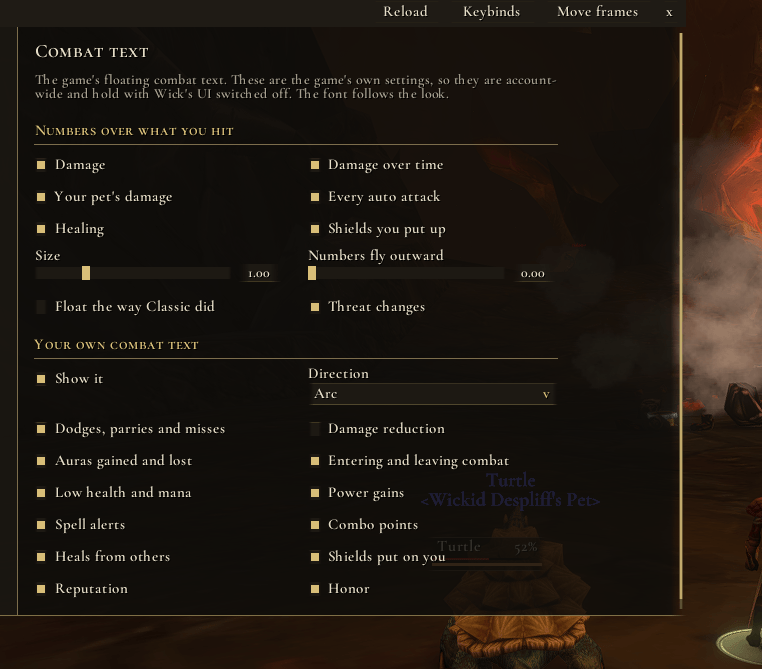
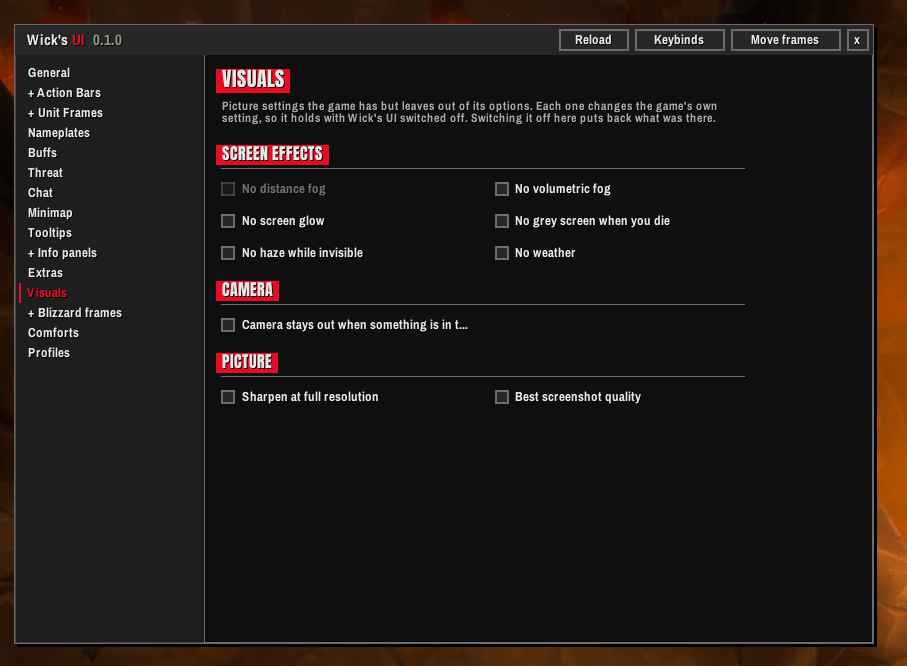
- Picture settings the game has but leaves out of its options, and fuller controls for combat text.
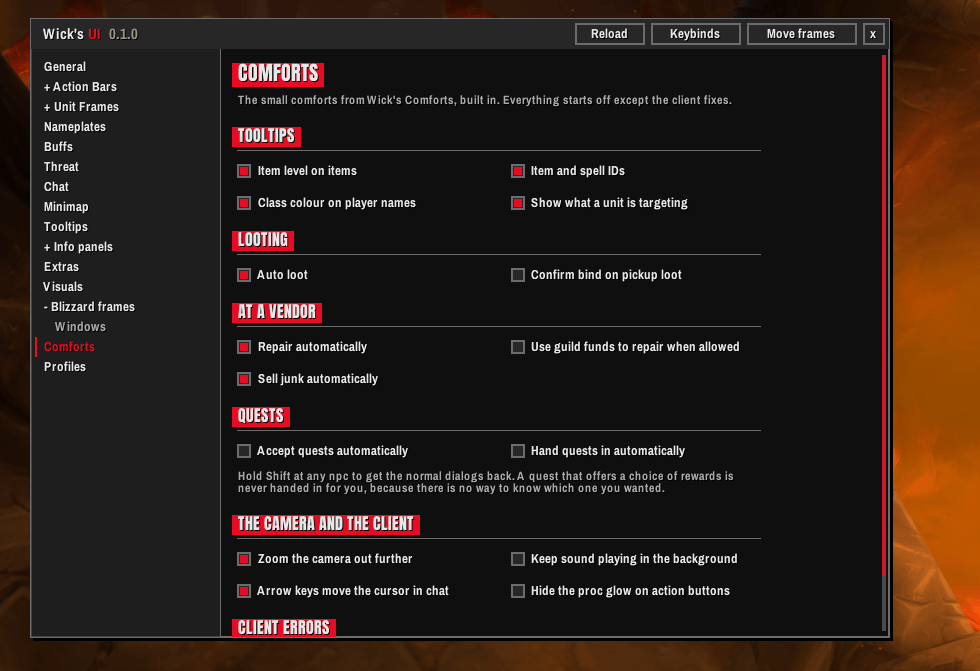
- The comforts from Wick's Comforts built in: richer tooltips, auto loot, auto repair and junk selling, quest accept and hand-in, and camera settings. Each one is off until you turn it on, apart from a few client fixes.
- Profiles, and a mover for every frame.
A setup that asks first
On first login a short setup asks one question to a page: your look, class colours and scale, then about the addons you already run. With Wick's Bags on, it asks which bags B opens. With another addon that does a job Wick's UI also does, such as other nameplates or other action bars, it asks which one keeps it, and leaves that part to the other addon if you say so. Kits for other classes can be switched off for that character. One reload at the end.
Made for each client
Nothing is written into the game's own frames, and on Forever, health and combat numbers are shown the way the client hands them over and are never read, so it keeps working in a fight. On TBC Classic Anniversary the older windows take the look too, buffs cancel on a right-click, the minimap's own buttons sit in a row under it, and the quest tracker is in the look and moves where you put it. Anything a client does not have, such as boss frames or the game's damage meter on TBC, is simply left out.
Better with the rest of the suite
Wick's UI works on its own, and even better with the other Wick addons. They all share its looks, so whichever one you pick, everything on screen matches!
Wick's Bags: bags and bank in one window, sorted the way you say.
https://www.curseforge.com/wow/addons/wicks-bags
Wick's Gear: what to chase while levelling, and where it drops.
https://www.curseforge.com/wow/addons/wicks-gear
Class kits
Wick's Beasts and Things, the hunter kit: pet care, ammo and a beast atlas.
https://www.curseforge.com/wow/addons/wicks-beasts-and-things
Wick's Conjures and Things, the mage kit: rations, reagents and every portal you know.
https://www.curseforge.com/wow/addons/wicks-conjures-and-things
Wick's Demons and Things, the warlock kit: stones, demons and shards.
https://www.curseforge.com/wow/addons/wicks-demons-and-things
Wick's Poisons and Things, the rogue kit: coatings, combo points and weapon swaps.
https://www.curseforge.com/wow/addons/wicks-poisons-and-things
Wick's Seals and Things, the paladin kit: the seal key, blessings and weapon swaps.
https://www.curseforge.com/wow/addons/wicks-seals-and-things
Wick's Stances and Things, the warrior kit: three stances and a smart key.
https://www.curseforge.com/wow/addons/wicks-stances-and-things
As always, please leave me any feedback or reach out for support. It is always appreciated and goes a long way to helping improve these addons for everyone.
You must be logged in to leave a comment.