

Whispr
Keep your World of Warcraft whispers together in one inbox or give each conversation its own window.
Details
Expansion
 Forever
 Categories
Developers

Having issues?
Whispr
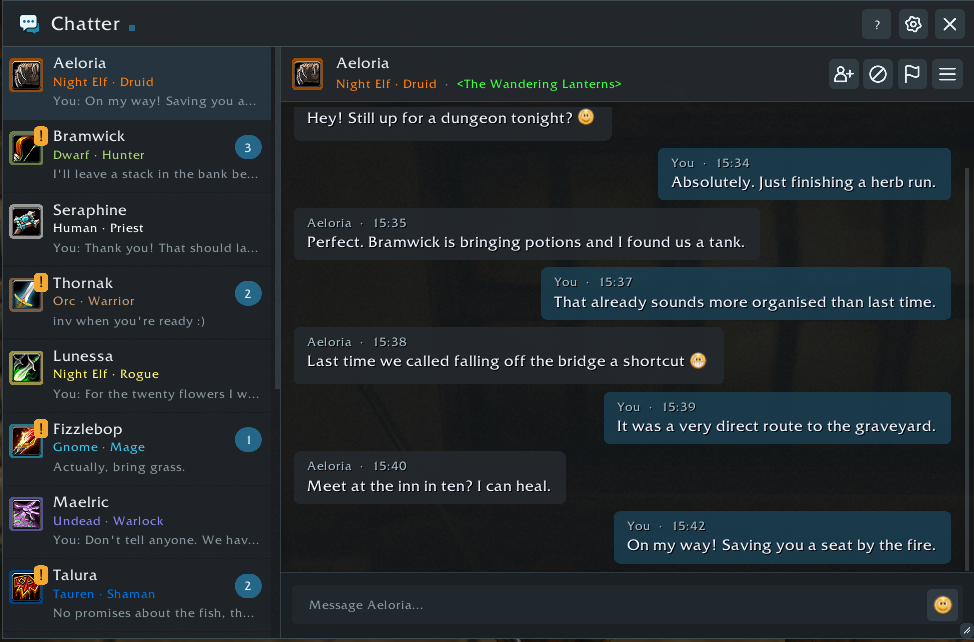
Keep your World of Warcraft whispers together in one inbox or give each conversation its own window. Whispr includes saved history, unread badges, class colors, smileys, and character and Battle.net conversations.

Combined mode — browse your conversations and unread messages in one window.
Separate mode — keep individual conversations wherever you want them on screen.
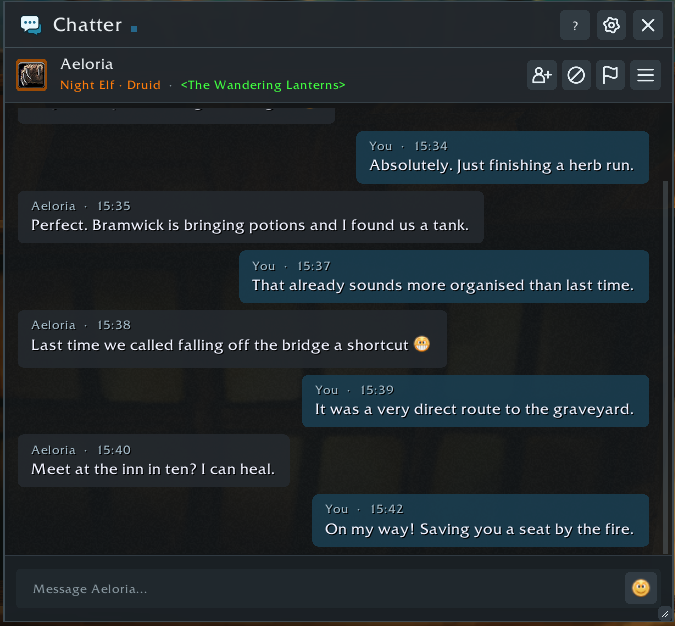
Screenshots use fictional conversations.
Chat controls
- Enter sends your message. Shift-click an item to insert its link.
- Click a conversation to switch chats. Your unfinished draft stays there.
- Right-click a conversation → Pin conversation to keep it at the top. Use Unpin conversation to return it to its usual order.
- Search above the conversation list to find a character by name. Clear the field to show all conversations again.
- Scroll up to read older messages; Jump to latest returns to new ones.
- Drag across message text, then press Ctrl+C to copy it.
Emoji stay visible while selecting and copy as text faces such as
:). - Open the conversation menu to move a chat into its own window or dock it again.
- Drag the title bar to move a window and its bottom-right corner to resize it. Window positions, sizes, and undocked conversations are remembered.
- Escape dismisses an open panel, then closes the chat window.
Make it yours
Choose a theme, adjust fonts and opacity, pick a notification sound—including classic WIM sounds—and set your preferred window sizes. Combat options control when windows hide or stay closed. Settings are shared across your characters.
Consecutive messages share a sender heading. Class icons beside message groups can be toggled under Messages → Show class icons in messages.
Under Extensions, you can enable and configure:
- Notifications — small alerts for whispers while the chat window is hidden, with a movable position and adjustable appearance.
- Emoji — a smiley picker and inline text smileys.
- Keyword actions — clickable words such as
[invite], with optional automatic invites restricted to friends or guild members. - Character names — class colors for known names mentioned in messages.
Support
Report an issue · Contributor guide · Extension API
Whispr's original code is MIT licensed. Bundled libraries and artwork retain their own licenses and credits.
You must be logged in to leave a comment.