
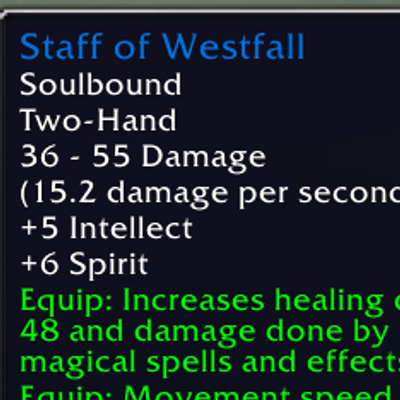
Westfall Staff Equip
Equip Staff of Westfall in its bonus zones, then restore your previous weapons when you leave.
Details
Expansion
 Forever
 Categories
Developers

Having issues?
Westfall Staff Equip
Equip Staff of Westfall in its bonus zones, then bring back your previous weapons when you leave. Built for WoW Forever beta 1.60.1.
How it works
An Equip Staff button appears outside combat when the staff is in your bags and you are in Elwynn Forest, Westfall, Redridge Mountains, or the Deadmines. Click it to equip the staff and remember your main-hand and off-hand items.
When you leave those zones, Restore Weapons appears. Each click restores one slot; a weapon pair may need two clicks. Your saved setup survives reloads and is separate for each character. Empty slots are remembered too. Clearing a slot needs a free normal bag slot. Missing or locked items remain remembered until available. Only equipping through the addon button saves your setup.
Settings
Type /wse or open Options > AddOns > Westfall Staff Equip.
- Move the button previews and save their positions.
- Turn the helper on or off.
- Enable an optional Hide button, with a 5-minute default timer.
- Set the delay after combat, 10 seconds by default.
- Enable optional fading and hover to reveal the buttons.
- Reset positions or clear the hide timer.
Combat hides the buttons. Casting, channeling, eating, and drinking pause the reminder. Preview buttons do not change equipment. Each equipment action requires your click. English client zone names are currently supported.
Install and beta status
Copy the WestfallStaffEquip folder into classic_beta/Interface/AddOns and reload. Restart the game if the addon is not detected.
Offline Lua and simulated equipment checks passed. Live equip/restore behavior still needs testing in the Forever client.
Source and releases | Report an issue
Adapted from Night Watch Torch by Videocat. Addon code uses the MIT license. The supplied World of Warcraft tooltip image belongs to Blizzard Entertainment and is not covered by the code license. This is an unofficial addon.
You must be logged in to leave a comment.