
VoxPopuli
VoxPopuli hides openly hostile player chat except from or your whitelisted guilds and players
Details
Expansion
 Forever
 Categories
Developers

Having issues?
Shows chat and invites only from guilds and players you choose. Everyone else is hidden. Out of the box, any guild with "Olympus" in its name is shown, and your own guild is added when you log in. You can add or remove names at any time.
Filtering is client-side only: it changes what you see and nothing else. Nothing is added to your ignore list (so there is no 50-name cap), and the other player is never notified.
What it does
- Hides all player chat from anyone who is not on your list: Say, Yell, Emote, Whisper, General/Trade/custom channels, Guild, Party, Raid, Raid Warning, and Instance chat. System messages, boss emotes, and NPC dialogue stay visible.
- Hides their chat bubbles in the open world. Dungeons and raids do not let addons change bubbles.
- Auto-declines guild invites from people who are not on your list (on by default). Group invites, duels, and trades can each be turned on separately (off by default). An invite that arrives before someone is identified is declined once they are.
- Adds a "Hidden by VoxPopuli" line to hidden players' tooltips, and a whitelist line for players you have marked as always shown.
- Warns you if you join a group with someone who is hidden, because their party chat will not appear.
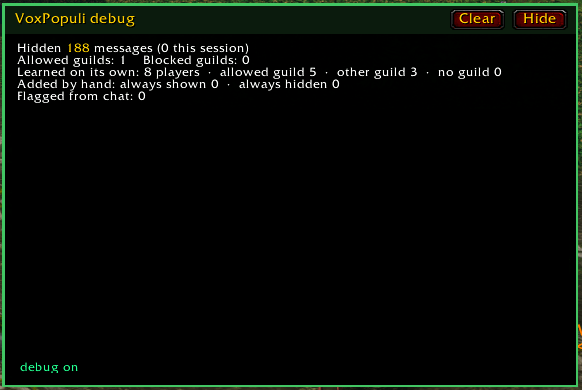
- Counts hidden messages for this session and all time, and how many players it has learned.
How players are recognized
Chat messages do not include the sender's guild, so VoxPopuli learns guilds from players you encounter:
- Targeting or mousing over a player
- Seeing their nameplate
- Grouping with them
- Shift-clicking their name in chat
- Any /who results, including the Scan button and /vox id
When a player is recognized as not on your list, their earlier lines are removed from your chat windows. Learned players are saved between sessions. If a /who or shift-click shows that someone has left a guild you allow, they are hidden from then on.
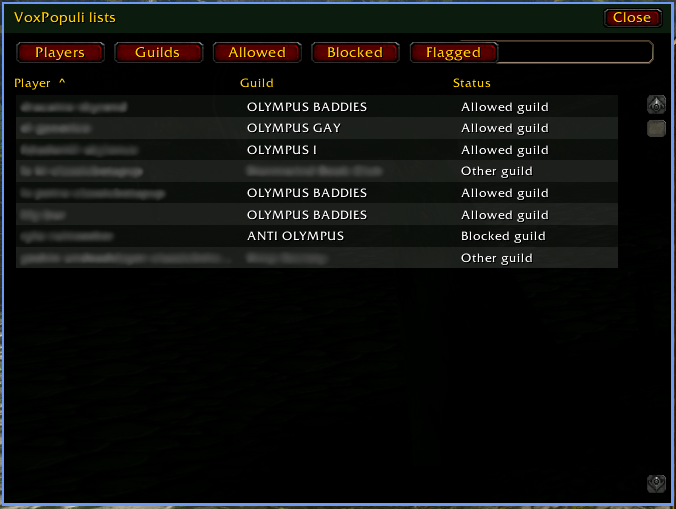
Guild names on the allow list match any part of the name, ignoring case ("Olympus" matches "Olympus Rising"). The block list is exact: those guilds are always hidden, even when their name contains an allowed fragment. A player you mark "always show" overrides every guild rule. A player you mark "always hide" stays hidden even if their guild is allowed.
Options panel
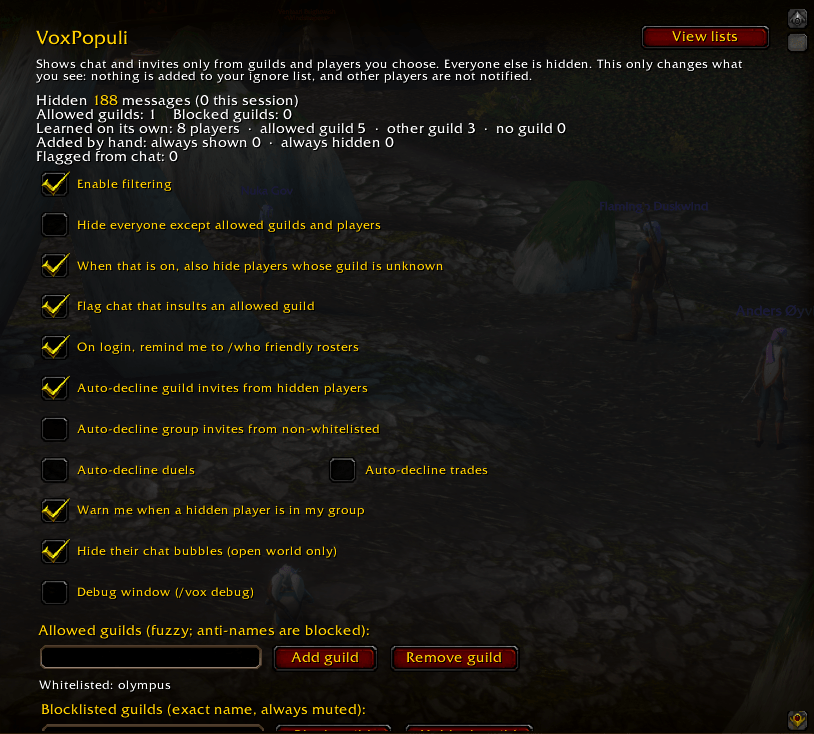
Open it under Interface > AddOns > VoxPopuli, or type /vox (alias /vp):
- Hidden-message and learned-player counts at the top
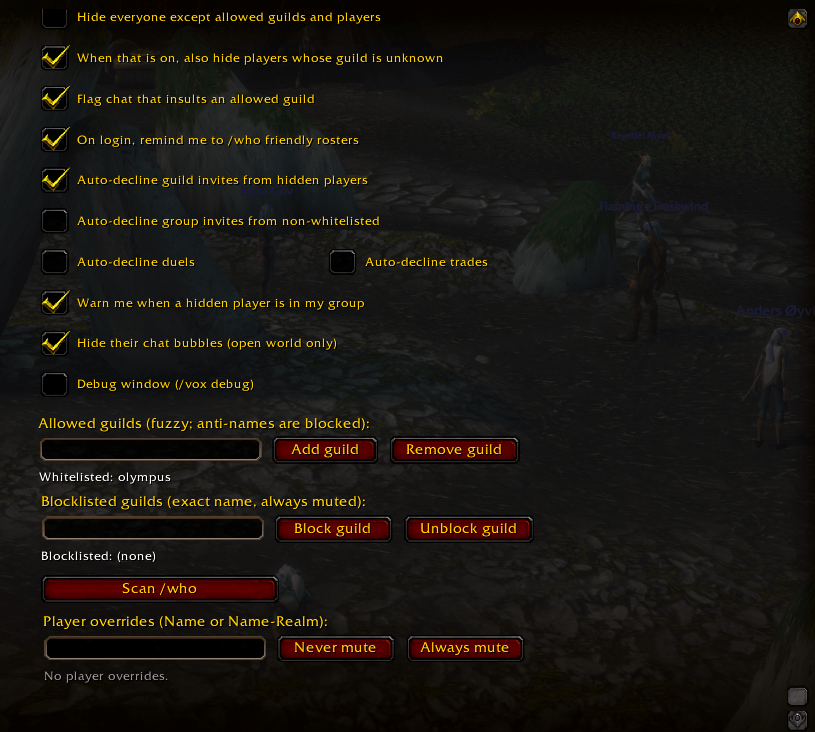
- Turn filtering, each auto-decline, the group warning, bubble hiding, and the login /who reminder on or off
- Choose whether players whose guild is not known yet are hidden (on by default)
- Allowed guild names: add or remove a partial name
- Blocked guild names: exact names that are always hidden
- Scan /who: each click runs the next search in a rotation over every allowed guild and level band, working around /who's 50-result limit
- Mark a player as always shown or always hidden, or clear that override
Slash commands
/voxopens the options panel/vox on//vox offturns filtering on or off/vox guild addName//vox guild removeNameedits the allowed-guild list (partial match)/vox guild blockName//vox guild unblock Nameedits the exact-name block list/vox guild listprints both guild lists/vox player allow Name//vox player block Name//vox player remove Namesets per-player overrides/vox player listprints player overrides/vox unknowns on|offhides players whose guild is not known yet/vox declines guild|group|duel|trade [on|off]sets auto-decline toggles/vox groupwarn on|offsets the group warning/vox bubbles on|offsets chat bubble hiding/vox channel Name [on|off]sets a per-channel filter (say, yell, emote, whisper, channel, guild, party, raid, instance)/vox scanputs the next /who in the chat box; press Enter to run it. The Scan button on the options panel runs that search on click./vox id Nameputs a/whofor one player in the chat box; press Enter/vox check Nameshows why a player is shown or hidden/vox statsshows hidden-message counts/vox autoscan on|offsets the login reminder to scan allowed rosters/vox clearresets all settings to the defaults
Notes
- Until a player has been recognized, their messages are hidden. Turn /vox unknowns off if you would rather see strangers until their guild is known.
- This client does not let addons call /who on their own. Use the Scan button, or /vox scan and press Enter. The login reminder only prepares the next search; it does not run it.
- Players you mark as always hidden stay hidden if they change guilds.
- Built for WoW: Forever. If the game hides some instance chat from addons, those messages pass through unfiltered.
You must be logged in to leave a comment.