
TriggerBar
Lays out WoW Forever's four controller action bars as one flat hotbar that lights up the section for whichever trigger you're holding, without changing any bindings.
Details
Expansion
 Forever
 Categories
Developers

Having issues?
TriggerBar changes how the Gamepad UI's action bars look in WoW Forever. It doesn't touch your bindings.
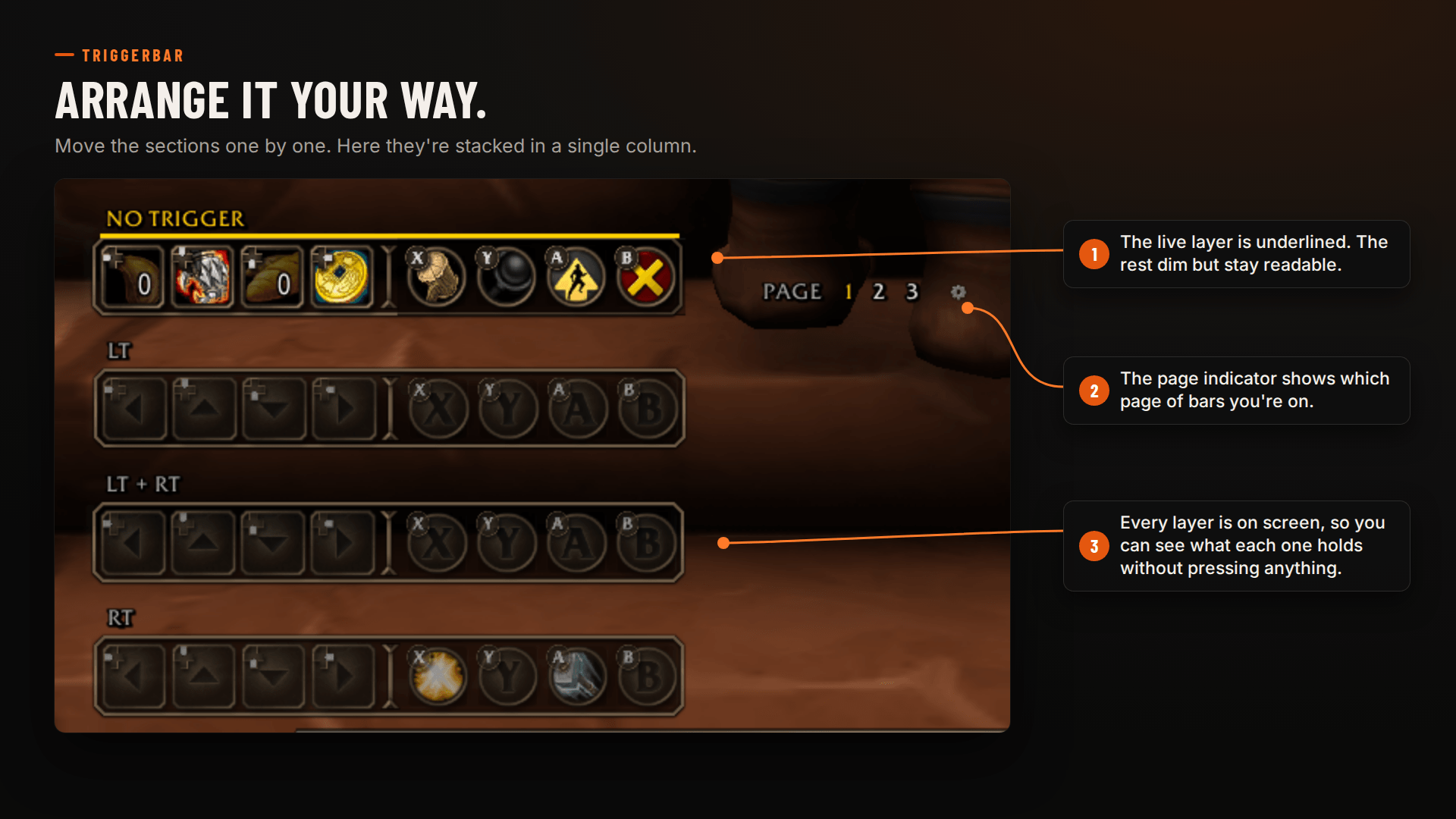
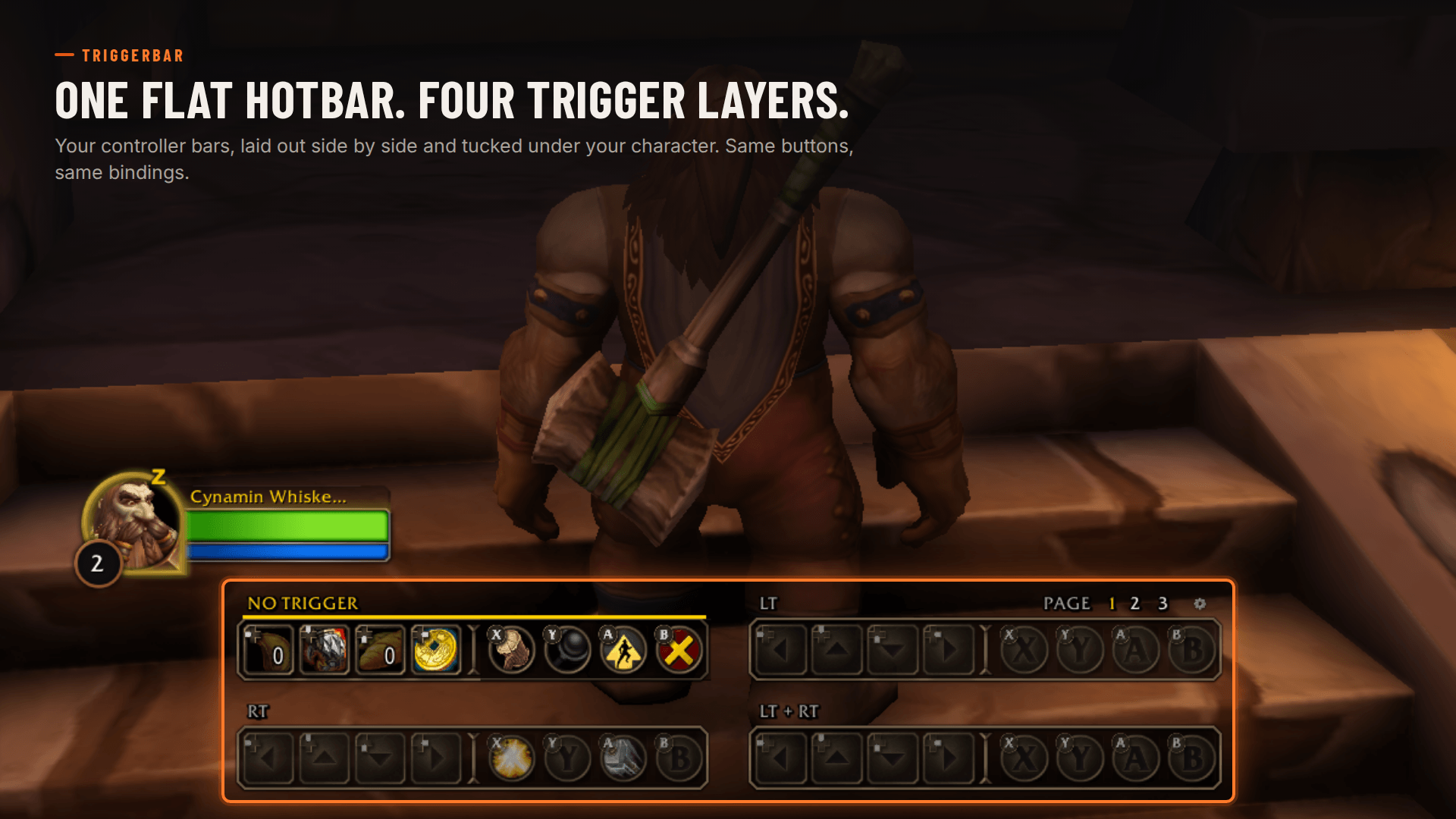
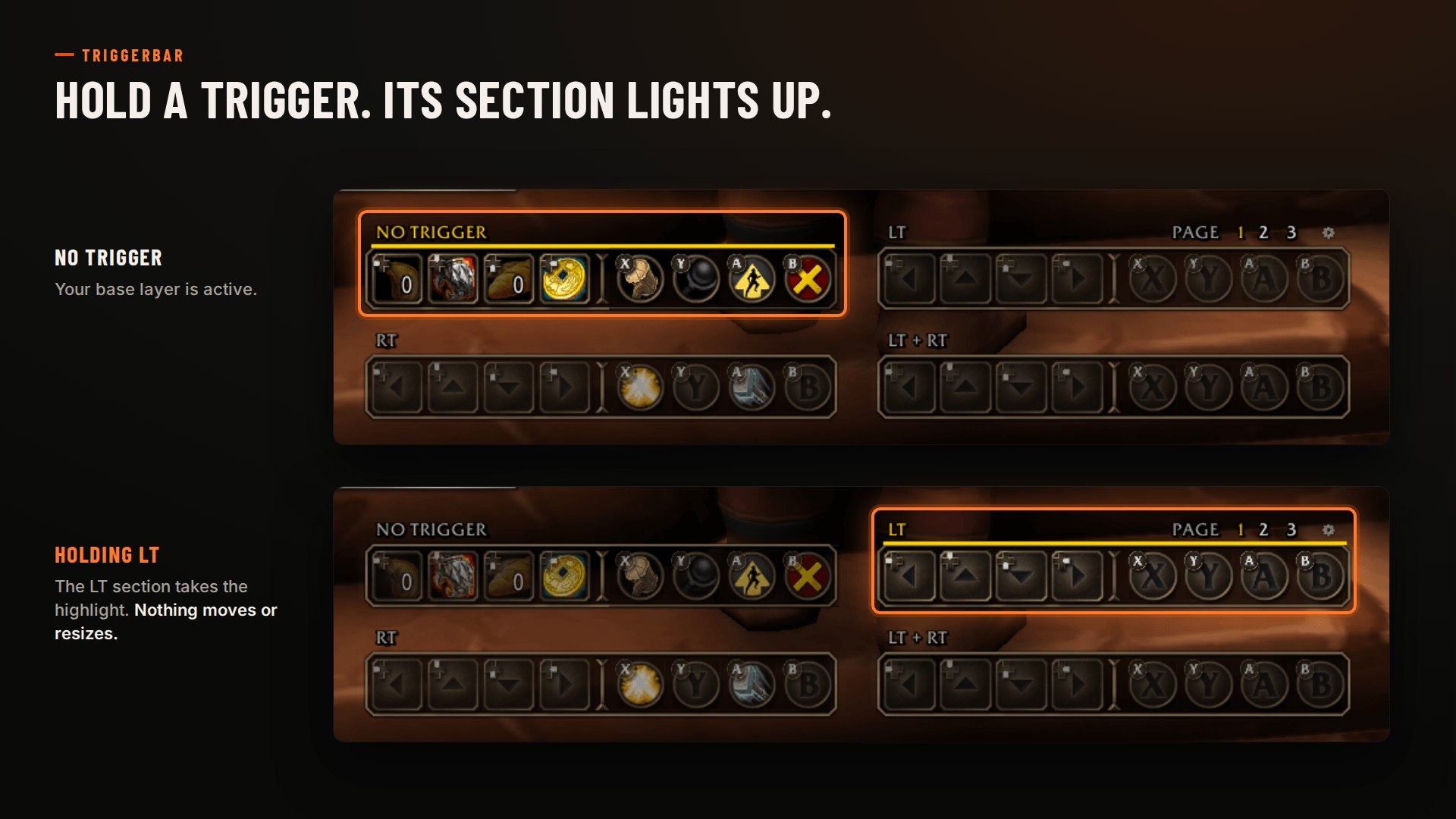
By default, the Gamepad UI stacks four sets of buttons in the middle of the screen, and the set you're using grows and gets a highlight. TriggerBar lays all four sets out side by side as a single hotbar:
No trigger · LT · RT · LT+RT
Hold a trigger and its section lights up. The other sections dim but stay visible, so you can see what's on every layer without pressing anything. Nothing moves, scales or flashes.
Features
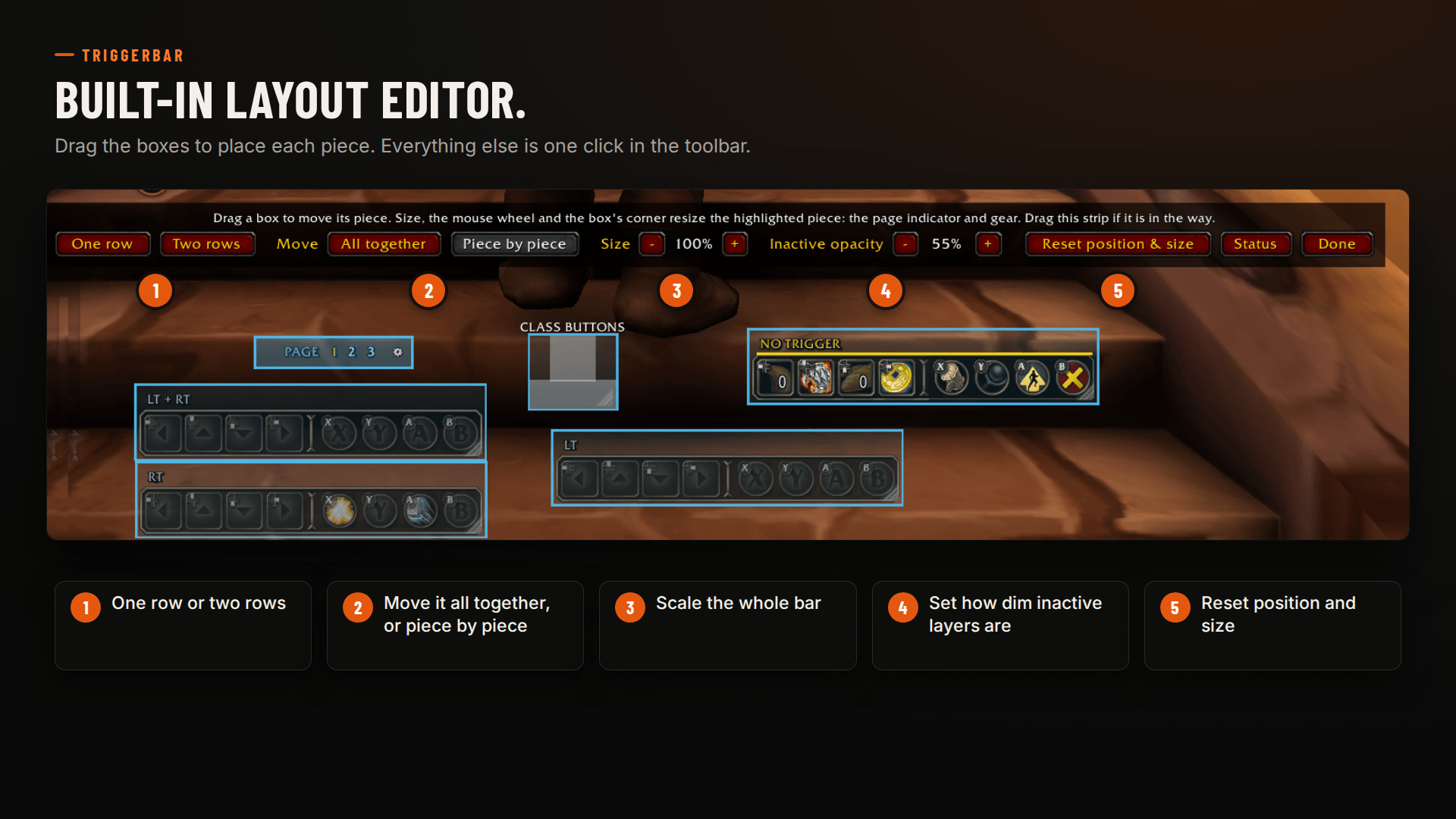
- All 32 slots in one row, or in two rows if you prefer
- A small label above each section showing which trigger it uses
- The button prompt in the corner of each slot
- Adjustable dimming for inactive sections
What it doesn't do
- Change bindings, button assignments or targeting
- Automate anything
- Touch the targeting, shortcut or radial menus
Requirements
- WoW Forever with the Gamepad UI enabled (Options → Gameplay → Gamepad)
- Compact Action Bar turned off
Layout changes wait until you leave combat, as Blizzard requires. The Gamepad UI is still in alpha, so a beta patch can break things. If it does, report it and I'll fix it.
You must be logged in to leave a comment.