

TrainForever
Shows what you can still learn — at every trainer you visited and every vendor that sells recipes.
Details
Expansion
 Forever
 Categories
Developers

Having issues?
## What can I still learn?
You walk to the trainer, squint at a list of things you already know, and walk away unsure. TrainForever reads the whole list the moment you open a trainer and keeps it: what you can learn now, what waits for the next levels, and what it all costs.
**This is a beta**, for a game that is itself a beta.
## What it does
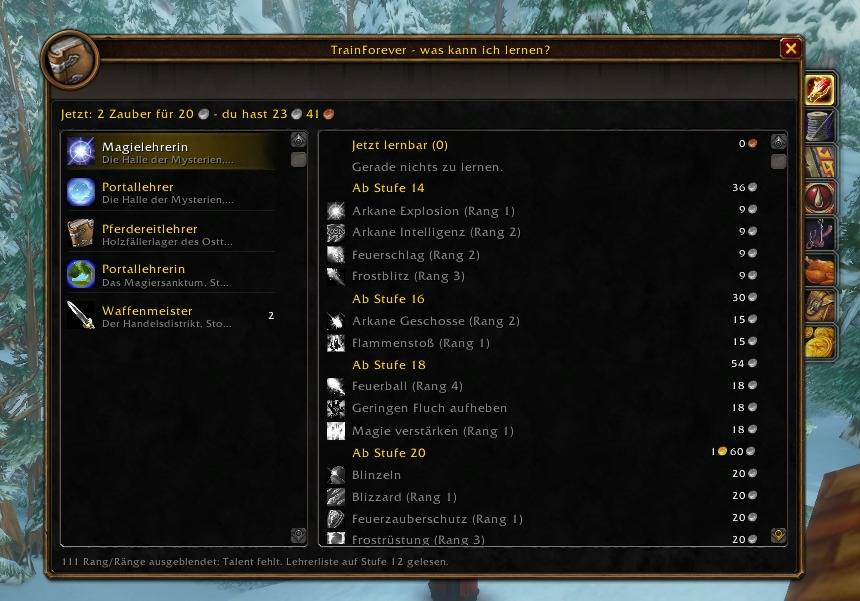
- **Every trainer keeps its own place.** Class trainer, portal trainer and weapon master all answer as "general" trainers to the client — here they are three separate entries, each with the name and the spot where you met them.
- **Two columns, like the profession window.** Sources on the left with how much is still open at each, what the selected one teaches on the right.
- **Only what you can actually learn.** Known abilities vanish the moment you buy them, talent-gated ranks stay hidden, and a rank waiting for its predecessor is greyed rather than promised.
- **Professions**, one tab each, with the skill bar and the recipes ahead of you.
- **Pet and demon trainers** in their own tab.
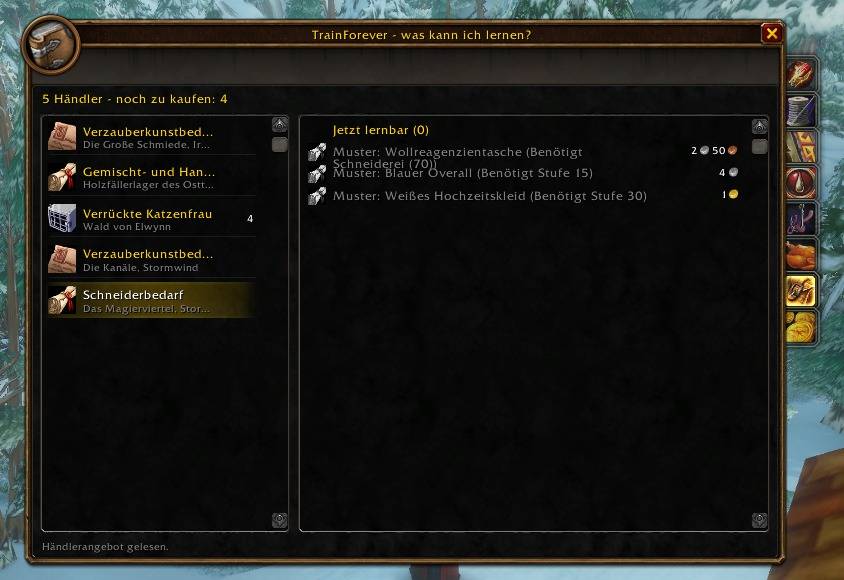
- **Vendors that sell recipes.** What you cannot learn yet is greyed out with the client's own reason behind it ("Requires Tailoring (125)"), so you know whether to save up or to train first.
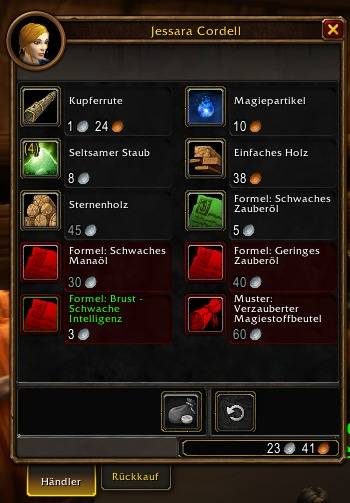
- **Green in the merchant window itself.** Recipes you already know are tinted green on Blizzard's own buttons, so you see it while clicking rather than one tooltip at a time.
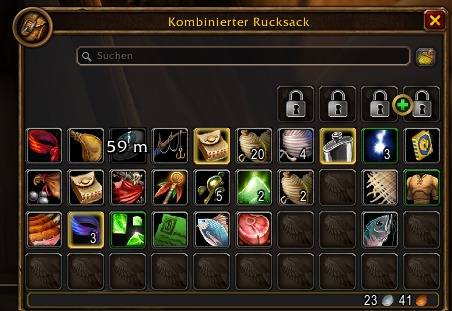
- **Green in your bags too.** A recipe you already know is tinted green in the bag, so a drop or an auction buy is judged before it is opened.
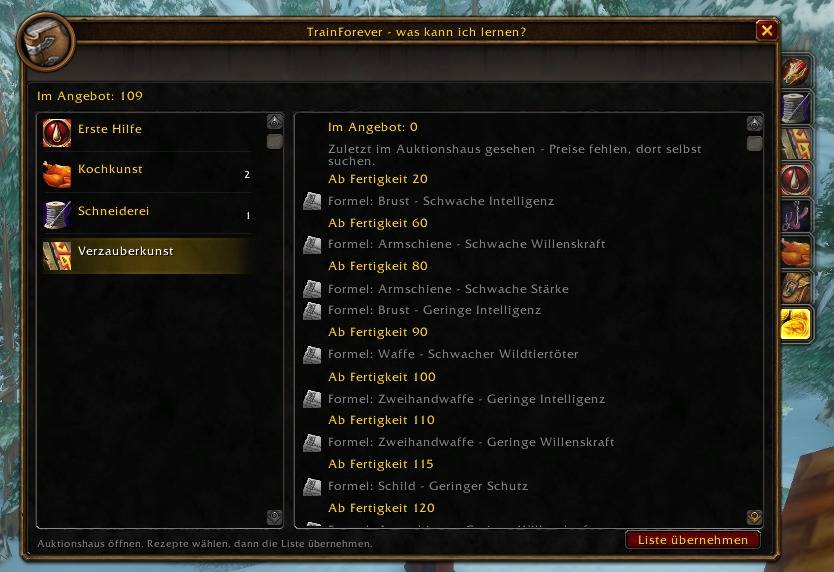
- **The auction house.** Standing at the auctioneer, one button reads the list its window is showing and keeps what you could still learn — sorted by the skill it needs, grouped by profession, and added to rather than replaced on the next visit.
- **Mounts** count as something to learn, at the vendor and in the auction house.
- **On the world map.** Every trainer and vendor you met gets a marker; right-click one for a waypoint.
- **Trainers that teach the same thing are one row**, which opens to show every place — so you can pick the nearest rather than the last one you happened to visit.
- **Right-click to remove** a trainer, a vendor, or a whole page; `/tfor undo` puts it back.
- **Shift-click a line** to hand its link to the chat box or the auction house search.
- **Real tooltips**, from the client: the spell for a class ability, the crafted item for a recipe.
- **A notice on level-up and skill-up** naming what just became available.
- **German and English** — and any other client language falls back to English rather than to holes.
## Not there yet
- **This is not a database of where recipes come from.** It remembers the trainers and vendors you have visited. It cannot tell you about the ones you have not.
- **The auction house page is what its window is showing.** A search sent from an addon comes back empty on this client, so you pick the category yourself and the button reads the result.
## Your lists survive a restart again
Earlier builds of the Forever client wrote addon data to disk and never read it back, which took the trainer lists with it every restart. That is fixed: measured over two sessions on build 1.60.1, the lists come back. Nothing needs to be installed alongside this any more.
## Commands
| Command | Does |
| --- | --- |
| `/tfor` | The list |
| `/tfor ah` | Read the auction window's list (same as the button) |
| `/tfor ah clear` | Throw the stored auction list away |
| `/tfor mine` | Auction house: only your own professions, or every profession |
| `/tfor undo` | Put the last removed trainer or vendor back |
| `/tfor map` | Markers for trainers and vendors on the world map on/off |
| `/tfor bags` | Green marking of known recipes in the bags on/off |
| `/tfor overlay` | Green marking in the merchant window on/off |
| `/tfor minimap` | Minimap button on/off |
| `/tfor vendor` | What the client answered at the open vendor (for bug reports) |
| `/tfor help` | All commands |
## Bugs
Please report them with the output of `/tfor probe` or, for a vendor problem, `/tfor vendor`.
You must be logged in to leave a comment.