
TerrainWorldMap
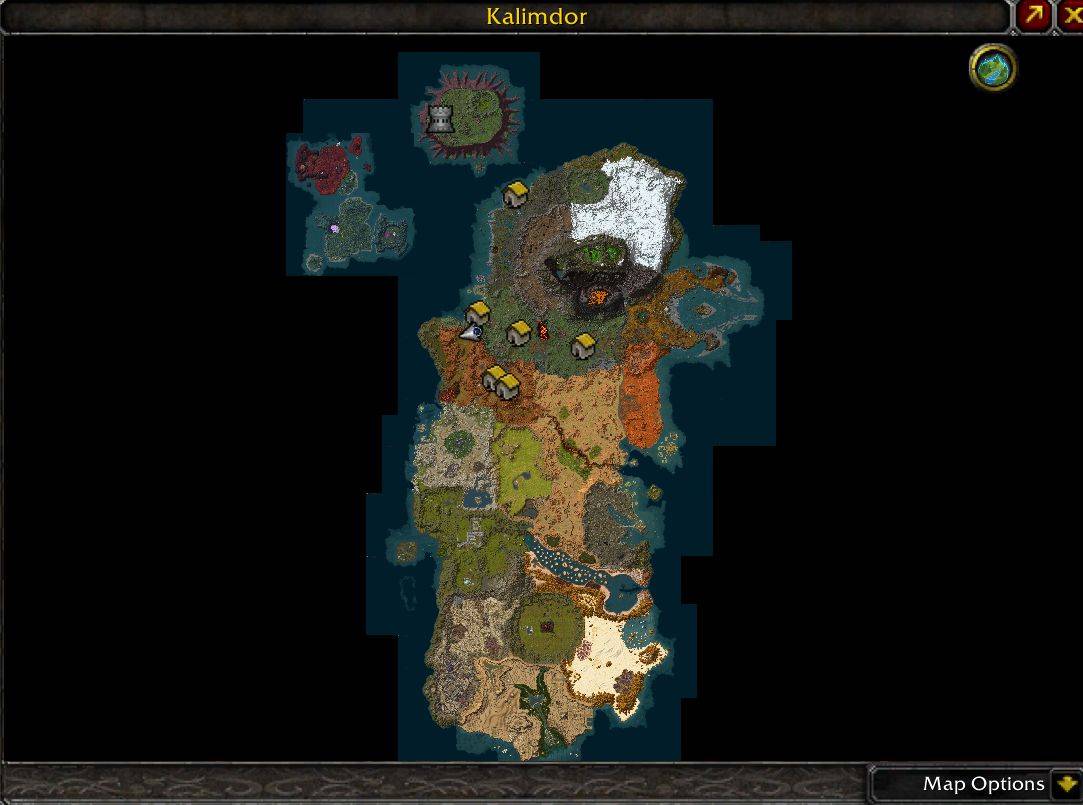
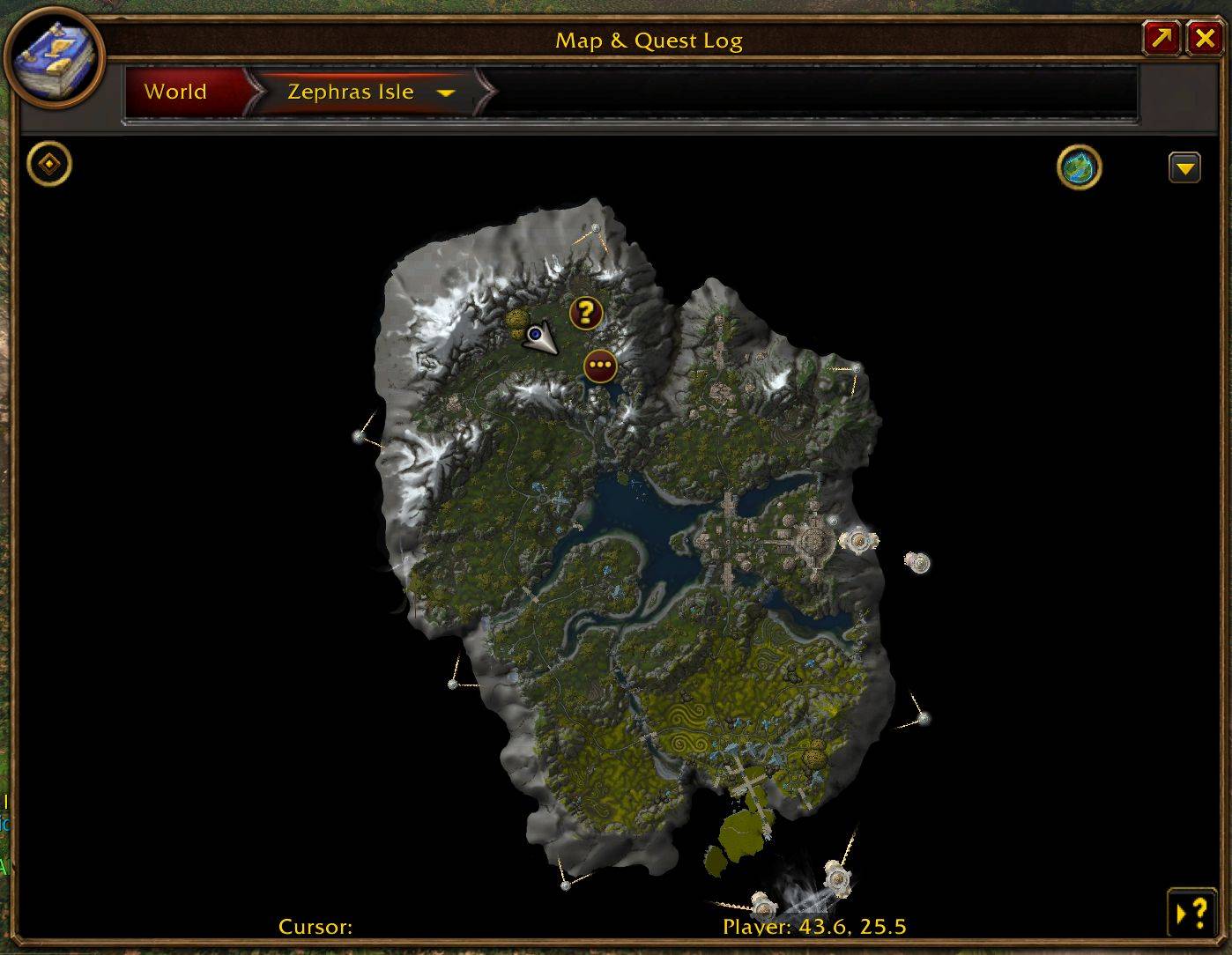
Replaces World Map art with real minimap terrain. Also available as a standalone movable and zoomable map window.
Details
Expansion
 Forever
 Categories
Developers

Having issues?
TerrainWorldMap
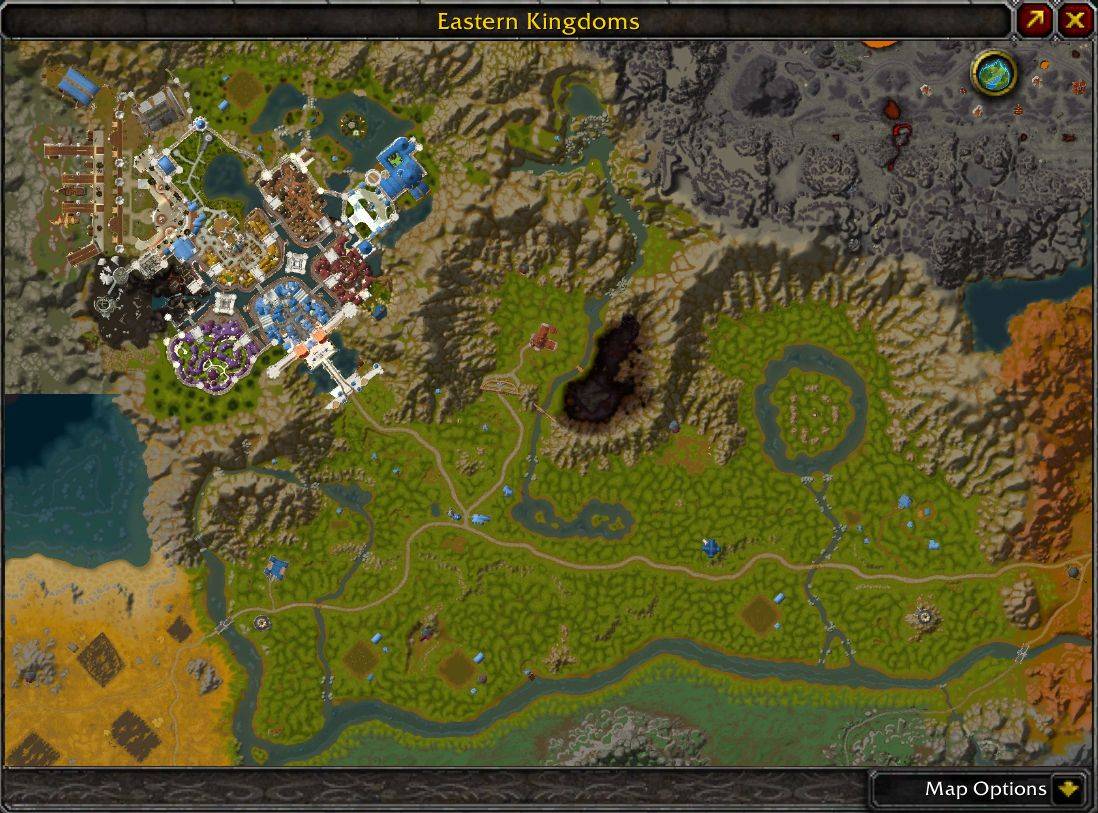
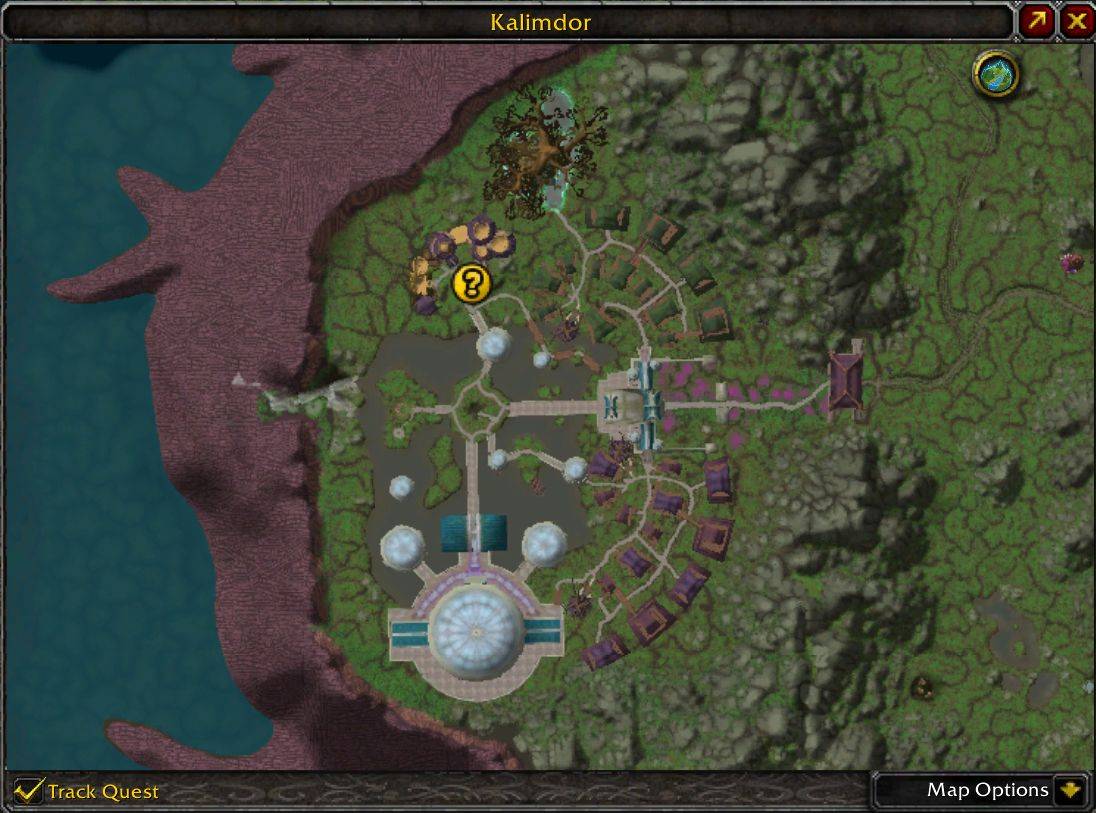
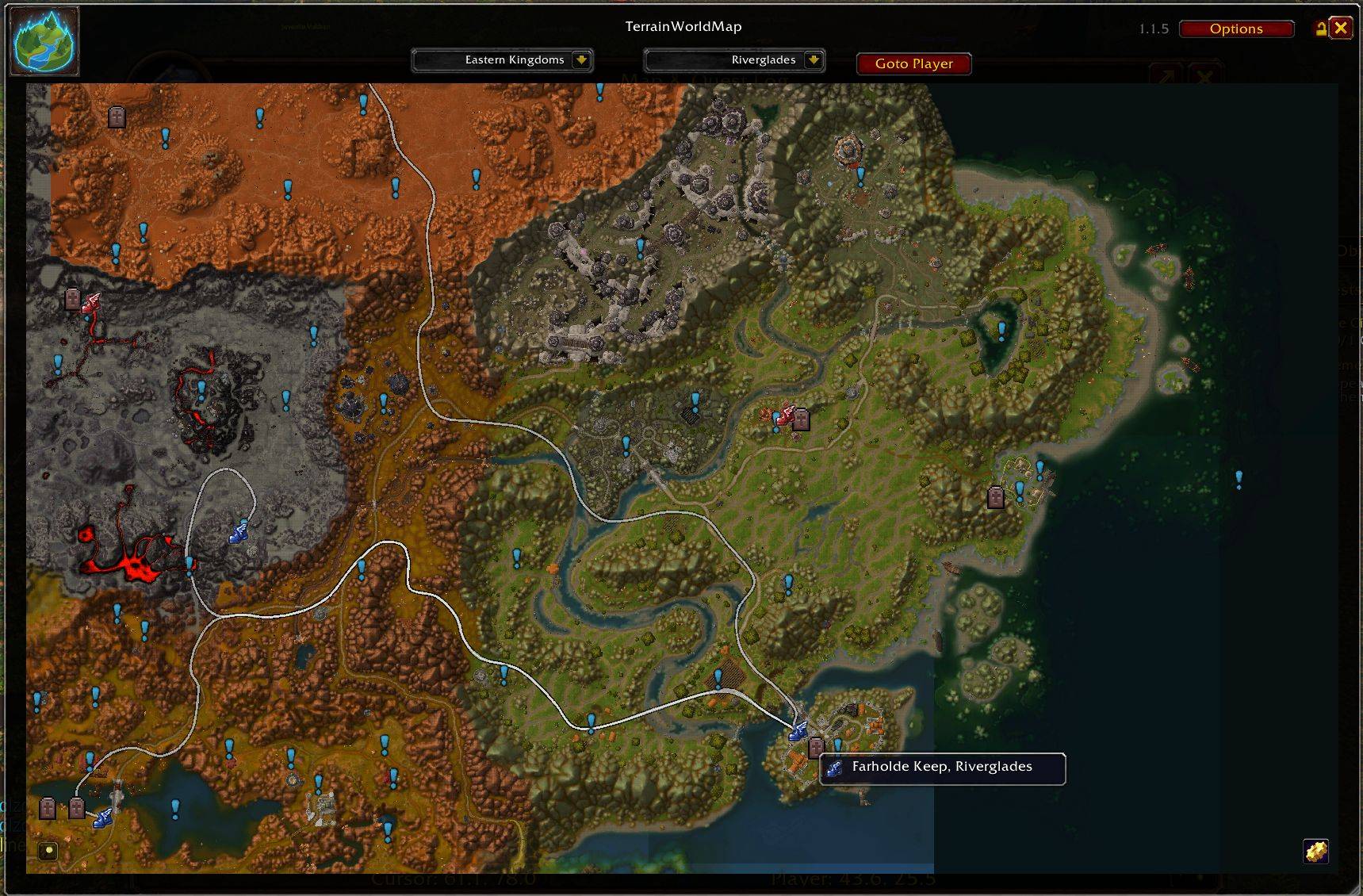
TerrainWorldMap overlays the game's own minimap terrain tiles onto the World Map, so you see the actual landscape instead of Blizzard's stylized map illustration. It also adds a standalone, resizable map window for browsing the whole world outside the World Map UI.
Currently supports Classic Era (Vanilla), Classic Anniversary (TBC), Mists of Pandaria Classic, and WoW: Forever (Classic+, beta) — all in one addon.
Lightweight — it draws the terrain from the minimap images already stored in your game client instead of bundling its own map art, so it adds almost nothing to your addon folder's size or your loading screens.
Features
- Real terrain overlay on the World Map — for continents and battlegrounds alike.
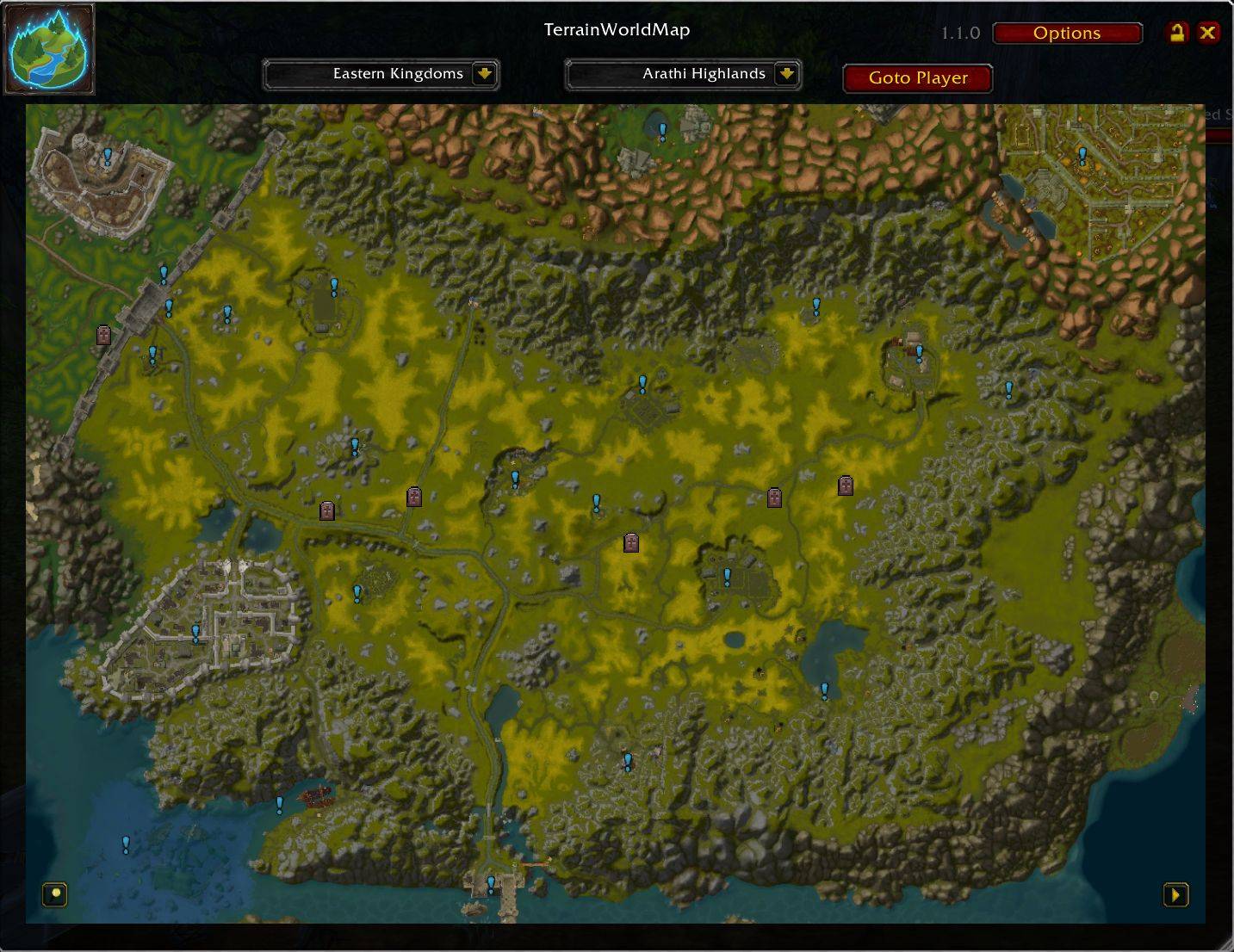
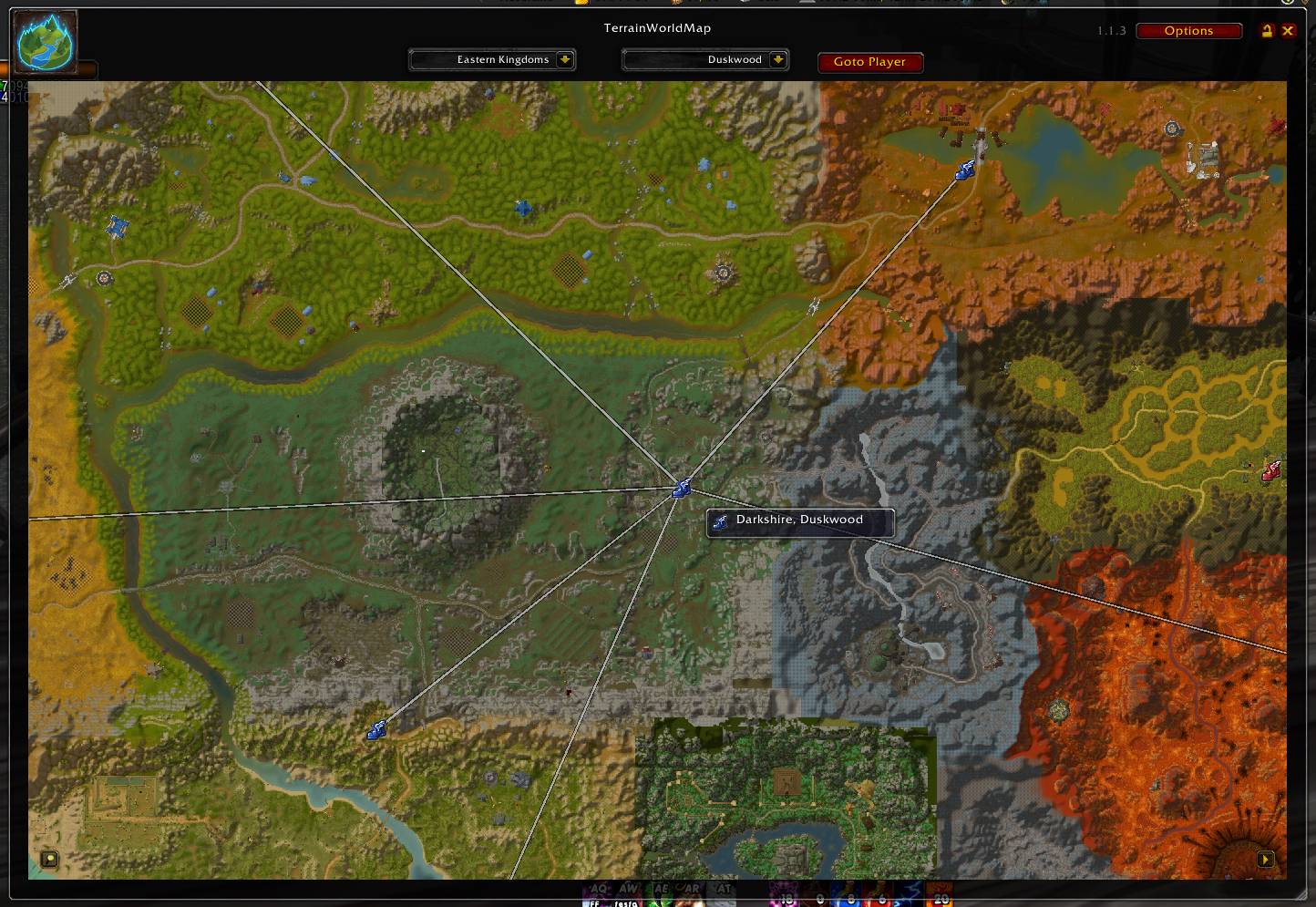
- Standalone browser window — a movable, resizable, zoomable minimap-style view. The map fills the window under a semi-transparent header (map selectors, Goto Player, options) and footer (zoom, terrain and WMO toggles), with a category-organized map selector (Continents/Battlegrounds/Dungeons/Raids/Scenarios/Arenas), adjustable transparency and icon size. Shift+Click on Goto Player turns on follow mode (continents only).
- Battlegrounds — Alterac Valley, Warsong Gulch, Arathi Basin, Eye of the Storm (plus Wintergrasp and Battle for Tol Barad on Mists, Darkspear Islands on WoW: Forever), each with real terrain, named landmarks.
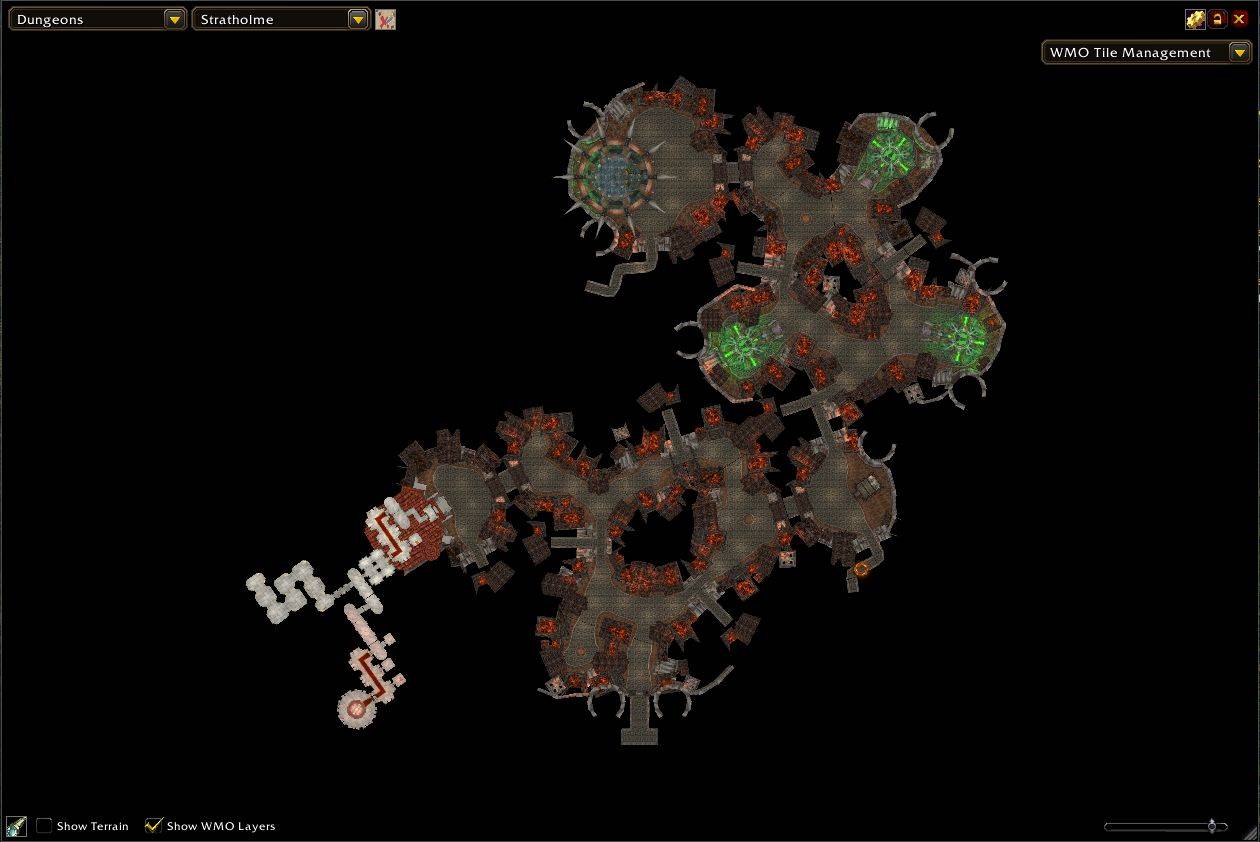
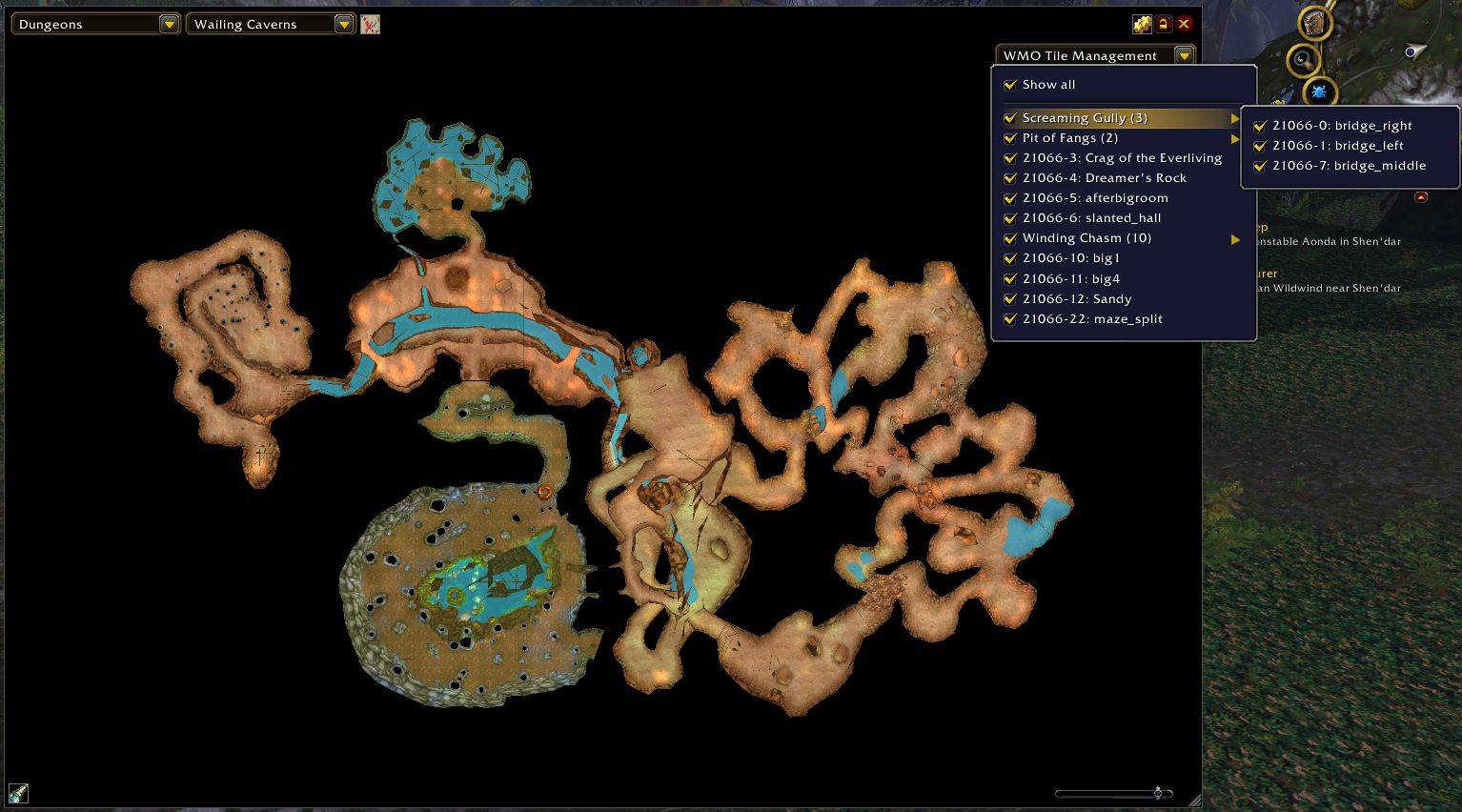
- Instance maps in the standalone window — dungeons, raids, scenarios and arenas, with their real layouts (WMO tiles). Show Terrain / Show WMO Layers toggles, a height cutoff slider and a WMO Tile Management menu control what is drawn.
- Dungeon and raid portals — in the standalone window, click an entrance marker to open that dungeon's map. Inside, exit markers lead back outdoors and links to other instances (e.g. Blackrock Depths to Molten Core) are marked as well.
- Inaccessible maps (optional) — a "Show Inaccessible Maps" option lists maps that exist in the client data but players can't reach (unfinished, cut or replaced ones).
- Underwater terrain toggle (Mists of Pandaria) — shows the underwater terrain where possible, by default. Useful for Vashj'ir, but some zones at Pandaria's coastline also have this data (that seems to be erroneous).
- Player, party and raid tracking on the map, with class-colored names and class icons in the tooltips.
- Map markers, each independently toggleable: Landmarks (points of interest), Graveyards, Capitals, Dungeons & Raids, and Flight Masters (color-coded by faction) — all shown with mouseover tooltips, and all displayed in whatever language you're playing in.
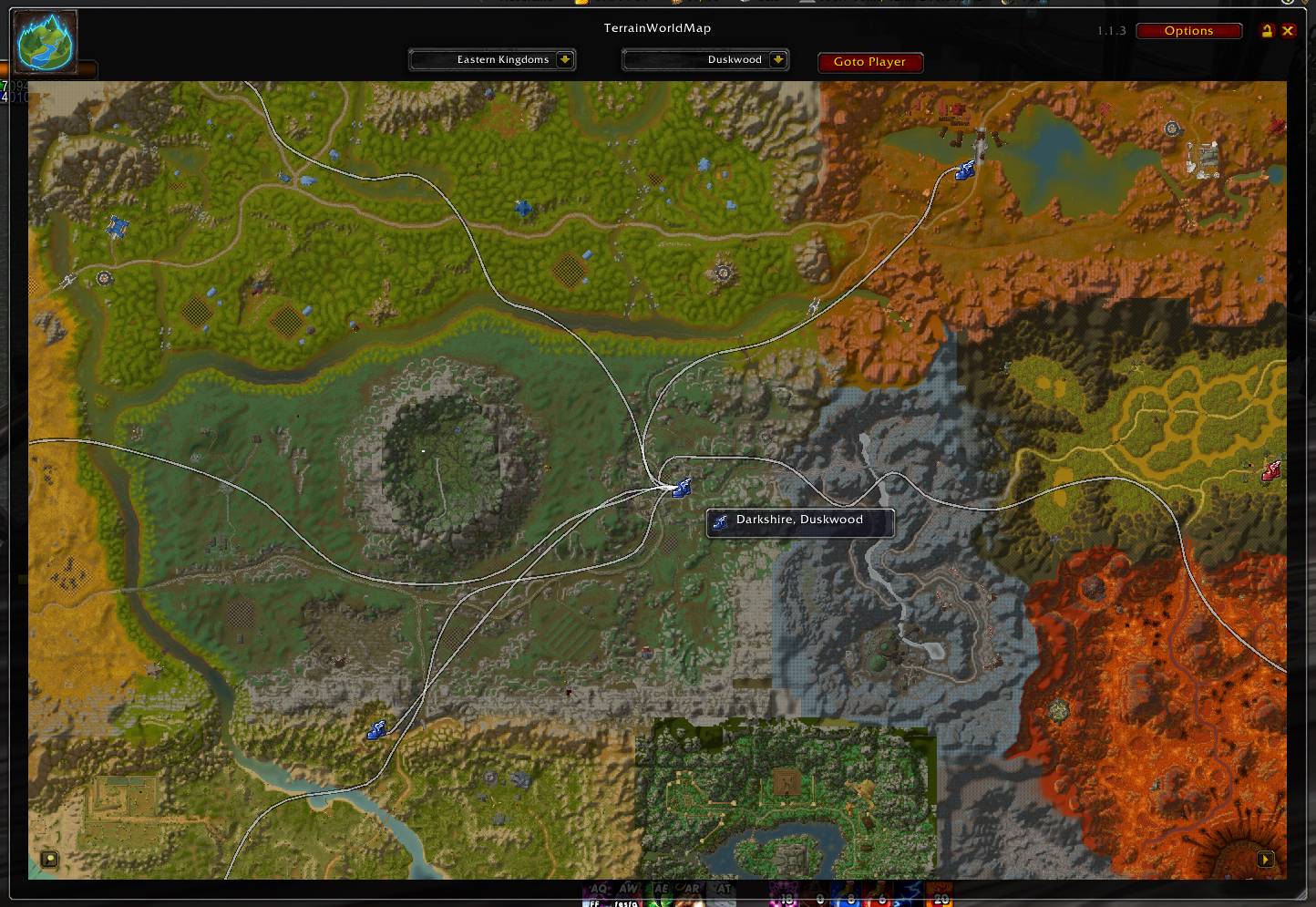
- Flight path lines between flight masters — hover over one to see its own routes, or show every known route on the continent at once; hold Shift to see the real curved flight path instead of a straight line (showing every route at once can be laggy on continents with a lot of routes, especially with Shift held). An adjustable smoothing slider can further curve a hovered flight master's own routes.
- Minimap button and World Map button, each with a right-click menu for quick access to settings and toggles.
- Localized: English, German, Chinese (Simplified), Russian, French and Spanish (Spain and Latin America) currently.
Usage
- Can be used with your favorite World Map addon, ones supporting zoom (like LeatrixMaps) are recommended.
- World Map button — left-click to toggle the terrain overlay, right-click for a menu.
- Minimap button — left-click to toggle the window, right-click for a menu.
/twm— toggle the standalone map window;/twm show//twm hideshow or hide it./twm center— show the window and center it on your character;/twm follow on|off— follow your character./twm reset— reset the window position and size,/twm reset all— also all settings;/twm options— open the settings.
Supported clients
- Classic Era (Vanilla)
- Anniversary (TBC)
- Mists of Pandaria Classic
- WoW: Forever (Classic+, beta — entrance markers cover the classic dungeons and raids; the Forever-only dungeons have none yet)
Credits
TerrainWorldMap was greatly inspired by, and started life as, Yatlas — Yatlas was the original starting point for this addon's development.
You must be logged in to leave a comment.