
Tabard Lab
Tabard Lab provides an improved interface for Blizzard's in-game tabard/guild crest creation UI. Every Icon, Border, and color choice is visible in one place.
Details
Expansion
 Forever
 Categories
Developers

Having issues?
Tabard Lab
Improved UI for Tabard/Crest Design
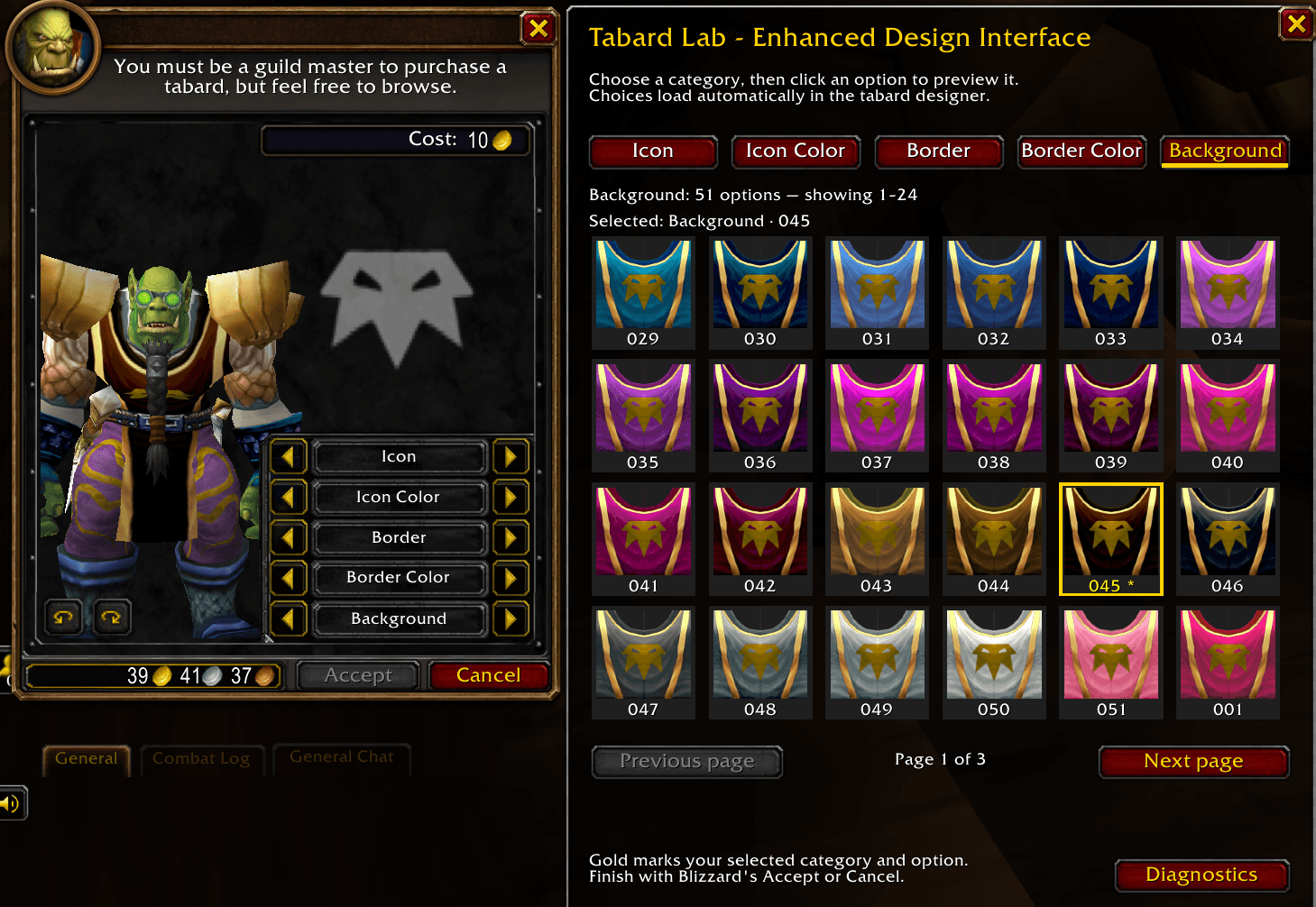
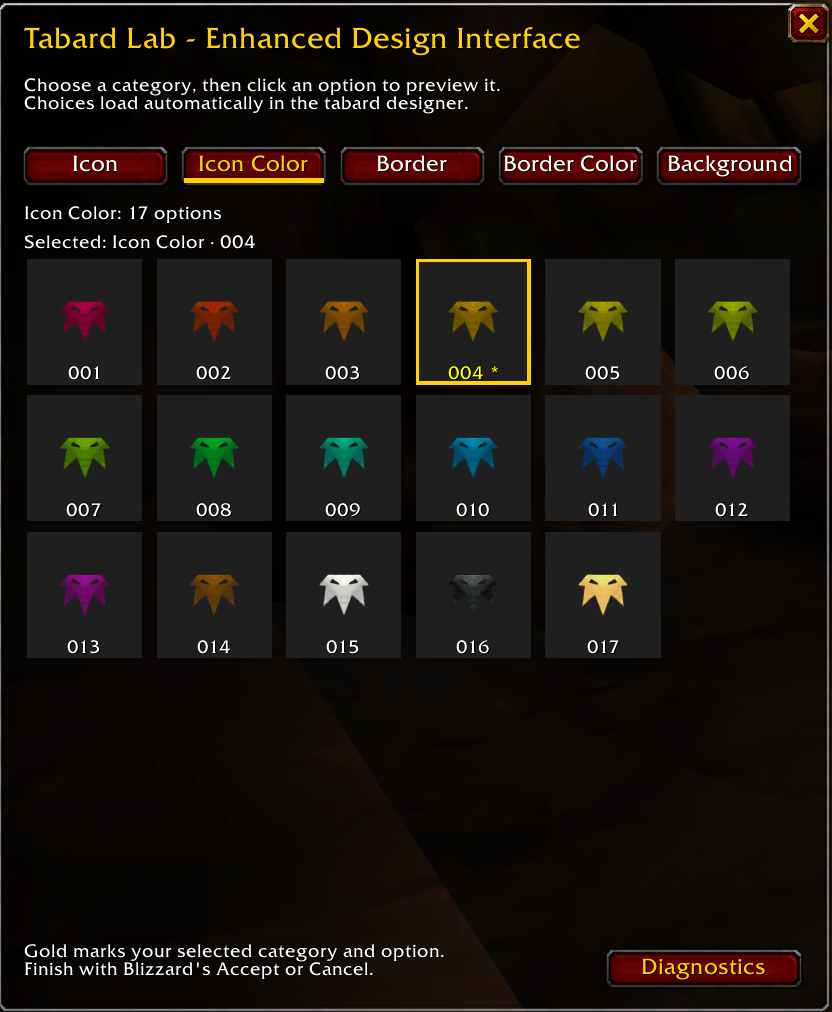
Tabard Lab enhances Blizzard's Guild Tabard Designer with a visual browser. Compare icons, borders, and colors side by side, then click a preview to see your choice on the in-game character model.
Spend less time clicking arrows and more time finding the right design for your guild.
Features
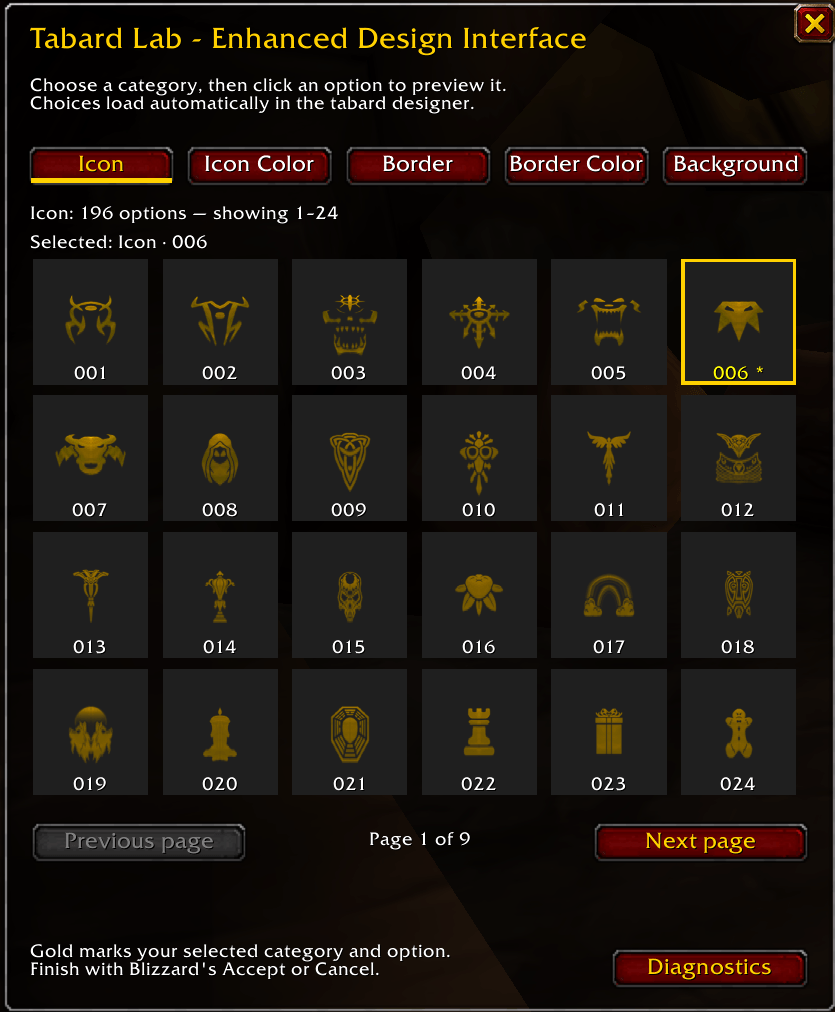
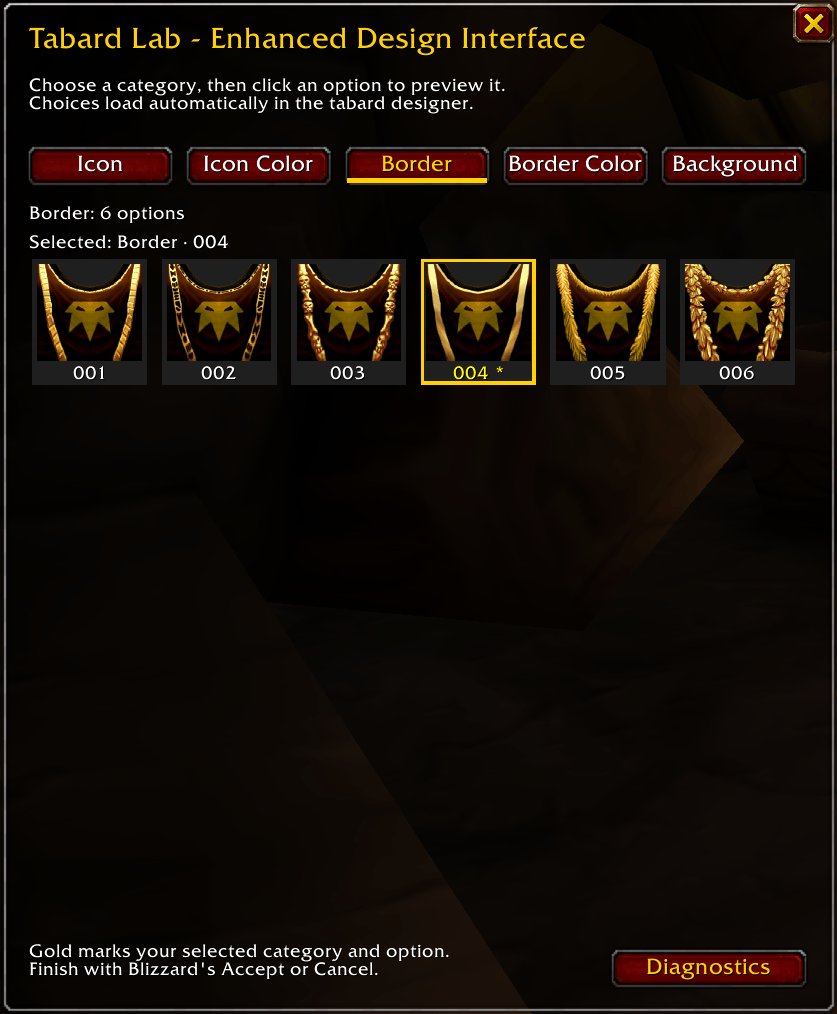
- Browse visual grids for icons, icon colors, borders, border colors, and backgrounds.
- Compare designs before clicking. Border and background previews include your current design choices, so you can see how they work together.
- Preview directly on your character. Clicking an option updates Blizzard's tabard preview.
- Open automatically. Tabard Lab appears when you open the Guild Tabard Designer, and choices load as you browse categories.
- Keep track of your choices. Simple saved reference numbers, such as
001and024, help you recognize options. Gold highlighting marks your current selection. - Browse in the game's natural order. Page controls appear only for categories that need them.
Getting started
- Visit your city's Guild Master and open the Tabard Designer.
- Choose a category in Tabard Lab.
- Click a preview to try it on your character.
- Use Blizzard's Accept or Cancel when you're finished.
You can also use /tabardlab to show or hide the addon window.
Tabard Lab helps you browse and preview designs. Purchasing a guild tabard still uses Blizzard's standard controls and guild permissions.
Compatibility
Developed and tested for World of Warcraft: Forever Beta. Beta client updates may require addon updates. Compatibility with other WoW versions has not been verified.
Feedback
Found a problem or have a suggestion? Include your game build, addon version, and the steps needed to reproduce it. For troubleshooting, open Diagnostics in the bottom-right corner of Tabard Lab and choose Copy report.
You must be logged in to leave a comment.