
Summon Hawk Tracker
Countdown bars for the Hunter's Summon Hawk. Tracks up to 2 hawks at once with an 18-second timer each, with a settings window to move and resize the bars.
Details
Expansion
 Forever
 Categories
Developers

Having issues?
HawkTimer
Never lose track of your hawks again.
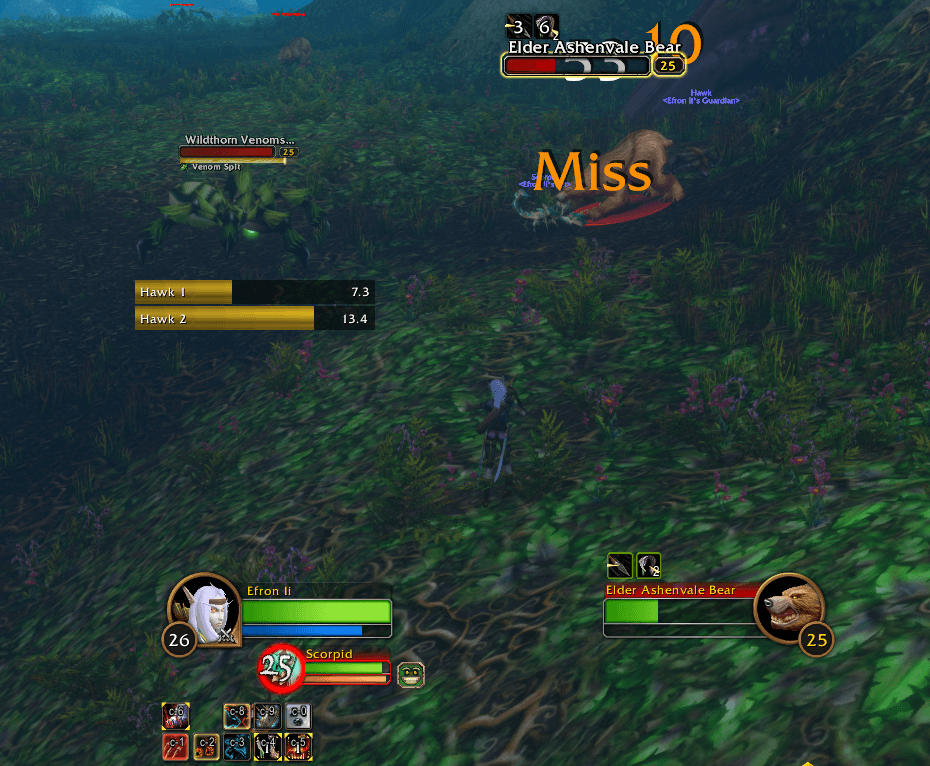
HawkTimer adds clean countdown bars for the Hunter ability Summon Hawk. Cast the spell and a bar starts counting down from 18 seconds. Cast it again and a second bar appears. You can have up to 2 hawks out, and the bars show you exactly when each one expires.
Features
- Automatic tracking. Detects Summon Hawk as soon as you cast it, with nothing to set up.
- Two bars, 18 seconds each. One bar per hawk, with the time remaining shown to a tenth of a second.
- Smart stacking. Hawk 1 sits on the bottom and Hawk 2 on top. When the first hawk expires, the second moves down into its slot.
- Replaces the oldest. If you cast a third while two are active, the oldest bar is replaced.
- Combat display. Bars show in combat by default, and you can switch this off to see them all the time.
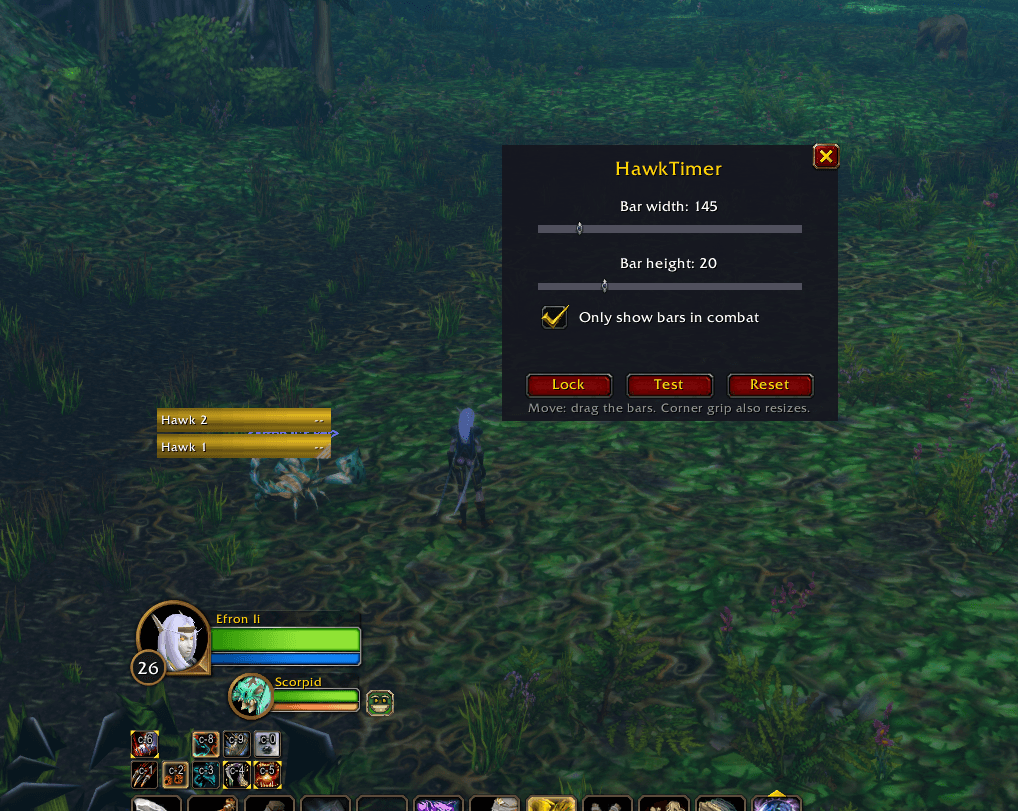
- Easy settings window. Type /hawk to open it. Sliders let you change the bar width and height live, and you can drag the bars anywhere on screen.
- Remembers your settings. Position, size and options are saved per character.
Installation
1. Download and unzip the addon.
2. Put the HawkTimer folder into your WoW AddOns folder (for example `World of Warcraft_classic_beta_InterfaceAddOns`).
3. Restart the game, or type /reload if you're already logged in.
4. If the addon shows as out of date, tick Load out of date AddOns on the character select screen.
Usage
Type /hawk to open the settings window.
| Command | What it does |
|---|---|
| /hawk | Opens the settings window |
| /hawk unlock or /hawk lock | Lets you drag the bars to move them, then locks them |
| /hawk width <number> | Sets the bar width |
| /hawk height <number> | Sets the bar height |
| /hawk size reset | Restores the default size |
| /hawk combat | Toggles showing bars only in combat |
| /hawk test | Starts a test bar so you can preview your layout |
| /hawk spell <id or name> | Changes the tracked spell (default is ID 1293241, Summon Hawk) |
| /hawk debug | Prints every spell you cast with its name and ID, for troubleshooting |
Troubleshooting
- Bars don't start when you cast Summon Hawk? Type /hawk debug, cast the spell, and check the spell ID printed in chat. Then run /hawk spell <that ID>.
- Can't see the bars? Use /hawk test to confirm they display, and check whether combat-only is on.
Feedback
Found a bug or have a suggestion? Leave a comment or open an issue. Please include any error text and what /hawk debug prints.
You must be logged in to leave a comment.