

StatSheet
Real stats for WoW Forever: true DPS after misses and glancing blows, what each stat is worth to you, caps, and what an item changes before you equip it
Details
Expansion
 Forever
 Categories
Developers

Having issues?
StatSheet
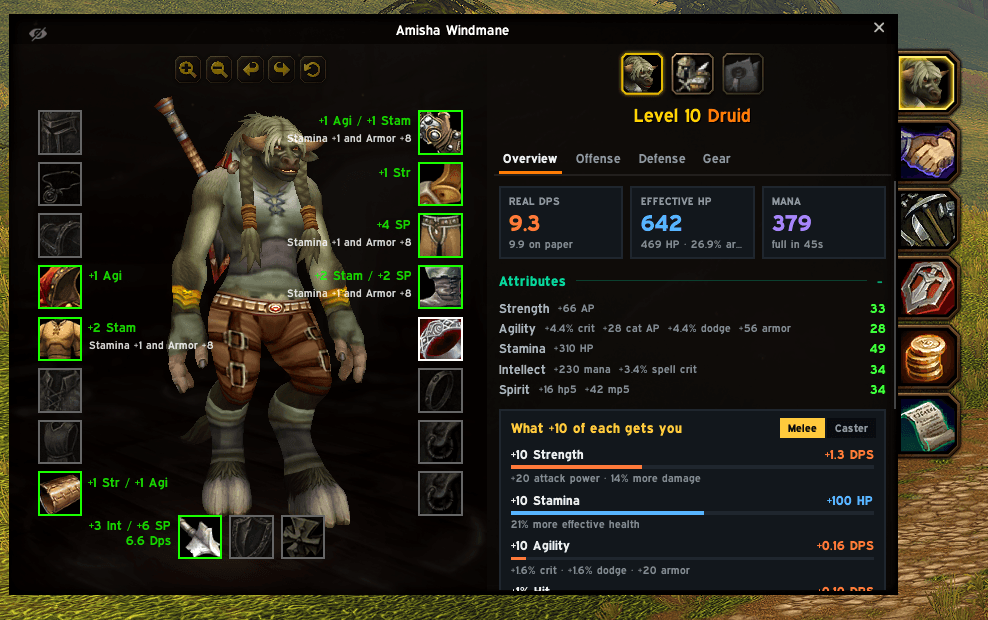
StatSheet replaces the character sheet's stats list with numbers that actually tell you something. Everything is worked out with WoW Forever's own rules, the same formulas the game's character sheet uses, so the numbers match the game.
Four tabs
Overview: your real DPS, effective health and mana at a glance; your attributes and exactly what each one gives you (+4.4% crit, +56 attack power, +160 health...); what +10 of each stat would get you right now; and your caps (weapon skill, defense, hit).
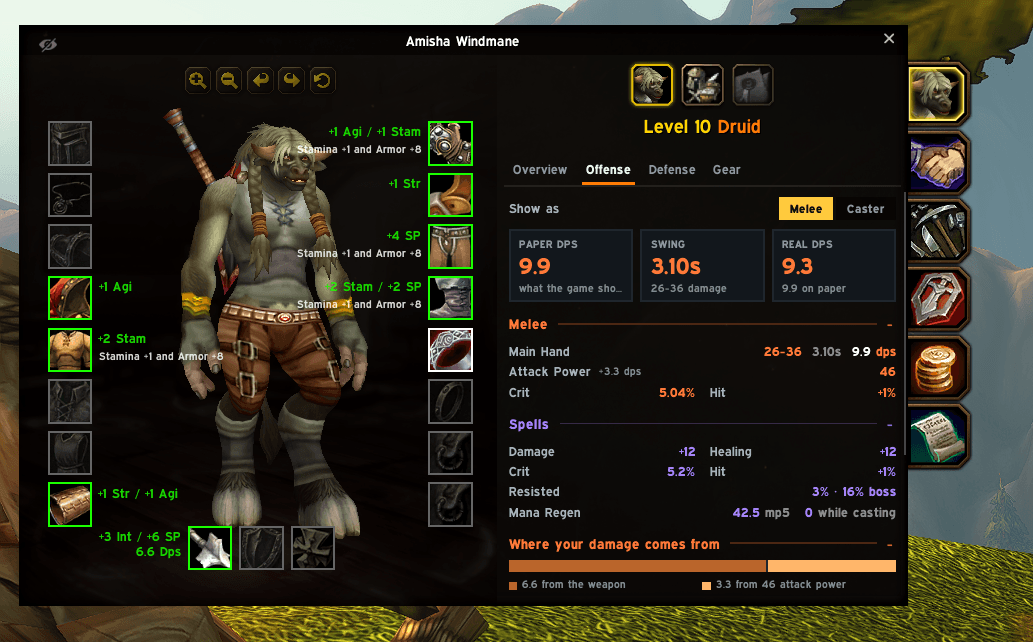
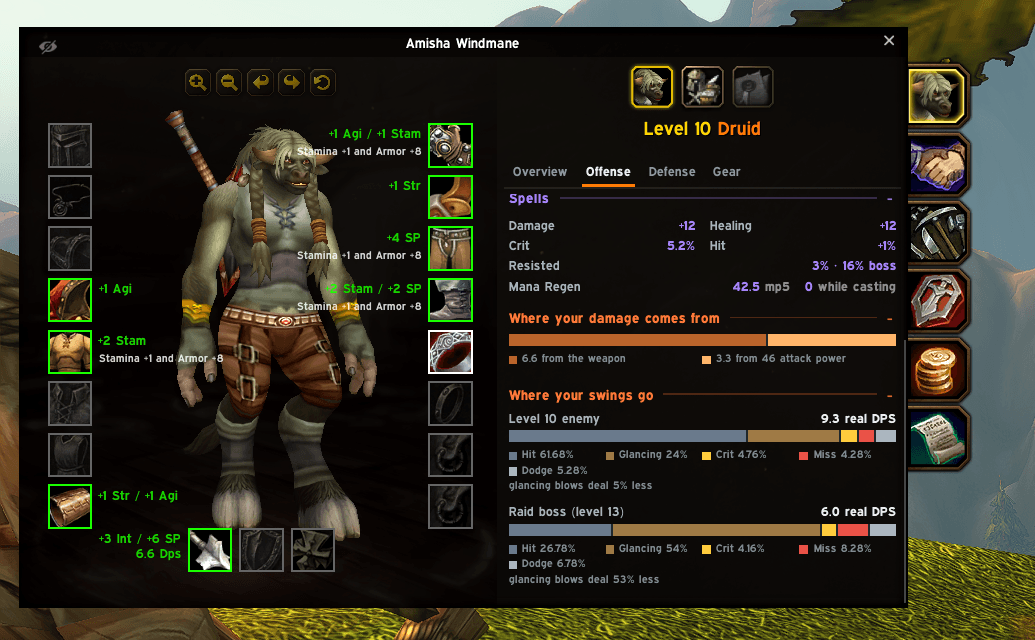
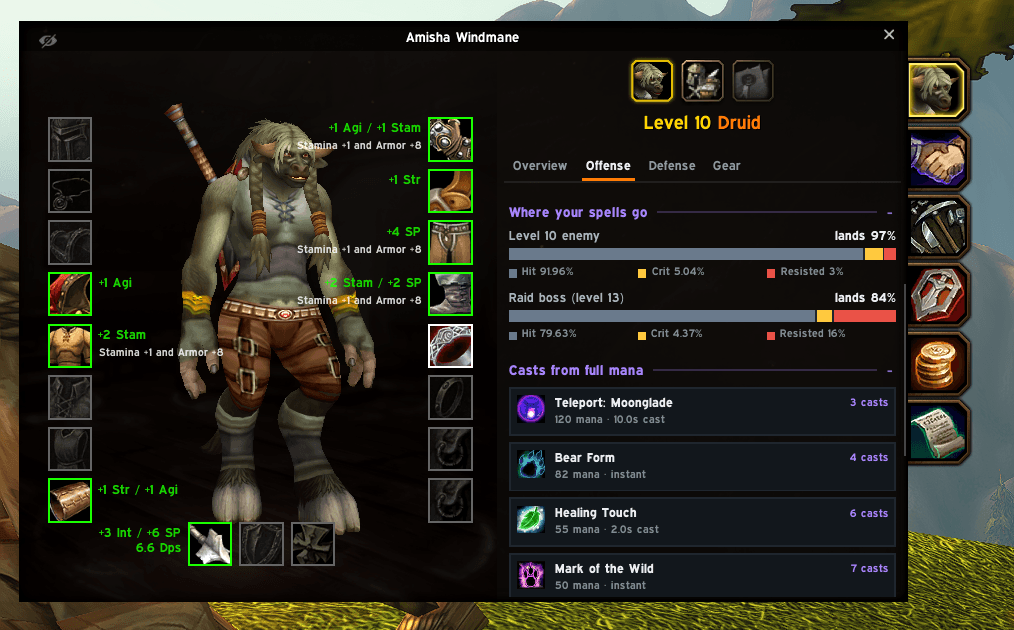
Offense: paper DPS against real DPS, where your damage comes from (weapon or attack power), and where your swings go: hits, glancing blows, crits, misses and dodges, against an enemy of your level and a raid boss.
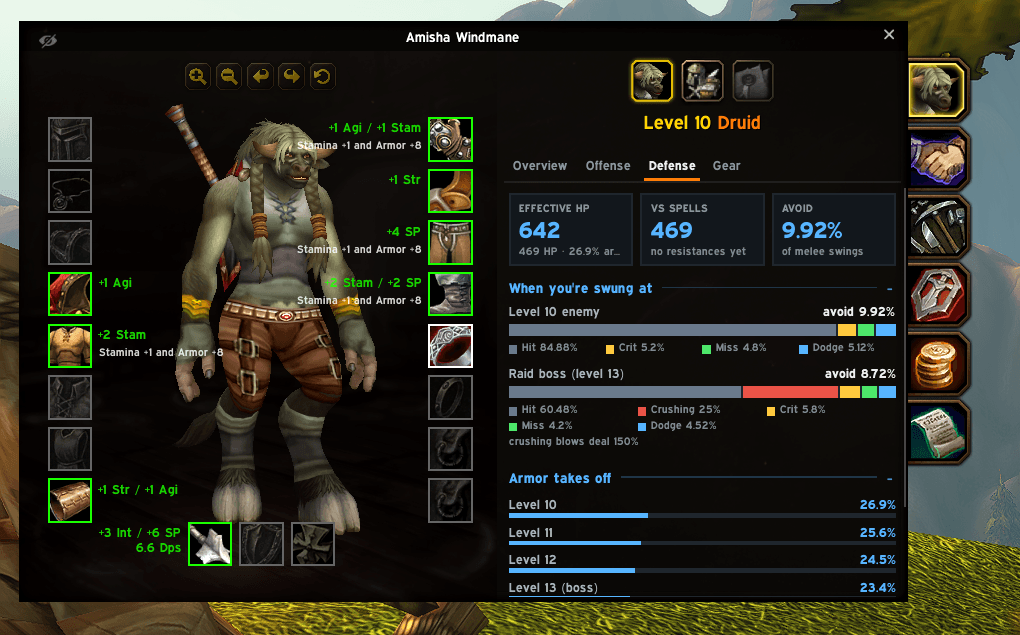
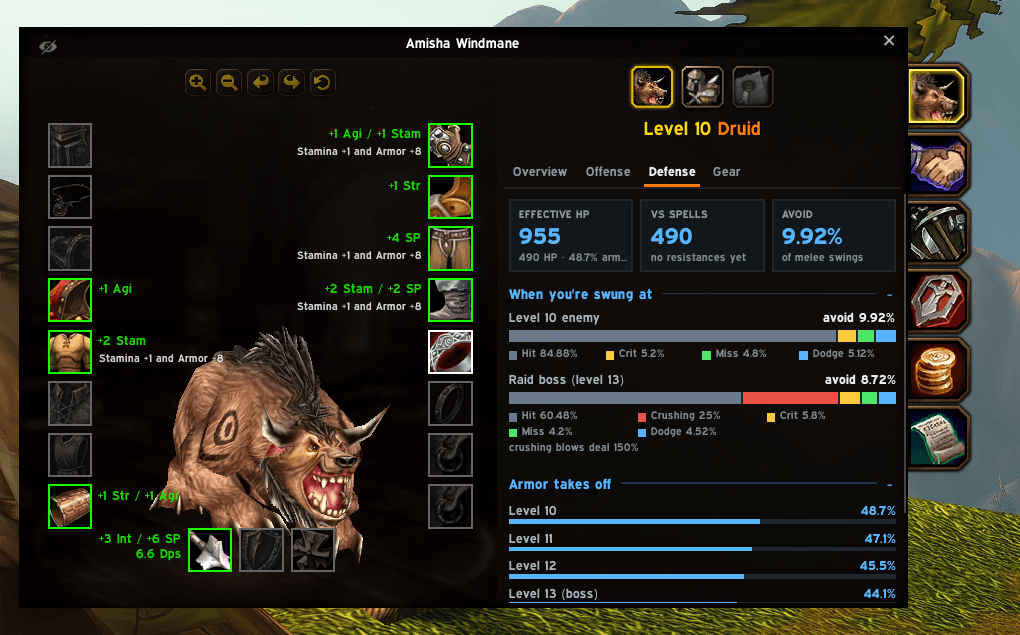
Defense: effective health against physical hits and spells, how often you avoid attacks, what happens when you're swung at (crits and crushing blows included), and how much your armor takes off against each enemy level.
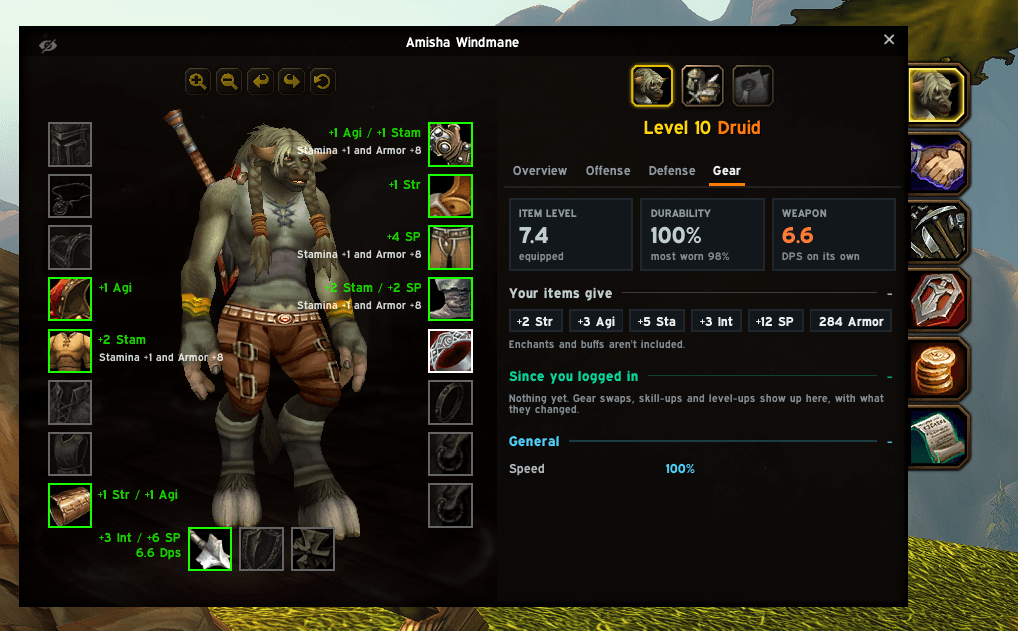
Gear: item level, durability, your weapon's own DPS, what your items add up to, and everything that changed since you logged in: each gear swap, skill-up or level-up as a card showing what it did to your stats, real DPS and effective health.
Melee or caster
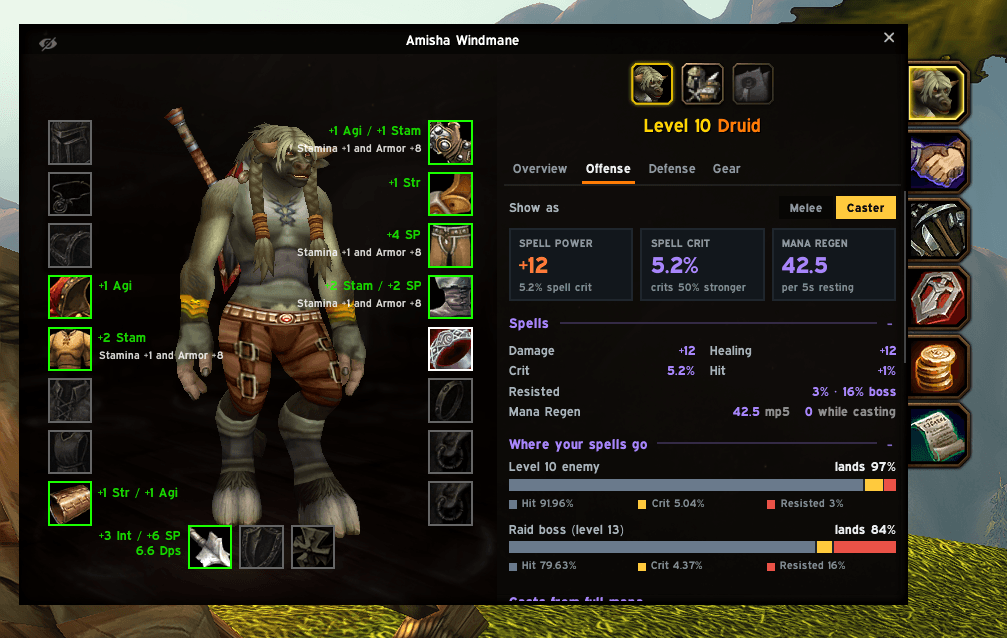
One switch changes how StatSheet looks at you. As a caster, Offense shows spell power, spell crit and mana regen, where your spells go (hits, crits, resisted), and how many casts a full mana bar gives for each of your spells.
Before you equip
Hover any item and its tooltip shows what wearing it instead of your current one would change: real DPS, effective health, spell power, mana and regen.
Fits your UI
StatSheet matches the character sheet it sits on: EllesmereUI's dark look with its Expressway font, or Blizzard's own Forever look. It picks the right one by itself. The character window gets a little wider to give everything room, and you can change how much.
Good to know
/statsheetopens the settings, which are also in Options > AddOns.- Click any section header to fold it away.
- Hover a stat for the details behind it.
- In combat the game hides some values. Those keep their last reading, dimmed, until combat ends.
- Mana regen is measured as you play, and gets a tick once the game's number checks out.
Built and tested for WoW Forever.
You must be logged in to leave a comment.