

Spell Cooldown Tracker
Shows cooldowns, buffs, totems, pet and weapon-enchant reminders as icons only when they matter, with per-class and per-spec tracking and a combat-only swing timer.
Details
Expansion
 Forever
 Categories
Developers

Having issues?
What it does
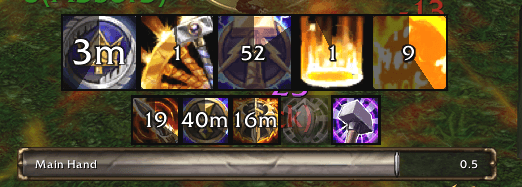
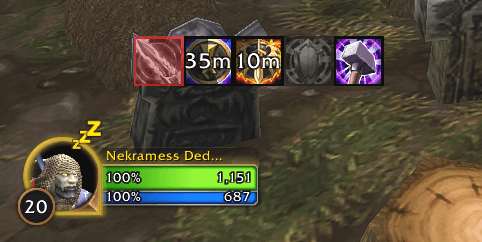
Spell Cooldown Tracker replaces a wall of always-visible cooldown icons with a short row that shows only what needs your attention right now. A spell's icon appears when it goes on cooldown and disappears when it is ready. Buffs you need to maintain appear with a timer when active and as a dimmed red icon when missing. Short-term buffs appear only while they are running.
Cooldowns
- Tracks every spell your character knows and shows a countdown only while it is on cooldown.
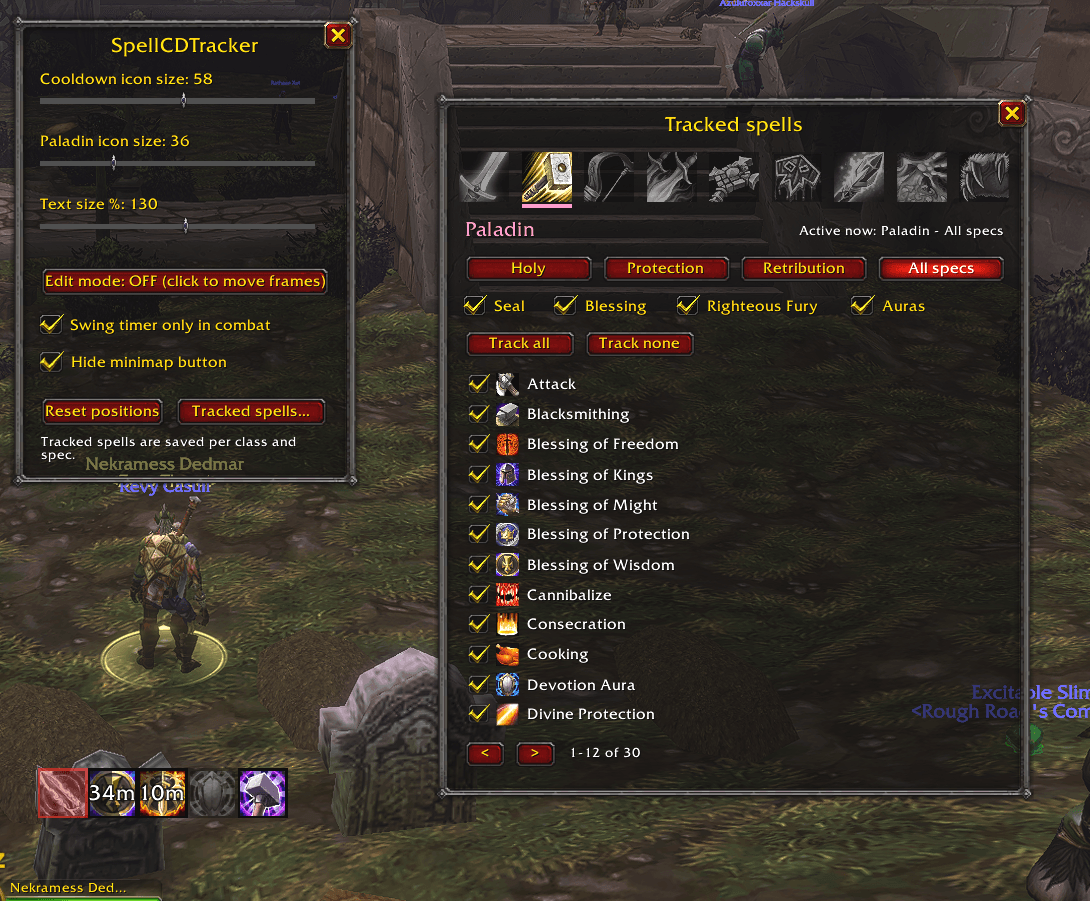
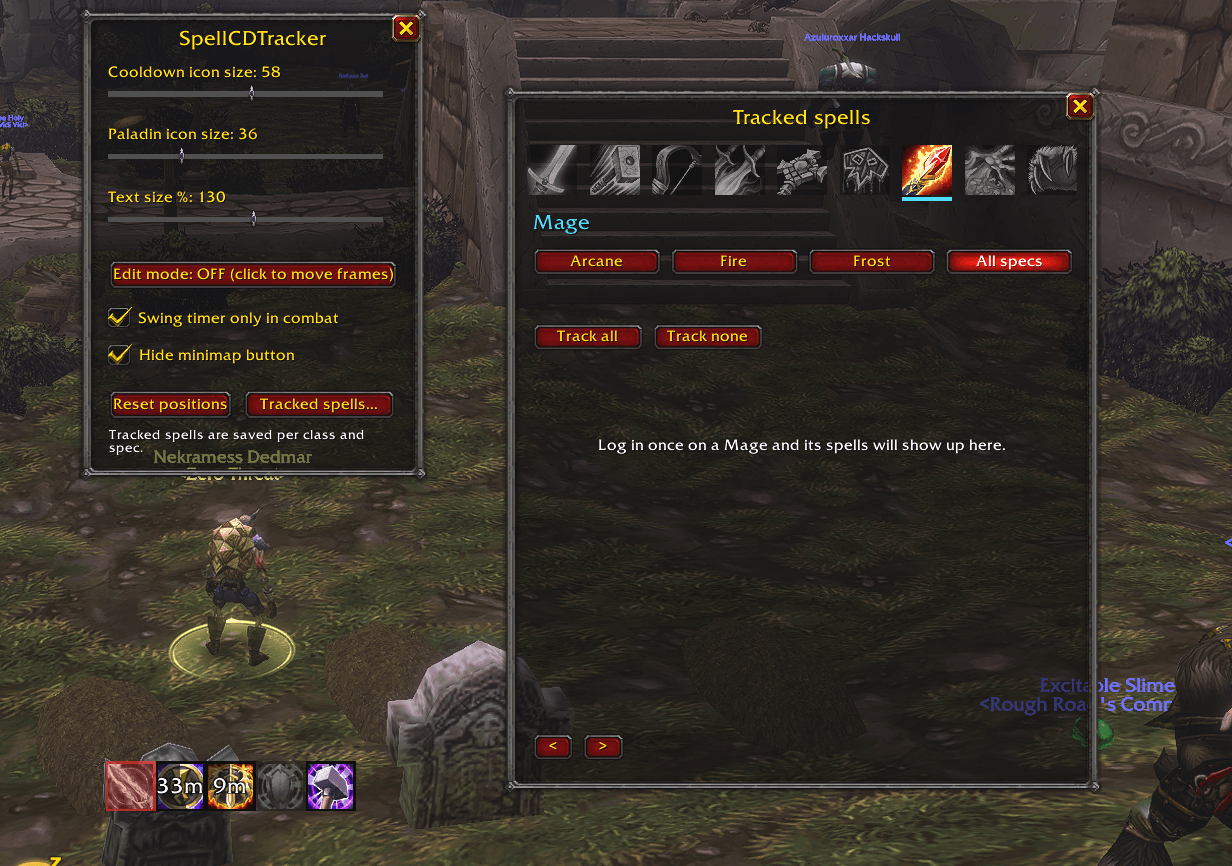
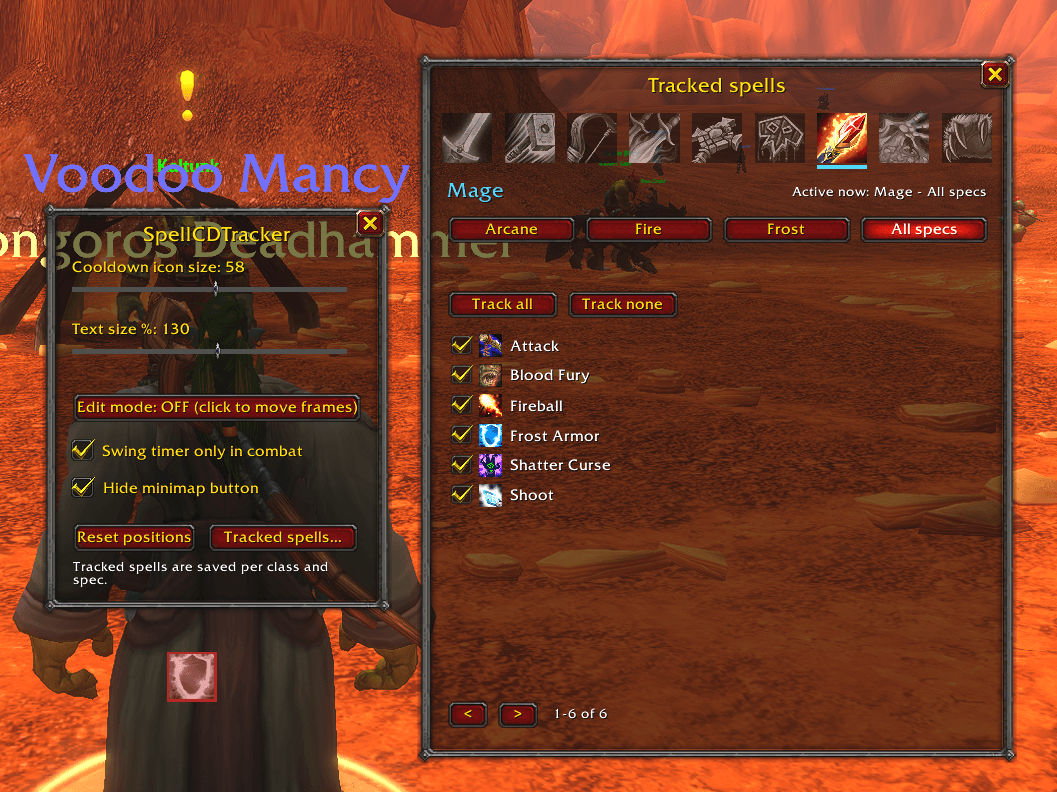
- Choose what is tracked in the Tracked spells window. It has a class icon row, spec tabs and an "All specs" tab that specs inherit from until you change them.
- Icon size and text size are adjustable.
Buffs and reminders by class
- Paladin: Seal countdown, which Aura is active, your own Blessing, and Righteous Fury for tanks. A second row shows Holy Shield, Divine Shield, Divine Protection and similar buffs while active.
- Warrior: current stance, Battle Shout or Commanding Shout, and Shield Block, Last Stand, Shield Wall and similar buffs while active.
- Shaman: Lightning, Water or Earth Shield, weapon imbues for each hand, totems with remaining time, and Shamanistic Rage or Bloodlust while active.
- Hunter: current Aspect, a missing-pet reminder, and Rapid Fire, Bestial Wrath and Deterrence while active.
- Rogue: weapon poison status for each hand, and Slice and Dice, Evasion, Sprint and similar buffs while active.
- Priest: Fortitude, Inner Fire, and Power Word: Shield, Shadowform and similar buffs while active.
- Mage: your armor spell, Arcane Intellect, and Ice Barrier, Mana Shield and Ice Block while active.
- Warlock: your armor spell, a missing-pet reminder, and Soul Link and similar buffs while active.
- Druid: Mark of the Wild, your current form, and Barkskin, Thorns, Innervate and similar buffs while active.
Buffs only appear for spells your character has learned, and any of them can be hidden in the Tracked spells window.
Swing timer
Hides the game's built-in swing timer bars until you enter combat, then shows them.
Using it
- Open options with
/scdtor the minimap button./scdt spellsopens the Tracked spells window. - Frames can be moved only in Edit mode (
/scdt edit), so nothing gets dragged by accident. /scdt debugprints diagnostic information to help with bug reports.
Combat behavior
The addon is built around the game's combat restrictions. Cooldown timers keep counting in combat, and your own casts keep buff timers current. A buff you gain or lose without casting it yourself, such as one from another player, is picked up again when combat ends.
You must be logged in to leave a comment.