
Soul Shards Forever (SSF)
Warlock Soul Shard manager on WoW Forever. One key, macro, or button sorts shards into soul bag (or other bag) and deletes one over the cap. Shard count on your bag bar, glow when you run low. In English, German, French, Spanish, Portuguese and Russian.
Details
Expansion
 Forever
 Categories
Developers

Having issues?
Soul Shard Forever (SSF)
*** Changelog ***
1.3.0: SoulSort legacy method for SoulSort die-hards, Normal or Reverse.
1.2.1: Added Brazilian Portuguese and Russian; Spanish now on the Spain client too.
[..] Full changelog
- NEW: SoulSort legacy mode.
- NEW: Language localization.
- NEW: Soul Bag support!
Description
This is a Warlock class addon that deletes Soul Shards over a specified cap and sorts shards into your soul bag (one keypress or action, one sort and one delete). Every /ssf delete sorts; the delete happens only when you're over the cap. It also can warn when running low. It can display on your left bag how many shards are in inventory and can color code that number. It can also glow the bag if you are below your minimum on-hand count. Almost all of these options are toggleable.
Why did I write it? I used SoulSort for 10 or more years and it's not ported to Forever. There are a handful of addons that do all this, but they tend to be hard to configure or have features not related to the task at hand, deleting soul shards and warning you when low.
This is for Forever only, I will not backport it because the original works well. On Classic Era use SoulSort by Anilusion, which is the addon SSF started from.

Using it
The game lets an addon destroy one item per keypress, and none in combat. SSF deletes one shard per event, but only when you're over the cap, and it does nothing while you're fighting. It always sorts when out of combat, cap or not. Call it however you like:
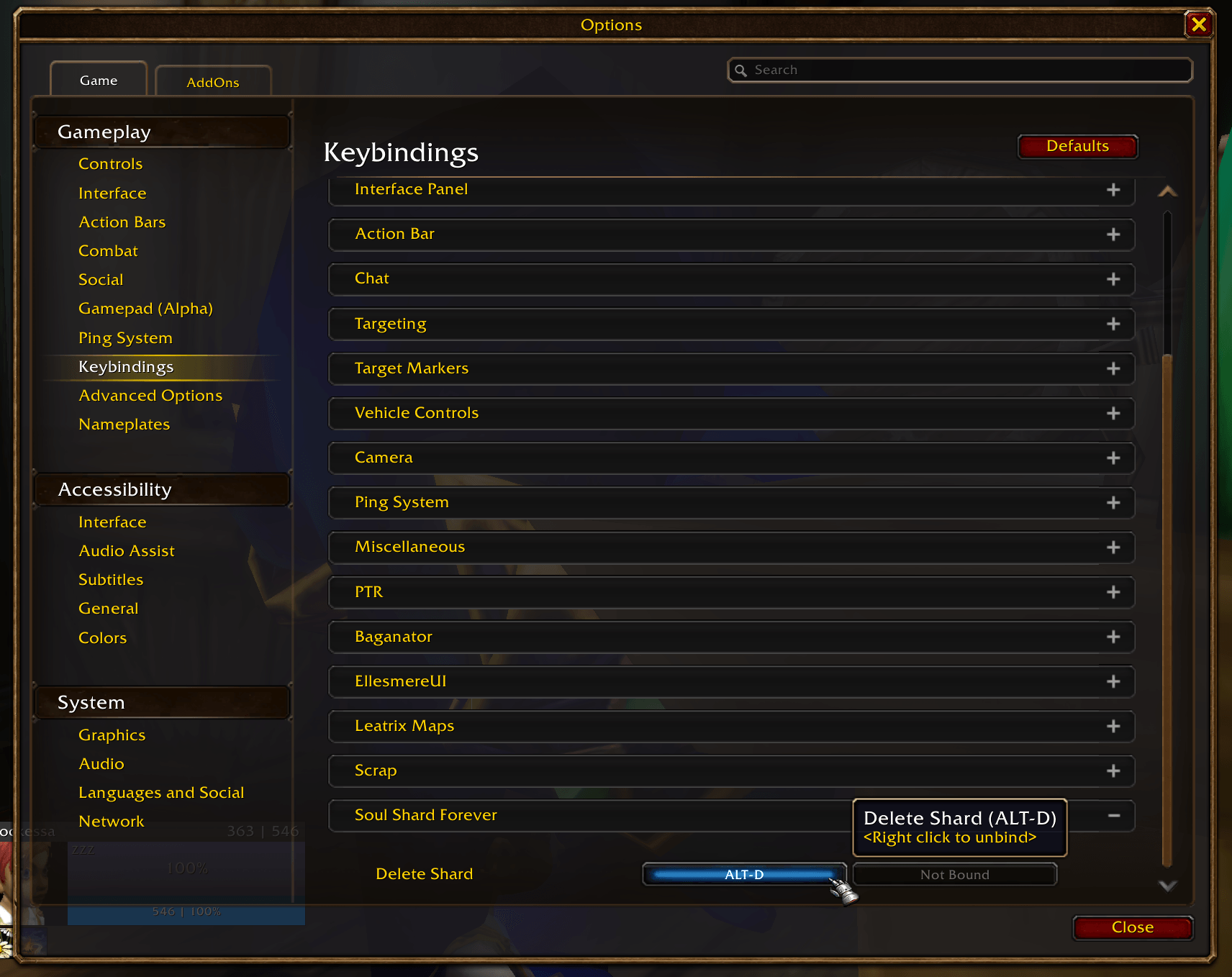
- A key. Escape > Options > Key Bindings > Soul Shard Forever > Delete Shard. Bind anything.
- From chat.
/ssf delete - A macro. On the line before an ability you spam. Every press sorts, and trims one shard when you're over the cap.
  #showtooltip
  /ssf delete
  /cast Life Tap
#showtooltip
/ssf delete
/cast Bane of Agony- The Delete Shard button in the GUI window.
Every press sorts first, then deletes. The sort moves each shard into a free slot in your soul bag, then bag 4, 3, 2, 1, then the backpack, bottom slots first; nothing else in your bags is touched. Then, if you're over the cap, the shard nearest the backpack is deleted. So the soul bag stays full and the one that goes is always in the same spot. With SoulSort legacy method on, SSF sorts the way SoulSort does instead: shards take every slot along the same bag order, and anything in the way swaps places with them.
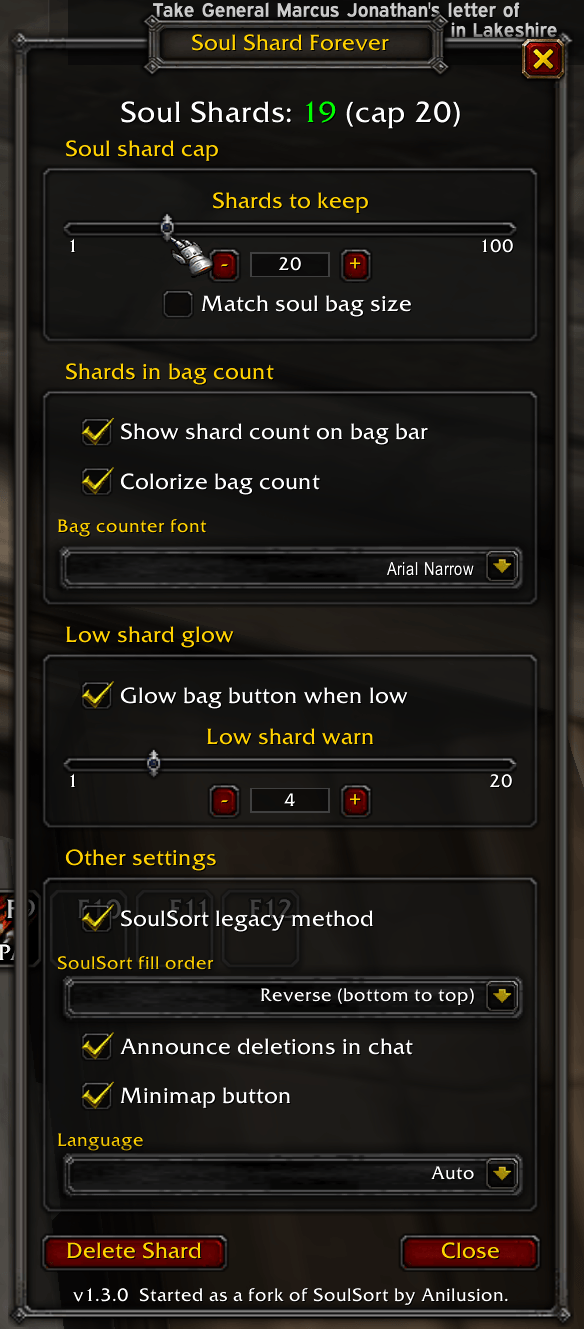
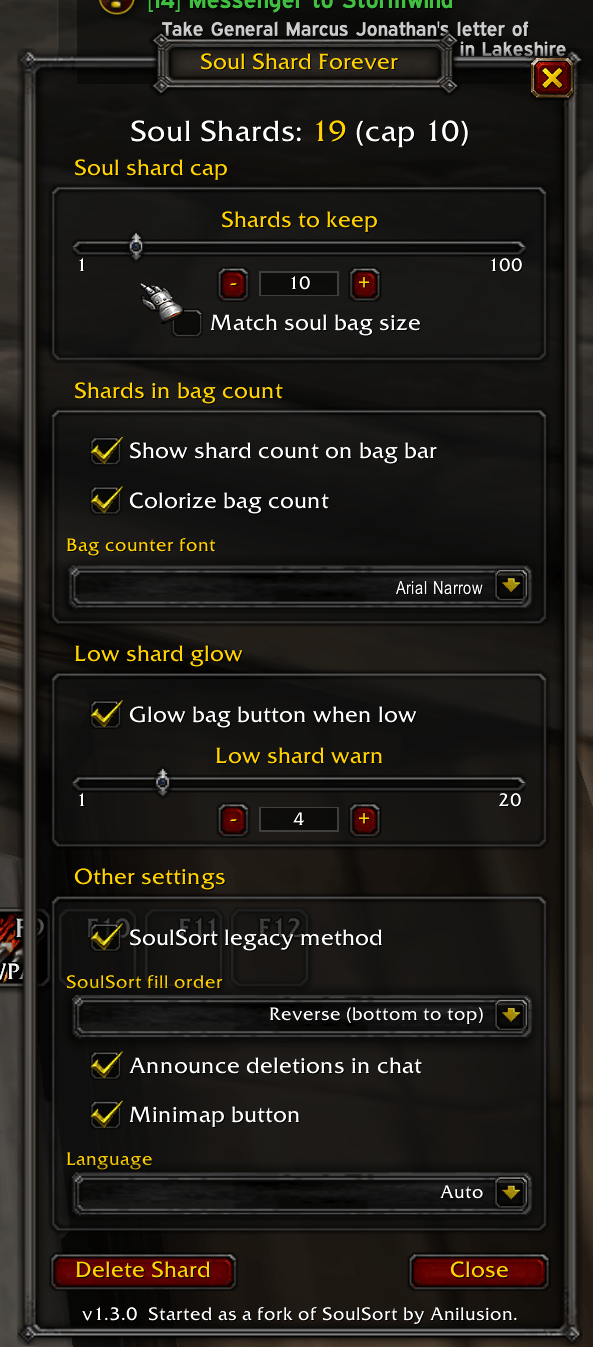
- Shards to keep is the cap, 1 to 100. Use the slider or use the − and + to fine tune.
- Match soul bag size ties the cap to your soul bag's slot count while one is equipped (all of them, if you carry more than one).
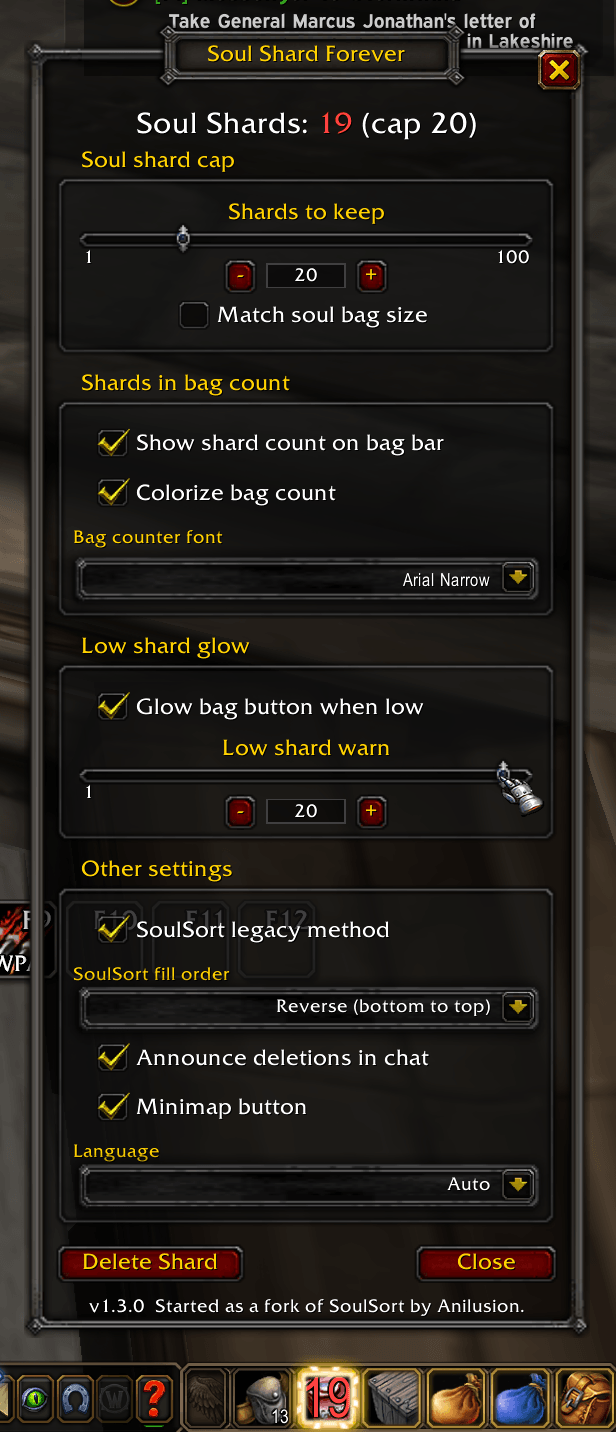
- Show shard count on bag bar puts the number on your far-left bag. Green in range, yellow over the cap, red when you're low. Pick the font, or turn the colors off.
- Glow bag button when low lights the bag button while you're under the low mark, so you remember to farm before you need them.
- Low shard warn is the number of shards to activate the warning glow. 1 to 20. Same slider and − and + as the cap.
- SoulSort legacy method is off by default. It's for SoulSort die-hards: SSF sorts the way Anilusion's SoulSort does, moving your other items aside so the shards sit in one solid block. SoulSort fill order picks SoulSort's Normal (top to bottom) or Reverse (bottom to top). A soul bag still fills first.
- Announce deletions in chat is off by default, turn on if you want to see that or for addons that watch chat (like MSBT).
- Language is Auto by default, which follows your game client. Pick English, Deutsch, Français, Español, Português or Русский to override it.
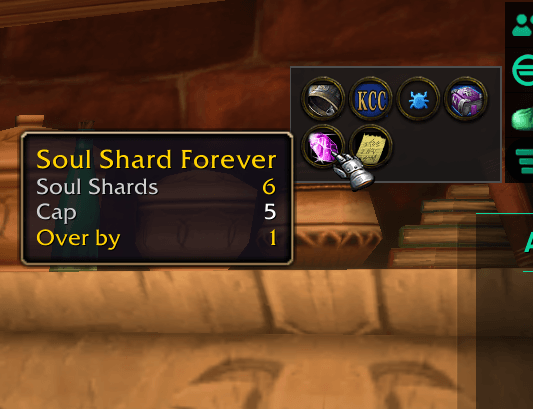
The minimap button opens the window; its tooltip shows the count and the cap. Settings are per character.
Commands
| Command | What it does |
|---|---|
/ssf | Count, cap, and this list |
/ssf delete | Sort shards, then delete one if over the cap |
/ssf setmax N | Set the cap; naked shows cap |
/ssf announce on/off | Chat line per deletion; naked shows status |
/ssf soulsort on/off | SoulSort legacy method; naked shows status |
/ssf options | Opens the GUI window (/ssf settings does as well) |
Tab autocompletes the SSF commands in chat (try it, I hate typing). /click SSFDelete does the same as /ssf delete (for keybind addons that can't run slash commands).
License
MIT, see LICENSE. Started as a fork of SoulSort by Anilusion, rewritten from scratch; no original code remains.
Bundles Ace3 (with CallbackHandler), AceGUI-3.0-SharedMediaWidgets, LibSharedMedia, LibCustomGlow, LibDataBroker, LibDBIcon and LibStub. Each keeps its own license.
You must be logged in to leave a comment.