

SnapShot Forever
Say cheese, Azeroth! Turn your screenshots into vintage polaroids with retro filters, film grain, captions and a self-timer for the perfect group photo.
Details
Expansion
 Forever
 Categories
Developers

Having issues?
SnapShot📸
A Polaroid style instant camera for World of Warcraft: Forever
Say "Cheese!"
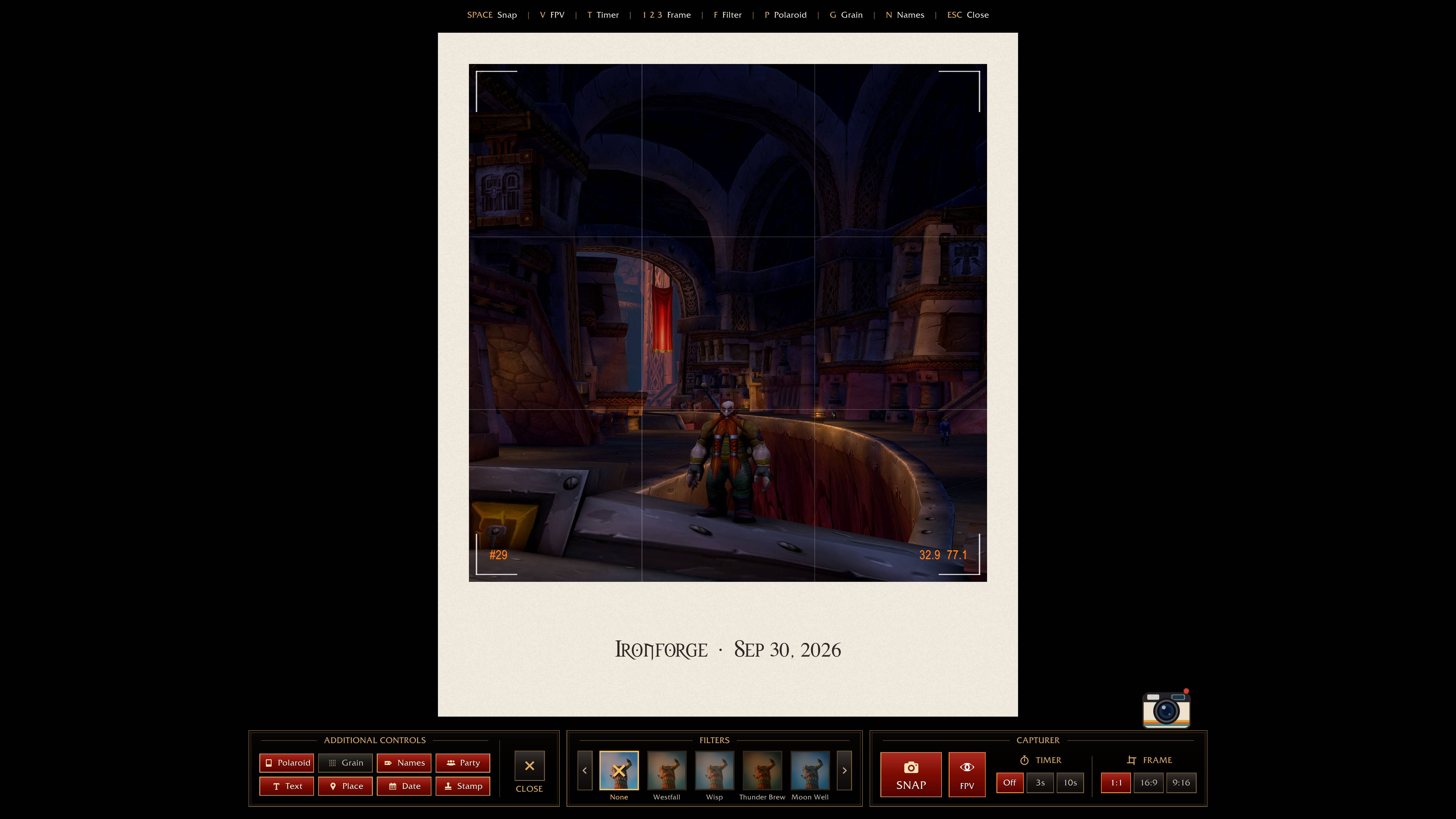
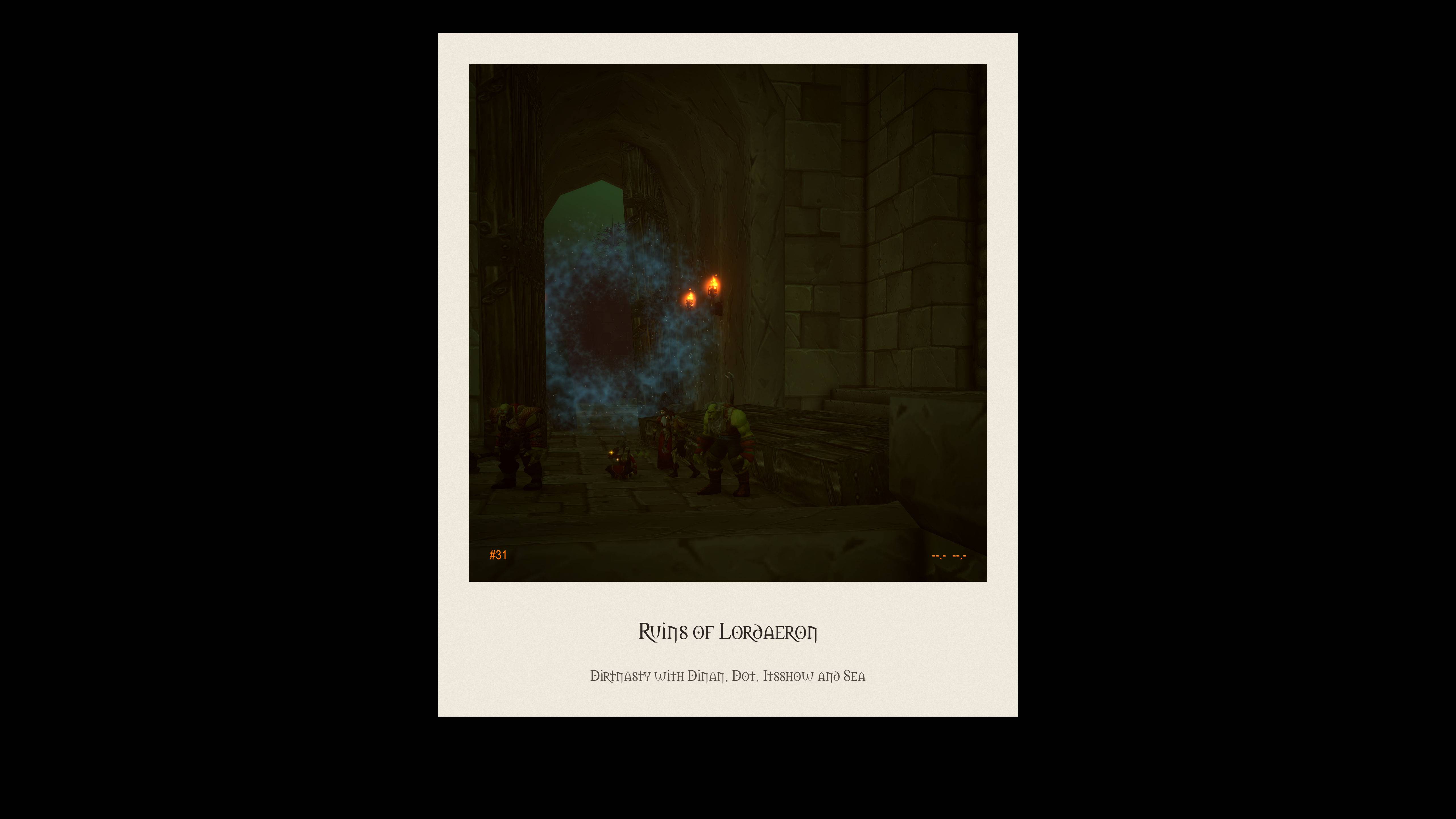
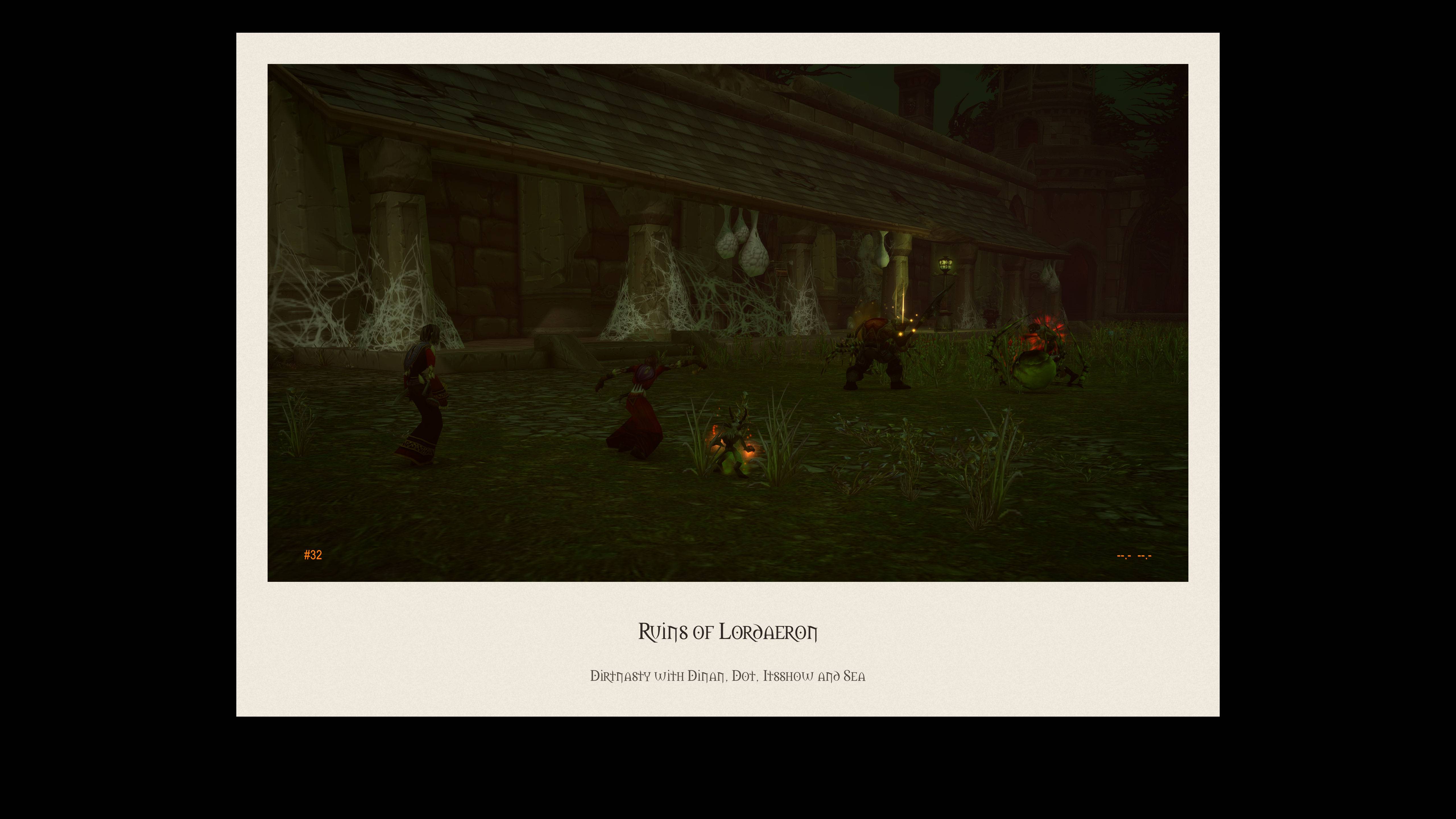
SnapShot turns your screenshots into vintage polaroids. Open the viewfinder, frame your shot, pick a filter and snap. A little instant camera prints your photo, and you can watch it develop. Whether it's your guild lined up outside Molten Core, a sunset over Westfall, or your first mount, SnapShot makes every moment feel like it belongs in a shoebox of old photos.
Features
- Viewfinder mode: frame your shot before you take it.
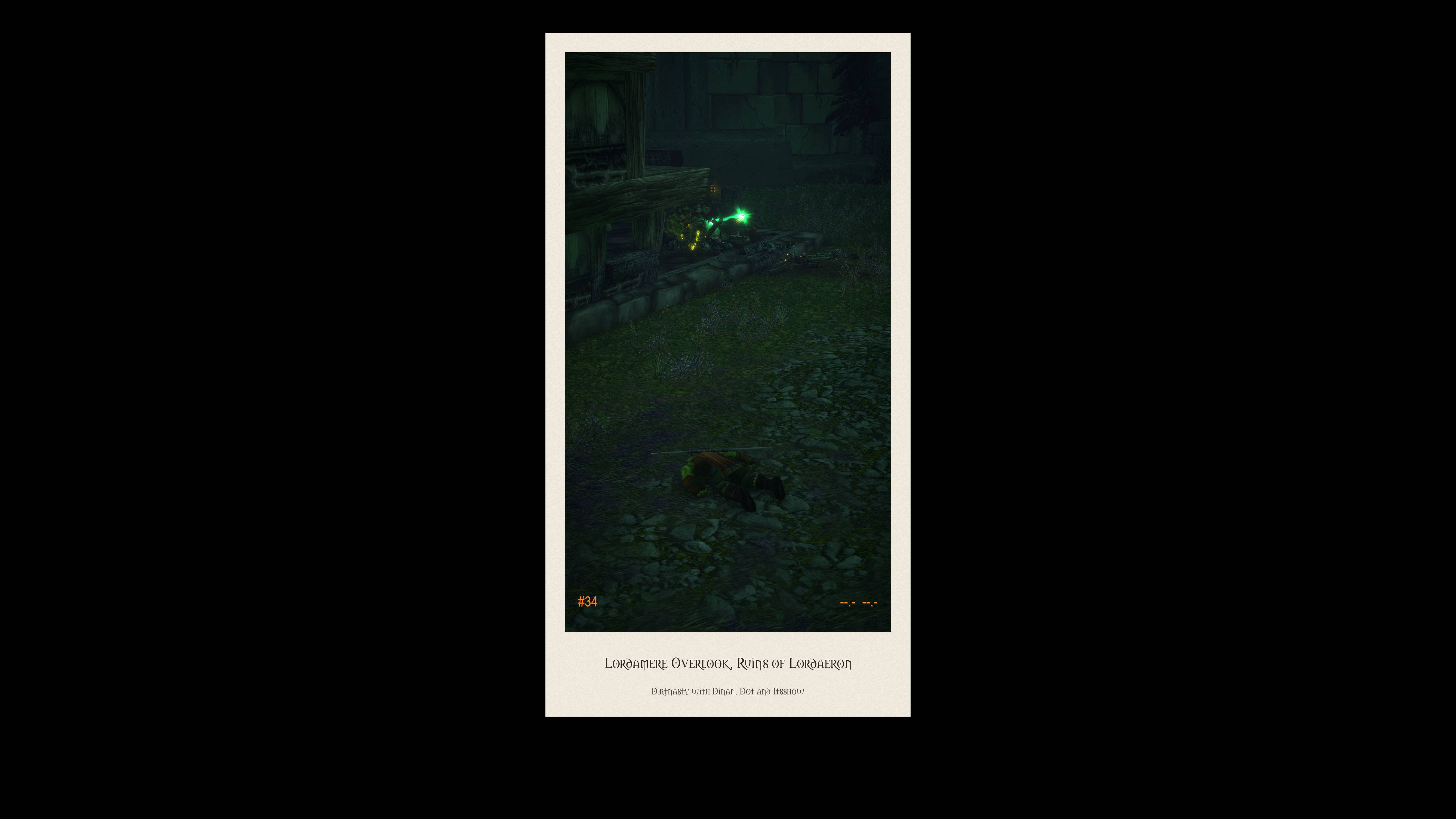
- Three frame formats: 1:1 square, 16:9 landscape and 9:16 portrait.
- 11 Azeroth-themed filters: No Filter, Westfall, Wisp, Thunder Brew, Moon Well, Star Ruby, Blackrock Ash, Dalaran, Duskwood, Spyglass and the dusty sepia Gamma Gammarita.
- Classic polaroid frame: the cream border and thick bottom edge of real instant film, with your caption written on the card.
- Captions: Add zone name, Date and even the players in your party or raid can get tagged.
- Coordinate stamp: a small orange stamp in the corner, like the old film cameras.
- Adjustable film grain: Off, 5%, 10%, 15% or 30%.
- Self-timer: 3 or 10 seconds, so you can get into the group shot too.
- First-person view: one click zooms into first person for the perfect angle, and zooms back out when you're done.
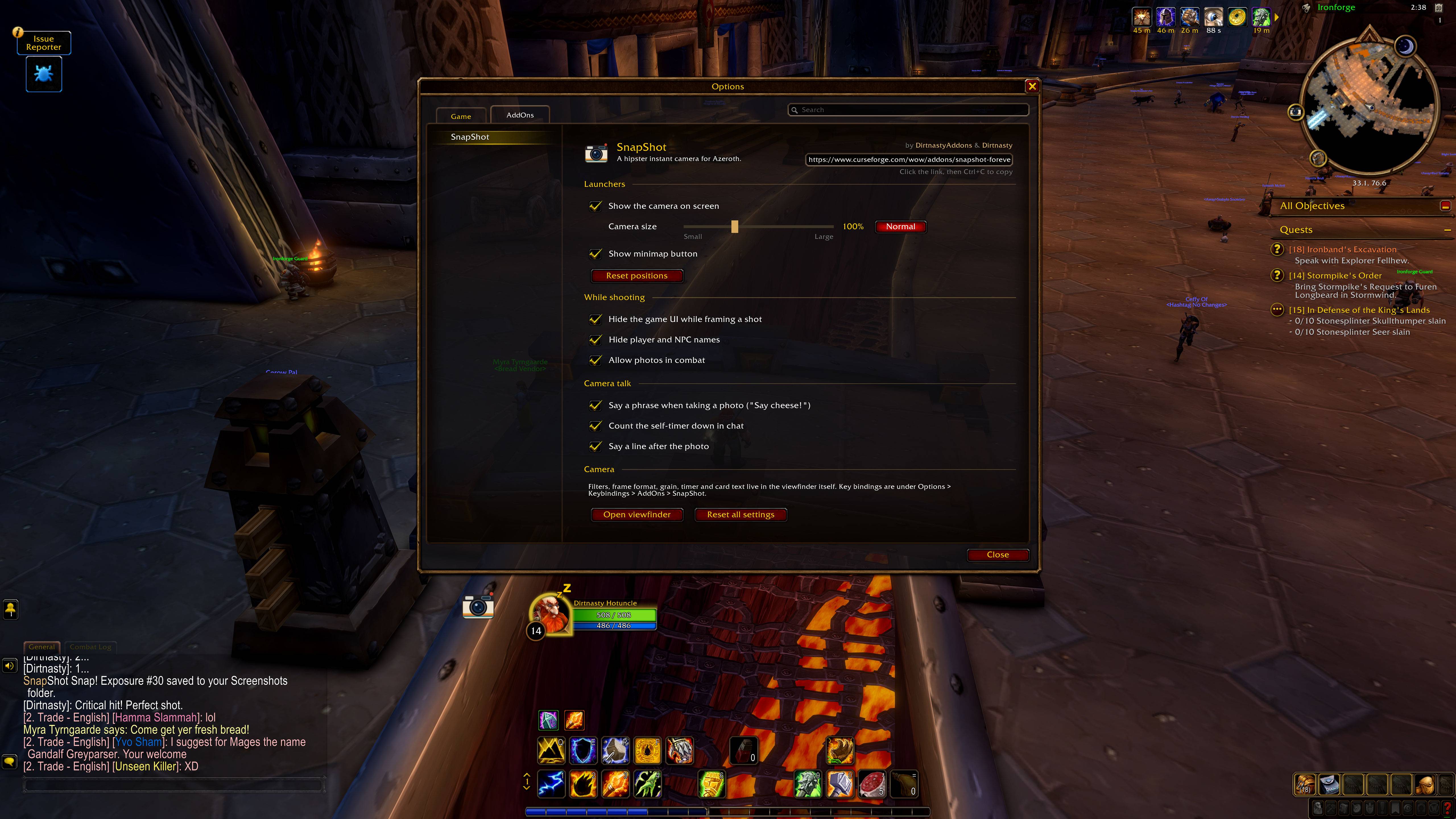
- Quick snaps: right-click the on-screen camera to take a photo without opening the viewfinder. A mini polaroid still pops out.
- Hide names: keep nameplates out of your shot.
- Resizable on-screen camera: from 50% to 200%.
⚠️ Important: cropping your photos
In this version, you'll need to crop your polaroids yourself.
When you take a photo, WoW saves a screenshot of your whole screen, with the polaroid sitting in the middle of it. Blizzard doesn't allow addons to open, edit or save files in your Screenshots folder, so SnapShot can't trim the image down to just the polaroid for you.
The good news is that cropping takes seconds
- Open your
World of Warcraft_classic_beta_Screenshotsfolder (or your Forever client'sScreenshotsfolder after launch). - Open the photo in any image editor. Windows Photos, Snipping Tool, Paint or Preview on Mac all work.
- Crop around the edges of the polaroid card.
- Save, and share it with your guild!
Quick access: on-screen camera, minimap button, addon compartment, slash commands and key bindings.
Installation
- Download the SnapShot zip file.
- Extract it. You should see a folder called
SnapShot. - Copy the
SnapShotfolder into your AddOns directory: - During the beta:
World of Warcraft_classic_beta_InterfaceAddOns - After launch: the
InterfaceAddOnsfolder inside your Forever client folder - Launch the game (or restart it if it was already open).
- At character select, click AddOns and make sure SnapShot is enabled.
How to use it
- Click the on-screen camera, or type
/snap, to open the viewfinder. - Choose your format, filter and grain, then hit SNAP.
- Press Esc, or click the camera or your print, to return to the game.
- Your photo is saved to your normal WoW
Screenshotsfolder.
Hotkeys in the viewfinder: Space snap, V first-person view, T self-timer, F cycle filters, G grain (hold Shift to go back).
Commands: /snap or /snapshot. Type /snap on its own to see the full list.
Settings: Options → AddOns → SnapShot, or /snap settings.
Key bindings: Options → Keybindings → AddOns → SnapShot.
Tip: for the sharpest photos, type /console screenshotQuality 10 once. This saves your screenshots at WoW's highest quality.
Smile, this one's going in the Chronicle. 📷
Feedback and bugs
SnapShot is built for World of Warcraft: Forever, which is still in beta, so things may change as Blizzard updates the game. If something breaks or you have an idea for a new filter, leave a comment or open an issue. Screenshots of your best polaroids are always welcome too!
You must be logged in to leave a comment.