

Serial Buffer
Buff everyone Around like a True serial Buffer
Details
Expansion
 Forever
 Categories
Developers

Having issues?
Serial Buffer
Summary
Lists the players around you who are missing your buffs, your group first. Click the top line, or press one key, to buff them one after another.
Description
Buffs last an hour on Forever, so handing them out in town or at a quest hub is worth doing. The hard part is keeping track: who's already got Arcane Intellect, and who just walked up. Serial Buffer keeps that list.
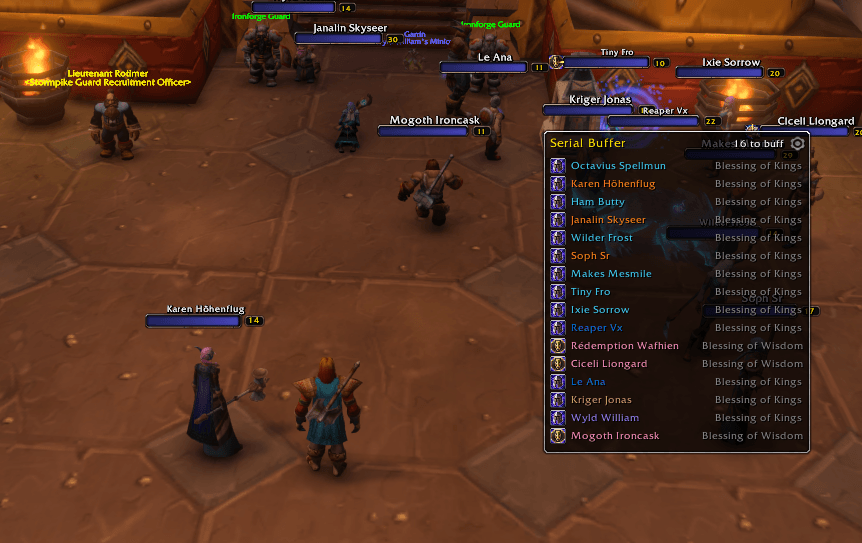
A small panel sits on the side of your screen. It shows every friendly player in range who's missing one of your buffs. Your group and raid come first, under their own heading, then everyone else in the order they arrived. Click a line and that player gets the buff, then drops off the list. The top line never moves, so you can stand there and keep clicking it until the list is empty. If you'd rather not aim, bind a key to "Next buff" in the game's key bindings and press it instead.
Each buff is still one click or one key press from you. WoW doesn't let an addon cast spells on its own, so Serial Buffer lines them up and you press the button.
What it offers depends on your class:
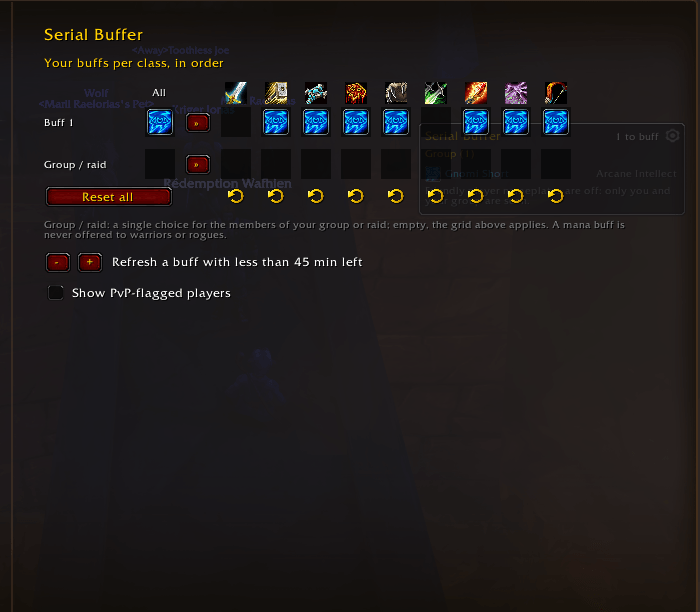
- Mages, priests and druids cast all their buffs on each player, one after another. A buff with more than 45 minutes left counts as done (you can change that in the options).
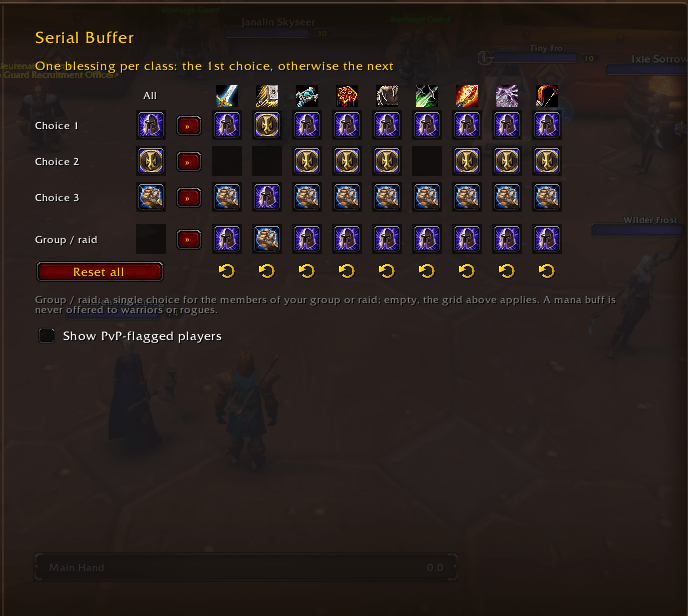
- Paladins put one blessing per player. For each class you pick a first, second and third choice (Kings, then Wisdom, then Might by default). If another paladin already gave that player the same blessing with more than half an hour left, you're offered the next one. You can also set a single blessing per class for your own group or raid.
- Mana buffs (Wisdom, Arcane Intellect, Divine Spirit) skip warriors and rogues.
The gear icon on the panel opens the options: a grid with one column per class, where each box is a buff icon you change with a click or the mouse wheel.
Players who can't take a buff don't stay stuck at the top. If the game answers "Target is too low level" or "A more powerful spell is already active", they leave the list for that buff. Players flagged for PvP are hidden by default, since buffing them flags you too (/sbuff pvp shows them).
You'll need friendly player nameplates turned on (Options, Nameplates): that's how the addon sees the people around you. In dungeons and raids the game blocks friendly nameplates, so only your group is listed there. In combat the panel stays up but freezes: you can still click your group's lines to rebuff them, and it refreshes when the fight ends.
Clicking a stranger's line targets them, and they stay targeted afterwards. Clicking someone in your group leaves your target alone.
Commands: /sbuff shows or hides the panel, /sbuff options opens the settings, /sbuff pvp toggles PvP-flagged players.
Nothing goes over the network. Built for WoW: Forever (Camelot). English, French, German and Spanish.
You must be logged in to leave a comment.