

RivTweaks
QoL, automation, inventory tools, class utilities and UI improvements for WoW Retail & Forever.
Details
Expansion
 Forever
 Developers

Having issues?

RivTweaks
Quality-of-life improvements, automation, inventory tools and UI tweaks for WoW Retail and WoW Forever.
Use the features you want. Leave the rest off.
Features
RivTweaks is available for both WoW Retail and WoW Forever.
Some features are specific to one version of the game:
| Availability | Meaning |
|---|---|
| Retail + Forever | Available in both builds |
| Forever | Currently exclusive to WoW Forever |
| Retail | Currently exclusive to Retail |
Inventory, Bags & Bank
| Feature | What it does | Availability |
|---|---|---|
| Item Finder | Find items across your characters, bags, banks, mail and incoming transfers. | Retail + Forever |
| Bank Characters | Organise bank alts with a Main character, labels, search and smart suggestions. | Retail + Forever |
| Quick Mailing | Pick Bank Characters and labelled destinations directly from the Send Mail window. | Retail + Forever |
| Account Storage Tooltips | See which characters have an item and where it is stored. | Retail + Forever |
| Mail Protection | Warns about observed mail that may be at risk of being lost when it expires. | Retail + Forever |
| Vendor & Stack Tooltips | Adds compact vendor, stack and account-storage information to item tooltips. | Retail + Forever |
| Auto Sort Bags | Optionally sorts your carried bags when you open them. | Forever |
| Auto Open Containers | Automatically opens supported clams, sacks, crates and other container items when bag space allows. | Forever |
| Destroy Cheapest Item | Free a bag slot with one key while protecting important items. | Forever |
| Soul Shard Priority | Optionally prioritise Soul Shards when using Destroy Cheapest Item on a Warlock. | Forever |
Automation & Convenience
| Feature | What it does | Availability |
|---|---|---|
| Quest Automation | Automatically accept and turn in quests while leaving important choices to you. | Retail + Forever |
| Safe Dialogue | Automatically handles safe single-option NPC dialogue without blindly choosing between multiple options. | Retail + Forever |
| Vendor Automation | Repair gear, sell junk and optionally sell unusable soulbound equipment. | Retail + Forever |
| Sell Protection | Protect equipment-set, enchanted and socketed items from supported automatic selling. | Retail + Forever |
| Confirmations | Handles selected summons, group leaving, quest abandoning and other safe confirmation dialogs. | Retail + Forever |
| Ready Checks | Automatically accept ready checks when enabled. | Retail + Forever |
| Spirit Release | Optionally release spirit automatically with instance safeguards. | Retail + Forever |
| Cutscene Automation | Quick-skip or automatically skip supported cinematics. | Retail + Forever |
| Character Setup | Automatically apply your preferred supported Blizzard settings to characters. | Retail + Forever |
Classes & Restocking
| Feature | What it does | Availability |
|---|---|---|
| Class Reagent Restocking | Automatically keeps enabled supported class reagents stocked when visiting merchants. | Forever |
| Minimum Money for Auto-Buy | Prevents automatic purchases from intentionally spending below a per-character reserve. | Forever |
| Hunter Ammo Restocking | Keeps your selected ammunition stocked to a configurable amount. | Forever |
| Hunter Ammo Fallback | Optionally buys the best compatible vendor ammunition when your selected ammo is unavailable. | Forever |
| Hunter Pet Food Restocking | Learns the food you successfully feed each pet and restocks it when available from a merchant. | Forever |
| Druid Mana Bar | Shows mana beneath the Player Frame while using a non-mana shapeshift form. | Forever |
| Smart Shapeshifting | Helps Druids leave shapeshift form when supported actions require it. | Forever |
Fishing & Professions
| Feature | What it does | Availability |
|---|---|---|
| Quick Fishing | Use one key to cast Fishing and interact with your bobber. | Forever |
| Auto Equip Fishing Rod | Equips your best available fishing pole when using Quick Fishing. | Forever |
| Double-click to Cast | Optionally cast Fishing and interact with the bobber using double right-click. | Forever |
| Profession Quality Filter | Filter profession recipes by the quality of their crafted output. | Forever |
| Profession Reagent Tracking | Tracks reagents for the currently selected profession recipe. | Retail |
| Profession Moxie | Displays profession Moxie directly in the crafting interface. | Retail |
| Profession UI Improvements | Keeps useful profession controls available across supported Retail profession tabs. | Retail |
Retail Tools
| Feature | What it does | Availability |
|---|---|---|
| Realm Filtering | Hide Group Finder listings and applicants from selected realms. | Retail |
| Gear Helper | Manually equip higher item-level gear using configurable safeguards. | Retail |
| Dungeon Difficulty | Maintain your preferred dungeon difficulty. | Retail |
| Raid Difficulty | Maintain your preferred raid difficulty. | Retail |
| Delve Difficulty | Maintain your preferred Delve tier. | Retail |
| Delve Automation | Optional post-run and Delve-entry conveniences. | Retail |
| Keystone Helper | Automatically inserts your keystone when opening the Mythic+ socket window. | Retail |
| Instance Automation | Apply supported settings in dungeons and raids and restore them afterwards. | Retail |
| Adventure Journal Automation | Maintain supported Adventure Guide content and loot-difficulty preferences. | Retail |
Interface & UI
| Feature | What it does | Availability |
|---|---|---|
| Item Comparison | Only show comparison tooltips while holding your chosen modifier. | Retail + Forever |
| Talent Appearance | Choose clearer Blizzard-style talent icon appearances without changing talent behaviour. | Forever |
| Minimap Button | Quick access to RivTweaks from the minimap. | Retail + Forever |
| Hide Error Text | Hide Blizzard error text when you don't want it. | Retail + Forever |
| Hide Zone Text | Hide large zone-change text. | Retail + Forever |
| Hide Boss Banners | Hide supported boss and encounter banners. | Retail + Forever |
| Hide Talking Head | Hide the Talking Head frame. | Retail + Forever |
Find Your Items Across Characters
RivTweaks includes account-wide inventory tools without replacing Blizzard's bags or bank.
Item Finder
Search known items across:
- Bags
- Bank
- Incoming character transfers
Search by item name, Bank Character label or useful item properties, then expand a result to see which characters have it and where it is stored.
Open Item Finder with:
/rt find
/rtf
You can also search immediately:
/rt find <item>
/rtf <item>
A native configurable keybind is also available.
Bank Characters
Mark the characters you actually use for storage and keep them organised with:
- One Main character
- Multiple Bank Characters
- Custom labels
- Character search
- Compact organisation for larger character lists
- Smart Bank Character suggestions based on repeated transfers
Suggestions never automatically classify a character. You remain in control.
Quick Mailing
Quick Mailing adds a compact Bank Character picker beside Blizzard's normal recipient field.
It can quickly select your Main, Bank Characters and labelled destinations without replacing the normal mail interface.
RivTweaks never sends mail automatically and never silently chooses a recipient.
Auto-Restock
WoW Forever
RivTweaks can automatically keep useful supplies stocked when you visit a merchant.
Hunters
Automatically restock your currently selected ammunition to a configurable amount.
If enabled, RivTweaks can also use the best compatible ammunition available from the merchant as a fallback.
For pet food, RivTweaks learns the food you successfully feed to each pet and can restock that food whenever a merchant sells it.
Class Reagents
Supported class reagents can be enabled individually with a separate restock amount for each.
RivTweaks automatically handles merchant purchase batches and respects available vendor stock.
Reagent Economy is respected automatically for supported classes.
Minimum Money for Auto-Buy
Set a separate minimum money reserve for each character.
Automatic purchases will stop rather than intentionally spending below that reserve.
Purchase summaries tell you what was bought, how much was spent, and when your reserve prevented an otherwise valid purchase.
All automatic restocking is optional and disabled by default.
Bags Without the Busywork
WoW Forever
Auto Open Containers
Automatically open supported clams, sacks, crates and other container items when usable general bag space is available.
RivTweaks keeps interaction and inventory safety checks in place rather than blindly opening everything.
Auto Sort Bags
Optionally sort your carried bags when you open them.
Sorting runs once per bag-opening session and does not automatically sort bank storage.
Destroy Cheapest Item
Assign a keybind to quickly free one bag slot by destroying the eligible stack with the lowest total vendor value.
Configure:
- Maximum item quality
- Whether crafting materials and reagents are eligible
- Whether equippable items are eligible
- Optional Soul Shard priority for Warlocks
Important items are protected, including quest items, locked items, equipment-set items, enchanted gear and socketed gear.
Fishing
WoW Forever
Quick Fishing
One configurable key can handle both casting Fishing and interacting with your bobber.
Press it to cast.
While actively fishing, press it again to interact with the bobber.
Quick Fishing does not automate bite detection. You still decide when to hook.
Auto Equip Fishing Rod
When enabled, Quick Fishing can equip the best available fishing pole from your bags when one is needed.
If a pole needs to be equipped, the first press equips it and the next press casts Fishing.
Double-click to Cast
Optionally double right-click in the world to cast Fishing.
While already fishing, double right-click can interact with the bobber instead.
Druid Improvements
WoW Forever
Shapeshift Mana Bar
Displays your mana beneath the Player Frame while using a non-mana shapeshift form.
Status text follows Blizzard's normal Status Text preference.
Smart Shapeshifting
Helps leave shapeshift form when it prevents supported actions such as profession crafting.
Supported profession crafts can leave shapeshift form and begin crafting from the same player click.
Group Finder Realm Filtering
WoW Retail
Create a blacklist of realms you don't want to see in Group Finder.
RivTweaks can separately filter:
- Premade Group listings led by players from blacklisted realms
- Applicants to your own groups containing players from blacklisted realms
Both filters can be controlled independently.
A compact Realm Filter control is available directly from the Dungeon & Raids interface, with fast realm suggestions for managing your blacklist.
RivTweaks only hides matching listings or applicants from your view.
It never automatically declines applicants, cancels applications or chooses groups for you.
Retail Automation
WoW Retail
Retail includes additional tools for modern WoW systems:
- Dungeon and raid difficulty automation
- Adventure Guide preferences
- Delve difficulty and optional Delve conveniences
- Mythic+ Keystone Helper
- Gear Helper
- Instance settings automation
- Retail profession conveniences
Gear Helper remains a manual action and does not automatically equip gear without you asking it to.
Automation With Guardrails
RivTweaks is designed to remove repetitive clicks without blindly making important decisions for you.
Automation includes features such as:
- Quest accepting and turn-in
- Safe single-option dialogue
- Repairs
- Junk selling
- Optional unusable soulbound gear selling
- Ready checks
- Summons
- Leave-group confirmations
- Quest-abandon confirmations
- Cutscene skipping
- Spirit release
Where an interaction requires an actual choice, RivTweaks tries to leave that choice to you.
For example, Safe Dialogue only automatically selects an option when exactly one supported selectable option is available. Multiple selectable dialogue choices are left alone.
Quest reward choices are also left for you to decide.
Character Setup
Apply preferred supported Blizzard settings automatically to your characters.
Available settings include:
- Auto Loot
- Action Targeting
- Mouseover Casting
- Press and Hold Casting
- Enemy nameplates
- Friendly nameplates
- Soft Target Interact
- Additional action bars
Each option can be configured independently.
Talent Appearance
WoW Forever
Choose between:
- Blizzard Default
- Bright Greyscale
- Color
Bright Greyscale keeps locked talent artwork readable without adding colour.
Color keeps talent artwork coloured while still preserving distinct purchased, available and locked brightness states.
Talent Appearance is visual only. It does not change talent availability, prerequisites, ranks or point spending.
Profession Quality Filter
WoW Forever
Adds an Item Quality filter to the profession interface for crafted equipment.
Filter recipes by the quality of their crafted output:
- Common
- Uncommon
- Rare
- Epic
Selections are stored separately for each profession.
Designed to Stay Out of the Way
RivTweaks isn't a replacement UI.
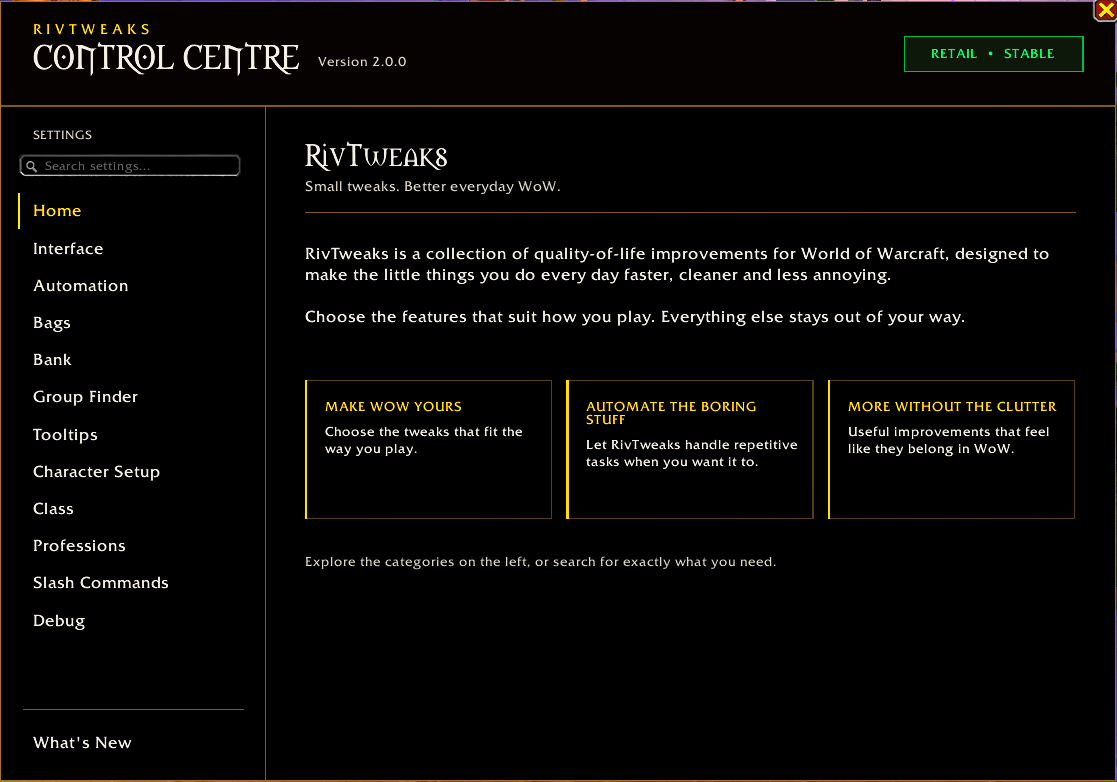
Features use Blizzard's existing interface where possible and are configurable through Blizzard's Settings system.
Most features are independent, so you can enable the things you want and leave everything else alone.
The goal is simple:
Fix little annoyances, remove repetitive busywork, and keep the game feeling like WoW.
Slash Commands
| Command | Action |
|---|---|
/rt | Open/use RivTweaks commands |
/rt find | Open Item Finder |
/rt find <item> | Open Item Finder and search immediately |
/rtf | Open Item Finder |
/rtf <item> | Open Item Finder and search immediately |
/rl | Reload the UI |
/journal | Open the Adventure Guide |
/jl | Open the Adventure Guide |
/cdm | Open Cooldown Manager |
/em | Open Edit Mode |
/edit | Open Edit Mode |
/editmode | Open Edit Mode |
/kb | Open Quick Keybind Mode |
/pull | Start a pull timer |
/rc | Start a ready check |
Retail & Forever
RivTweaks is actively developed for both WoW Retail and WoW Forever.
The two builds share many core quality-of-life features while also containing tools designed specifically for the systems available in each version of the game.
Everything is optional. Configure RivTweaks from Blizzard's normal Settings interface and build the setup that works for you.
You must be logged in to leave a comment.