

RGX | Better Level-Up!
Play sounds from other games when you Level-Up, complete Trade Post Activities, or Gain Reputation!
Details
Expansion
 Forever
 Categories
Developers

Having issues?
 RGX | Better Level-Up!

 RGX Mods - RealmGX Community Project
🎯 Overview
RGX | Better Level-Up! replaces repetitive World of Warcraft sounds with memorable audio from more than 50 games — levels, achievements, quests, reputation, battle pets, delves, honor, housing, and Trading Post milestones all get their own customizable cue.
BLU is the Retail edition. Classic players should install BLU Classic, and WoW Forever players should install BLU Forever.
 The Kiwi Says: "Ding! But make it a victory fanfare! Bwwiiiee."
✨ Features
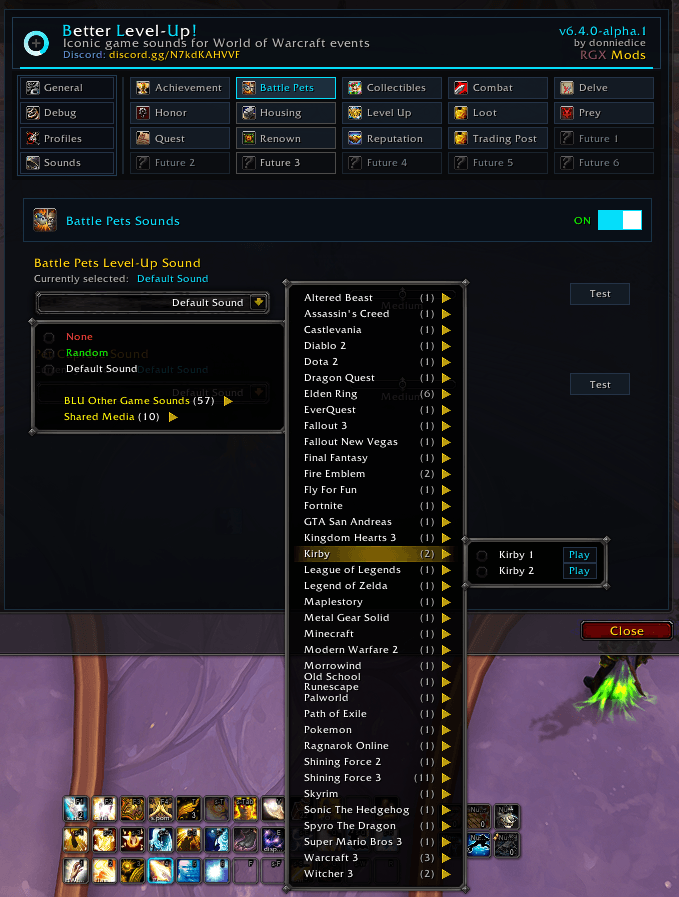
🎵 50+ Game Sound Libraries - Favorites from Final Fantasy, Zelda, Mario, Skyrim, Pokemon, Warcraft III, and many more.
🏆 Extensive Event Coverage - Levels, achievements, quests, reputation, renown, battle pets, delves, honor, housing, and Trading Post activity.
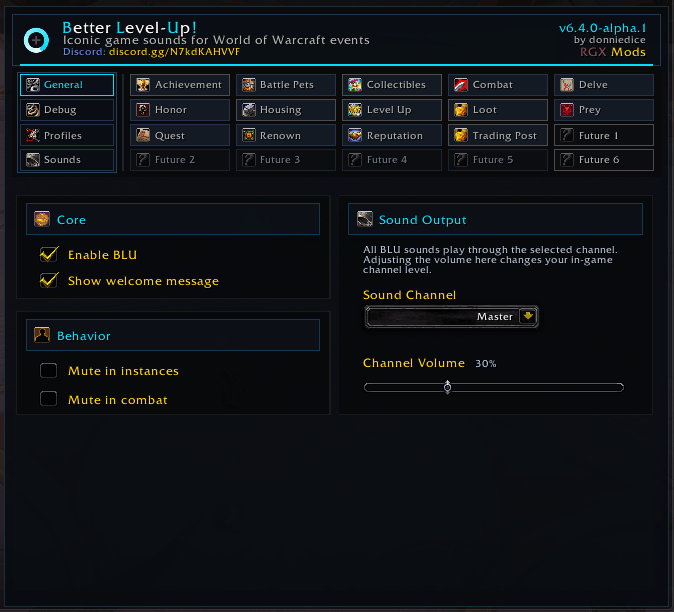
🔊 Granular Audio Control - Per-event choices, Low/Medium/High volume variants, previews, and selective muting of matching WoW sounds.
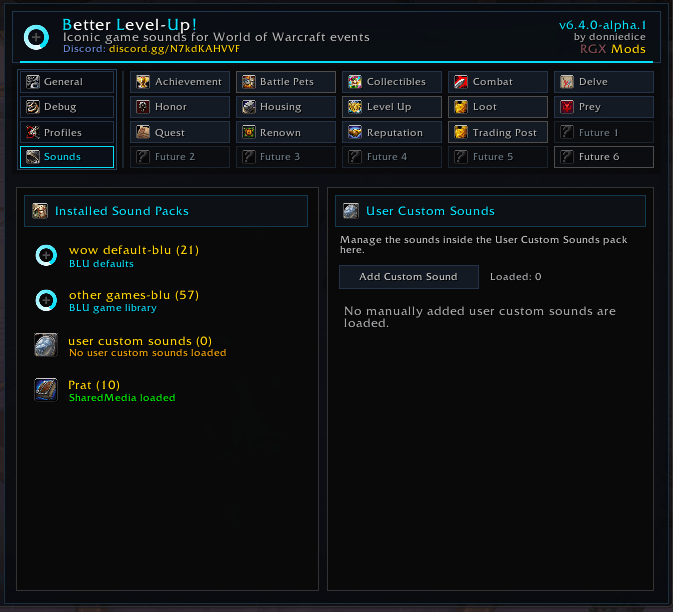
📦 Sound Packs - Automatic discovery plus public APIs for simple and full three-volume third-party packs.
🗂️ Custom Sounds - Register your own .ogg, .mp3, or .wav files in game.
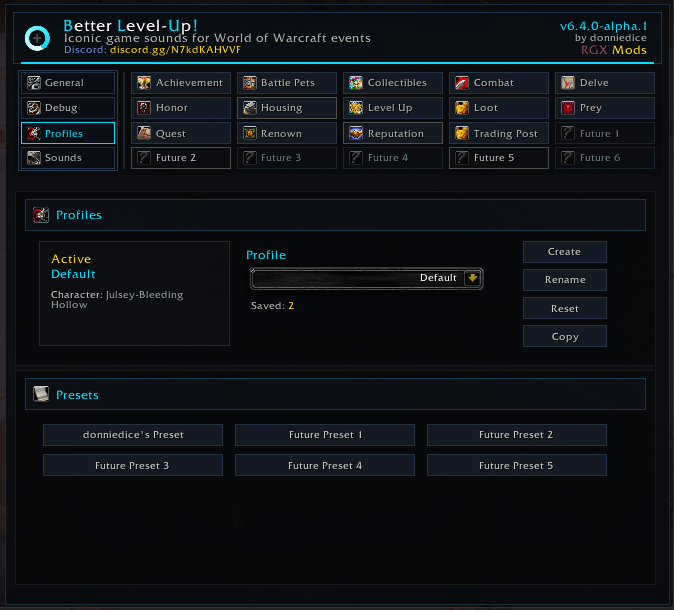
⚙️ Modern Configuration - Tabbed options, profiles, modular event features, and built-in diagnostics.
Note: Each bundled selection includes Low, Medium, and High variants. Special collections may include several alternate cues.
🎮 Supported Events
Achievements | Achievement earned and criteria progress
Battle Pets | Pet level-up and pet capture
Combat | Combat start, combat end, combat music, and supported proc cues
Delves | Companion level-up, life lost, and life gained
Honor | Honor rank increases
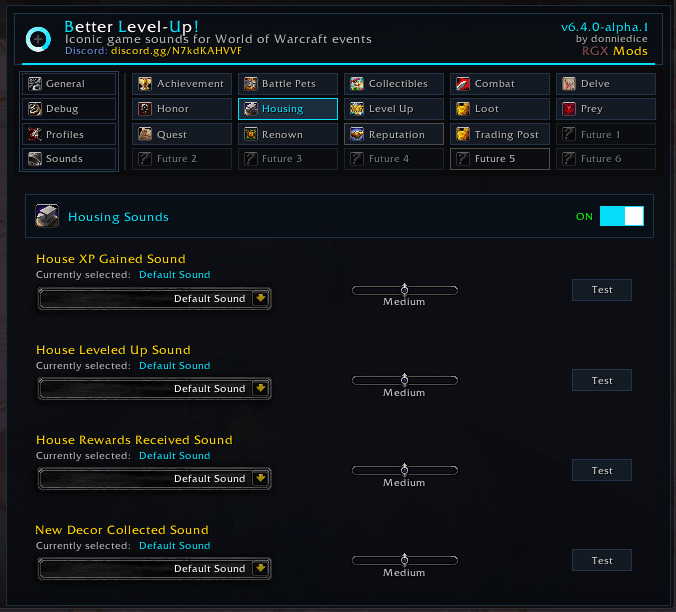
Housing | Favor/XP, level-up, rewards, and decor collection
Leveling | Character level-up
Quests | Accepted, turned in, complete-at-quest-giver, and objective progress
Reputation | Standing and major-faction renown rank increases
Trading Post | Activity completion and purchases
Event availability follows the current Retail client. Unused event groups can stay disabled.
📋 Slash Commands
The addon can be managed using the following slash commands:
/blu help # Displays help information
/blu status # Shows addon status
/blu enable | disable # Enables or disables BLU
/blu debug # Toggles diagnostics
/blu refresh # Rebuilds external and custom sound registries
/blu rescan # Discovers newly registered media
/blu addcustom myfile # Adds a compatible custom sound
/blu removecustom path # Removes a registered custom sound
🎵 Sound System
Bundled sounds - Full Low, Medium, and High variants included with BLU.
External sound packs - Addons discovered automatically or registered through BLU's public sound-pack APIs BLU:RegisterExternalSoundPack() and BLU:RegisterSoundPack(). See the Sounds Guidelines for layouts and examples.
User custom sounds - Add compatible files from the Sounds tab or with /blu addcustom. Run /blu refresh after adding or removing files and /blu rescan after another addon registers media.
The Kiwi Says: "Preview before you commit — your ears will thank you! Bwwiiiee."
🎮 Compatibility
WoW Retail | ✅ Fully Supported
BLU also supports the WoW Forever beta client where it uses the Retail API.
Note: For Classic clients use BLU Classic. For the WoW Forever build with Forever-only tuning use BLU Forever.
📥 Installation
- Download RGX | BLU from your preferred platform:
- Install the required RGX-Framework dependency if your addon manager does not resolve it automatically.
- Extract to your WoW directory:
- Retail WoW: World of Warcraft/_retail_/Interface/AddOns
- Restart WoW and enable both addons in the AddOns menu, then type /blu.
The Kiwi Says: "Pick a sound, preview it, done! Bwwiiiee."
⚙️ Configuration
Open /blu and use the tabbed options panel to configure event modules, profiles, sounds, and diagnostics. Settings are stored in BLUDB, and profiles keep separate setups without duplicate addon folders.
🔧 Troubleshooting
- Confirm WoW's Master volume is enabled.
- Use /blu rescan after another addon registers new media.
- Use /blu refresh after adding or removing external or custom packs.
- Some audio may pause briefly the first time WoW caches it.
- Confirm BLU and RGX-Framework are both enabled if /blu does not open.
💝 Support the Project
- ☕️ Buy Me a Coffee: Donate
- 💸 Donate via CashApp: Donate
- ⭐️ Star on GitHub: BLU
- 📢 Share: Share it with friends and guildmates!
🤝 Feedback and Contributions
- 🐛 Report Issues: GitHub Issues
- 🔧 Contribute: Bug reports, translations, feature ideas, and sound suggestions are welcome via GitHub.
- 📞 Contact: Join the RealmGX Discord for help, feedback, and sound suggestions.
📄 License
This project is licensed under the MIT License.
⚠️ Disclaimer
Disclaimer: This BLU addon is provided "as is" without warranty. Use at your own risk. The author is not responsible for any issues arising from its use.
🌟 Thank you for choosing RGX Mods! 🌟
Made with ❤️ by the RealmGX Community Lead Developer: DonnieDice
"Make every level count with sounds that matter."
The Kiwi Says: "Retail dings never sounded this good! Bwwiiiee."
🎮 Join our Discord Community | ⭐ Star us on GitHub | ☕ Support Development
RGX Mods - Powered by RealmGX Community


You must be logged in to leave a comment.