

Quest Targets – RestedXP and Questie support
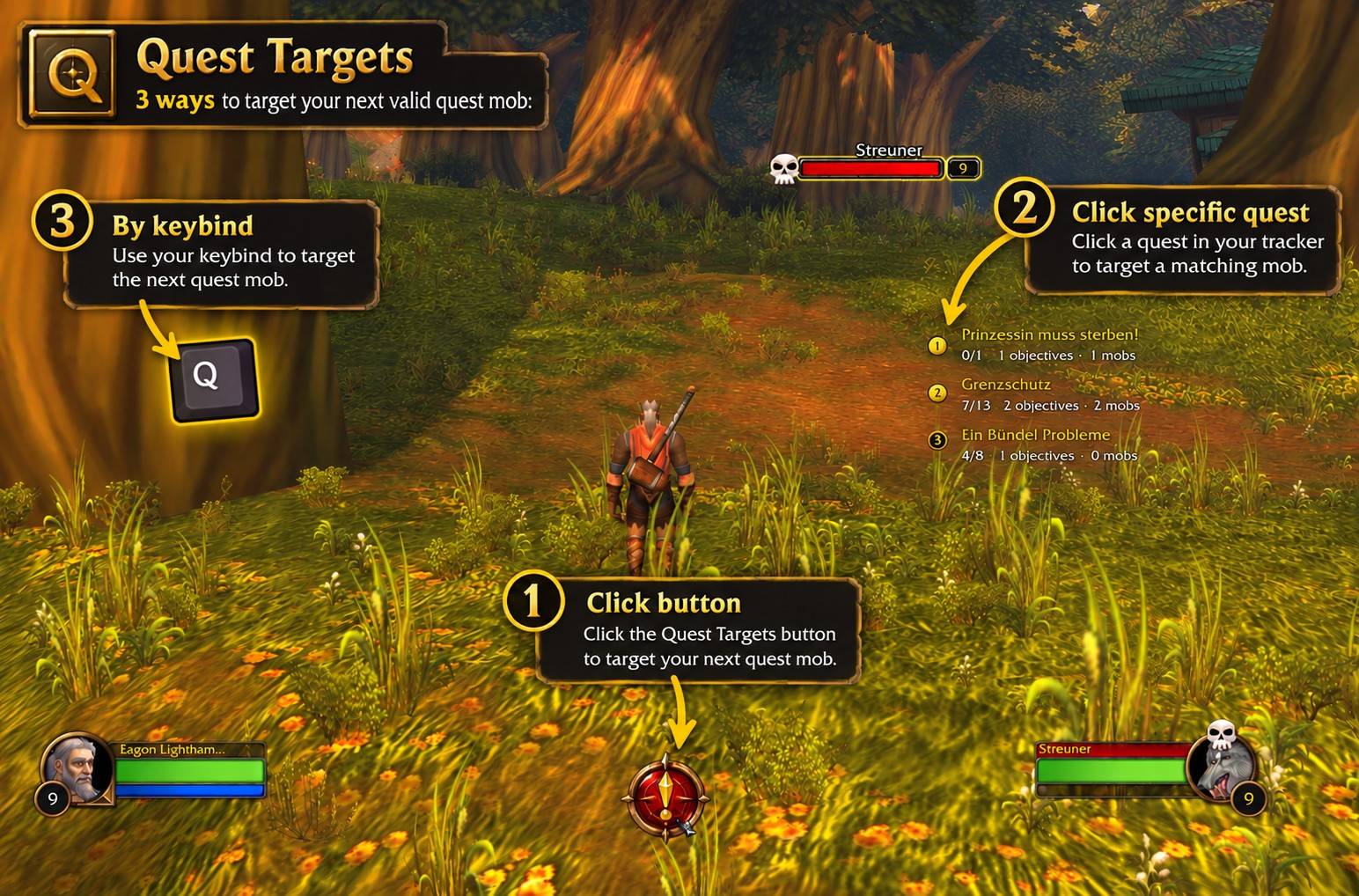
Targets next valid quest mob, or a turn-in NPC, with one button or hotkey.
Details
Expansion
 Forever
 Categories
Developers

Having issues?
Quest Targets
One button for the mobs your quests need.
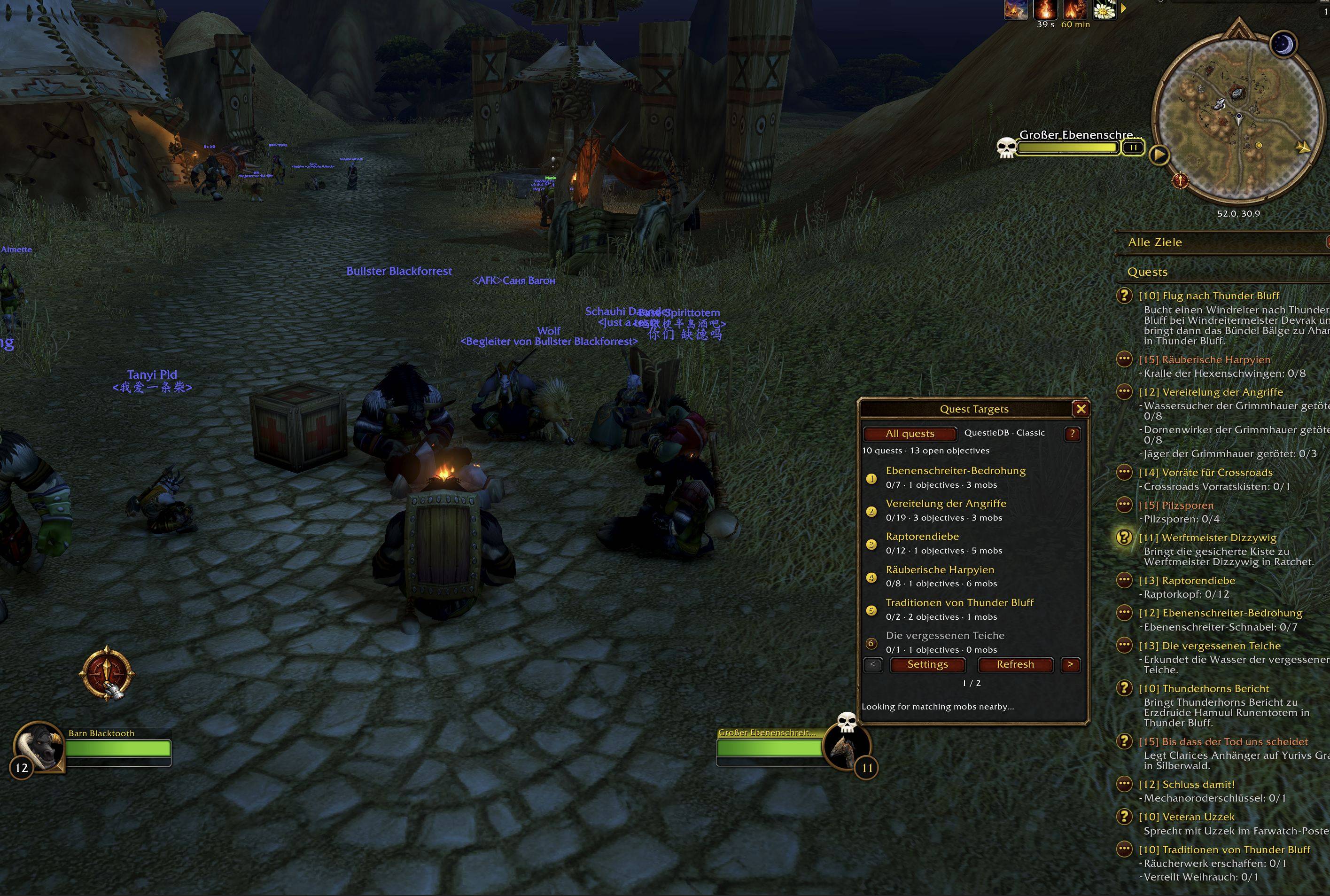
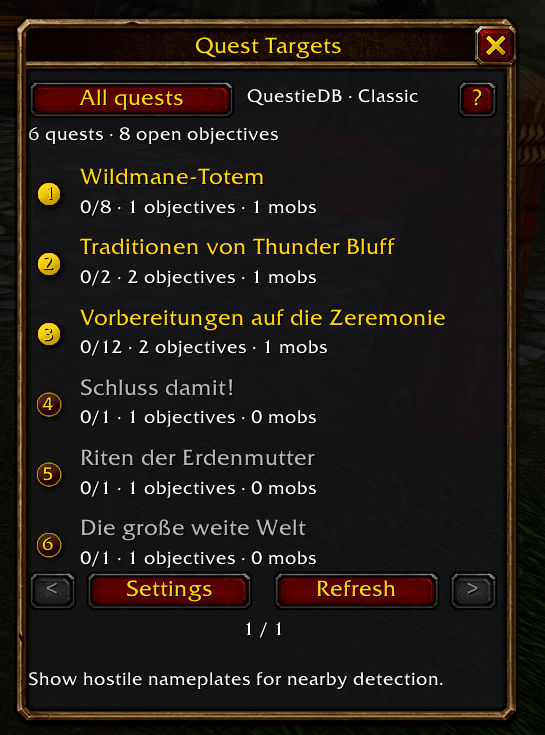
- Press the master button or your assigned hotkey to target a matching mob for any active quest.
- You can also click an individual quest to search only for mobs needed by that quest.
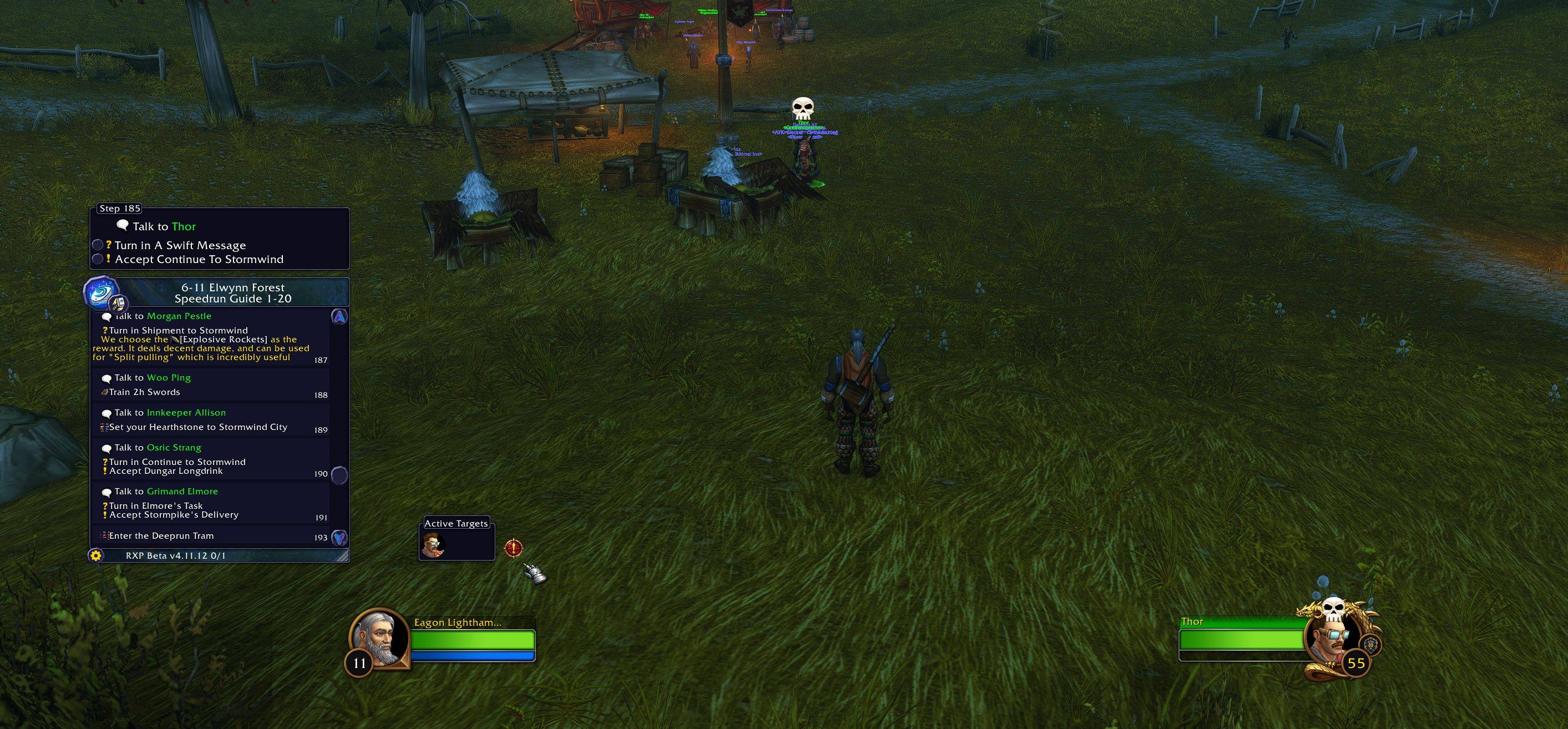
- When your quests are ready to turn in, Quest Targets can target their NPCs too.
- Support for RestedXP and Questie
Quest Targets supports all WoW flavors. Choose the file for your game version from the Files tab.
Target from your active quests
- The master button considers all active quests, even when the list is filtered to tracked quests. Open mob objectives take priority over turn-in NPCs.
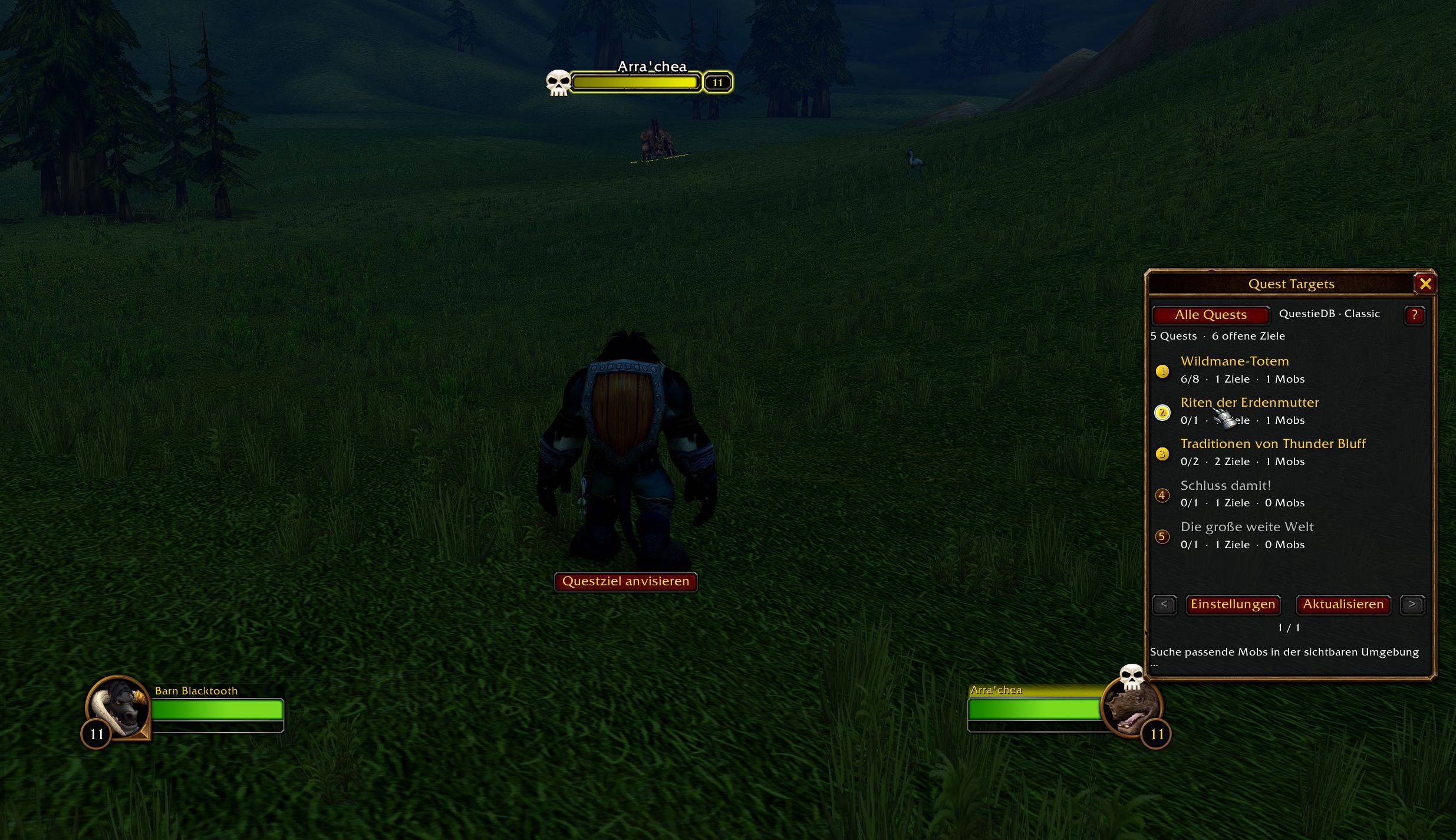
- Click a quest in the list to focus on its unfinished mob objectives. Right-click it to open the quest in the game's quest log.
- QuestieDB supplies known quest targets and item drop sources. Visible hostile nameplates can help identify additional candidates, but a nameplate does not always have to be visible for the game to target a known name
Keep the controls you want
- Choose a classic text button or a modern compass button, assign a hotkey, and adjust the quest window.
- Transparent mode keeps the quest list visible with less interface around it.
- You can also hide the on-screen controls and use the hotkey.
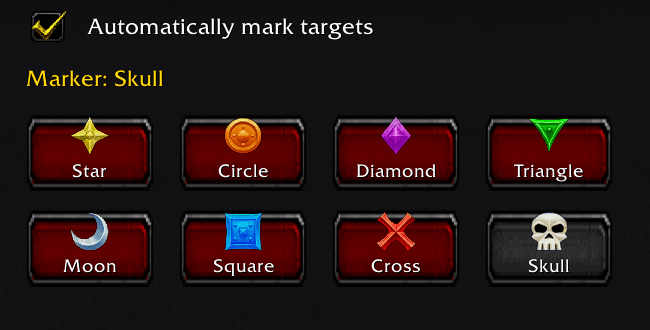
- Optional raid marking offers all eight markers, subject to the game's group permissions.
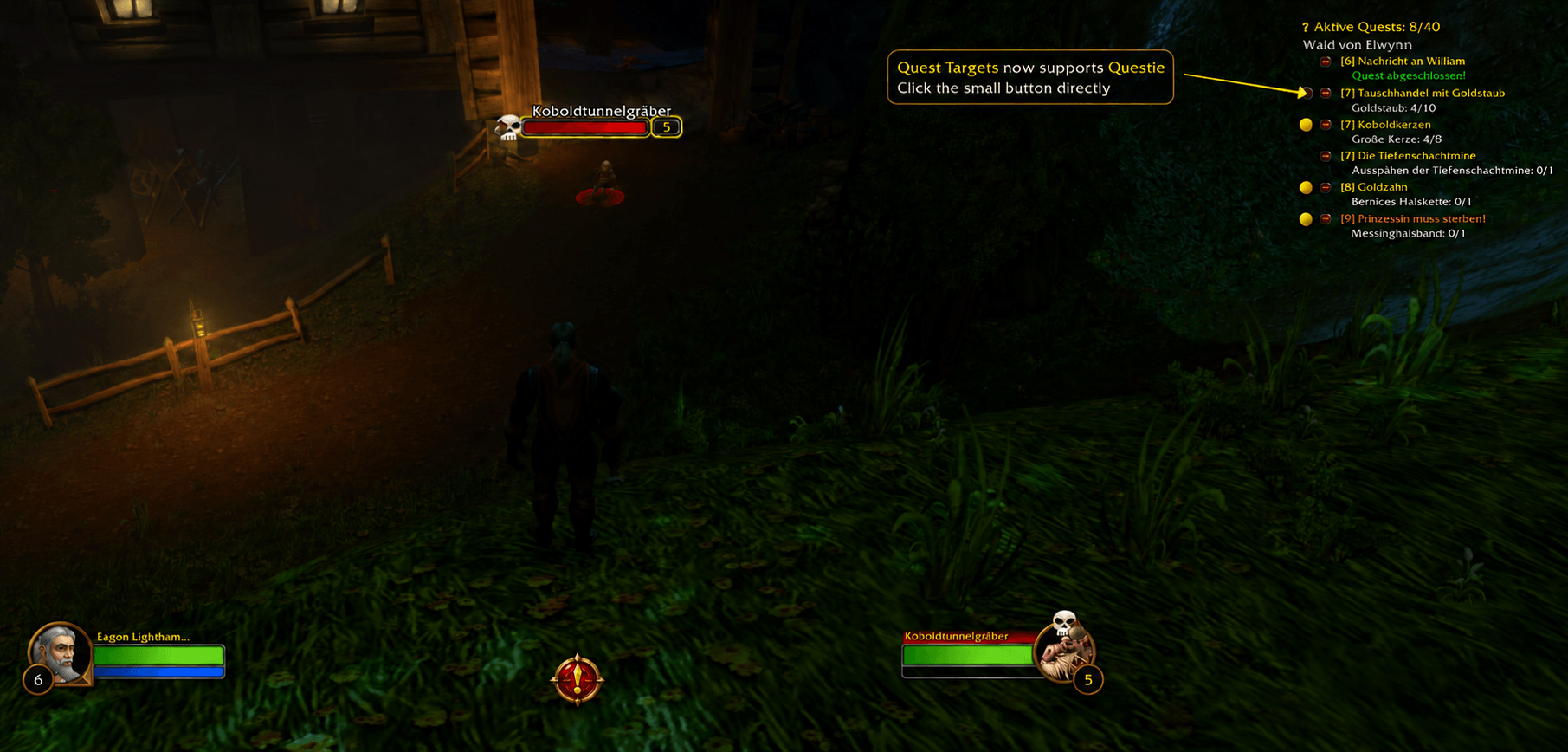
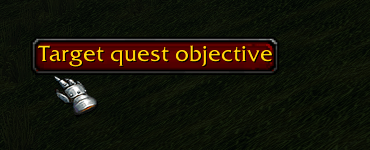
- Natively supports the Questie addon by adding a small button next to Questie’s quest list.
What targeting can and cannot do
Quest Targets uses the game's secure name-targeting actions. The game decides which matching unit a name targets and applies its normal range, line-of-sight, and combat restrictions.
- It cannot reliably cycle through individual mobs that share a name.
- A mob already tagged by another player may be selected when it shares a name with an untagged mob.
- It cannot guarantee the nearest mob because exact distances to individual candidates are not reliably available.
Languages and feedback
The interface is available in English, German, Spanish, French, Turkish, and Simplified Chinese. Quest and NPC names follow your game client's language.
Found a bug or have an idea? Use the in-game feedback button or visit feedback.jacknine.org. No GitHub account is required.
QuestieDB attribution
Quest Targets bundles an unmodified copy of QuestieDB, the database used by Questie, and accesses it through its public API. We have not changed QuestieDB's code or data. Credit for QuestieDB belongs to its team and contributors. Questie is listed on CurseForge under the GNU General Public License version 3 (GPLv3). Quest Targets is a separate addon.
Useful commands
/qt— show or hide the quest window/qt settings— open settings/qt refresh— refresh quest data/qt reset— reset the window position/qt rescan— clear automatically detected targets and scan again/qt debug— show diagnostics for the last targeting click/qt help— show help
You must be logged in to leave a comment.