

Quest Nameplates
Displays quest kill and loot progress on mob nameplates, with an adjustable position.
Details
Addon ID:
27565
Addon Version:
1.0.0
Expansion:
1.60
Upload date:
Oct 06, 2026
Last Updated:
Oct 06, 2026
Downloads:
Less than 100
Website:
Source Link
Expansion
 Forever
 Categories
Developers

gelatodealer
Creator
Having issues?
Quest Nameplates
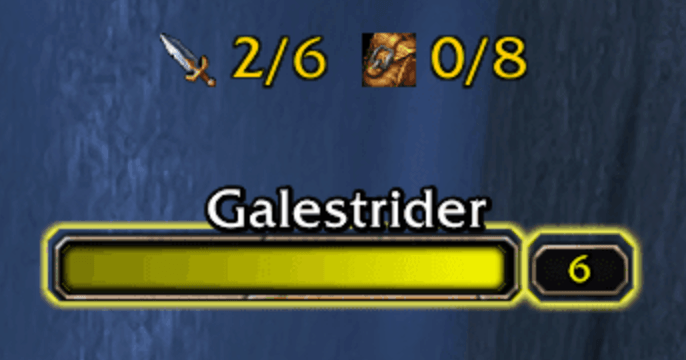
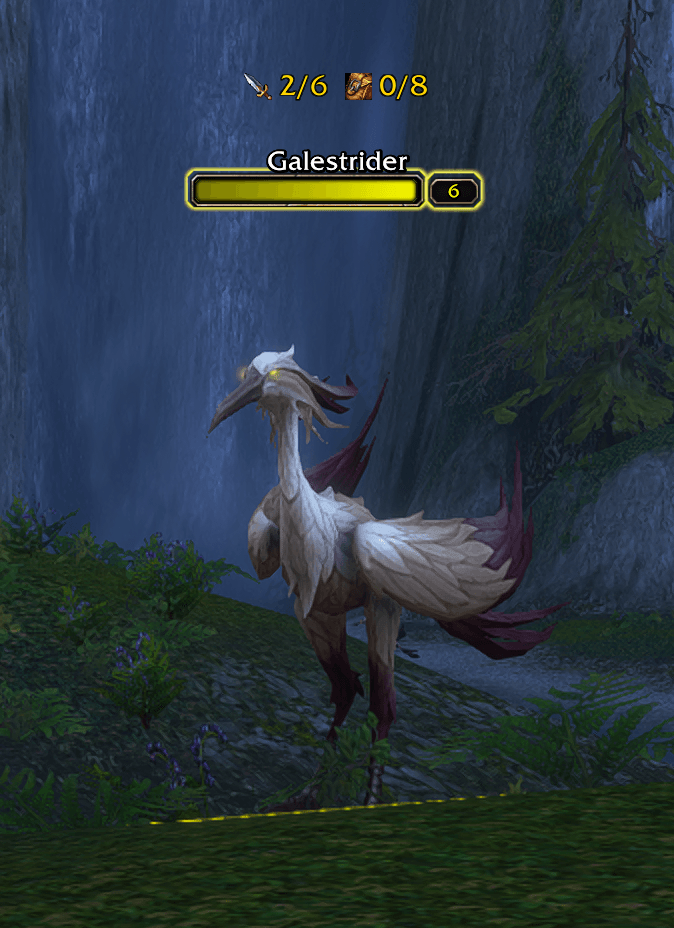
Quest Nameplates shows your quest progress right on the nameplates of quest mobs, so you no longer have to mouse over every mob to see what you still need.
Features
- Progress on nameplates – e.g.
0/6on every mob that belongs to one of your active quests. The position is fully adjustable. - Objective icons – a sword for kill objectives, a bag for loot objectives.
- Multiple objectives – up to 3 objectives per mob are shown side by side.
- Your own progress – numbers always come from your own quest log, even when grouped with players on the same quest.
- Completed objectives disappear automatically.
- Works with any nameplate addon – default Blizzard nameplates, Plater, EllesmereUI and others.
- No dependencies – no libraries or other addons required.
Options
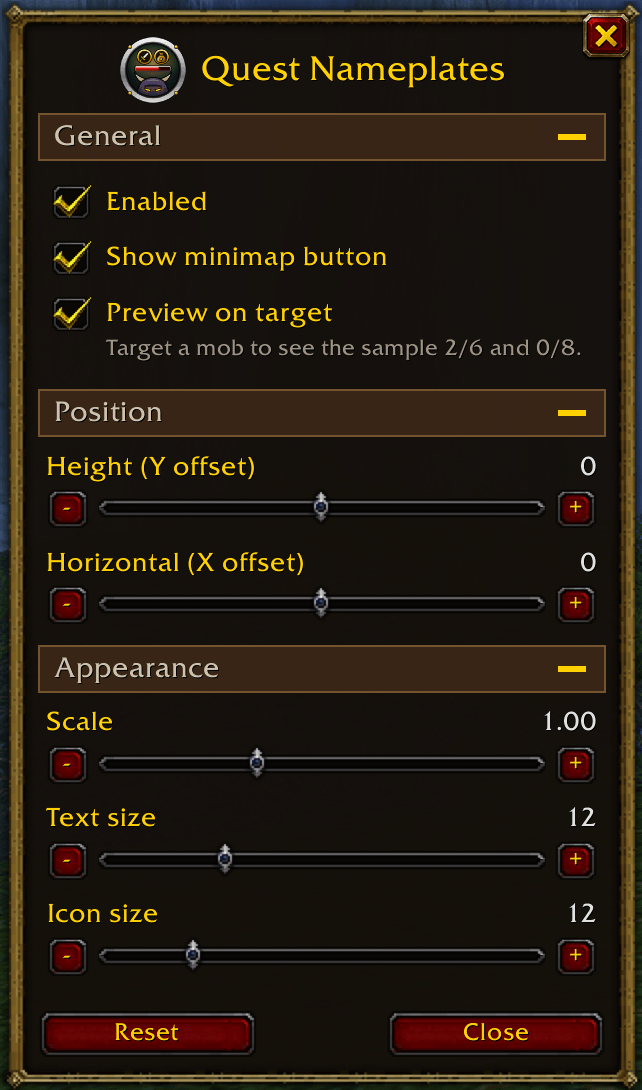
Open the options with /qn opt or by clicking the minimap button.
- Enable / disable the addon
- Move the display up/down and left/right (±120 px) to fit your nameplate addon
- Scale, text size and icon size
- Live preview on your current target
- Show / hide the minimap button (drag it to move it around the minimap)
Slash commands
| Command | Description |
|---|---|
/qn opt | Open the options window (also /qn option, /qn opts) |
/qn on / /qn off | Enable or disable the addon |
/qn x <n> / /qn y <n> | Set the horizontal / vertical offset |
/qn scale <n> | Set the scale |
/qn font <n> / /qn icon <n> | Set text size / icon size |
/qn test | Show a sample on your target's nameplate |
/qn debug | Print what is detected for your current target |
/qn reset | Restore default settings |
Compatibility
Made for WoW Forever (1.60.1).
Feedback
Found a bug or have a feature request? Please leave a comment or open an issue – when reporting a detection problem, include the output of /qn debug while targeting the mob.
You must be logged in to leave a comment.