

Proto LFG + Chat
Group Finder and LFG overhaul, plus a Chat Filter. Auto-refreshing Group Finder + public channel posts in one browser. Custom Notifications. Filters spam and ads.
Details
Expansion
 Forever
 Categories
Developers

Having issues?
Proto LFG + Chat
The Proto Suite
 Core core + shared libraries |
LFG + Chat |  ServiceShop |  Threat |  Tools |
Roadmap
 Rebuild Proto Suite | ➤ |  UI + Usability | ➤ |  Threat + Tools | ➤ |  Expanded Suite |
I'm actively adding features, fixing bugs and testing it live myself. Feedback, comments and bug reports are all welcome, and a screenshot of any Lua error helps a lot. I hope you enjoy it!
A better Looking For Group, and trade chat cleaned up. Works on its own (the CurseForge app adds Proto Core, the shared code), or as the LFG + Chat tab in Proto ServiceShop.
New in 1.8.8
- Separate downloads: Proto Core, Proto Tools and Proto Threat have their own pages; the CurseForge app installs Proto Core for you and your settings come across (open the app and click Update)
- Who Results: every /who listed with who it found; click to whisper, right-click to invite, Full list past the 50-player limit (Spam > Who Results)
- Group Finder whisper: left-click a group to whisper the leader the dungeon, your level and your roles
- Proto users: a purple P before the names of players running Proto (Settings > General > Proto users)
- Boss fights: Group Finder scanning pauses ("Paused: boss fight") and picks up after (on by default)
- /proto for every Proto addon (/proto v for versions), and one minimap button: right-click opens Settings
Group Finder
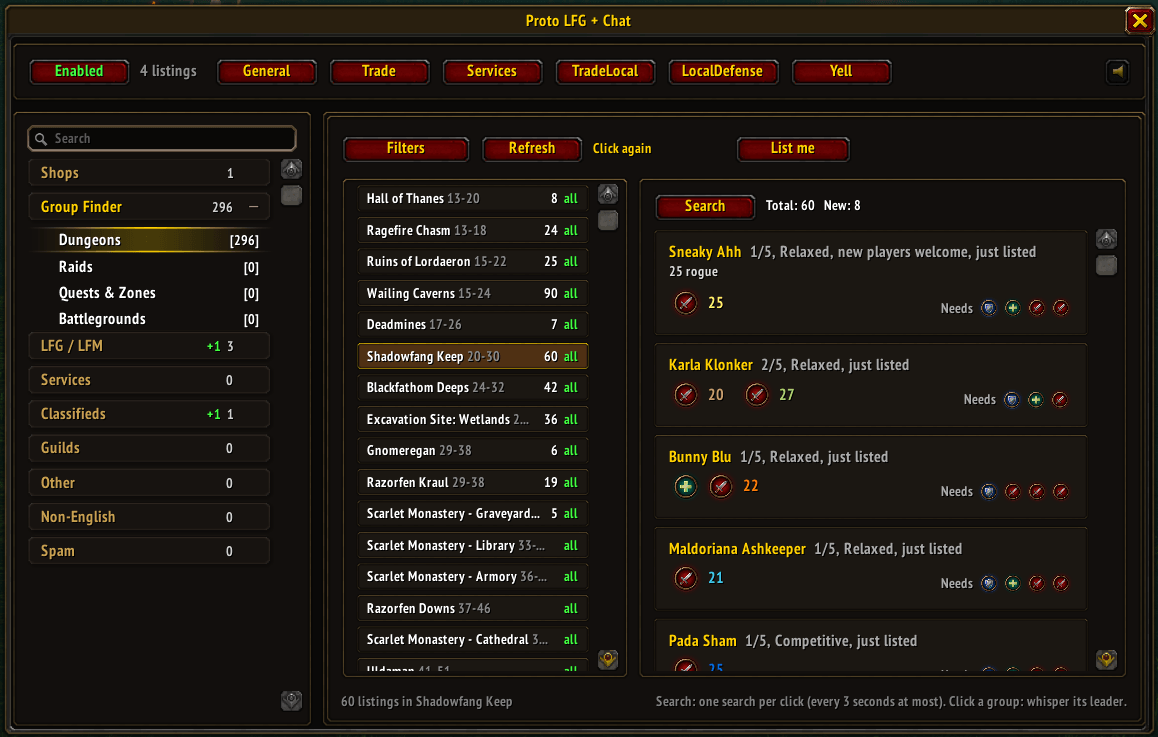
Proto's Group Finder replaces the game's restrictive Looking For Group and adds:
- Every group in one list, at any level, not just the 100 the game shows
- The list stays fresh while you play: no Search button to keep clicking
- Dungeons outside your level range, which the game's LFG hides
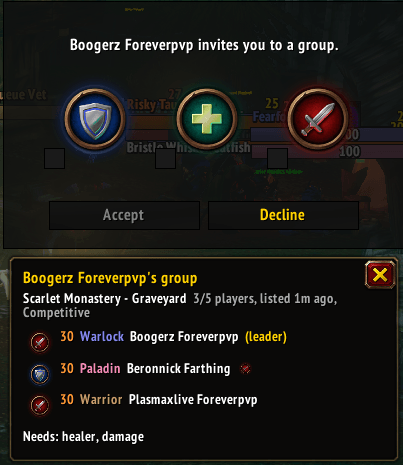
- See the group before you accept an invite: dungeon, roles, levels and classes
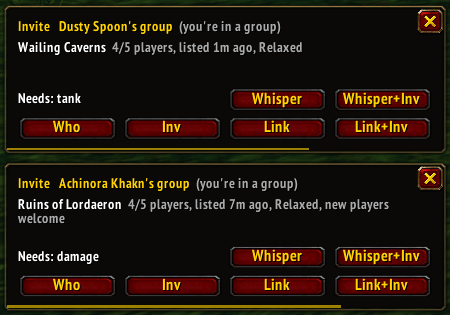
- Invites while you're already in a party pop up with that party's details, so you can decide
- List yourself for several dungeons at once: click List me
- Recruit fast: click Quick recruit to whisper every group leader, or post in General
- Works inside dungeons: find a replacement without leaving. Press I
- Real filters: roles needed, levels, classes, vibe. Click Filters
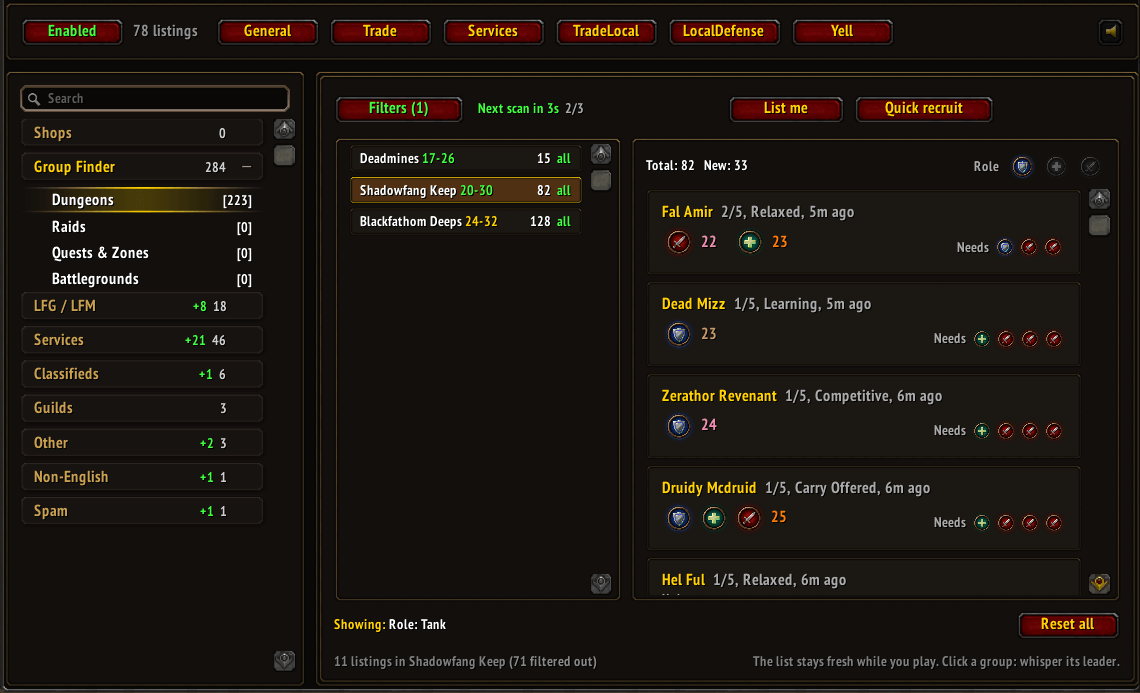
The list fills in as you play. Click a dungeon for just its groups. Click a group to whisper the leader.
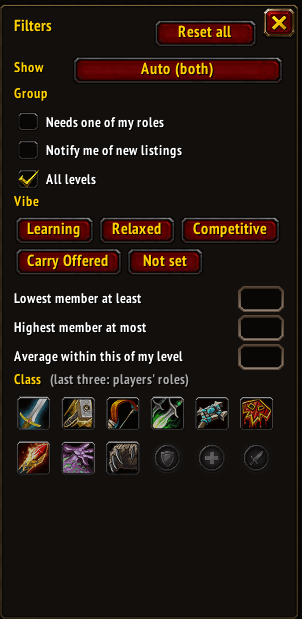
Click Filters: groups or players, roles you can fill, vibe, member levels and classes.
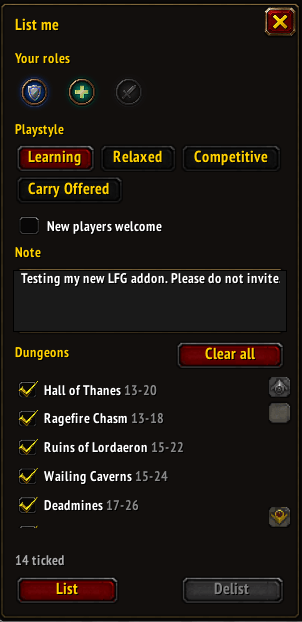
Click List me: your roles, a note and as many dungeons as you like. List, update or delist in one place.
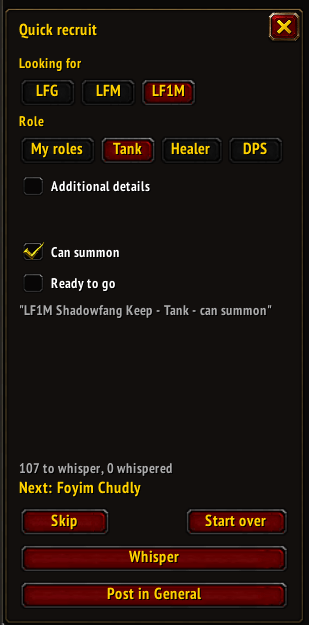
In a dungeon group, press I: your dungeon's players, filtered to the roles you need.
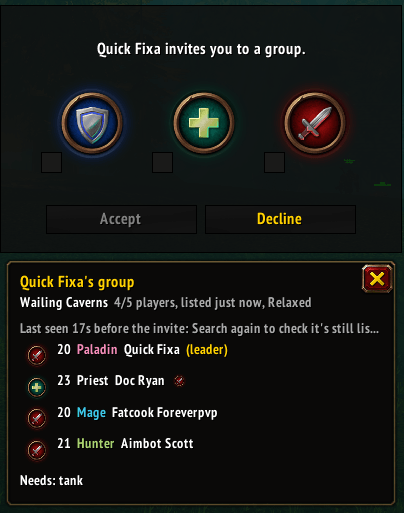
Someone invites you: see their dungeon, members and the roles they still need before you accept.
Invites while you're in a party
The game turns these away with one line in chat. Proto pops them up so you can answer: Whisper, Whisper+Inv, Who or Inv.
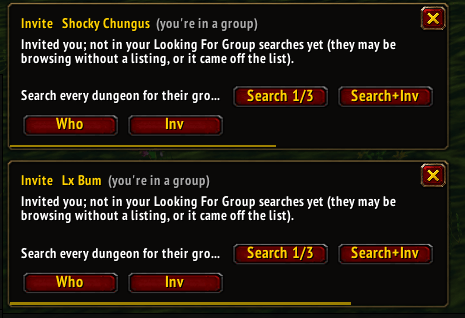
Their group not found yet: it's looked for while you play. (Search button removed in 1.8.6)
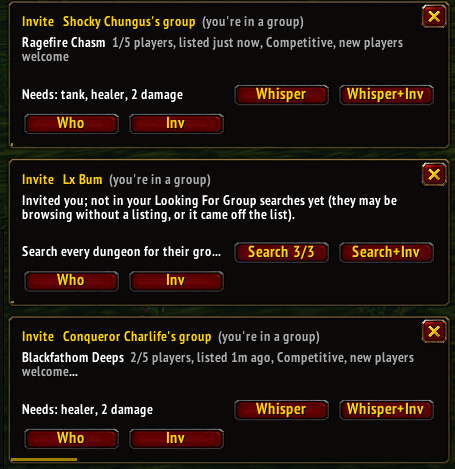
Found: their dungeon, how full they are and the roles they need.
Chat Filter
Proto's Chat Filter moves messages out of the common channels into a searchable browser:
- Guild, party, raid and whispers untouched
- Toggle filtered channels on or off
- Find by category, profession, buying or selling
- LFM/LFG, Services, Classifieds, Guilds, Other, Non-English (with a threshold to keep those juicy memes), Spam
- Spam filter: gold sellers, layer spam, streamer spam
- Right-click a name: See context, the chat around that message
- Save a search and get a pop-up for every new match
- Who Results: every /who listed with who it found; click a name to whisper, right-click to invite. Click Full list to get past the game's 50-player limit (Spam > Who Results)
- Proto users get a purple P before their name
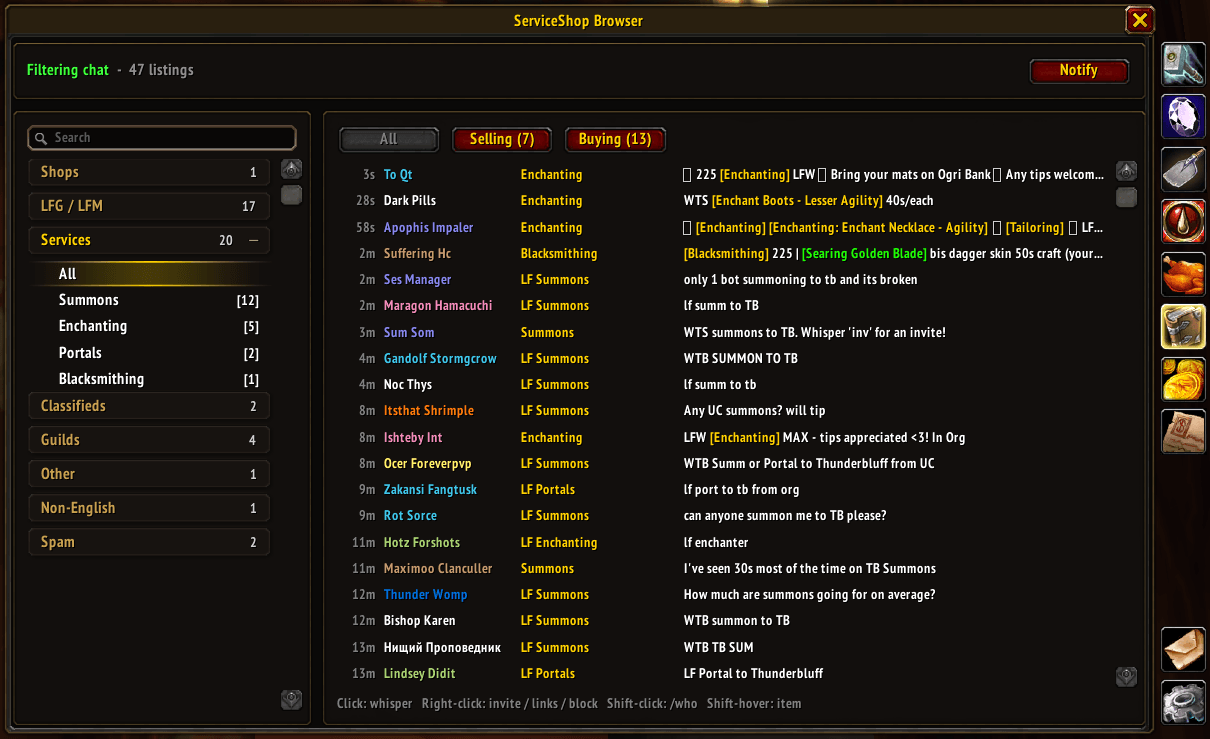
Trade chat sorted by category, newest first. Type /proto lfg to open it.
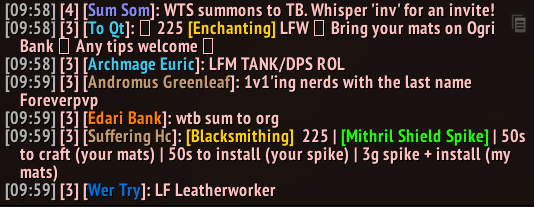
Trade chat without the filter: what it cleans up.
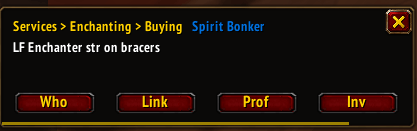
A pop-up for a saved search: Who, Inv or Link in one click.
With ServiceShop
Proto ServiceShop adds your own shop: enchant prices, services, auto-replies, adverts and sales history. With both installed:
- Proto is the LFG + Chat tab in ServiceShop's window
- Enchant requests in chat are matched to the enchants you sell, with Offer on the pop-up
- Shops lists every open ServiceShop with prices; click Buy to whisper and get an invite
Formerly ServiceShop Browser: same addon, your settings carry over. Commands: /proto lfg, /proto lfg help (/ssb still works)
All screenshots taken with ElvUI.
Developer's Notes
ServiceShop started as EnchantShop, a simple enchanting assistant. I added a trade chat filter so I could find people looking for enchants, kept building, and it became ServiceShop. Then the chat side grew into a full LFG tool, and I wanted it to be useful for players who don't enchant or sell services, so I split it into ServiceShop and Proto LFG + Chat.
While naming LFG + Chat I came up with Proto: short for protocol, and the proto-drake. That's the name for everything going forward. You'll see a lot of changes as I go. I'm building it out based on what works for me.
The suite is now five addons: Proto Core (the core and shared libraries), Proto LFG + Chat, ServiceShop, Proto Threat and Proto Tools. The foundation is rebuilt, and more addons will be built on it.
Underneath is a message bus, Proto Link. It lets shops talk to each other, gives players with the addon extra information, and handles addon messages globally, to your party or raid, or to one player.
Any new addon built on Proto Core can use it. That means someone running Proto Link for the LFG tool can add value for someone using it for something completely different.
New with this release: Proto Threat and Proto Tools.
Proto Threat combines threat plates (without replacing your favourite nameplates) with a threat meter. I've tanked for a long time using damage meters, threat meters, threat plates and ElvUI, so I'm building it around what simplifies and improves on what every good threat meter already does, not another copy of Details. Group members running it share their threat and big moves: taunts, Feign Death and the like, including resists. Blizzard locks addon messages during boss fights, so sharing works on trash and in the open world, not on bosses.
Proto Tools is a set of tweaks and tests too small for their own addon, for now. For example: auto-tracking that switches between herbs, ore and humanoids.
Settings Migration Guide
Lost your LFG + Chat settings when ServiceShop updated to 3.3.0? They're still on disk. To get them back (Proto LFG + Chat 1.8.2 or later):
- Open
World of Warcraft_classic_WTFAccount*your account*SavedVariablesServiceShop_Browser.luain Notepad - Select all and copy (Ctrl+A, Ctrl+C)
- In game, type /ssb import (or Settings > Move settings > Import settings), paste (Ctrl+V) and click Import
You must be logged in to leave a comment.