

PrettyTooltip
A full reskin of item and spell tooltips for WoW Forever.
Details
Expansion
 Forever
 Categories
Developers

Having issues?
PrettyTooltip
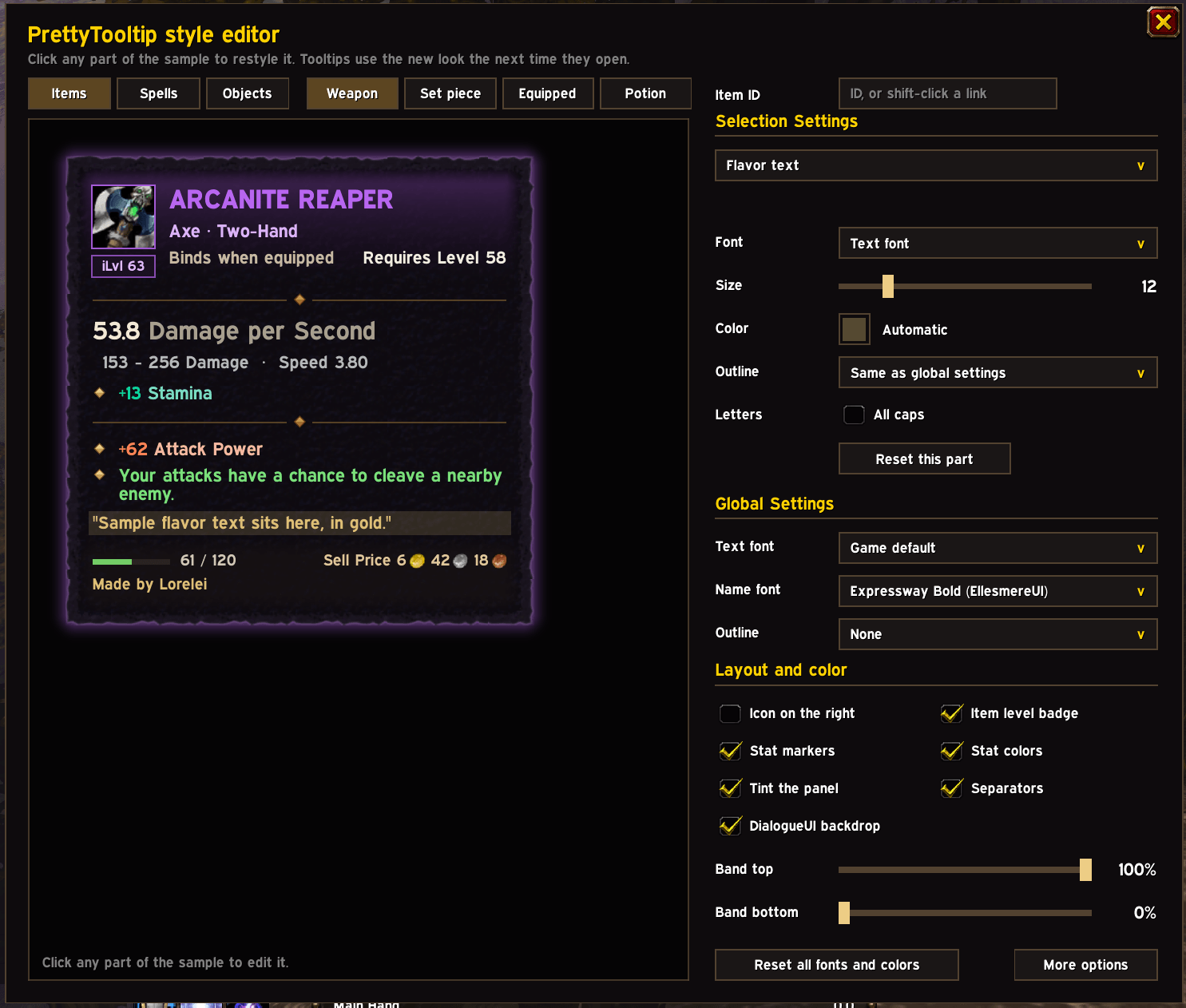
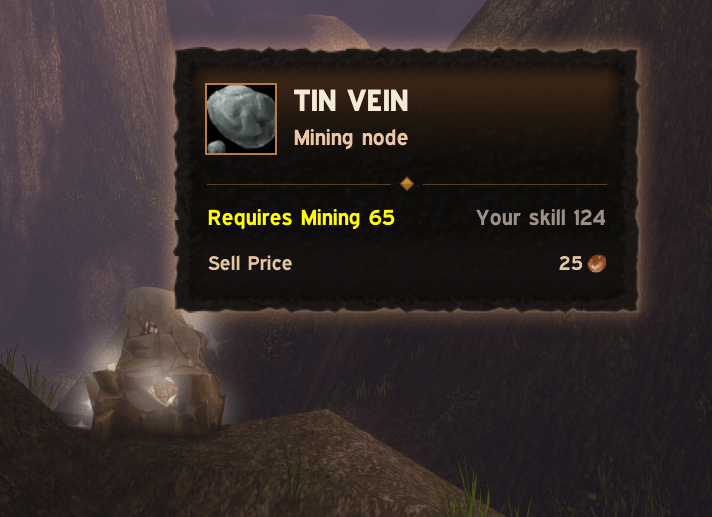
A full reskin of item and spell tooltips for WoW Forever. PrettyTooltip replaces the game's tooltip with a new, stylish panel: the item's icon and quality up front, stats in short colored rows grouped by kind, and the details gathered in a footer.
Hold ALT at any time to see the game's default tooltip.
Items
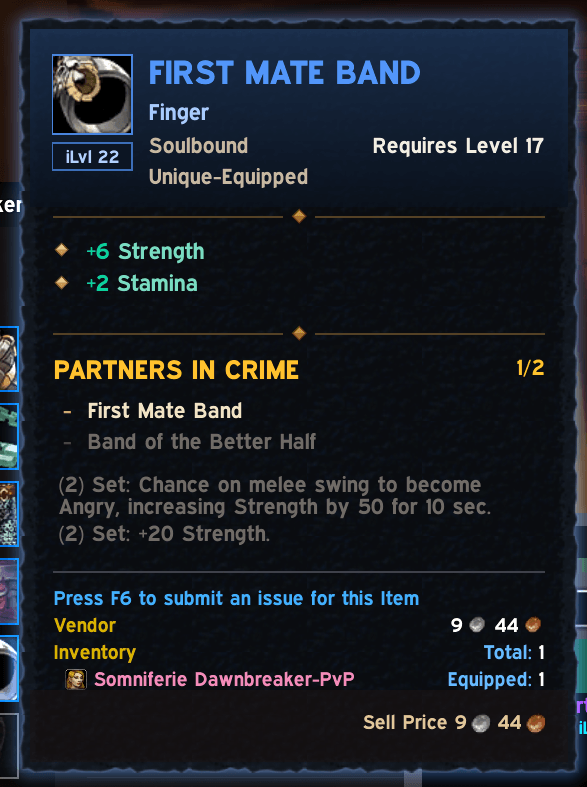
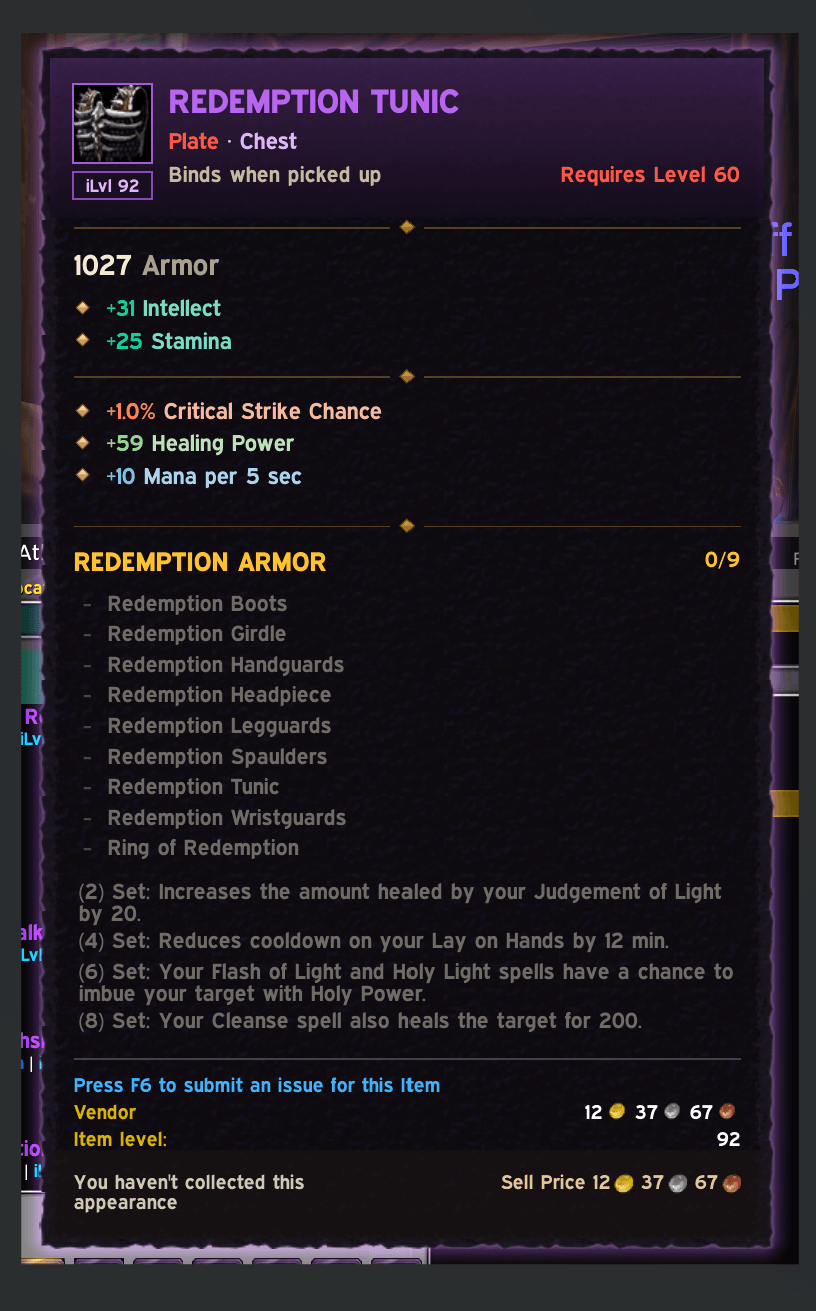
- Header: icon with an item level badge, the name in its quality color, and a subtitle with type and slot (
Mail · Head,Staff · Two-Hand,Consumable · Potion,Crafting Reagent). The binding sits below, with the required level on the right, red while you're below it. The panel is tinted by quality. - Weapons: DPS first, with damage and speed beneath.
- Stats: divided into primary and secondary. Primary attributes (strength, intellect, etc) are listed first. Secondary stats (crit, spell power) are shortened.
- Equip effects and enchants: unusual equip effects are listed under secondary stats list. Enchants are listed there as well with a clear colored indication.
- Item sets: Similar to existing tooltip.
- Footer: durability bar, the crafter's name, requirements, and sell price.
- Comparisons: every stat, armor, and DPS row shows its change against your equipped item in green or red.
Examples below:
| Default | PrettyTooltip |
|---|---|
| Equip: Increases healing done by up to 48 and damage done by up to 16 for all magical spells and effects. | +48 Healing Power, +16 Spell Damage Power |
| Equip: Increases damage done by Fire spells and effects by up to 20. | +20 Fire Spell Damage Power |
| Equip: Improves your chance to get a critical strike by 1%. | +1% Critical Strike Chance |
| Equip: Restores 3 mana per 5 sec. | +3 Mana per 5 sec |
Stat colors follow EllesmereUI's character sheet: teal attributes, orange attack, blue defense, purple magic, plus green healing and a color for each spell school.
Spells
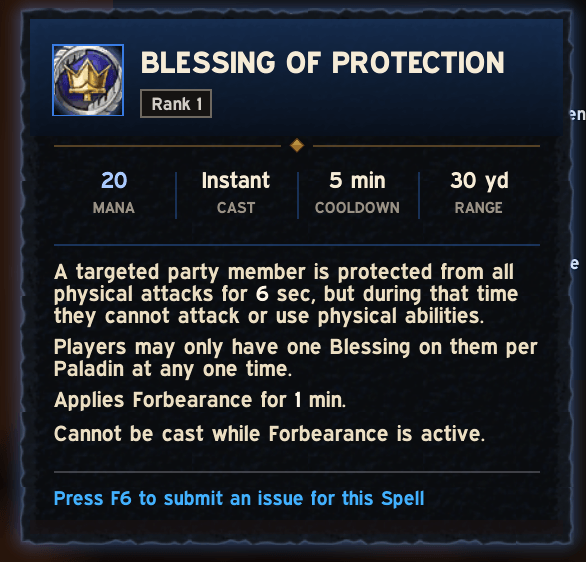
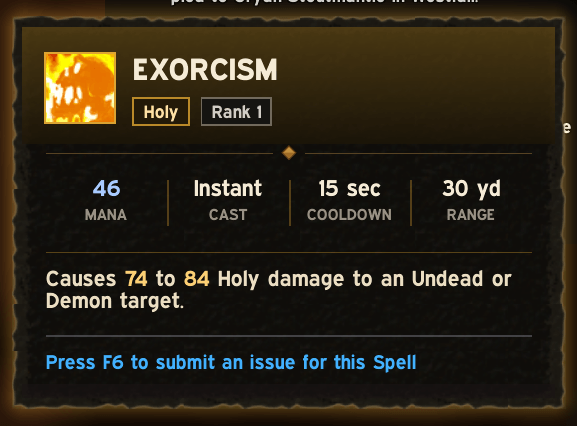
Panel follows a similar design: school and rank are shown as badges. Afterwards, there's a custom strip with cost, cast time, cooldown, and range, and the description one sentence per line with its numbers highlighted. The panel is tinted by the spell's school, or by its resource: blue for mana, red for rage, yellow for energy.
Compatibility
- Tooltip rows from other addons add are kept verbatim, below a thin separator.
- Comparison tooltips and screen-edge clamping follow the panel's real size.
- Uses DialogueUI's dark backdrop and EllesmereUI's Expressway font when those addons are installed. Neither is required, and nothing of theirs is bundled.
- If a tooltip can't be read safely (for example, spell details during combat), you get the game's own tooltip.
Options
Open Options > AddOns > PrettyTooltip, or type /ptip.
- Icon on the left or right
- Item level badge and stat markers on or off
- Stat colors by category, or plain
- Quality and school tint on or off
- DialogueUI backdrop on or off (when installed)
- Restyle spell tooltips, or leave them to the game
- Key for the original tooltip: ALT, CTRL, or none
Compatibility
- WoW Forever 1.60.1
- English clients only
Known limitations
- A spell's school is read from its text, since the game doesn't expose it, so a few spells may get no school or the wrong one.
- Profession recipe spells show the crafted item as plain rows for now.
Feedback
Bug reports and ideas are welcome on GitHub. The source is MIT licensed.
You must be logged in to leave a comment.