

PeaversSystemBars
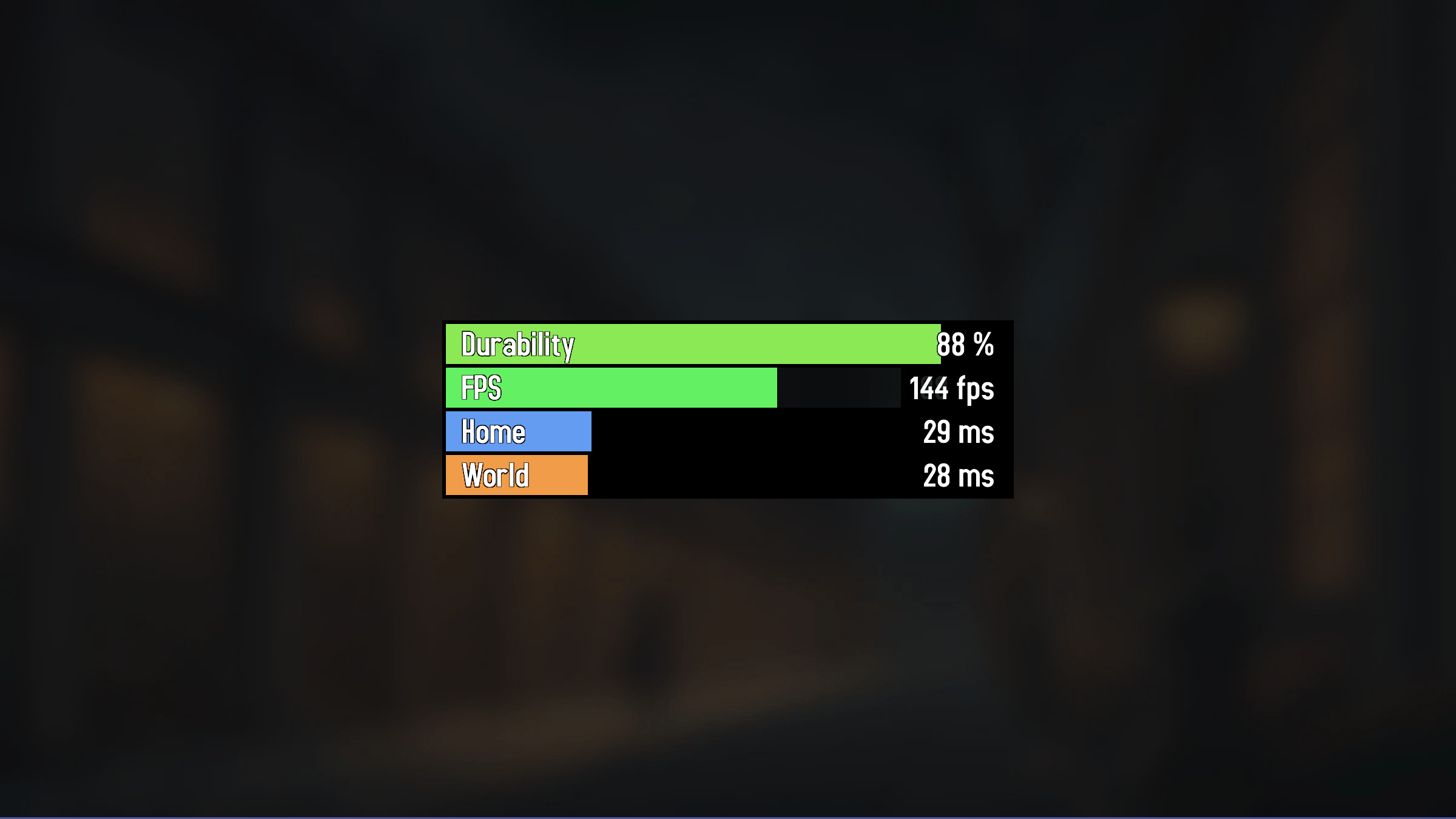
A World of Warcraft addon that displays FPS and latency as visual status bars that update in real-time.
Details
Expansion
 Forever
 Categories
Developers

Having issues?
PeaversSystemBars


A World of Warcraft addon that displays FPS and latency as minimal, movable status bars.
Part of the Peavers Ultra Performance family: addons that hold themselves to a published budget, measured on every push.
Measured performance
An addon that watches your framerate has no business costing you any. This one
does no per-frame work at all — there is not a single OnUpdate handler
anywhere in src/. The bars refresh on a timer instead, and the table below is
what one refresh actually costs, regenerated on every push by the
Ultra Performance harness
driving the real BarManager:UpdateAllBars loop. If any number goes outside
perf/budget.json, the build fails.
Measured on every push by the Ultra Performance harness. The build fails if any number here exceeds the budget in
perf/budget.json.
| Check | Measured | Budget | |
|---|---|---|---|
| Packaged size | 50 KB | 80 KB | pass |
| Bundled libraries | 0 | 0 | pass |
| Widget calls per frame | 0 | 0 | pass |
| Widget calls per second while idle | 0 | 0 | pass |
| Widget calls per second | 32 | 40 | pass |
Scenarios driven against the real addon source, outside the game:
| Scenario | Calls/frame | Calls/sec | Notes |
|---|---|---|---|
| 5 bars refreshed, every 0.5s | 0.00 | 32.0 | 16 calls per tick, 200 ticks driven |
| idle, between ticks | 0.00 | - | no OnUpdate handler exists anywhere in src/ |
<sub>1,480 lines of Lua · 50 KB packaged · no bundled libraries</sub>
The per-second figure is the honest unit here: five bars cost three calls each per refresh, plus one colour change for durability, twice a second. Raising Update interval in the settings lowers it proportionally.
Features
- FPS Bar (green) - Shows current frames per second
- Home Latency Bar (blue) - Shows datacenter/home ping in milliseconds
- World Latency Bar (orange) - Shows world server ping in milliseconds
- Dynamic bar scaling based on rolling 30-second max values
- Movable and lockable frame positioning
- Customizable appearance with title bar toggle
- Updates every 0.5 seconds
Usage
/psb- Toggle the system bars display/psb config- Open the configuration panel- Left-click and drag the frame to reposition
Configuration
Access settings through the game's addon options or /psb config to customize:
- Frame position and size
- Title bar visibility
- Frame lock/unlock
Installation
Recommended: PeaversUpdater
Download and install PeaversUpdater, the desktop updater for the whole Peavers collection. It installs PeaversSystemBars together with its required dependencies and delivers updates before they reach CurseForge.
Alternative: CurseForge
- Download from CurseForge
- Ensure PeaversCommons is also installed
- Ensure PeaversConfig is also installed
- Enable the addon on the character selection screen
Part of the Peavers addon collection · Report an issue · Support development on Patreon
You must be logged in to leave a comment.