
Party Map Draw Forever
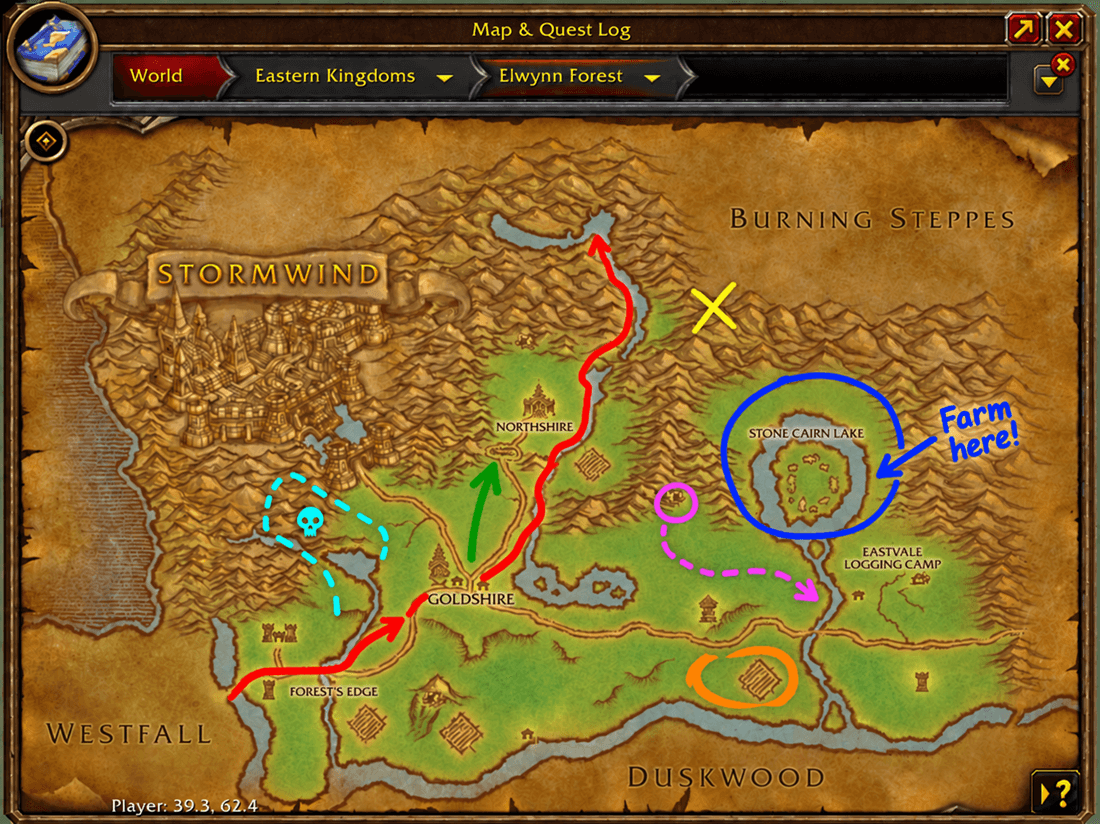
Draw map markings for yourself or share them live with your party or raid across the World Map, zone map, and minimap.
Details
Expansion
 Forever
 Categories
Developers

Having issues?
Party Map Draw Forever
Party Map Draw Forever lets you draw directly on your World of Warcraft: Forever maps for personal use or share drawings live with your party or raid.
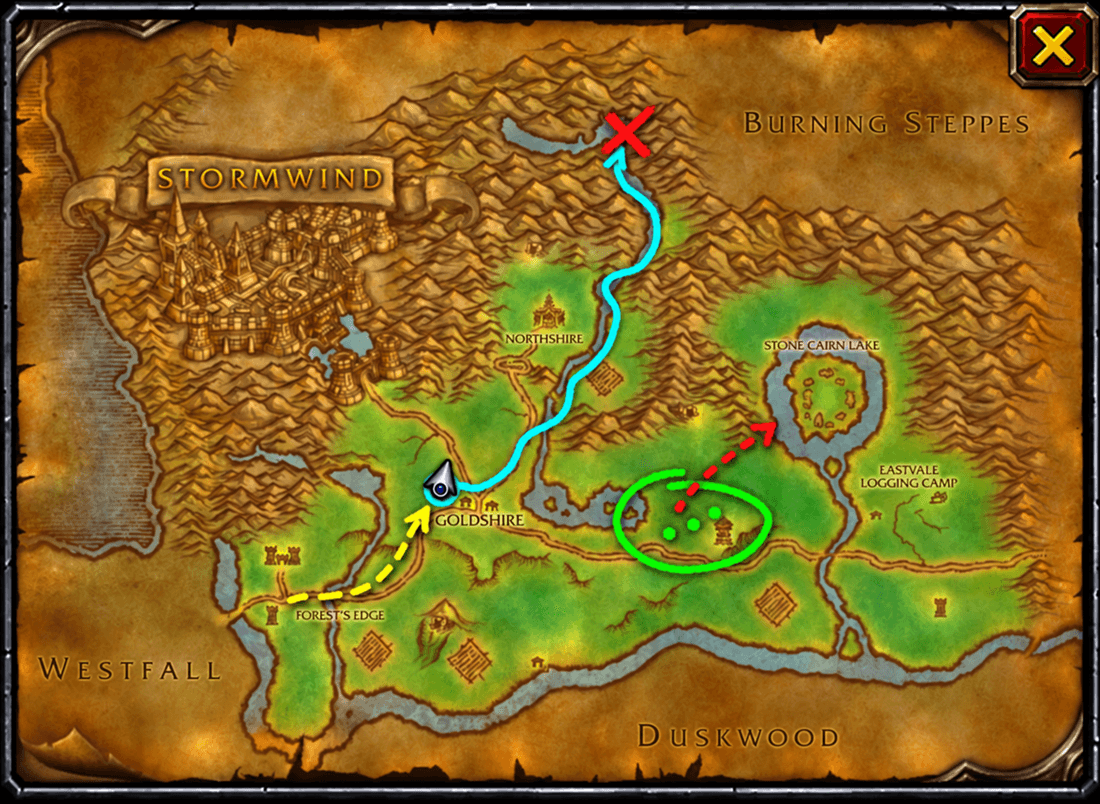
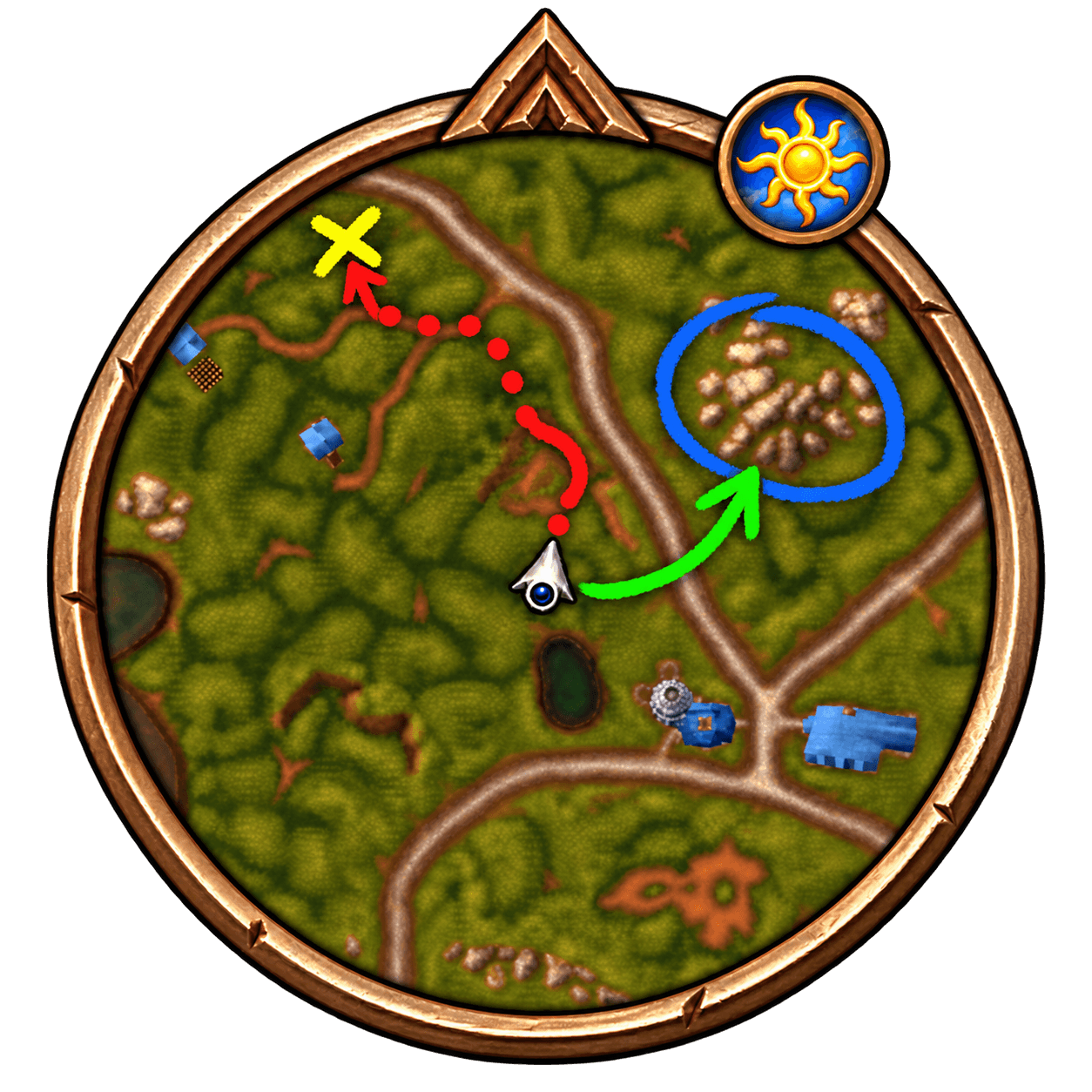
Draw on the World Map, Shift+M zone map, or minimap. Drawings are map-relative, so the same route or marking can appear appropriately across the supported map views.
Features
- Draw freely while playing solo
- Share drawings live with your party or raid
- Local, Party, and Raid sharing modes
- In raids, Party mode shares only with your current raid subgroup
- Drawings appear on:
- World Map
- Shift+M zone map
- Minimap
- Live drawing synchronization
- Hide/show received drawings locally without deleting them
- Separate counters for your own and received drawings
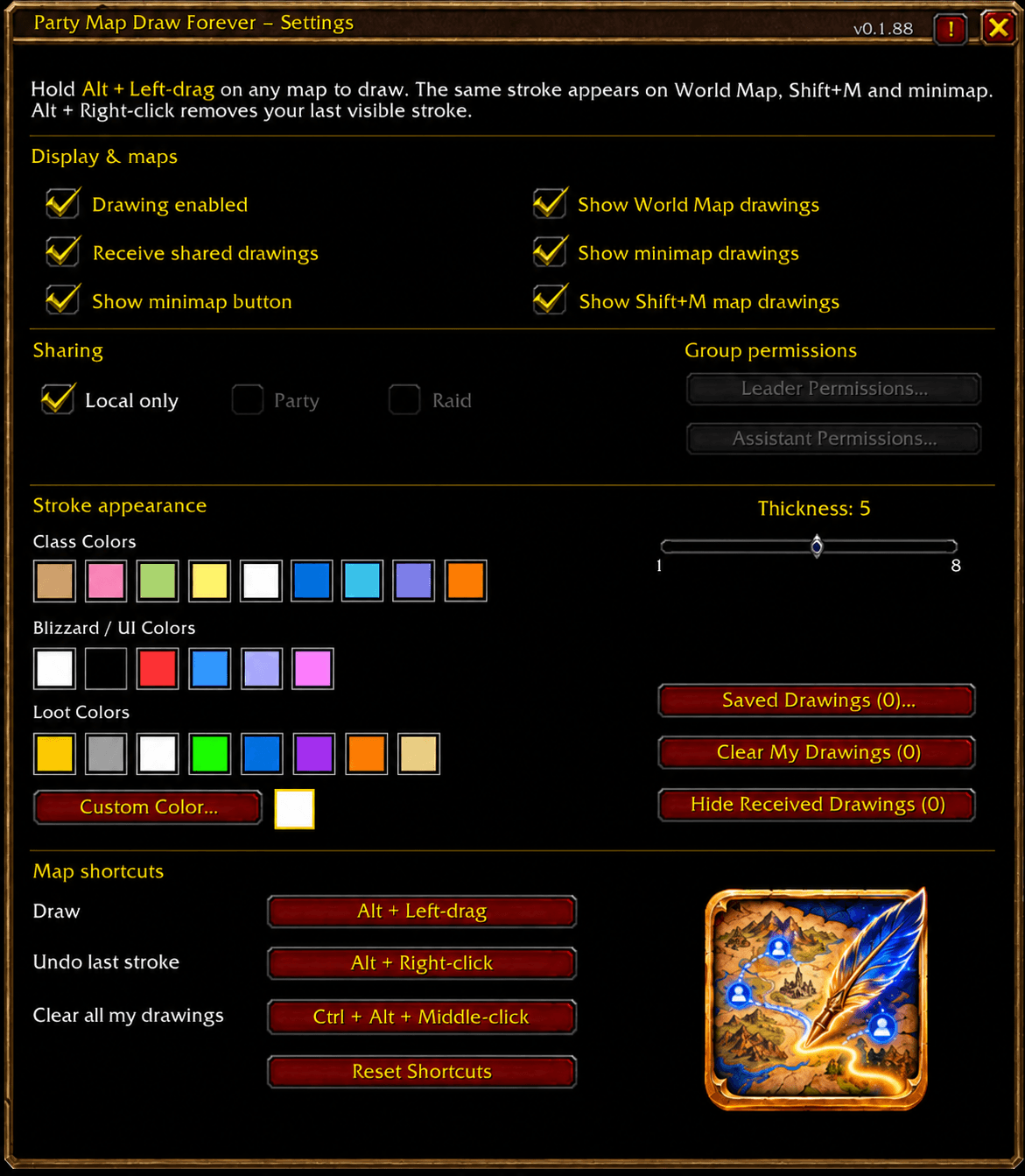
- Adjustable stroke thickness
- Class colors
- Blizzard/UI colors
- Loot-quality colors
- Custom colors
- Configurable mouse shortcuts
- Local drawings persist through
/reload - Adjustable PMDF window background opacity
Saved Drawings & Routes
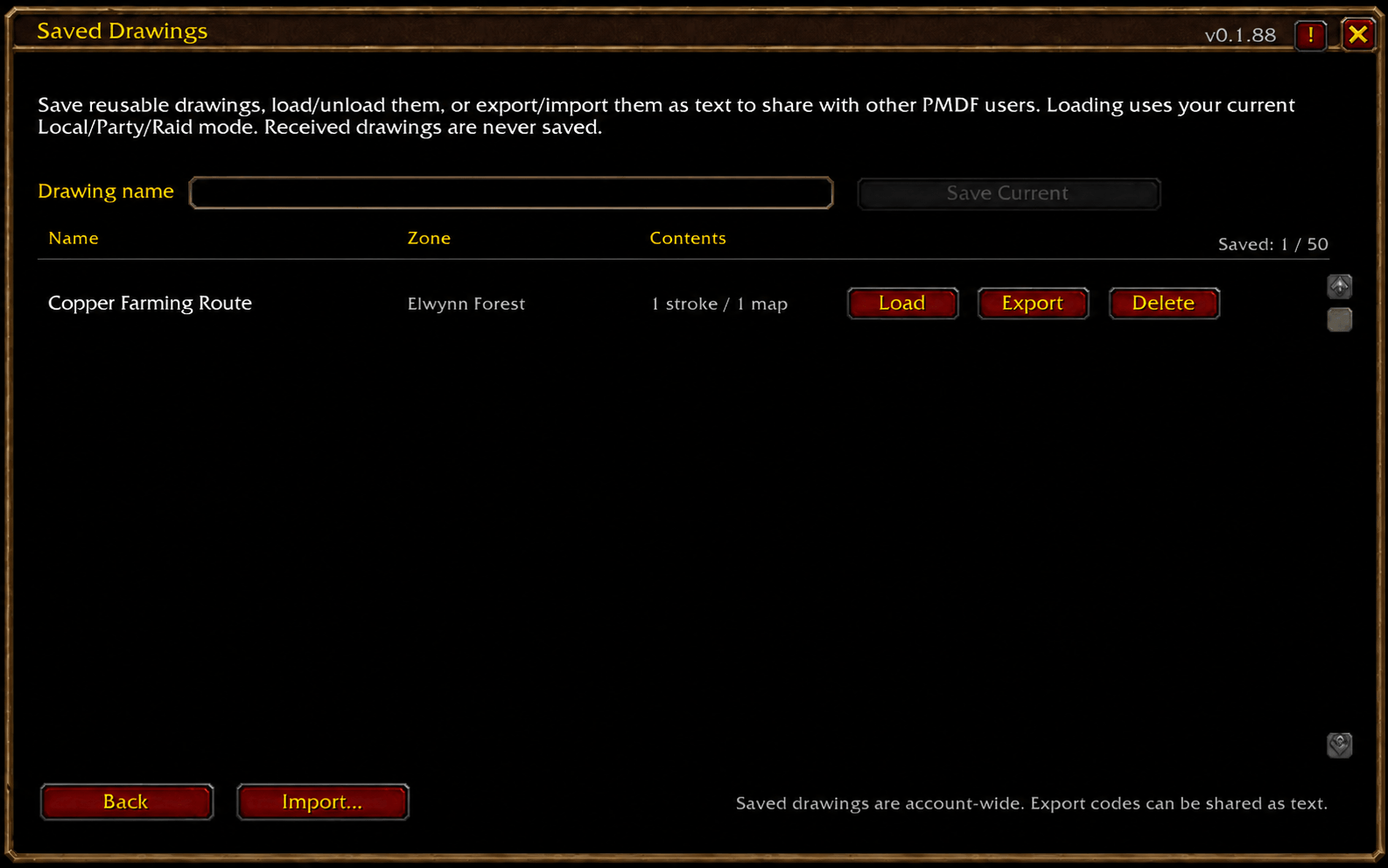
Save your drawings for later and reuse them whenever you need them.
Useful for:
- Farming routes
- Questing routes
- Raid positioning plans
- Pull paths
- Gathering circuits
- Meeting points
- Areas to avoid
- Any reusable map plan
Saved drawings include their:
- Drawing geometry
- Map information
- Zone
- Colors
- Stroke thickness
You can:
- Save your current drawing
- Load a saved drawing
- Unload it when finished
- Delete saved drawings
- View which zone each drawing belongs to
Only one active copy of a saved drawing is loaded at a time, preventing accidental duplicate routes.
Saved drawings are stored account-wide.
Import & Export
Saved drawings can be shared with other Party Map Draw Forever users.
Export a drawing as a text code, send it to another player, and they can import it into their own Saved Drawings library.
Imported drawings preserve their map data, colors, thickness, and geometry.
Duplicate save names are automatically renamed instead of overwriting an existing drawing.
Group Permissions
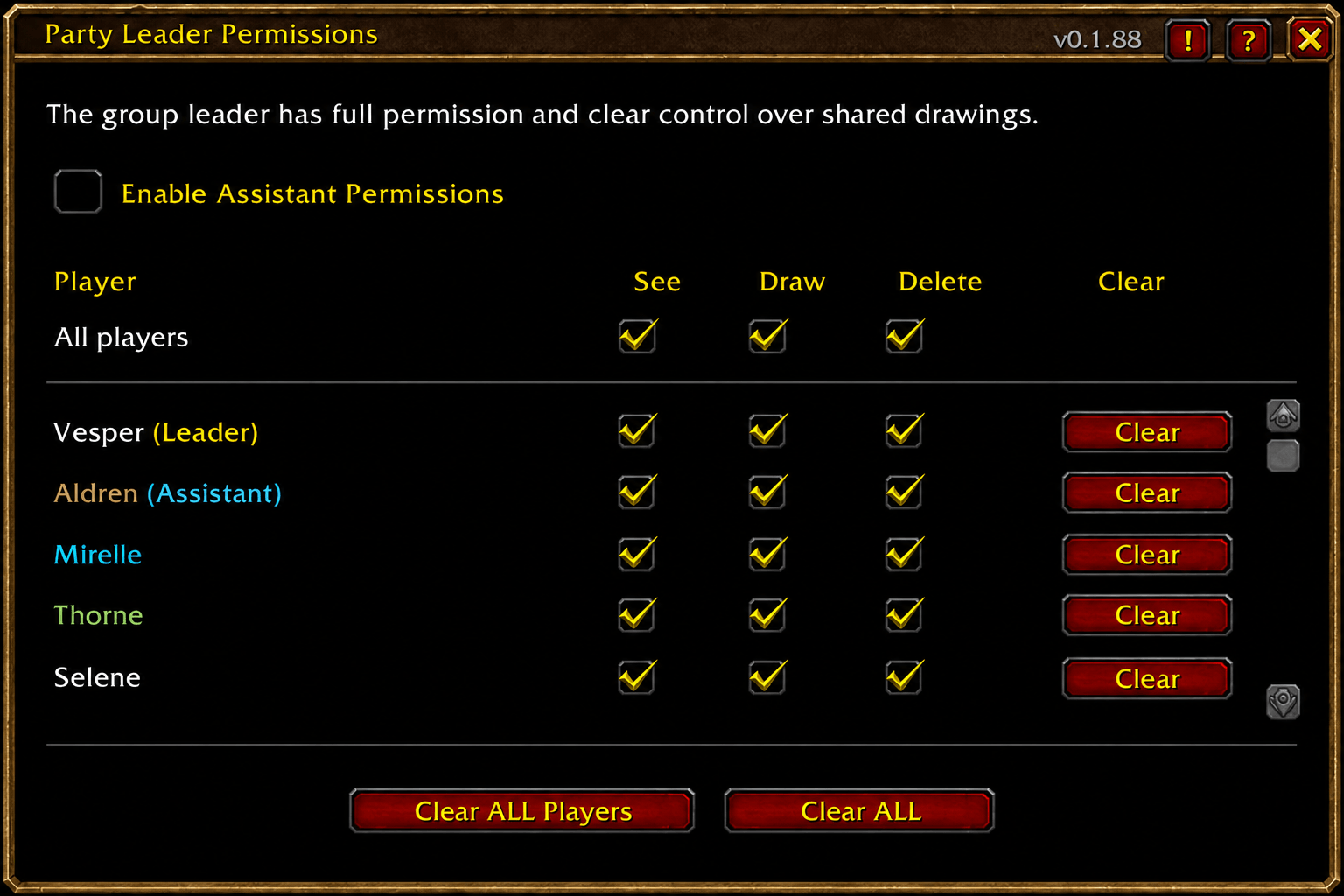
Party and raid leaders can control each member individually:
- See — receive shared drawings
- Draw — contribute drawings
- Delete — remove their own shared drawings
Leaders can optionally allow group assistants to manage regular members.
The group leader remains protected from assistant permission changes and administrative clears.
Shared Drawing
When Party or Raid sharing is selected, drawings are synchronized with other group members running Party Map Draw Forever.
Loaded saved drawings can also be used as shared routes or plans.
Received drawings remain separate from your own drawings and can be hidden locally without removing them for anyone else.
Party Map Draw Forever uses WoW Forever's complete two-part character identity for drawing ownership and group permissions.
Default Map Shortcuts
Alt + Left-drag — Draw
Alt + Right-click — Undo your last stroke
Ctrl + Alt + Middle-click — Clear all of your drawings
All shortcuts can be changed in the addon settings.
Performance
The minimap drawing system uses reusable line objects and movement-aware refresh logic to reduce unnecessary allocations and garbage collection.
Loaded routes only refresh their minimap projection periodically when needed, helping large farming routes remain practical during normal gameplay.
Settings
Open the settings with:
/pmd
or
/mapdraw
You can also use the minimap launcher.
Settings include:
- Drawing enable/disable
- Receive shared drawings
- World Map visibility
- Minimap visibility
- Shift+M visibility
- Local / Party / Raid sharing
- Group permissions
- Stroke colors
- Custom color
- Thickness
- Saved Drawings
- Received drawing visibility
- Configurable shortcuts
- PMDF window background opacity
Designed for WoW Forever
Party Map Draw Forever was built specifically around World of Warcraft: Forever, including its group communication and two-part character naming system.
Draw it once. Save it, keep it local, or share it live with your group.
You must be logged in to leave a comment.