

Open Seat
Share temporary activity invites with friends and guildmates, choose your pace, and find company for your next adventure.
Details
Expansion
 Forever
 Categories
Developers

Having issues?

Open Seat helps you find company for your next adventure by sharing temporary activity invitations with friends and guildmates.
Whether you’re questing, putting together a dungeon group, exploring somewhere new or simply looking for someone to chat with, Open Seat lets you tell your circle what you’re doing and welcome them along.
An invitation might be as simple as “Westfall quests, new players welcome” or “Deadmines, taking it slow, looking for a healer.”
You choose the activity, the pace, how many seats are available and who can see your invitation. Interested players can select your listing and open a whisper to introduce themselves.
You can customise each invitation with:
- Activity: Questing, Dungeon, Exploration, Achievements, Social or Other.
- Title and optional note: Explain your plans and the kind of company you’re looking for.
- Pace: Relaxed, Learning or Focused.
- Desired role: Anyone, Tank, Healer or Damage.
- Available seats: Between one and four.
- Duration: 15, 30, 60 or 120 minutes.
- Audience: Character friends, guildmates or both.
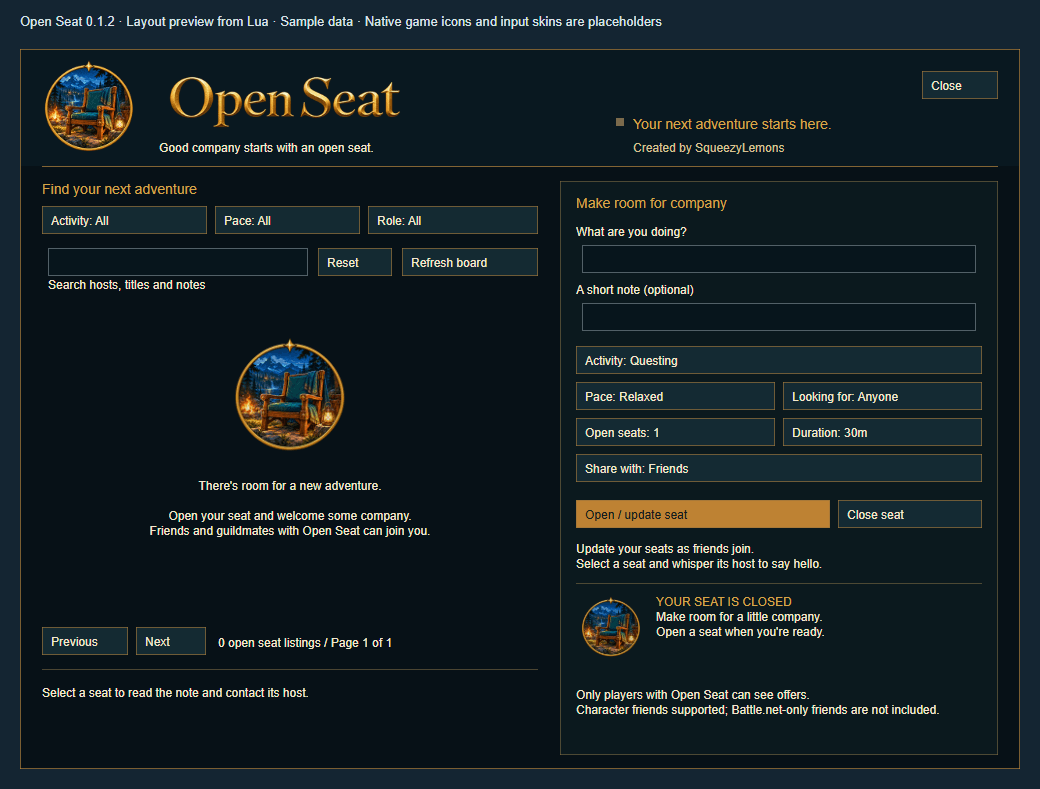
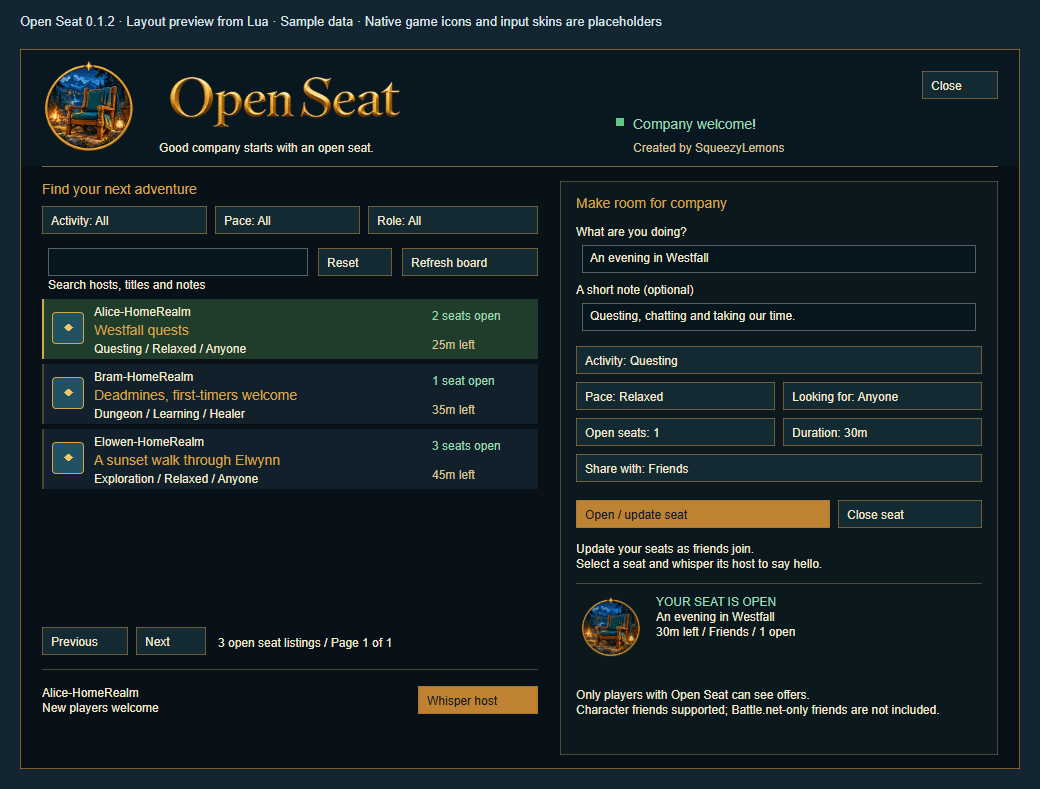
The activity board lets you search by host, title or note, and filter invitations by activity, pace and role. Listings show their available seats and remaining time. Hover over a listing to read its full details, then select it and click Whisper host to open the normal chat box.
The interface includes Open Seat’s chair emblem and gold wordmark, activity icons, an illustrated empty board and a status indicator for your own invitation.
To get started:
- Install and enable Open Seat, then type
/os. - Enter a title and choose your activity, pace, seats, duration and audience.
- Click Open / update seat to share your invitation.
- Browse other invitations or wait for someone to contact you.
- Update your seat count as people join, and click Close seat when you’re finished.
Whispering, inviting players and forming the group remain under your control. Clicking Whisper host opens chat; you write and send the message yourself.
Use these commands to access the board and manage your invitation:
| Command | What it does |
|---|---|
/os | Opens or closes the Open Seat window. |
/openseat | An alternative command for opening or closing the window. |
/os close | Withdraws your current invitation. |
/os refresh | Requests current invitations from participating friends and guildmates. |
/os help | Displays a short command summary. |
Everyone participating needs Open Seat installed. Invitations are shared among character friends and guildmates using the addon. Friend sharing uses WoW’s character friend list; Battle.net-only friends are not currently supported. Friends should add each other’s characters so both clients can receive their invitations.
Open Seat does not provide a server-wide activity directory. Normal game restrictions on communication, factions and realms still apply. Invitations may take several seconds to appear, and communication can be delayed during combat.
Your invitation expires automatically when its timer runs out. Updating it restarts the selected duration, and you can close it early whenever you wish. Logging in or reloading the UI starts with your seat closed, while your last posted form is remembered for next time. After a disconnect or reload, an old listing may remain visible to others until they observe you offline or its original timer expires.
Sharing is opt-in: installing Open Seat does not advertise your availability. It shares the invitation you choose to post, without posting it into normal chat. It does not record chat, send telemetry or contact external services. Open Seat runs independently and does not require Familiar Faces or another addon.
Open Seat is an early release, and in-game compatibility is still being verified. Use the package intended for your game client.
You must be logged in to leave a comment.