
Nameplate Distance
Shows how far away each unit is on its nameplate, colored by distance, with color rows for your class and your target's real melee range
Details
Expansion
 Forever
 Categories
Developers

Having issues?
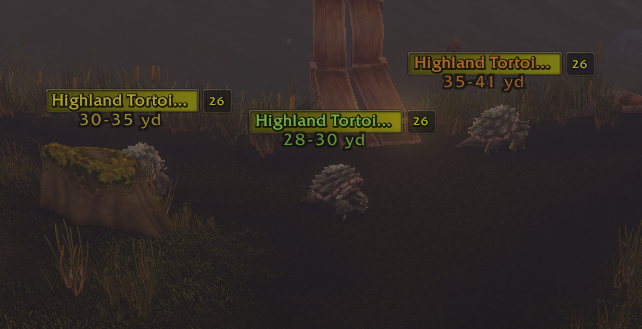
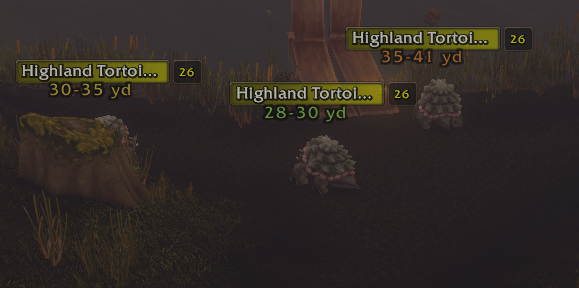
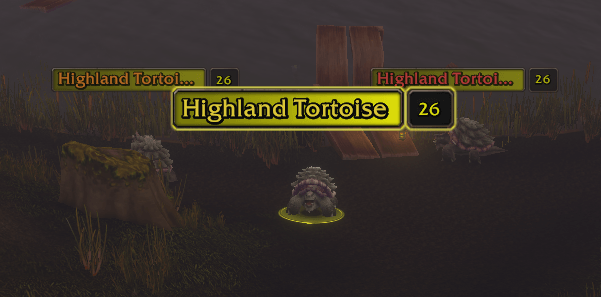
Nameplate Distance writes on each nameplate how far away the unit is, colored by distance, so you can see whether you can hit, shoot or cast before you press the button.
Made for WoW Forever.
Features
- Distance on every nameplate, such as
20-25 yd. The game only tells addons whether a unit is in range of your spells, some items and the interaction distances, so the addon brackets the distance with all of them, talents included. Party and raid members get an exact number. - Your target's real melee range. Melee reach grows with the size of big enemies and while you are both moving. For your target, the addon reads the melee abilities on your action bars (the same answer that turns their buttons red), so the green "in melee" band matches what you can actually hit.
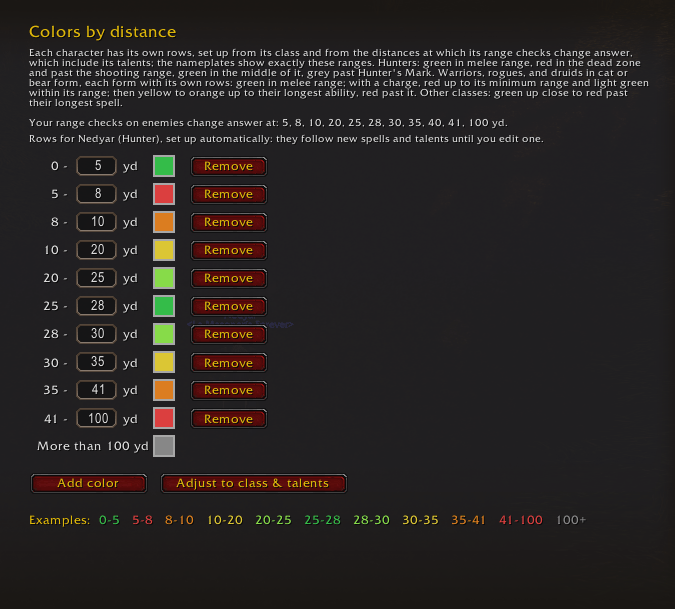
- Colors set up for your class, from your own spells and talents:
- Hunters: green in melee, red in the dead zone, green in the middle of your shooting range, red past it, grey past Hunter's Mark.
- Warriors, rogues, and druids in cat or bear form: green in melee; with a charge, red up to its minimum range and light green within it; then yellow to orange up to your longest ability, red past it. Druids keep separate colors for caster form, cat form and bear form.
- Every other class: green up close, to red past your longest spell.
- The colors follow new spells and talents by themselves until you edit them. You can change, add or remove any row, and set them up again with one button.
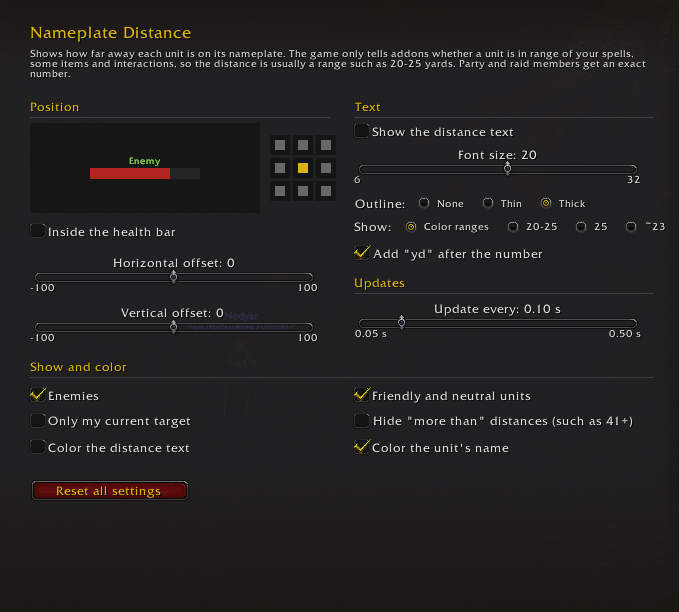
- Display options: where the text sits on the health bar, font size and outline, the format (your color ranges,
20-25,25or~23), coloring the text and the unit's name, enemies and friendly units, only your target, and how often it updates. - Every client language: English, German, Spanish, French, Italian, Korean, Portuguese, Russian and Chinese. The distance unit follows your client: yd, m, м, 미터, 码 or 碼.
Getting started
Open the options with /npd, or from the game menu: Options > AddOns > Nameplate Distance.
For your target's real melee range, keep a melee ability on any action bar, even a hidden one. The addon starts using it the first time you walk up to a target.
Commands
/npdopens the options./npd checklists the range checks that answer for your target, and what they say./npd meleeshows what each melee button says about your target, in a window you can copy./npd resetrestores the default settings.
Good to know
- The distance is usually a range, not an exact number: that is all the game tells addons.
- During combat, the game does not let addons use items or interaction checks on units you cannot attack, so distances to friendly NPCs are less precise in a fight.
- Only your target gets the real melee range; other nameplates use a fixed 5 yard check.
Feedback and source code
Found a bug or a wrong distance? Leave a comment or open an issue on GitHub. If it is about melee range, include the text of /npd melee.
Source code (MIT license): https://github.com/Nedyar/NameplateDistance
You must be logged in to leave a comment.