

Mob Ledger
Mob Ledger is a World of Warcraft Forever addon for tracking mob kills and grinding progress. Build your bestiary as you fight, keep a record of your kills, and graph experience gained over time. Turn your grind sessions into data!
Details
Expansion
 Forever
 Categories
Developers

Having issues?
Mob Ledger — WoW Forever Beta
Every kill adds to your story. Mob Ledger tracks your character’s kills, loot, XP, money, and inventory, turning your adventures into a lasting record.
Whether you’re leveling, farming, or comparing sessions, see where your time went—and what you brought home.
Features
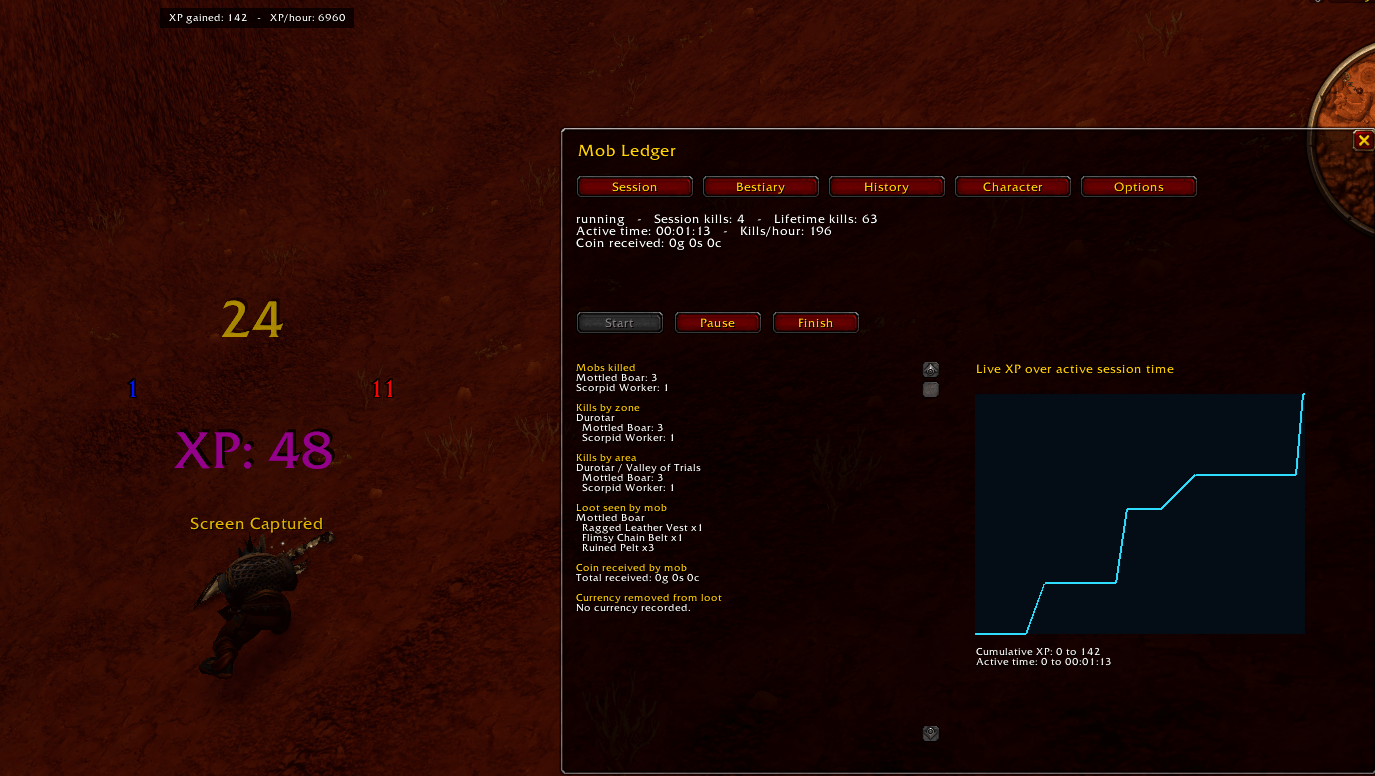
- Floating kill counts: Display session counts, lifetime counts, or both, with customizable colors and separate bouncing animations.
- Lifetime Bestiary: Explore expandable zones, areas, and mobs. See shared lifetime kill totals alongside each location’s recorded kills.
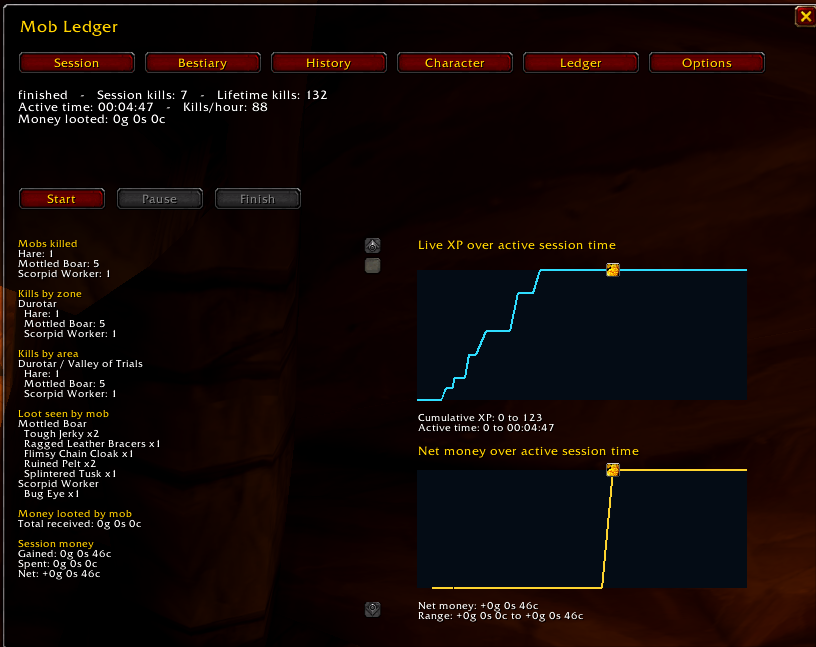
- Loot and drop statistics: Browse item icons with quantity overlays and mouseover tooltips. View lifetime loot quantities, money collected, and drop percentages based on your own observed loot.
- Character chronicle: Your character appears first in the Bestiary, with an Arrival in Azeroth date, recorded level milestones, played-time chapters, and a level progression graph.
- Session controls: Sessions start automatically at login. Pause, resume, or finish whenever you like.
- XP tracking: A compact, movable display shows XP gained and XP per hour. It gently pulses while paused and hides when the session ends.
- XP and Money graphs: Display either graph or both. Review recorded progress in session history, or enable transparent graphs beside the minimap.
- Graph event markers: Inspect level-ups, quest rewards, and money transactions from mobs, vendors, trades, auctions, and mail. Nearby related events are grouped into cleaner markers.
- Group tracking: Group periods appear in magenta on the XP graph. XP markers record participating group members, and optional party-kill tracking credits confirmed eligible kills.
- Session history: Review completed sessions, rename them, edit notes, or delete session records while retaining lifetime Bestiary data.
- Inventory and transaction ledger: Track items entering inventory, purchases, sales, and recorded sources. Includes opening records for existing inventory, equipment, and bank contents when inspected.
- Copyable exports: Export inventory and transaction records as tab-separated text for Excel, Google Sheets, or other tools.
- Lootable corpse markers: Remember detected loot locations on the minimap, including direction markers for distant corpses. Right-click to dismiss a marker.
- WoW Forever styling: Dark panels, gold accents, beveled tabs, coin icons, and Escape-to-close support.
Getting Started
Click the small ML button above the right side of your XP bar to open Mob Ledger. Drag it to reposition it.
Explore the Session, Bestiary, History, Ledger, and Options tabs. Options let you customize floating text, tracking preferences, displays, and graphs.
Type /ml or /mobledger to toggle the panel.
Useful Commands
/ml start— Start or resume a session./ml pause— Pause session tracking./ml finish— Finish and save the session./ml bestiary— Open the Bestiary./ml history— Open session history./ml ledger— Open the inventory and transaction ledger./ml options— Open settings./ml test— Preview floating text./ml buttonreset— Reset the ML button position./ml xpreset— Reset the XP display position./ml count Exact Mob Name— Look up a mob’s lifetime kill count./played all— Display recorded played-time milestones by level./played 12— Display the recorded milestone for a specific level.
The normal /played command remains available.
How Tracking Works
Character records are saved by player GUID. Deleting a character and creating another with the same name starts a fresh record.
Mobs sharing the same localized name share a lifetime counter. Their recorded kills are also organized separately by zone and area. Enable enemy nameplates to improve detection coverage.
Named kill records require eligible kill evidence. Known foreign-tagged mobs are excluded. Optional party credit uses verified group kill sources and the client’s creature-kill statistics where available.
Lifetime kill totals also account for the client’s recorded creature kills. When those statistics exceed Mob Ledger’s detected kills, the difference appears in Missing Chronicles. This catch-all section stays hidden when there is nothing to show.
Loot seen records items displayed in a loot window, whether collected or left behind. Drop percentages use observed corpse samples; they reflect your recorded experience rather than a universal drop rate.
Money means gold, silver, and copper. Tracking uses changes to your held balance, with loot receipts and transaction context helping identify the source.
The inventory ledger records confirmed inventory changes separately from loot observations. Installing Mob Ledger on an existing character creates opening inventory records without inventing earlier purchases or acquisition costs. Bank contents are recorded when inspected.
Played-time milestones build as data becomes available. Missing earlier levels are not fabricated. Arrival in Azeroth fills automatically when a newly started character is first observed; older characters can edit the date manually.
Corpse markers remember confirmed loot locations even after detection is lost. A remotely looted or despawned corpse may leave a remembered marker—dismiss it with right-click or clear markers in Options. Despawn time currently displays unknown.
Upgrade Notice
Version 1.0.0 introduced GUID-based storage and stopped loading pre-1.0 data. Records created from v1.0.0 onward are preserved through subsequent updates.
Compatibility
Built for the WoW Forever beta. Client changes may affect tracking or require addon updates. Retail compatibility is not currently supported.
Beta Feedback Wanted!
Leave feature requests and bug reports in the Comments.
You must be logged in to leave a comment.