

McAwesome Chats
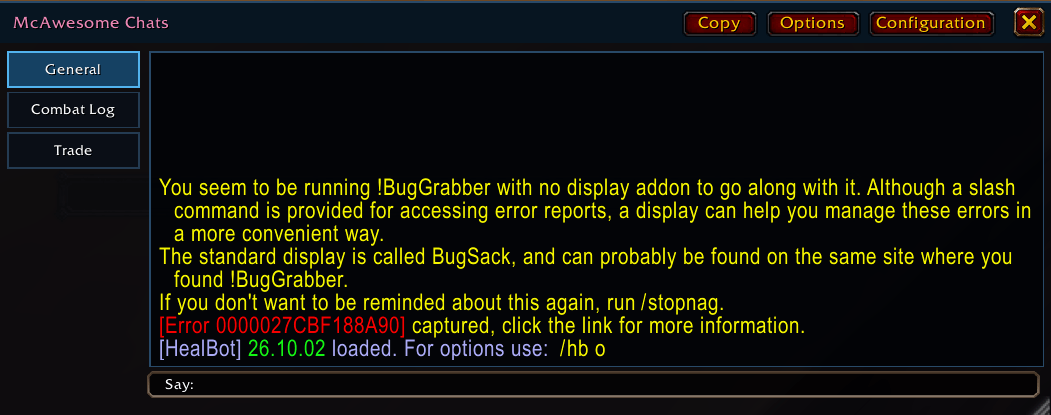
McAwesome Chats replaces the visible Blizzard chat interface while continuing to use Blizzard's chat routing, filters, formatting, links, and channel configuration behind the scenes. It is designed for WoW Forever.
Details
Expansion
 Forever
 Categories
Developers

Having issues?
McAwesome Chats
A movable, resizable, Second Life-inspired replacement for World of Warcraft's chat windows.
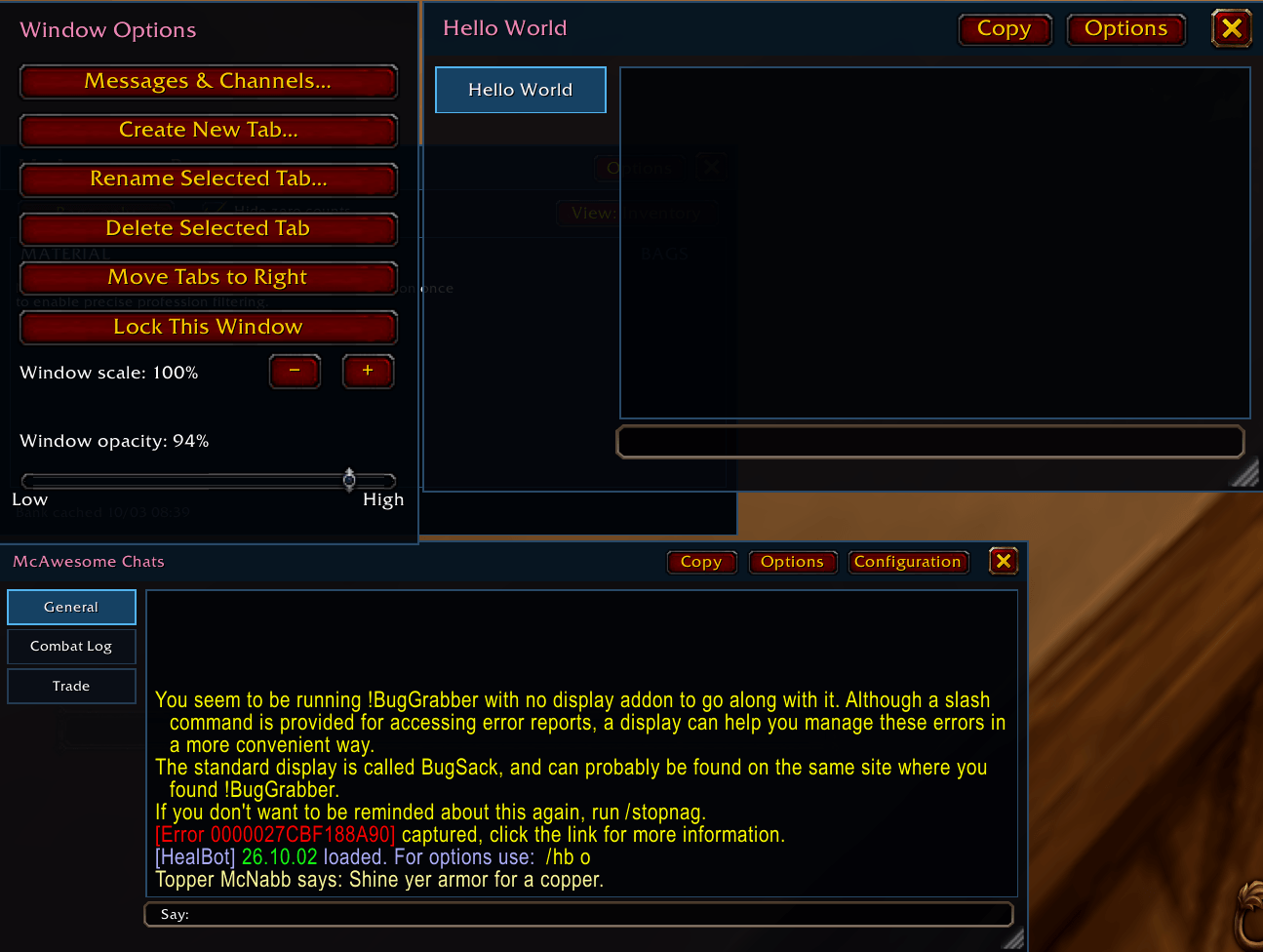
McAwesome Chats replaces the visible Blizzard chat interface while continuing to use Blizzard's chat routing, filters, formatting, links, and channel configuration behind the scenes. It is designed for WoW Forever's first-and-surname identities and also includes a current Retail manifest.
Features
- Movable and resizable chat frames with saved positions and dimensions.
- A full-width typing field directly beneath each transcript.
- Compact vertical tabs that can be placed on the left or right.
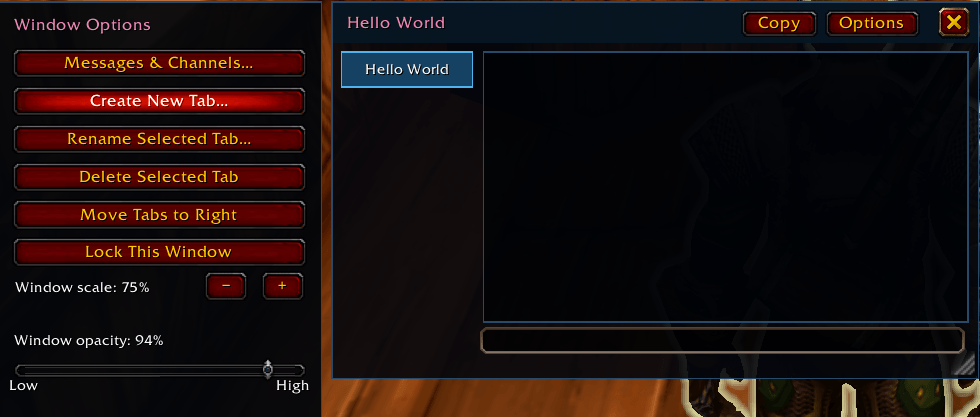
- Multiple independent chat windows and multiple tabs within each window.
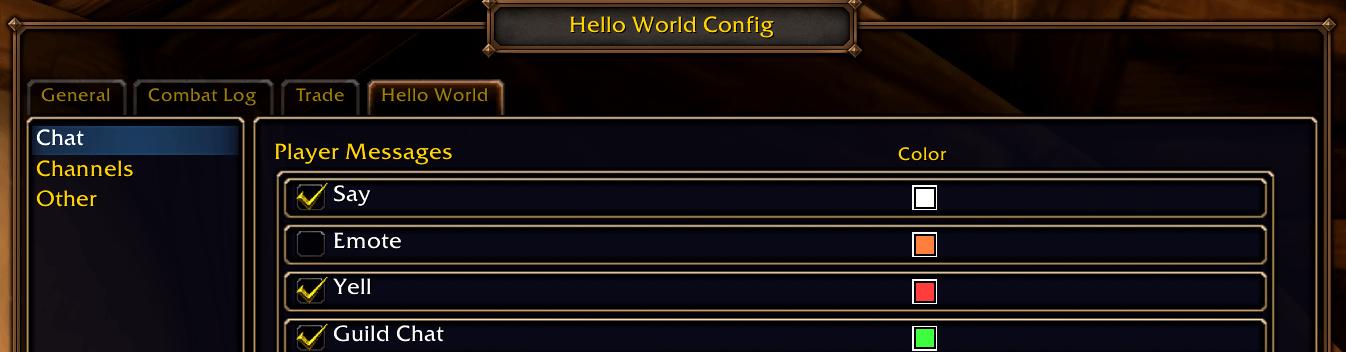
- Blizzard's standard message and channel allocation panel for configurable tabs.
- Class-colored addon title and class-colored names in instant messages.
- Full WoW Forever
First-Surnameidentities in IM tabs, player links, and reply targets. - Click a player name to open an IM tab, Shift-click to run
/who, or right-click for Blizzard's player menu. - Closeable IM tabs with unread counts.
- Color-coded typing destinations for Say, Party, Raid, Guild, channels, and whispers.
- Native macros, slash commands, chat shortcuts, item links, and spell links.
- Selectable chat-history copy window for copying a complete transcript or a smaller passage.
- Combat Log views for My Actions and What Happened to Me.
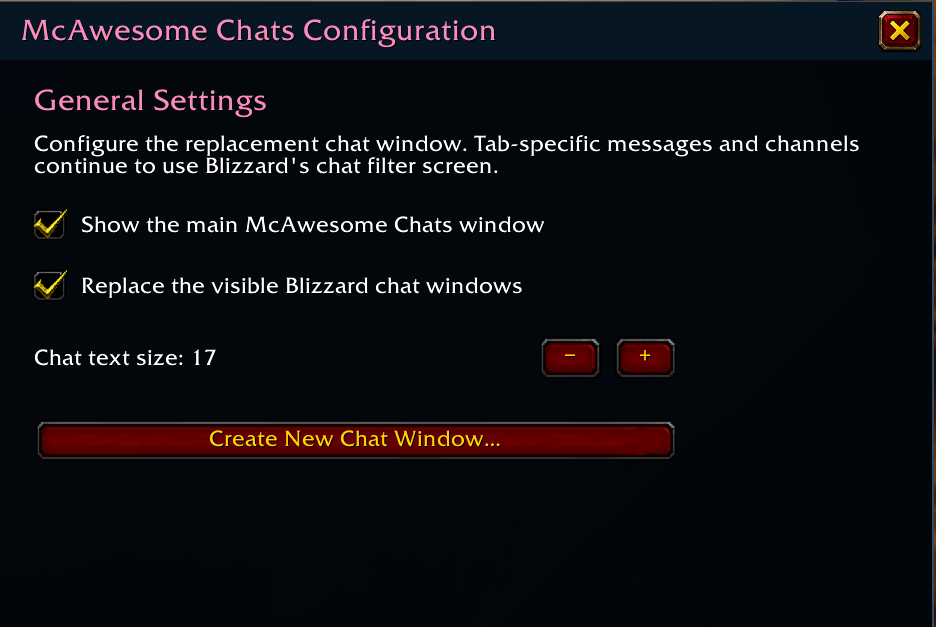
- Configurable interface scale, chat font size, opacity, lock state, and Blizzard-chat replacement.
The original Blizzard chat frames remain active but hidden while replacement mode is enabled. This lets McAwesome Chats preserve Blizzard's normal message parsing and protected chat-send behavior.
Installation
- Download or clone this repository.
- Copy the inner
McAwesomeChatsdirectory into your World of Warcraft installation'sInterface/AddOnsdirectory. - Confirm the resulting path ends with
Interface/AddOns/McAwesomeChats/McAwesomeChats.toc. - Restart the game or run
/reload.
The folder includes two manifests:
McAwesomeChats.tocfor the current Retail interface.McAwesomeChats_Camelot.tocfor the Forever/Camelot client line and packaging workflow.
Using the addon
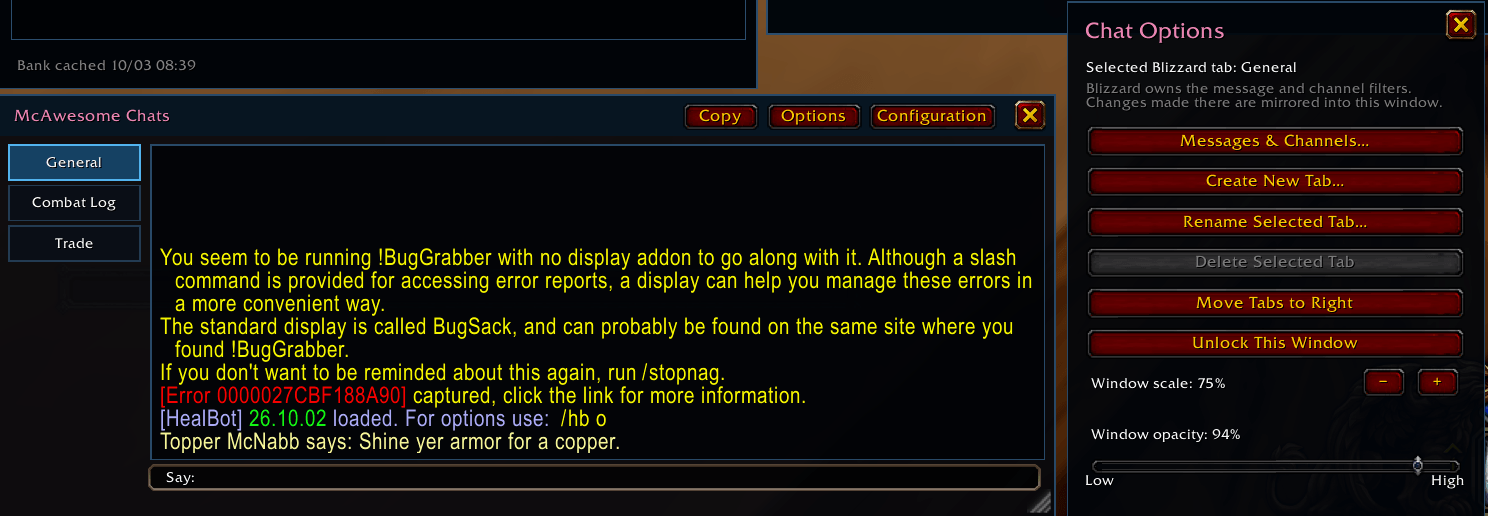
Open Options from the main frame to:
- Move the vertical tab rail to the left or right.
- Scale the complete interface.
- Change chat text size and opacity.
- Lock or unlock the frame.
- Configure messages and channels for the selected tab.
- Create a new tab in the current frame.
- Create a separate movable chat window.
- Rename or delete configurable tabs and windows.
- Toggle replacement of Blizzard's visible chat frames.
Use the visible × on an IM tab, or its right-click menu, to close that conversation.
Slash commands
| Command | Action |
|---|---|
/mac or /mac toggle | Toggle the main window |
/mac show | Show the main window |
/mac hide | Hide the main window |
/mac lock | Lock the main window |
/mac unlock | Unlock the main window |
/mac alpha 0-100 | Set window opacity |
/mac scale 75-135 | Scale the interface |
/mac font 10-24 | Set chat text size |
/mac tabs left | Place tabs on the left |
/mac tabs right | Place tabs on the right |
/mac blizzard | Toggle the original Blizzard chat UI |
/mac reset | Reset window and addon settings |
Normal WoW commands and chat shortcuts are entered directly in the McAwesome typing field. For example, /p changes the destination to Party, while /reload is passed unchanged to Blizzard's command parser.
Repository layout
McAwesomeChats/
├── Artwork/                  Original artwork sources
├── McAwesomeChats/           Installable addon directory
│   ├── Core.lua              Chat routing and Blizzard integration
│   ├── UI.lua                Frames, tabs, options, and copy interface
│   ├── Media/                Packaged addon artwork
│   ├── tests/                Lightweight source validation
│   ├── CHANGELOG.md
│   ├── McAwesomeChats.toc
│   └── McAwesomeChats_Camelot.toc
└── README.md
Development
The validation script requires Python and does not need a running WoW client:
python McAwesomeChats/tests/test_addon.py
In-game behavior must still be tested inside the intended WoW client, particularly protected chat commands, combat-log filters, and Forever identity handling.
Current limitations
- IM history is session-only.
- IM tabs that exceed the available vertical space remain open but are temporarily hidden; tab scrolling is planned.
- McAwesome Chats intentionally delegates final chat submission to Blizzard rather than replacing protected send behavior.
See the changelog for release history.
You must be logged in to leave a comment.