
MapUtils (Dungeon Maps, Dungeon Entrance, Travel-Routes, …) (Leatrix Maps Alternative)
Better world map: boats, zeppelins, flight points and dungeon entrances as clickable waypoints, dungeon & raid maps, unexplored areas, zone levels and a movable, scalable map
Details
Expansion
 Forever
 Categories
Developers

Having issues?
Feedback/Ideas/Bugs: https://discord.gg/RaQas87749
MapUtils extends the World of Warcraft world map, zone map, and minimap with dungeon and raid maps, travel and flight point icons, zone information, and map window options.
Features
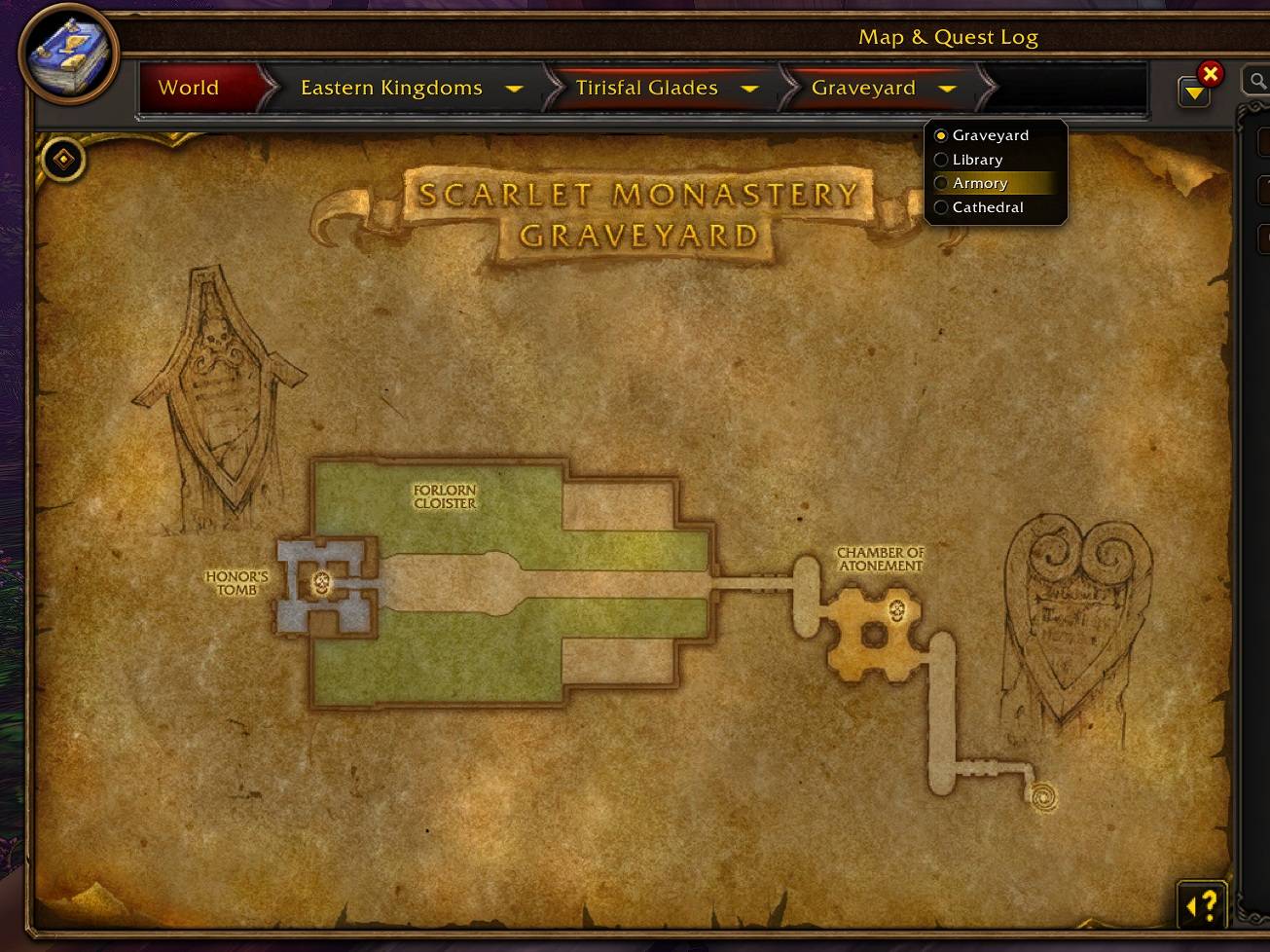
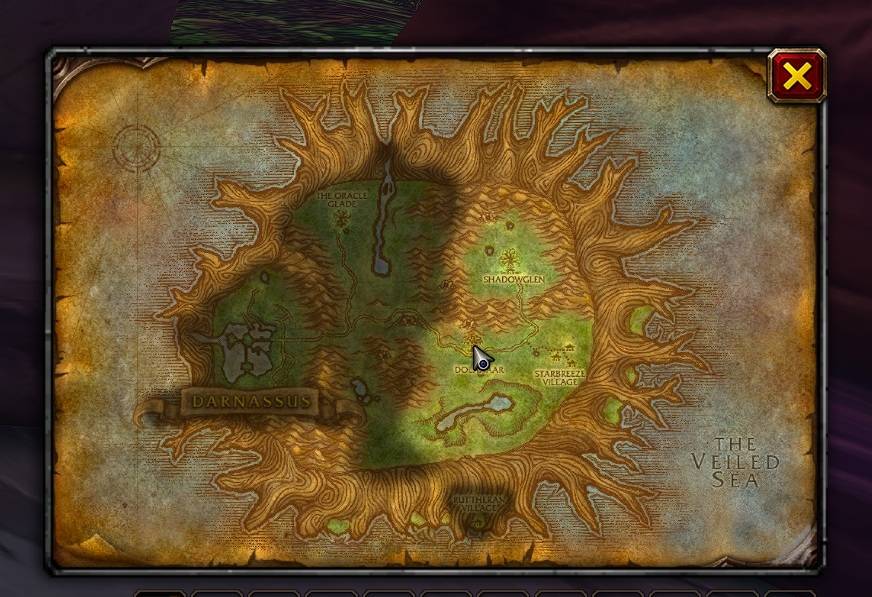
- Adds dungeon and raid maps to the world map, including a level selector for multi-level instances.
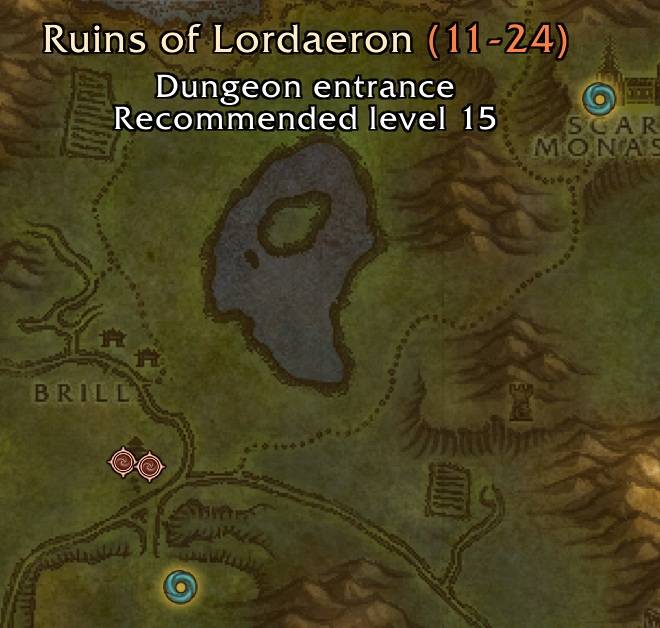
- Shows dungeon and raid entrances on the world map and minimap; clicking an entrance on the world map opens its dungeon map.
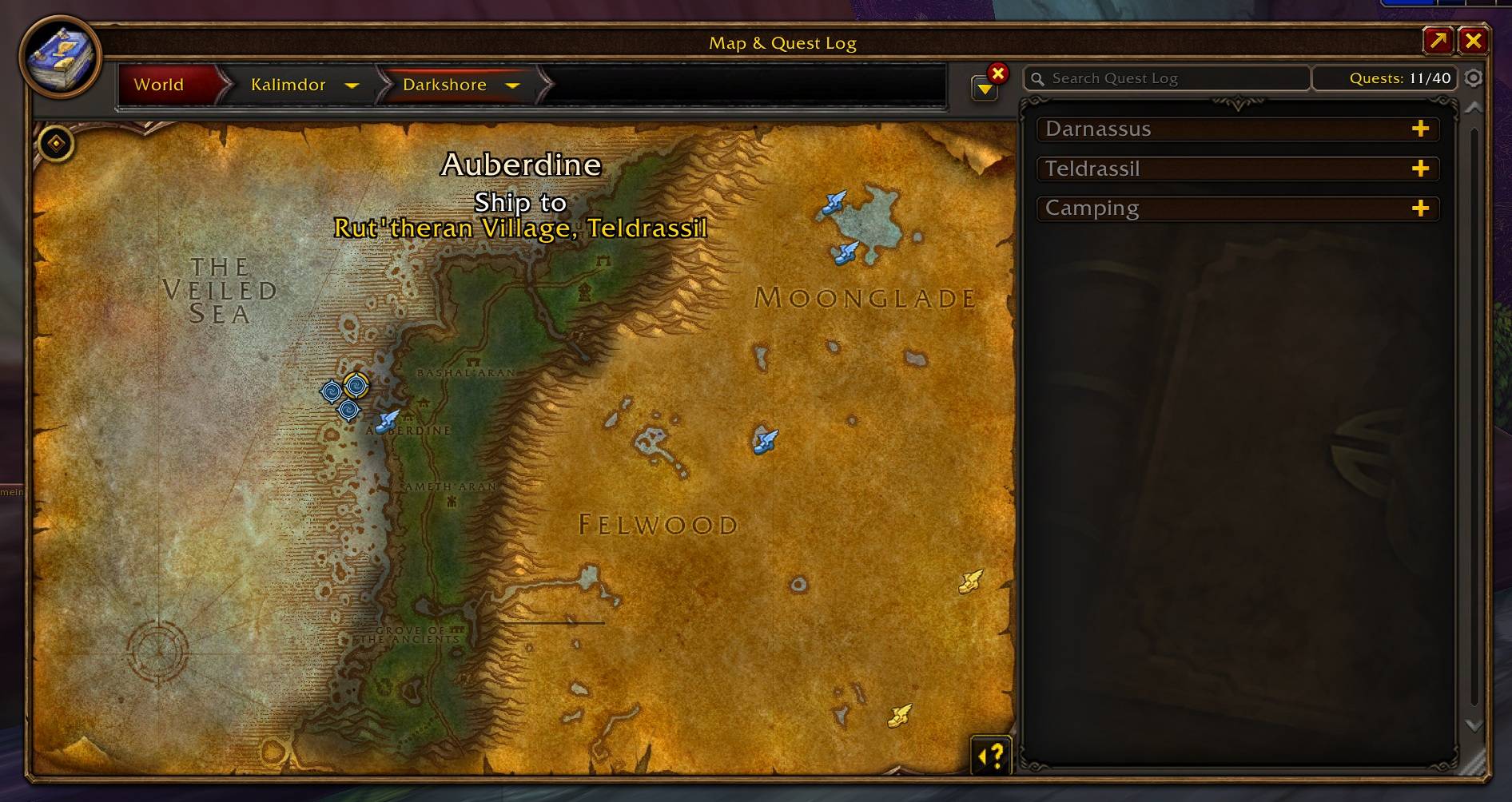
- Shows piers, zeppelins, and the tram on the world map and minimap, with a tooltip that names the destination.
- Shows flight points on the world map and minimap.
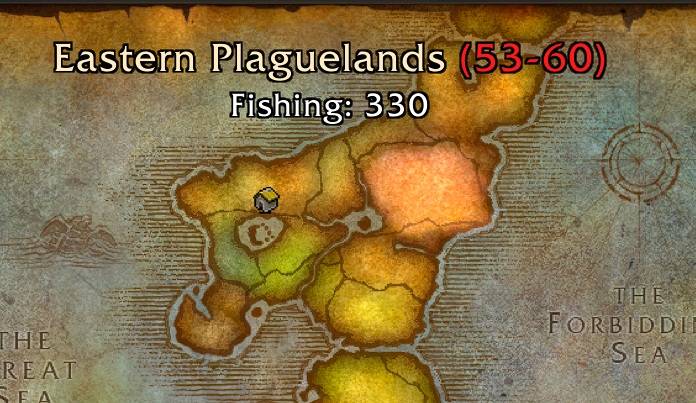
- Shows the level range of a zone when hovering it on the world map.
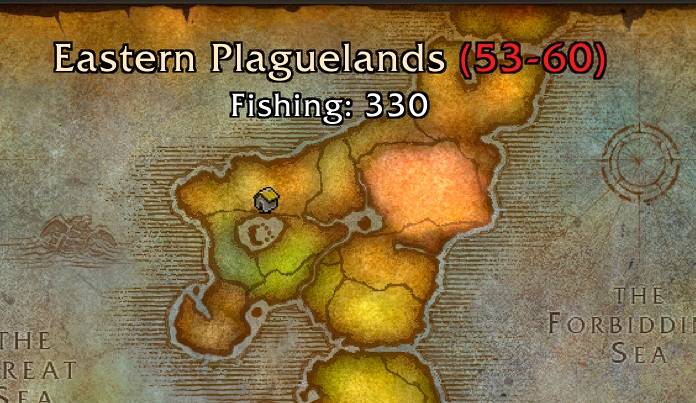
- Shows the minimum fishing skill of a zone on the world map.
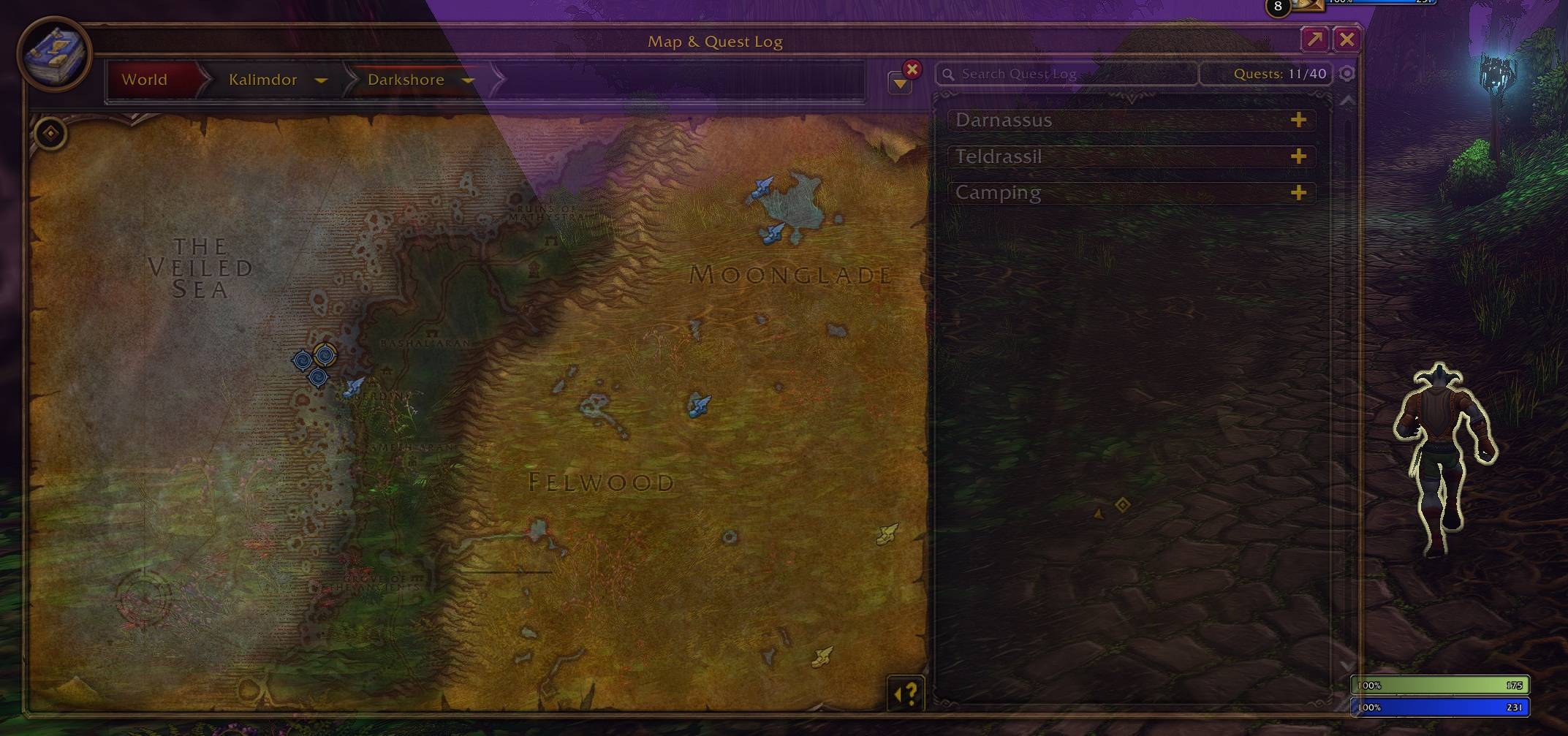
- Shows unexplored areas on the world map and zone map, with a selectable tint (blue, gray, darkened, faded, gold, green, red, purple, or original colors).
- Lets you move the world map by dragging its border and scale it with the grip in the bottom-right corner (50% - 200%).
- Lets you scale the zone map (Shift+M) with the grip in the bottom-right corner (50% - 300%) while it is unlocked.
- Fades the world map and zone map while you move, with an adjustable visibility; the map becomes fully visible again on mouseover.
- Clicking a pier or flight point icon sets it as your waypoint; the waypoint pin stays visible while a navigation target exists.
Configuration
Enter /maputils in chat or left-click the minimap button to open the settings window. Right-click the minimap button to hide it; it can be shown again in the General category.
The settings are grouped into collapsible categories:
- General: minimap button.
- World map: map window (move, scale), fade while moving, dungeon and raid maps, map labels (zone levels, fishing skill), and unexplored areas.
- Zone map (Shift+M): map window (scale) and fade while moving.
- Map icons: piers, zeppelins and tram, dungeon and raid entrances, and flight points, each separately for the world map and the minimap.
Settings are saved account-wide.
Localization
MapUtils includes translations for all World of Warcraft client locales:
deDE, enUS, esES, esMX, frFR, itIT, koKR, ptBR, ruRU, zhCN, and zhTW.
Feedback/Ideas/Bugs: https://discord.gg/RaQas87749
You must be logged in to leave a comment.