

LootOptimizer Forever
Bags full? One-click swap of the cheapest bag item for the loot. Upgrade Advisor with stat weights - also for your alts. Holdings: what all your characters own and where.
Details
Expansion
 Forever
 Categories
Developers

Having issues?
LootOptimizer Forever
Bags full while looting? One click, and the right item goes. LootOptimizer Forever (LOF) compares the loot with the cheapest item in your bags and swaps them with one click. It tells you how much better new gear is for your spec - also for your alts, and sends it to them with one click at the mailbox - and with Holdings you see what all your characters own, and where.
Made for WoW: Forever.
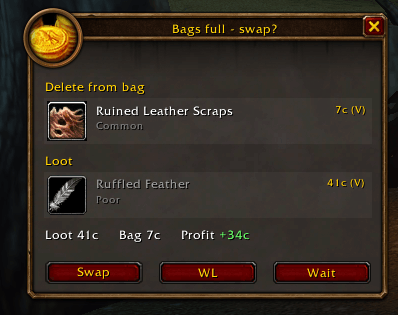
Swap - never miss loot again
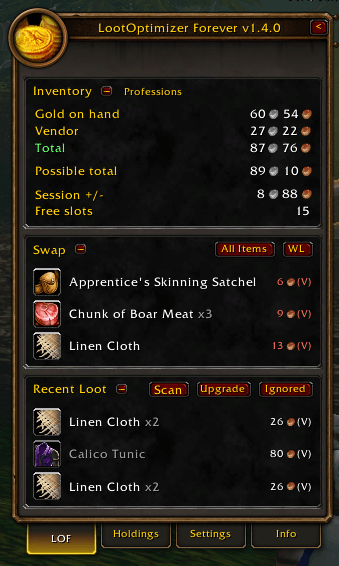
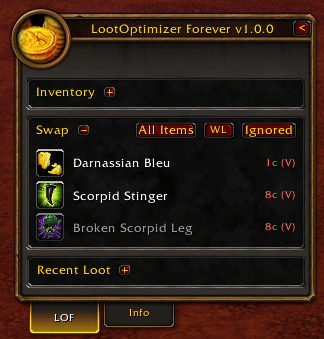
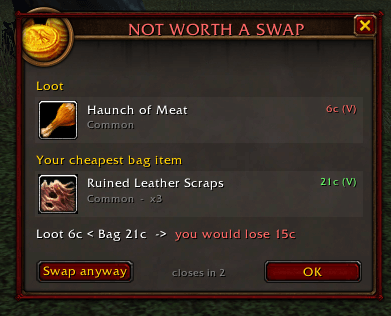
- Bags full while looting? LOF finds the cheapest item in your bags (vendor value x stack, or auction house value with Auctionator) and swaps it for the loot with one click.
- Not worth it? A clear alert shows what you would lose, with OK / Swap anyway.
- Quest items and gear upgrades are always offered, even when they are worth less: "Quest item - worth more than X to you", "Gear upgrade - worth more than X to you" - also when the gear is for one of your alts.
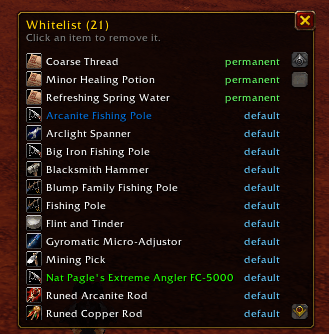
- Safe: quest items, whitelisted items, profession tools and gear upgrades for you or your alts are never swapped. The reagent bag is respected. Every swap is checked again right before it happens.
- Moved away too soon? "LOOT LEFT BEHIND" - LOF loots the item automatically when you open the corpse again.
Upgrade Advisor - with stat weights
- Every new weapon or armor piece (loot, quest reward, vendor, mail) is compared with what you wear, in a clear stat table, including the exact Equip / Use / Chance on hit effects.
- Stat weights per class and talent tree: "Upgrade found: +8.3%". Your spec is read from your talents; hybrid builds are mixed by points.
- Equip with one click (Bind-on-Equip confirmation included), Cancel, or Ignore.
- Scan your bags at any time; LOF also checks after every level-up, so items that were too high level are suggested once you can wear them.
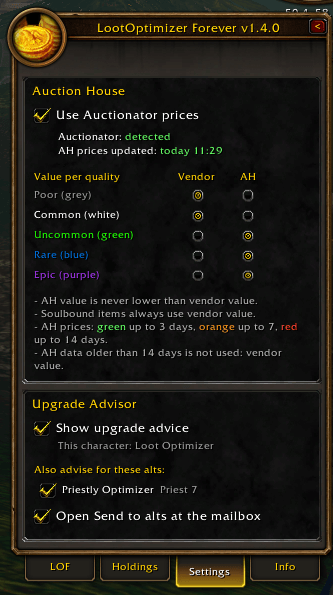
- On/off per character in Settings.
Gear for your alts
- Bind-on-Equip gear is also compared with the gear of all your other characters, with their own spec and weights.
- Upgrade only for an alt? An orange popup tells you: "Gear upgrade for alt - Julian +12.3%".
- Bag tooltips: "LOF: upgrade for Julian +12.3%, Soumix (empty slot)".
- Holdings - Gear for alts: every Bind-on-Equip item in the bags, bank and mail of all your characters that is an upgrade for one of them - who has it, where it lies, and for whom.
- Choose per alt whether you want advice (switch off your bank alt).
Send to alts - straight into the mail
- Found gear for your Priest while playing your Mage? No more searching your bags at the mailbox.
- The Upgrade button (Recent Loot) opens Send to alts: every item in your bags that is an upgrade for one of your alts, grouped per alt, with the gain ("+6.2%"), what it replaces and "at level X".
- At a mailbox the window opens by itself, right next to the mail (switch this off in Settings).
- One click on an item: LOF fills in the alt's name and puts the item in the mail. You press Send - LOF never sends anything by itself.
- Upgrade for two alts? The item is listed under both - you choose who gets it.
- Items already in the mail for someone else? LOF tells you to send that mail first.
Holdings - what all your characters own
- See the bags, bank, equipped gear, mail and auctions of every character - also the ones you are not playing. One click on the Holdings tab.
- All Characters at once, or one character; filter by location.
- Per item: how many you hold, where, and what it is worth.
- Per character: spec, gold, free bag and bank slots, and professions.
- Mail: expiry warnings, mail to your own alts booked at once, and gold in the mail per mail - including the AH sale breakdown (sold for, AH fee, deposit back).
- Auction house: your auctions with buyout and time left; sold auctions as "AH incoming".
- Only characters that can share items (same realm/ruleset and faction).
Dashboard
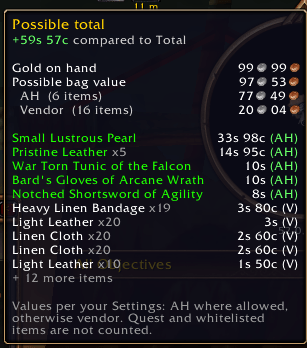
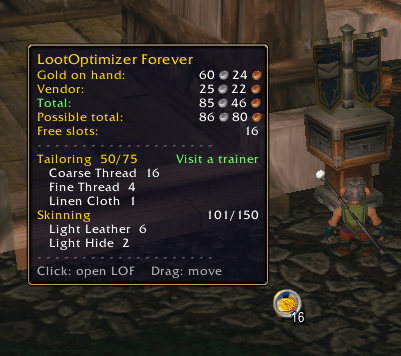
- Compact Forever-style panel: Inventory (gold, vendor total, possible total, session +/-, free slots), Swap and Recent Loot.
- Professions in the Inventory header: green "Visit a trainer" when you can learn the next rank.
- All money in WoW's coin icons. Fold the panel into a small coin icon that shows your free bag slots.
Auction house values (optional)
- Works without any other addon (vendor values).
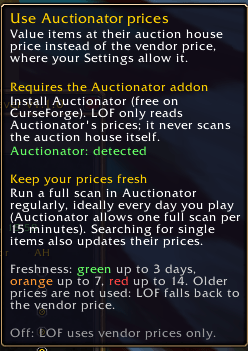
- With Auctionator installed you can switch on AH prices in Settings, per item quality.
- Safe rules: never lower than the vendor price, soulbound items use vendor value, AH prices older than 14 days are not used. Freshness shown in colour.
Commands
/lof show/hide - /lof mini - /lof holdings - /lof all - /lof wl - /lof upgrade on|off|scan - /lof ignored - /lof reset - /lof version
Support
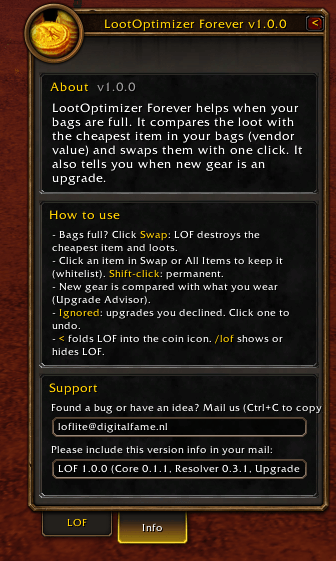
Found a bug or have an idea? Mail loflite@digitalfame.nl and include the version info from the Info tab (it can be copied).
Summary (short text for CurseForge, max 256 characters - this one is 170):
Bags full? One-click swap of the cheapest bag item for the loot. Upgrade Advisor with stat weights - also for your alts. Holdings: what all your characters own and where.
You must be logged in to leave a comment.