

Lib’s – Time Played
View your time played by class, realm, and faction. Includes play time streak tracking.
Details
Addon ID:
25299
Addon Version:
1.4.1
Expansion:
1.60
Upload date:
Oct 06, 2026
Last Updated:
Oct 06, 2026
Downloads:
Less than 100
Website:
Source Link
Expansion
 Forever
 Categories
Developers

wutname1
Creator
Having issues?
Lib's TimePlayed

Track /played time across all your characters with account-wide statistics, class/realm/faction grouping, and instant data import from AltVault or Altoholic.
Quick Start: One-Click Import
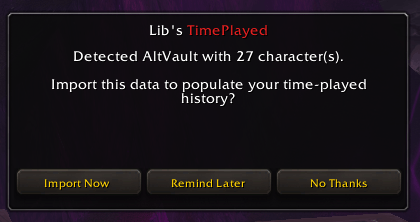
If you have AltVault or Altoholic installed, you'll see this on first login:

Click "Import Now" and instantly see all your characters' played time—no need to log into each one!
Features
Time Tracking
- Account-wide: Automatically tracks played time for every character you log into
- Multiple formats: View total played, session time, or current level time
- Auto-update: Refreshes on login and level up
Display Options
- Minimap button: Quick access via left/right click
- Data Broker: Works with any LDB display addon (like Libs-DataBar)
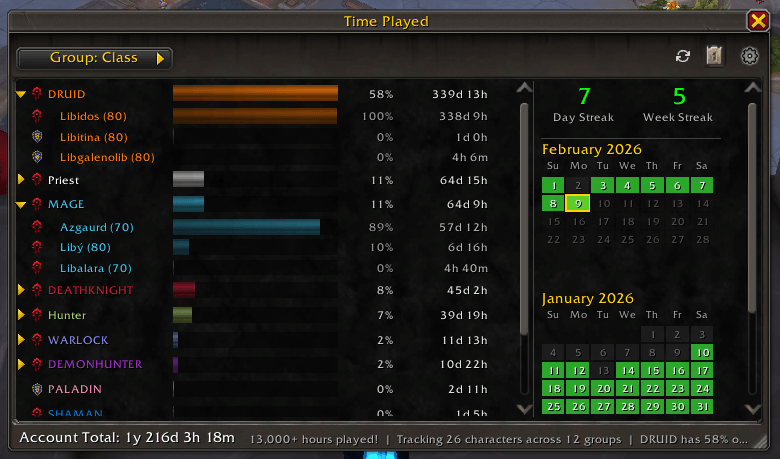
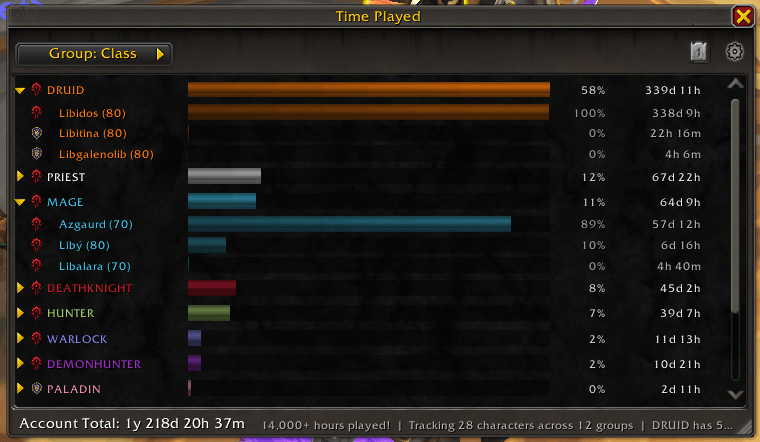
- Popup window: Standalone window with collapsible groups, status bars, and scroll support
- Rich tooltip: Detailed breakdown with class colors, group totals, and milestones
Grouping
View your characters organized by:
- Class - Color-coded by class
- Realm - Grouped by server
- Faction - Alliance vs Horde
Time Formats
- Smart: Auto-scales (
2y 45d,5d 3h,45m,< 1m) - Full: All units shown (
5d 3h 30m) - Hours: Decimal hours (
123.5h)
Milestones
Fun achievements based on your playtime: total hours played, number of characters tracked, most-played character, and more.
Instant Data Import ⚡
Never log into each alt again! Import your entire character roster instantly:
- 🎯 Auto-Import: First-time users are automatically offered import on login
- 📊 Smart Detection: Automatically selects the source with the most data
- 🔄 AltVault Support: Direct import from AltVault database
- 📚 Altoholic Support: Parsed from DataStore with full metadata
- ⚙️ Merge Strategies:
- Newest Wins (default) - Use most recent data
- Prefer Imported - Always use import data
- Prefer Existing - Keep current data
- Max Values - Use highest time values
Manual Import: Can also import anytime from /libstp → Import Data section
Commands
| Command | Action |
|---|---|
/libstp | Toggle popup window |
/timeplayed | Toggle popup window |
/libstp played | Request fresh /played data |
/libstp options | Open options |
Click Actions
| Input | Action |
|---|---|
| Left Click | Cycle display (total/session/level) |
| Shift + Left Click | Toggle popup window |
| Right Click | Open options |
| Middle Click | Refresh /played |
Support
You must be logged in to leave a comment.