

Lib’s – Disenchant Assist
A smart disenchanting assistant. Filter by quality, item level, and custom rules to quickly disenchant bags full of items without accidentally destroying something valuable.
Details
Addon ID:
25646
Addon Version:
1.2.0
Expansion:
1.60
Upload date:
Oct 06, 2026
Last Updated:
Oct 06, 2026
Downloads:
Less than 100
Website:
Source Link
Expansion
 Forever
 Categories
Developers

wutname1
Creator
Having issues?

A smart disenchanting helper for Enchanters. Scans your bags, filters out gear you want to keep, and lets you disenchant the rest with one click.
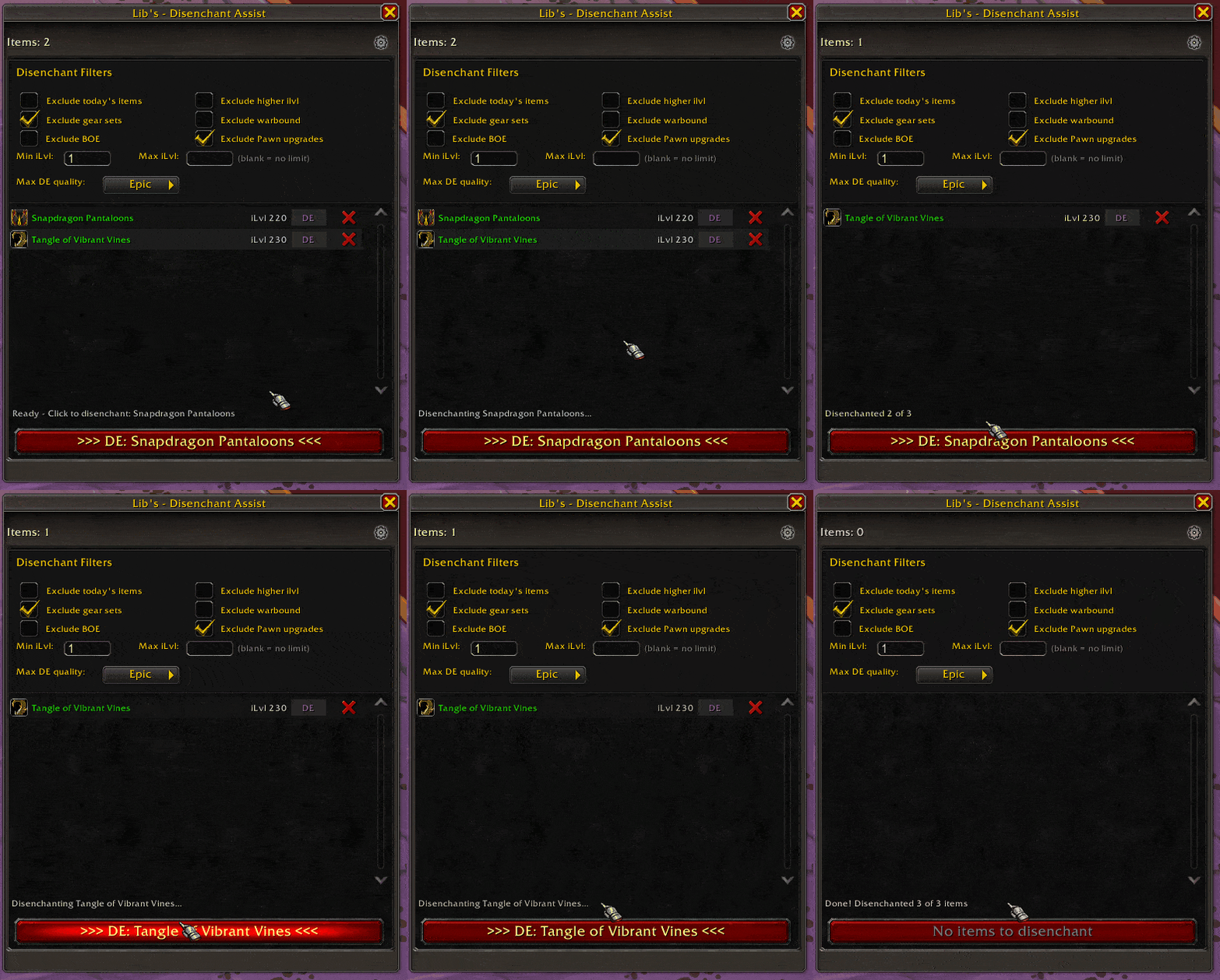
What Does It Do?
- Finds all disenchantable gear in your bags
- Filters out items you want to keep (upgrades, gear sets, high ilvl, and more)
- Disenchant one item at a time or process your whole bag at once
- Auto-loots the materials for you
- Pauses during combat and picks up where it left off
How It Works
- Open the window with
/deor the minimap button - Your bags are scanned and filtered automatically
- Click "Disenchant All" to process everything, or click the DE button on a single item
- Sit back and watch your bag fill with enchanting materials!
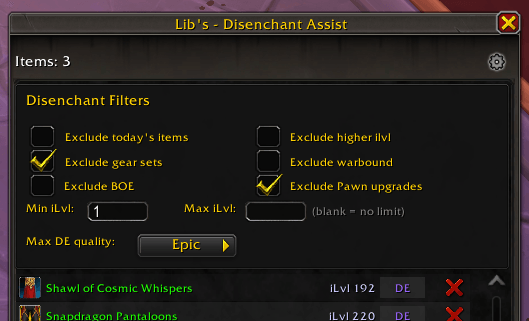
Filters
Keep your important gear safe with built-in filters:
| Filter | What It Does |
|---|---|
| Higher ilvl | Skips items stronger than what you have equipped |
| Gear Sets | Skips items saved in your Equipment Sets |
| Warbound | Skips Warbound items |
| Bind on Equip | Skips BoE items (so you can sell them instead) |
| Pawn Upgrades | Skips items Pawn says are an upgrade (if you use Pawn) |
| Looted Today | Skips items you just picked up today |
| Item Level Range | Only disenchant items within a min/max ilvl range |
| Max Quality | Set the highest quality to disenchant (Uncommon, Rare, or Epic) |
All filters can be turned on or off in the settings panel.
Item List
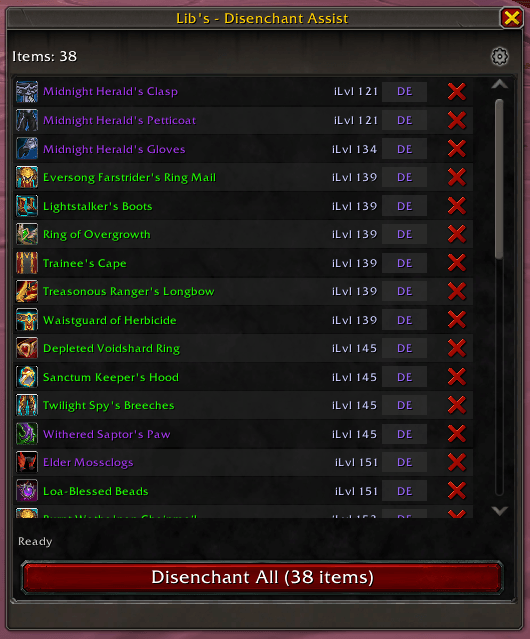
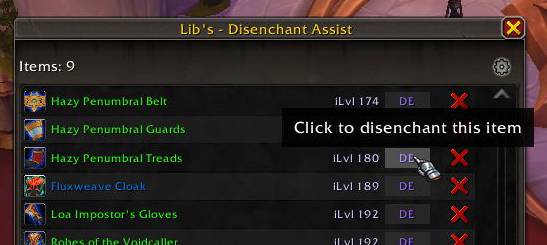
- Each row shows the item icon, name, and item level
- Hover over any item to see its full tooltip
- DE button: Disenchant just that one item
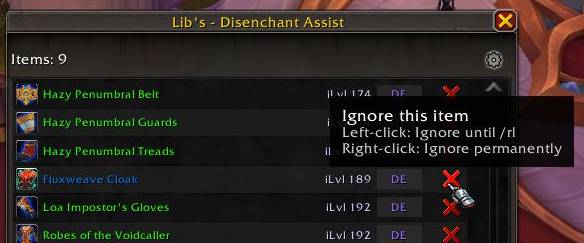
- X button: Ignore the item (left-click = this session, right-click = permanent)
Commands
| Command | Action |
|---|---|
/de or /disenchant | Open the main window |
/de toggle | Toggle the window |
/de scan | Rescan your bags |
/de stop | Stop the current disenchant queue |
/de options | Open settings |
Minimap Button
- Left-click: Toggle the main window
- Right-click: Open settings
- Can be shown or hidden in the options
Good to Know
- Only works on characters that know Enchanting
- Handles both Retail and Classic disenchanting automatically
- Remembers items that can't be disenchanted so it won't try them again
Support
You must be logged in to leave a comment.