
Kinship
See your guild and friends in one window: gear, talents, professions, XP and map positions, shared between Kinship users.
Details
Expansion
 Forever
 Categories
Developers

Having issues?
Your guild and friends, in one window
Kinship shows everyone in your guild and on your friends list (including Battle.net friends playing WoW Forever) in one place. Anyone who also runs Kinship shares their full character with you: gear, stats, talents, PvP rank, professions, XP and where they are in the world.
A living map of Azeroth
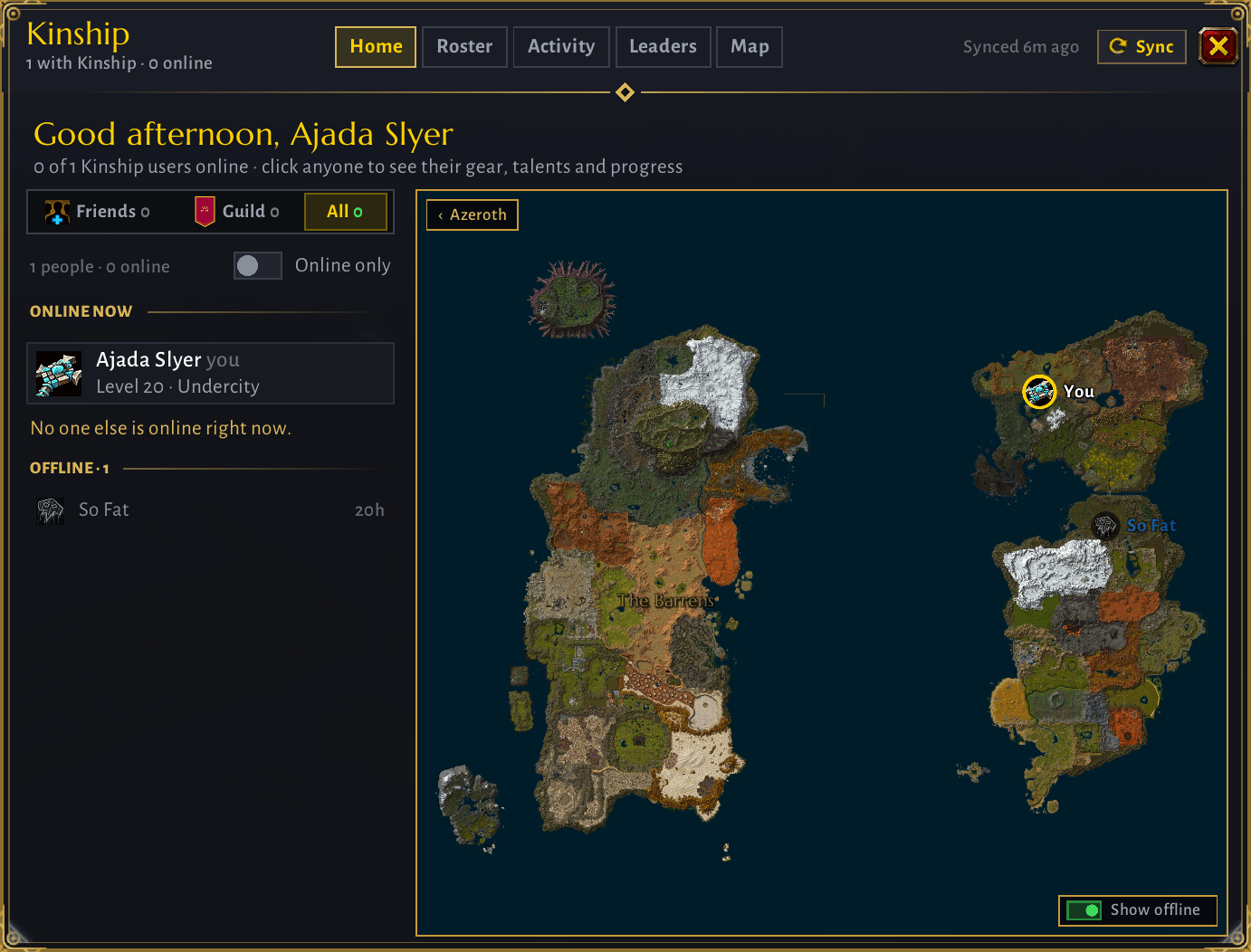
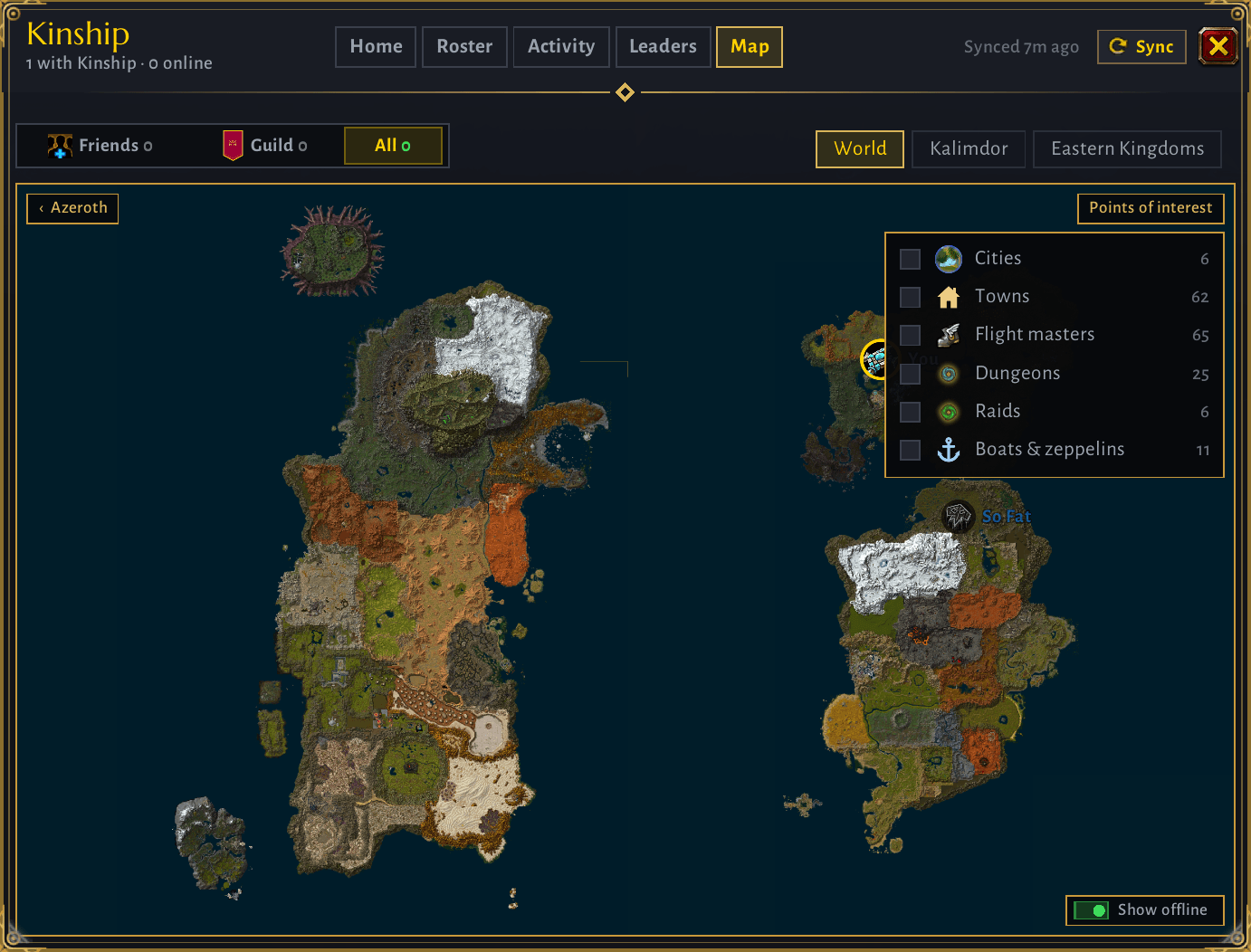
A seamless, fully discovered map built from the game's own terrain, on one navy sea. Scroll to zoom from the whole world down to a single town, drag to look around, and watch everyone's class-icon pins move as they travel. Zone and place names appear as you zoom in, and Zephras Isle is there too.
Points of interest: switch on cities, towns, flight masters, dungeon and raid entrances (including Forever's new dungeons), and boats and zeppelins. All off until you want them.
Views
- Home – who's online, and the map
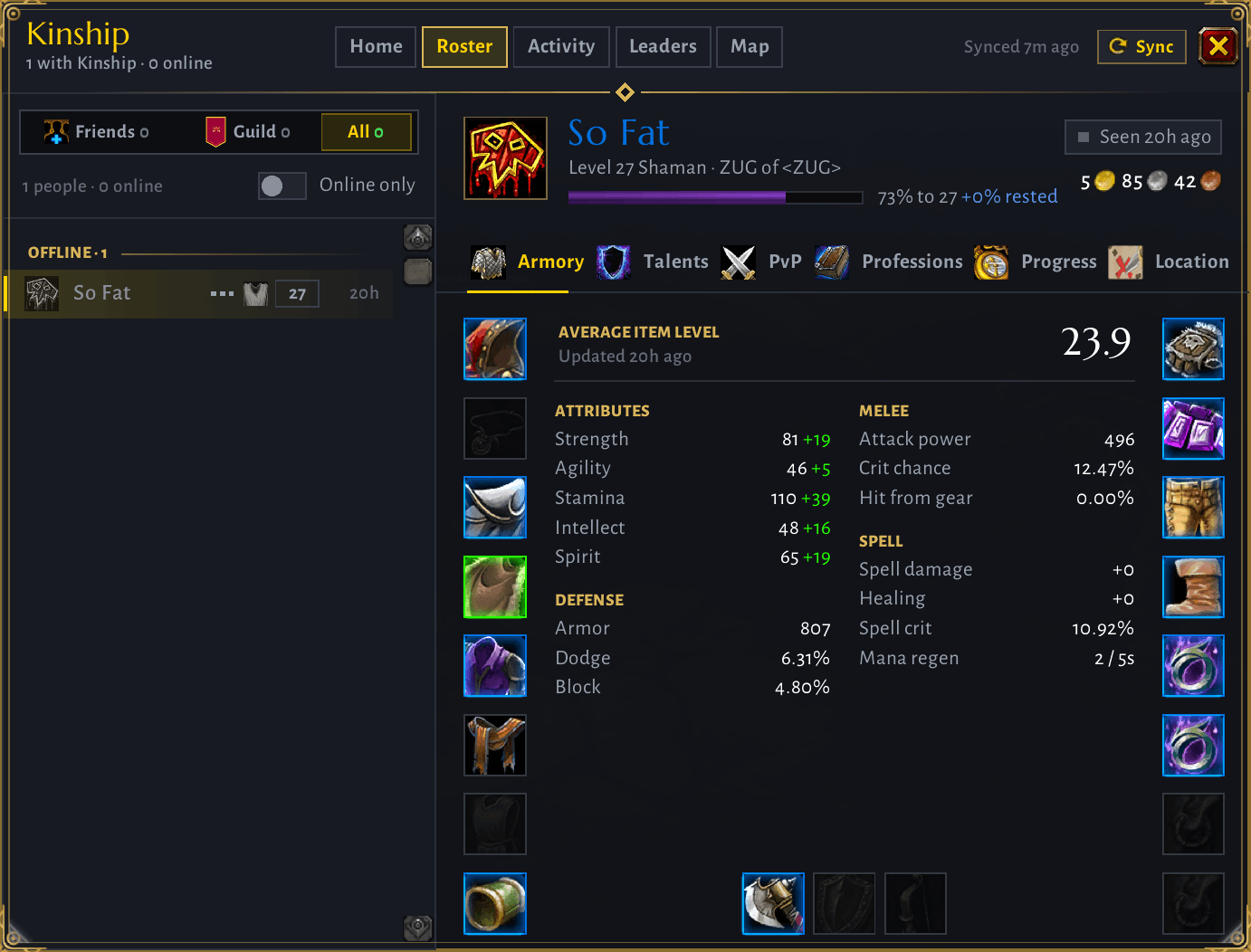
- Roster – your guild and friends. The ⋯ next to each name lets you whisper, invite or copy their name
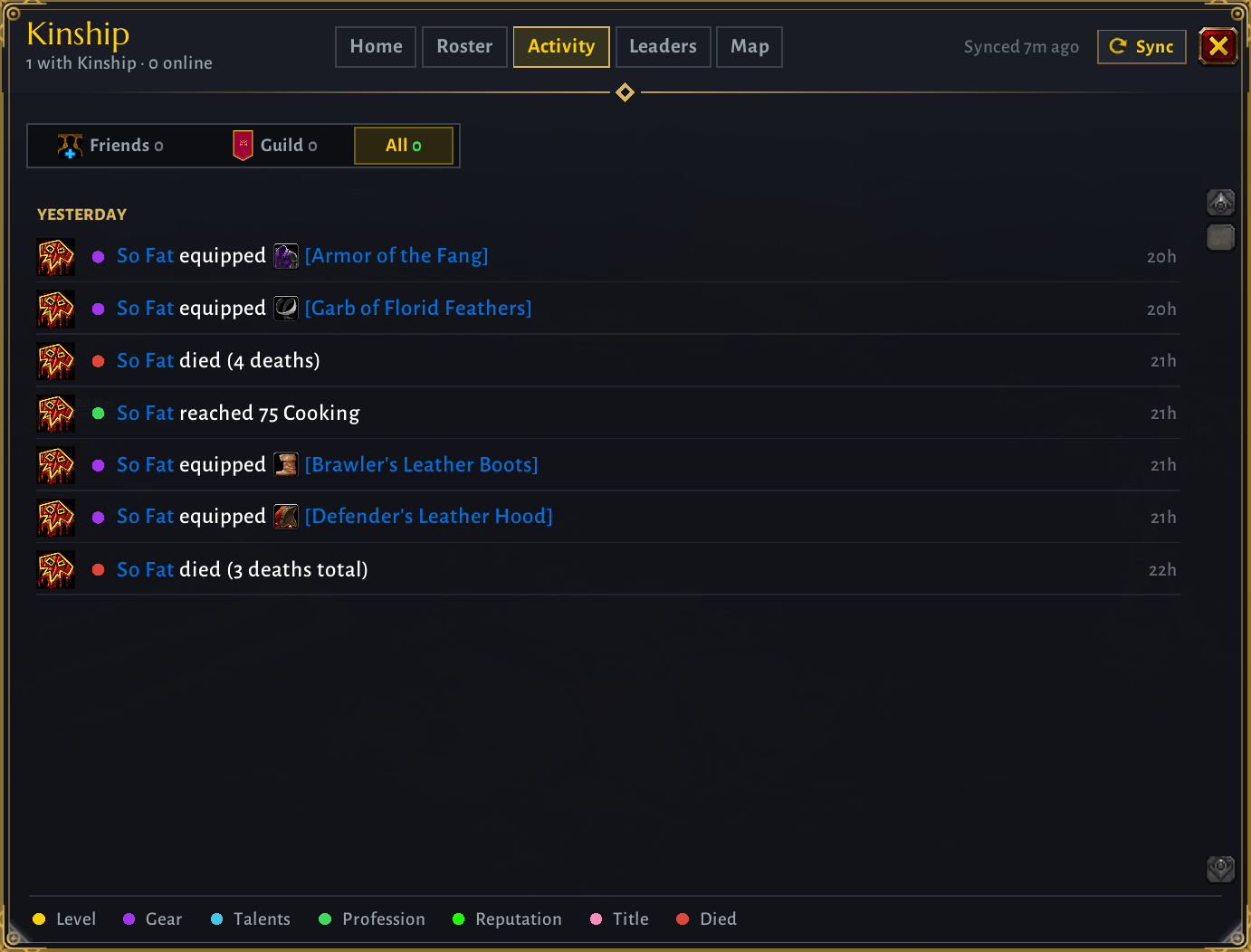
- Activity – level-ups, new gear, profession and talent milestones, titles, deaths and reputation
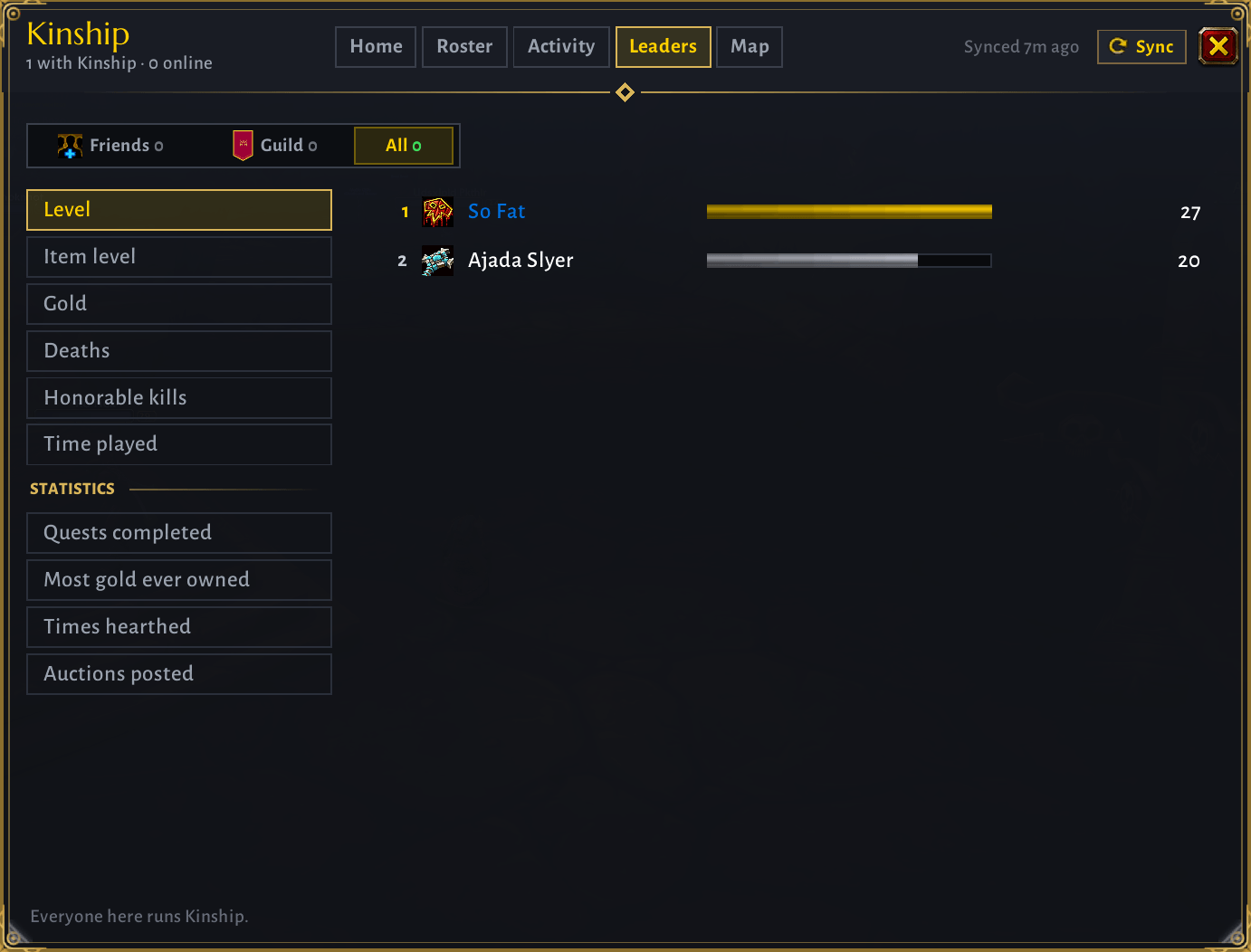
- Leaders – level, item level, gold, deaths, honorable kills and time played, plus quests completed, most gold ever owned, times hearthed and auctions posted
- Map – the whole world or either continent, every pin, points of interest and a Show offline switch
Every view has a Friends / Guild / All filter. Pick Guild and your guild's tabard banner hangs from the window.
Every player's page
- Armory – gear like the character sheet, with a full stat sheet. Set bonuses light up for the pieces they wear. Ctrl-click to try an item on
- Talents – all three trees; hover any talent for its description
- PvP – honor rank and title, rank points, this week's rank cap and honorable kills
- Professions – rank, skill and rank title
- Progress – /played, rested XP, durability, bag space, deaths, reputation and raid lockouts
- Location – their spot on the zoomable map
Commands
/kin(or the minimap button) – open or close the window/kin sync– send your data now (right-clicking the minimap button does the same)/kin share– choose what you share:gold,played,bags,location/kin minimap– hide or show the minimap button/kin status– what Kinship can see and receive
How it works
Kinship only sends data between people who run it: over the guild addon channel, and by addon whisper to friends outside your guild. Data is sent when you log in and when something changes, with a tiny position update while you move. Kinship only accepts a player's data about themselves, and only from guildmates or friends.
Notes
- Made for WoW Forever.
- Deaths are counted from when you install Kinship.
- Some of Forever's new dungeons have no published entrance yet. Kinship adds each one to the map the first time someone running it goes inside.
- Legacy talent trees (level 25+) aren't shown yet.
Map artwork derived from World of Warcraft © Blizzard Entertainment. Fonts: Marcellus and Alegreya Sans (SIL Open Font License, included).
You must be logged in to leave a comment.