

Inked
Inked is a controller-friendly UI overhaul for Warcraft Forever, featuring smarter equipment, training tools, one-key fishing, combat meters, custom themes, fonts, and quality-of-life improvements—all wrapped in a clean Blizzard-inspired style.
Details
Expansion
 Forever
 Categories
Developers

Having issues?
Inked — Warcraft Forever
⚠ IMPORTANT — BLIZZARD GAMEPAD UI COMPATIBILITY
This version of Inked is NOT compatible with Blizzard’s built-in Gamepad UI.
Inked provides its own controller navigation system and is designed to run with the normal Warcraft Forever mouse/keyboard interface mode.
Do not enable Blizzard Gamepad UI while using Inked.
If Blizzard Gamepad UI is active, Inked intentionally disables its controller-navigation features to prevent conflicting bindings, interface ownership issues, taint, and protected-action errors.
You do not have to use a controller for Inked if you don't want to
What is Inked?
Inked is the Esper Cat Studios interface for World of Warcraft: Forever.
Rather than replacing Warcraft’s interface with an entirely different UI, Inked expands and reshapes Blizzard’s existing interface into something designed to work comfortably with both a controller and mouse/keyboard.
The goal is simple:
Make Warcraft feel natural on a controller without taking Warcraft away from Warcraft.
Inked keeps Blizzard’s familiar windows, action bars, talents, professions, quests, inventory systems, and game flow while adding controller navigation and a large collection of optional interface enhancements around them.
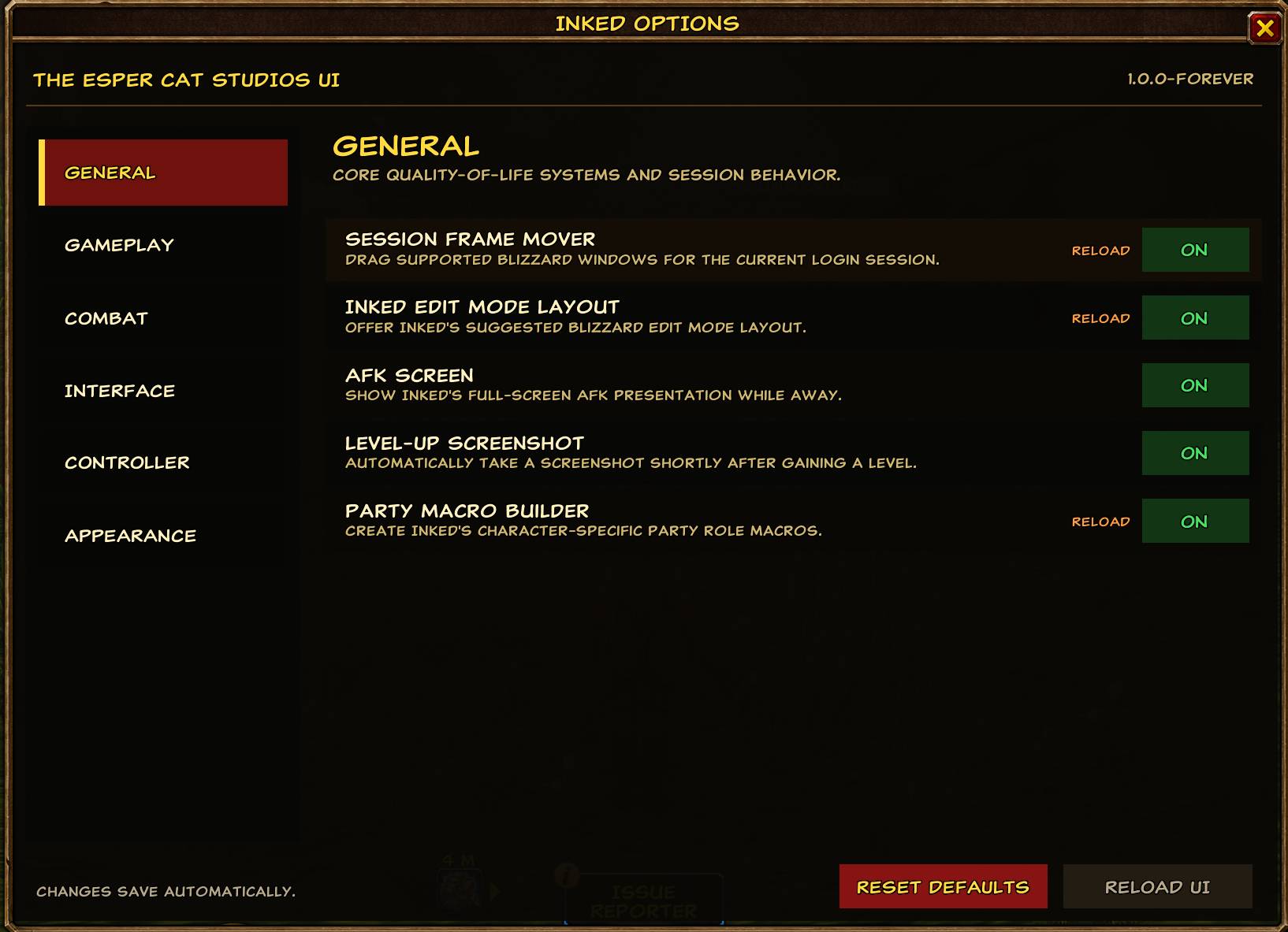
Everything is modular. Features can be enabled or disabled through the Inked Options panel.
Controller Navigation
Inked contains its own controller system designed specifically for Warcraft Forever.
Controller support includes navigation for character panels, talents, professions, quests, merchants, trainers, inventory, buyback, gossip, game menus, Inked Options, dropdown menus, and many other Blizzard interface panels.
The controller navigation system includes:
- D-Pad interface navigation
- controller Interact activation
- B / Circle back behavior
- controller-aware dropdown navigation
- controller tooltips
- automatic focus highlighting
- scroll support
- item use and equipment interactions
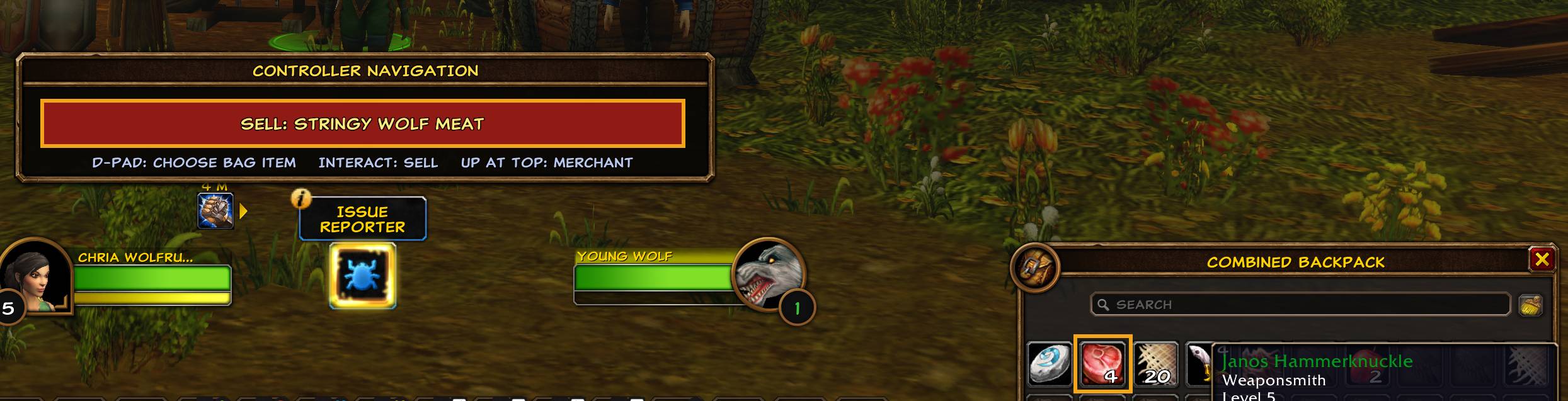
- vendor buying and selling
- trainer interaction
- profession recipe selection
- quest acceptance and turn-in
- controller-friendly confirmation dialogs
- controller-accessible Inked Options
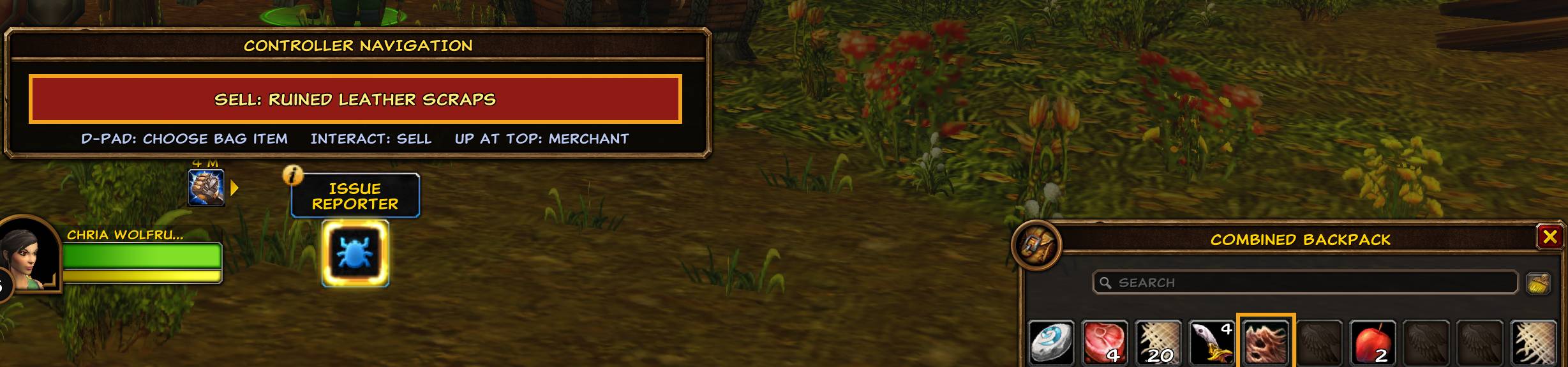
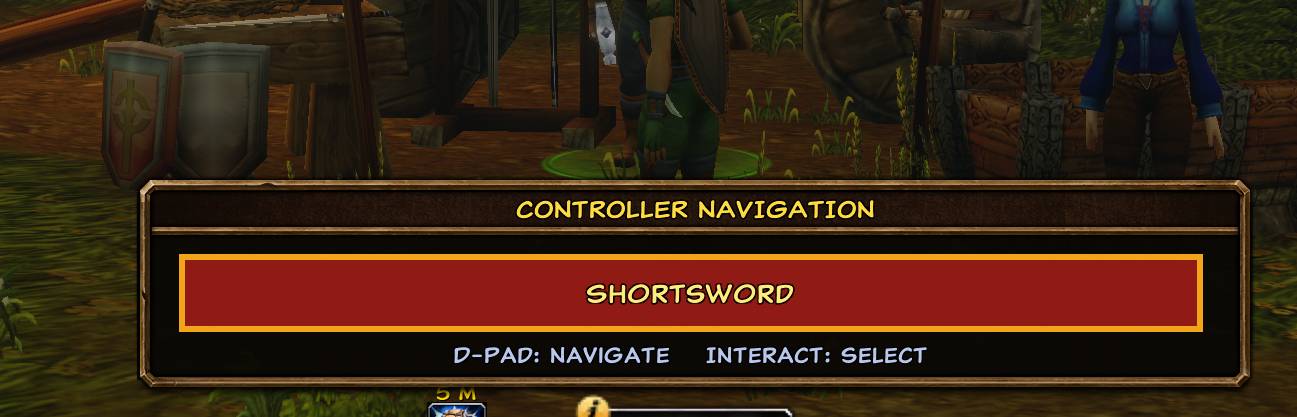
A movable Controller Navigation information panel displays the available controls while navigating interfaces.
L3 Radial Micro Menu
Pressing L3 opens Inked’s radial Micro Menu for rapid controller access to commonly used systems.
The radial includes access to character information, spellbook, talents, professions, collections, group tools, quests, PvP, the Game Menu, and additional utility flyouts.
Utility flyouts include:
Pings
- Standard Ping
- Attack
- Warning
- On My Way
- Assist
- Ping Target
Ping placement supports controller cursor aiming in the 3D world and on the Minimap.
Target Markers
- Star
- Circle
- Diamond
- Triangle
- Moon
- Square
- Cross
- Skull
- Clear Marker
Emotes
- Wave
- Hello
- Goodbye
- Cheer
- Thank
- Laugh
- Dance
- Sit
- Point
- Salute
- Bow
- Kneel
Rogue Poisons
A poison flyout appears automatically for Rogues when usable poison abilities or poison items are available.
PS5 DualSense users can also use the touchpad press to clear their current target.
Character Advisors
Inked now includes several optional systems designed to help players perform better without forcing them into a predefined build.
Talent Advisor
The Talent Advisor evaluates the character rather than simply recommending a canned specialization.
It considers:
- class
- race
- racial strengths
- current gear
- equipped stats
- current talent investment
- available talent trees
- intended combat role
- solo versus group play
Players may choose:
Smart / Current Build
Inked evaluates the direction the character is already taking.
DPS
Recommendations emphasize maximum sustainable damage output.
Tank
Recommendations prioritize threat generation, damage mitigation, control, and survivability.
Healing
Recommendations prioritize healing throughput, efficiency, resource sustainability, and group utility.
Hybrid talent builds remain valid.
For example, a Warrior selecting Tank is not automatically forced into a pure Protection tree. Inked can recommend useful Arms, Fury, and Protection talents when the combined build better serves the selected role.
Talent recommendations appear as a small green + directly on recommended talents.
The advisor is intentionally advisory.
Inked never spends talent points for you.
Talent Advisor Focus
Players can separately choose:
Questing / Solo
Balances output with survivability, mobility, sustain, and self-sufficiency.
Groups / Dungeons
Prioritizes maximum role performance for DPS, tanking, or healing.
Rotation Advisor
The optional Rotation Advisor examines spells already placed on your action bars and highlights the action Inked believes is the strongest next choice.
For DPS it favors maximum damage output.
For tanks it considers threat generation, mitigation, defensive uptime, survivability, and useful control.
For healers it evaluates healing throughput, efficiency, sustainable resource usage, and support abilities.
Recommendations are influenced by:
gear + talents + race + known spells + selected role + combat situation
The suggested action receives a visible NEXT highlight on the existing action bar.
The Rotation Advisor does not automatically cast spells or play the character for you.
It simply provides guidance.
Profession & Gathering Advisors
Recipe Advisor
When an individual profession is selected, Inked can display a dedicated Recipe Advisor beside the Profession window.
The advisor tracks recipes obtained through:
- profession trainers
- vendors
- observed trainer locations
- observed vendor locations
- recipe prices
- alternate vendor costs when available
As you visit trainers and vendors throughout Warcraft Forever, Inked builds a local knowledge base containing the NPC name, zone, coordinates, recipes, and observed costs.
The advisor only appears when an individual profession is selected and remains hidden on the general Professions overview.
Supported professions include systems such as Cooking, First Aid, Blacksmithing, Leatherworking, Tailoring, Alchemy, Enchanting, and other compatible Forever professions.
Fishing Advisor
Opening the Map & Quest Log can display an optional Fishing — Current Zone advisor.
It shows fish associated with the player’s current zone along with information such as:
- fish names
- item icons
- item tooltips
- fishing skill reference range
- current Fishing skill
- daytime or nighttime catches
- seasonal fish
- special fishing notes
In normal Map & Quest Log mode the advisor sits outside the Blizzard frame so it does not cover the map or quest list.
When the World Map is fullscreen, Inked automatically repositions the advisor appropriately.
Macro Workbenches
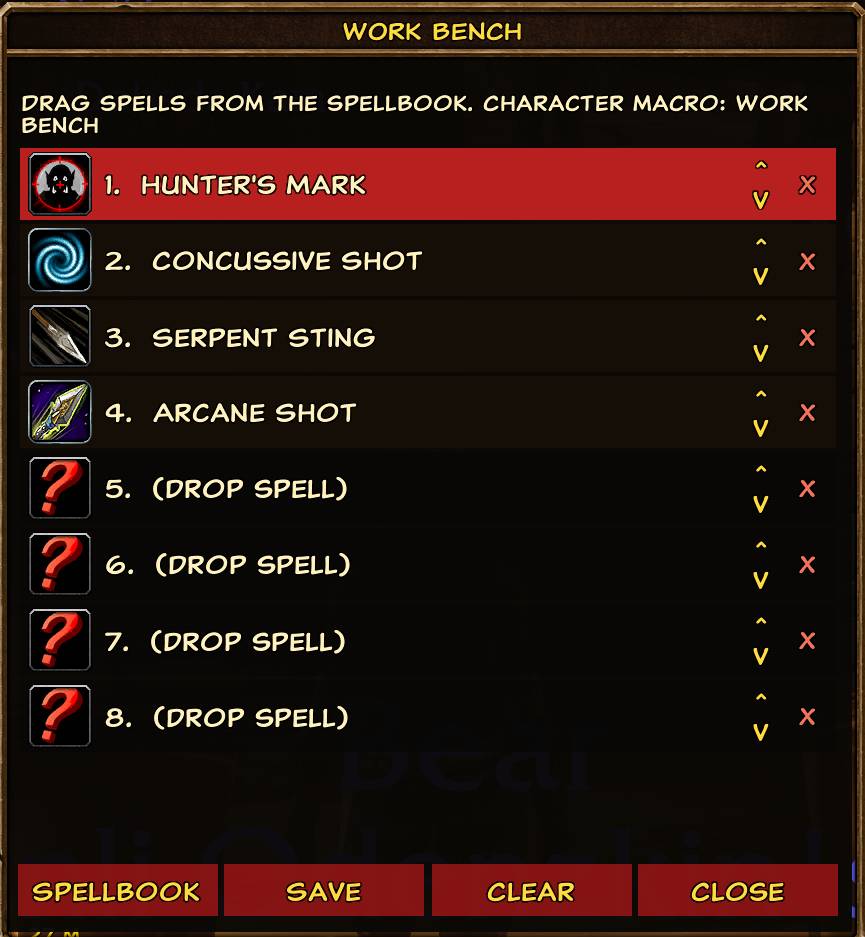
Inked includes two visual macro construction systems.
Attack Work Bench
Build named combat macros from spells, usable items, and trinkets.
Features include:
- custom macro names
- create new macro
- eight configurable action slots
- drag-and-drop spell/item support
- automatic #showtooltip
- optional /petattack
- optional /startattack
- controller-friendly editing
- send completed macros to the action bar
#showtooltip is generated first.
Pet attack can follow the tooltip for compatible pet classes.
/startattack is deliberately placed at the end of the generated macro.
Cast Sequence Work Bench
Create named cast-sequence macros without manually writing the command.
Reset options include configurations such as:
reset=5
reset=target
reset=combat
reset=target/5
[@player] reset=5
No Reset
Macros can be created, saved, cleared, named, and placed directly onto action bars.
Inventory Improvements
Inked provides an optional all-in-one inventory system with categorized blocks for items such as:
- equipment
- consumables
- quest items
- crafting materials
- miscellaneous items
- empty slots
Additional inventory features include:
- item-level overlays
- upgrade comparisons
- equipment upgrade indicators
- controller tooltips
- controller item use
- controller equipment swapping
- recipe/book learning confirmation
- vendor selling
- buyback navigation
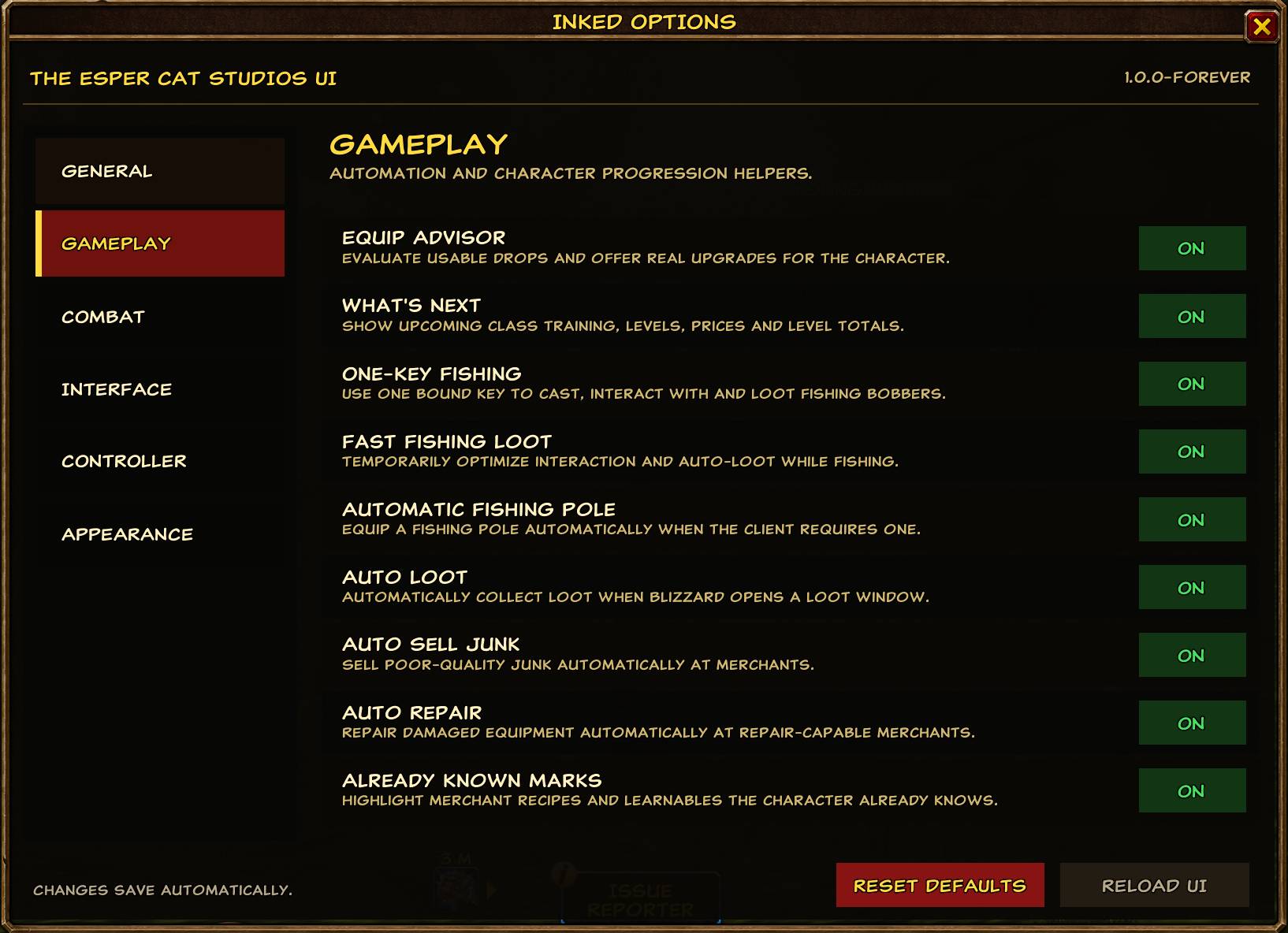
- automatic poor-quality item selling
- bag-space counters
Equipment Advisor
The Equip Advisor evaluates usable equipment drops and helps identify upgrades.
It considers class restrictions, equipment type, item quality, useful stats, armor, and existing equipment.
Players may configure whether Inked should automatically equip upgrades or ask before equipping.
Crafting materials and inappropriate non-equipment items are excluded from equipment recommendations.
Interface & Combat Features
Inked also includes systems such as:
- class-colored Unit Frames
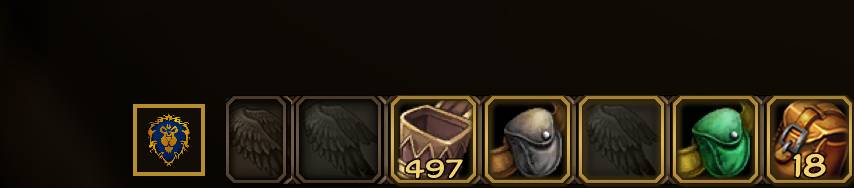
- customizable Action Bars
- class-colored action-bar artwork
- adjustable class-color darkening
- Threat Meter
- Floating Combat Text
- Loot Toasts
- aura duration shading
- custom fonts
- chat font sizing
- item-level display
- Gold / Reputation / XP status dock
- AFK presentation
- automatic level-up screenshots
- Whisper Library
- configurable UI themes
- Inked Edit Mode layout support
- saved profiles
- profile import/export
- Session Frame Mover
- controller-friendly Inked Options
Most systems can be individually enabled or disabled.
Themes
Inked supports:
Blizzard Default
Class Colors
Crayola-inspired Ink Colors
and automatically detects compatible custom:
Inked_Theme_*
theme addons.
Unit Frames, Action Bars, Work Benches, meters, borders, text, and other Inked elements can use these appearance settings while maintaining a consistent visual language.
Design Philosophy
Inked is not intended to automate Warcraft.
It is designed to remove unnecessary interface friction.
The advisor systems recommend rather than command.
The controller system navigates rather than plays.
The macro tools help players construct their own actions.
The goal is to help players understand their character and comfortably use Warcraft Forever’s enormous interface without taking away player choice.
Whether you are building a traditional specialization, experimenting with a hybrid talent setup, leveling through the world, running dungeons, gathering professions, fishing, or simply playing Warcraft from the couch, Inked is meant to make the experience feel smoother without deciding how you are supposed to play.
Compatibility
Designed for World of Warcraft: Forever.
⚠ Blizzard Gamepad UI
Do not enable Blizzard Gamepad UI while using this version of Inked.
Blizzard Gamepad UI replaces large portions of Warcraft's normal interface navigation and conflicts with Inked's independent controller system.
Inked detects Blizzard Gamepad UI and deliberately disables its own controller navigation when Blizzard owns the session.
If you prefer Blizzard's native Gamepad UI, use the separate Inked4GamePadUI version instead.
Credits
Inked
By Esper Cat Studios
The Esper Cat Studios UI — Controller Friendly
You must be logged in to leave a comment.