
iMorphRack Forever
A clean spellbook-style interface for iMorph's cosmetic commands: race, gender, morphs, items, a 13,500-item database and your own saved outfits.
Details
Expansion
 Forever
 Categories
Developers

Having issues?
# iMorph Rack (Forever)
Tired of typing iMorph commands in chat? **iMorph Rack** gives you a clean interface in the style of the WoW Forever spellbook to change your look in a few clicks.
**Cosmetic only**: commands that change gameplay (flags, speed, fly, teleport, collision…) are blocked, including in your own custom commands.
## Features
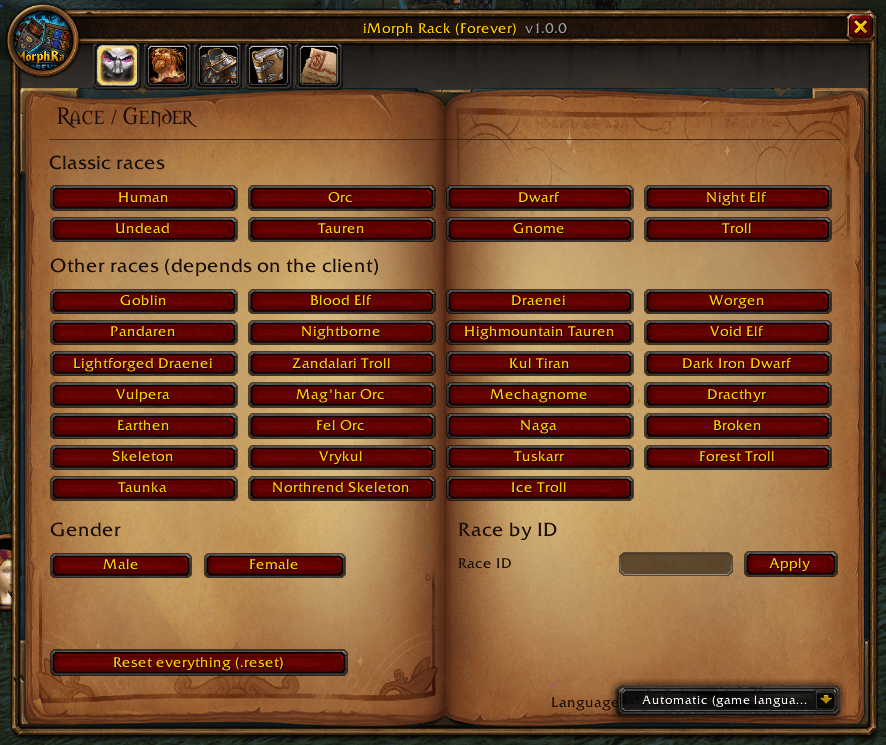
### Race / Gender
- The 8 Classic races in one click
- 27 extra races (Blood Elf, Draenei, Goblin, Worgen, Pandaren, allied races, NPC races…). These work only if your client has their models
- Male / female, race by ID, full reset
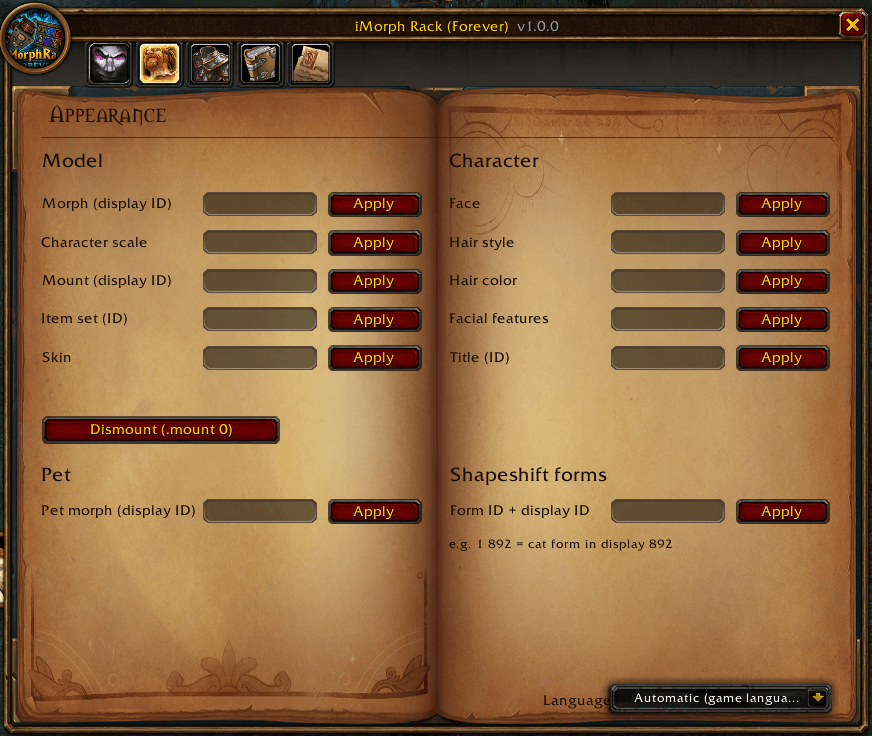
### Appearance
- Morph, scale, mount (+ dismount), item set
- Skin, face, hair, hair color, facial features, title
- Pet morph
- Druid / shaman shapeshift form displays
### Items
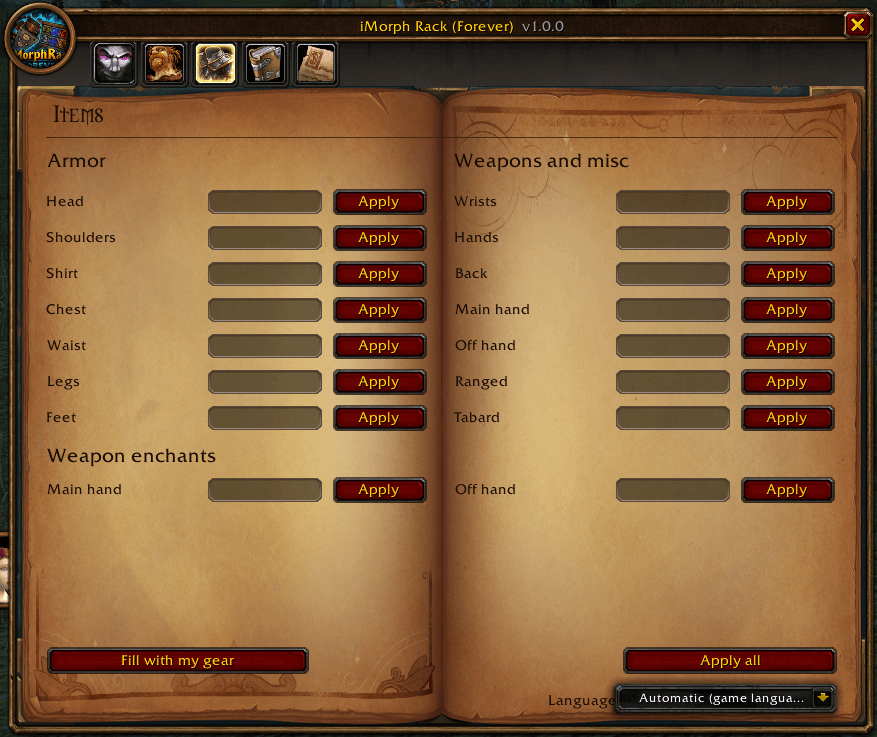
- Every visible slot with its item ID
- Main hand / off hand weapon enchants
- "Fill with my gear" and "Apply all"
### Item database
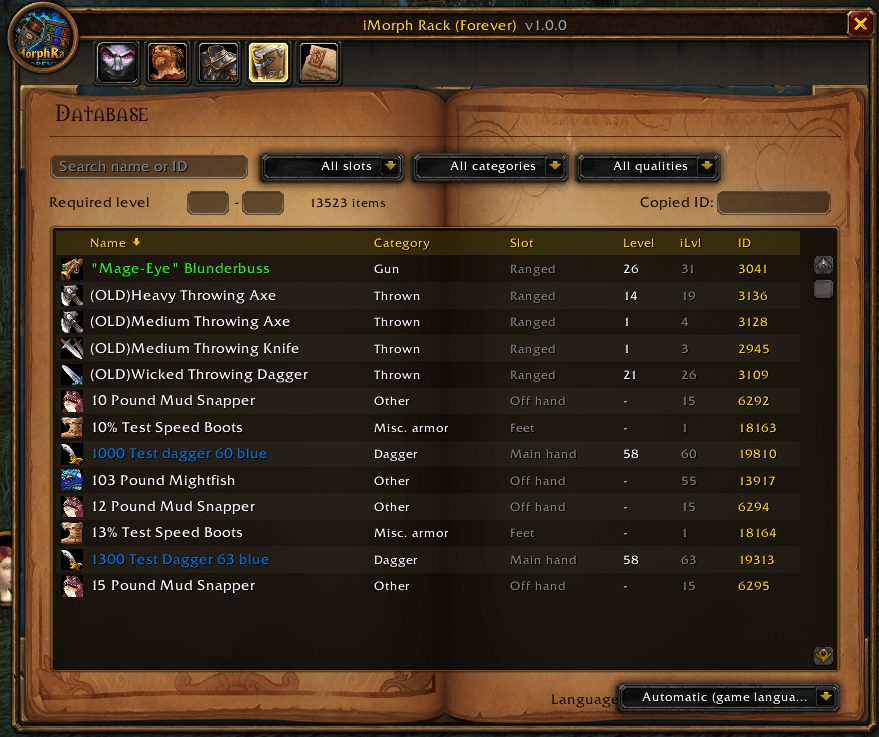
- 13,500+ visible items from WoW Classic
- Search by name (English or French) or ID
- Filter by slot, category (cloth, leather, mail, plate, every weapon type…), quality and required level
- Sort by clicking the column headers
- **Click**: copy the ID and fill the matching slot
- **Right-click**: copy and apply at once
- **Ctrl+click**: preview in the Blizzard dressing room
- **Shift+click**: put the item link in chat
### Custom commands
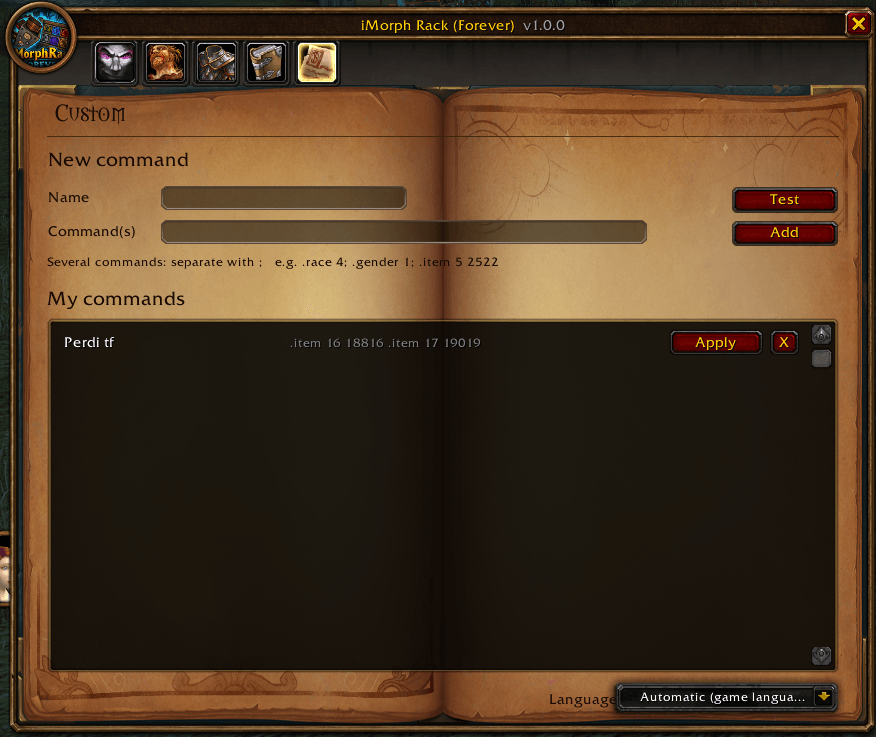
- Save your own commands or whole outfits (several commands separated by `;`)
- Apply them in one click, saved between sessions
### Also
- Warns you when iMorph is not injected, and stays unlocked after /reload
- Commands are sent straight to iMorph, nothing left in the chat box
- Minimap button (drag to move)
- English and French: follows the game language or can be forced in the window
- Close button works in combat
## Commands
- `/imr` or `/imorphrack`: open / close the window
## Requirements
- **iMorph** (the program and its companion addon) must be installed and injected in game.
You must be logged in to leave a comment.