
GuildAtlas ( Member Jobs and Recips, members map and more)
See more of the world and keep your guild together. GuildAtlas turns the world map into a real atlas – zoom down to every house and paths,,,
Details
Expansion
 Forever
 Developers

Having issues?
GuildAtlas by Atommoehre
The guild companion for World of Warcraft: Forever
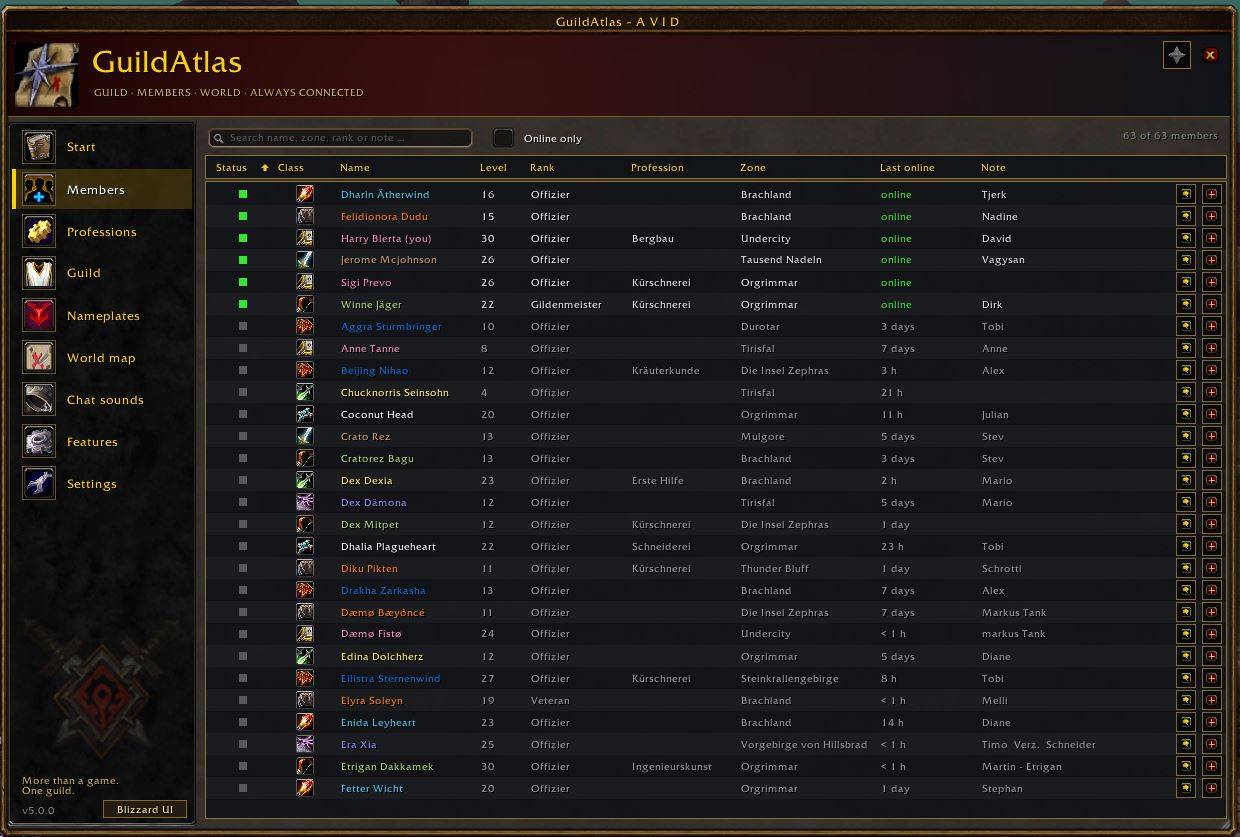
GuildAtlas puts everything a guild needs during play into one shared main window: quest markers on nameplates, your guild members on the world map, a guild-wide professions directory, event banners for joins, deaths and level 60, chat sounds per channel and a death counter. Everything speaks German and English and follows the look of the game UI.
GuildAtlas is one of three sister addons that work together:
- GuildAtlas - guild, nameplates, professions, banners, chat sounds (this addon, /ga)
- BetterMaps - map zoom, terrain, caves and city interiors, instance maps with boss loot, waypoints, zone passages, flight points (/bmaps)
- BetterMessenger - whispers, Battle.net, guild, party and raid in a chat-app style messenger (/bm)
Each addon runs on its own; together they form the complete set.
WHAT GUILDATLAS DOES
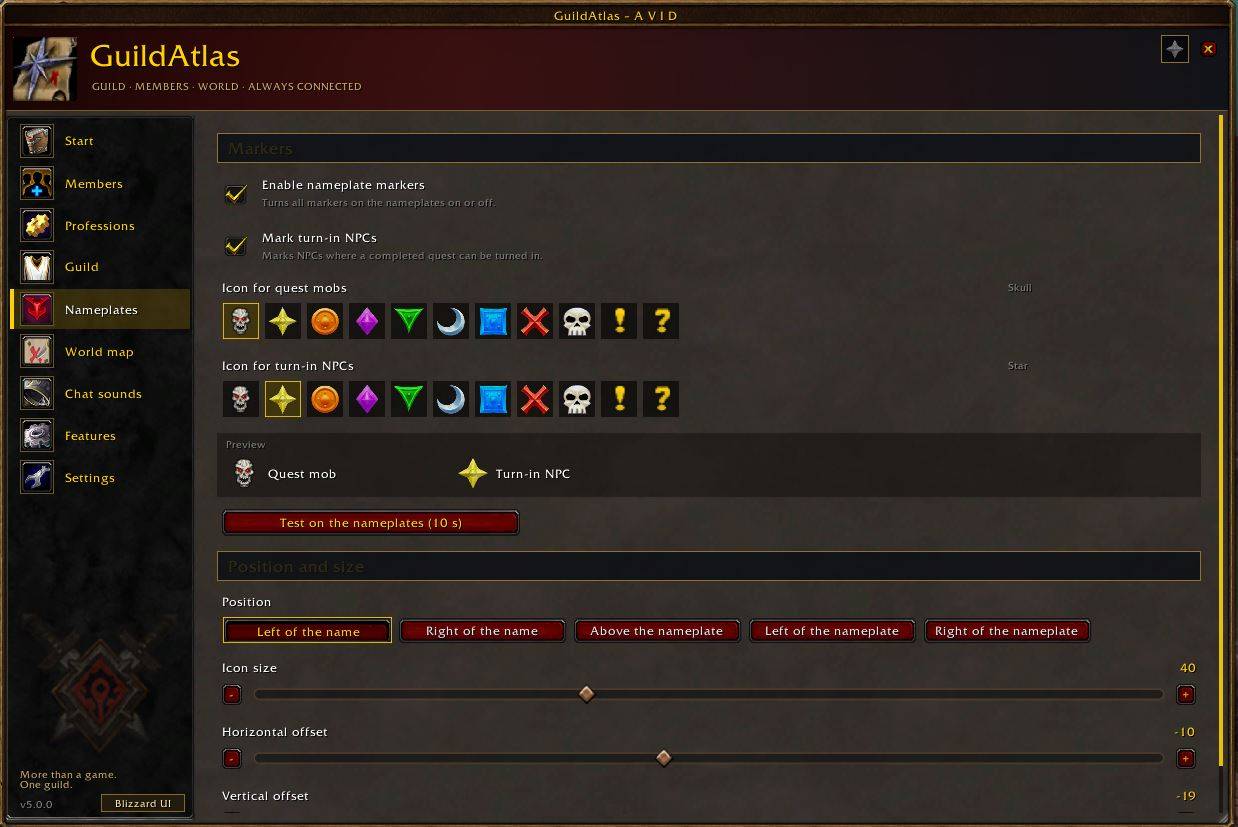
Quest markers on nameplates
- A skull on every enemy you still need for an active quest - all quests in your log, not only the tracked one.
- A golden star on NPCs where a finished quest can be turned in. The addon learns the turn-in NPCs as you play.
- Eleven icons to choose from, free size, position and offset. Nothing needs to be clicked; the icon sits on the nameplate.
Guild members on the world map
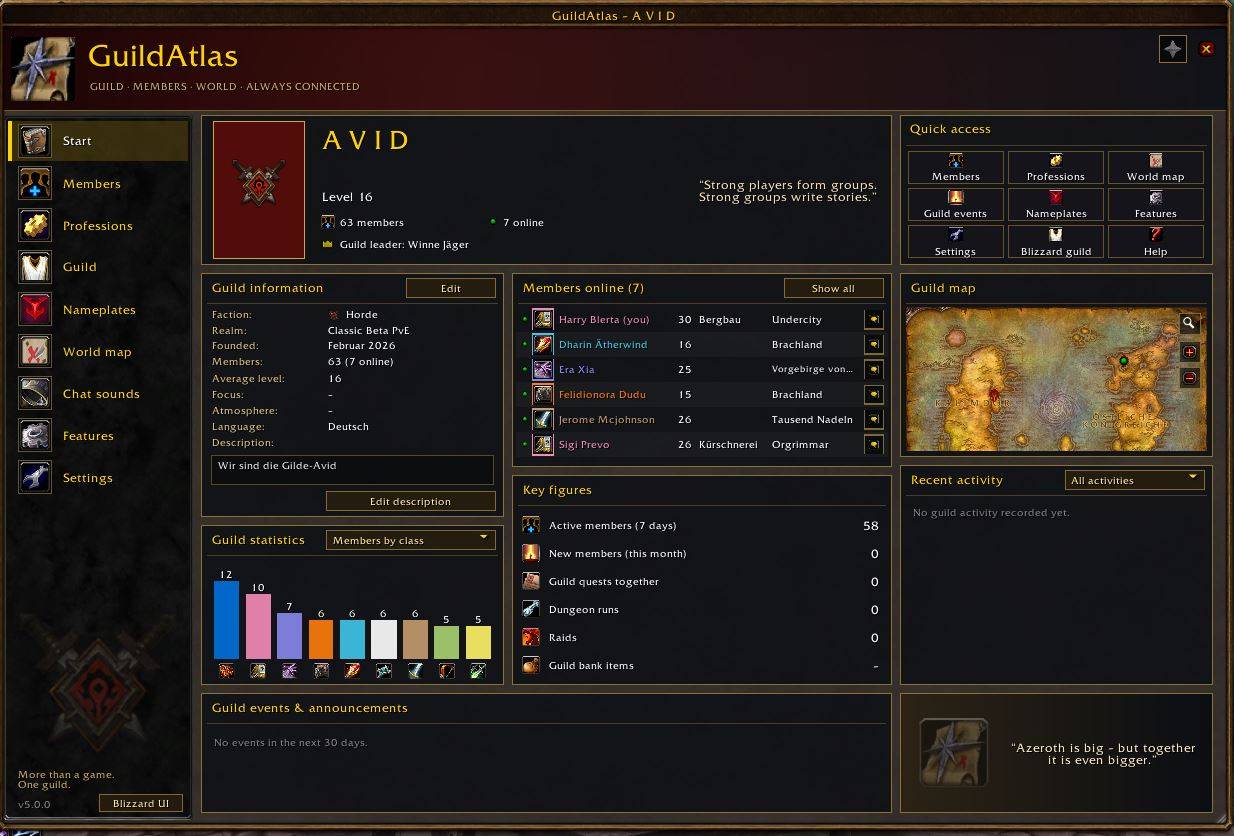
- Guild members who also use GuildAtlas appear as red points on the world map, you as a green point, plus a field with the online members in the shown zone.
- Positions travel as invisible addon messages inside your own guild, sparse and only while sharing is on.
Guild professions
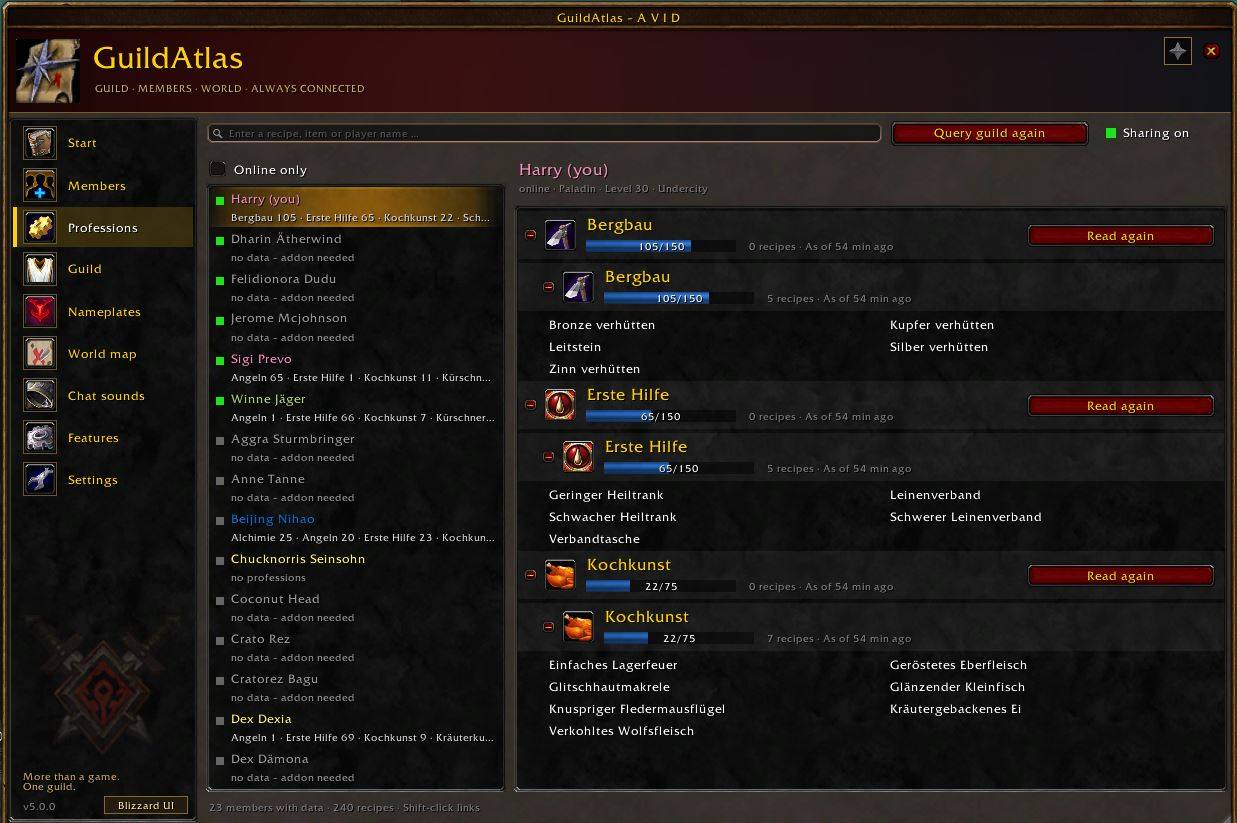
- One page with the professions, skill levels and learned recipes of your whole guild.
- A search field answers "who can make this?" by recipe, item or player name, with a whisper button right next to the result.
- Your own professions are read when you open them and shared with the guild on request.
Event banners
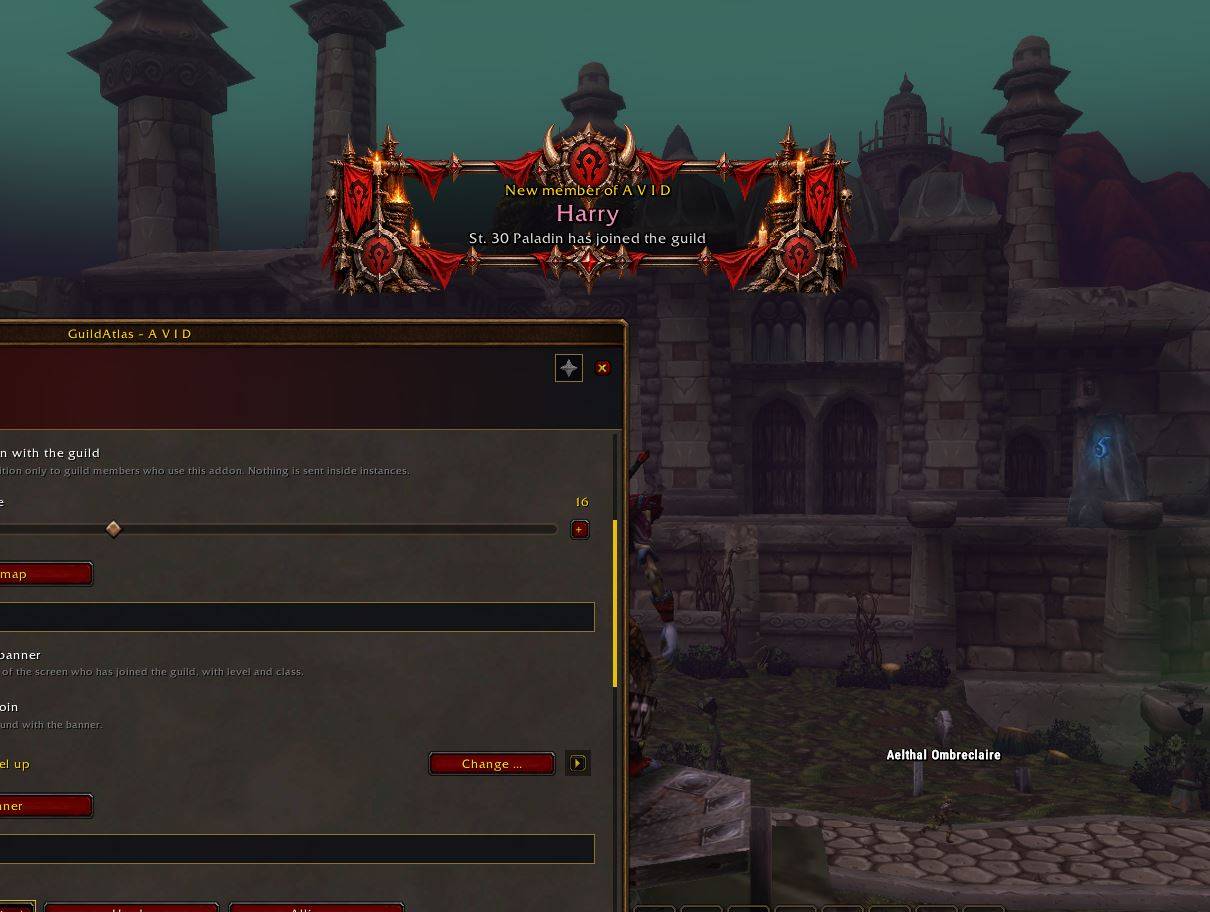
- A banner in the middle of the screen when someone joins the guild, when a guild member dies in the open world (with a skull line), when a member levels up and when someone reaches level 60.
- Horde and Alliance artwork per event, automatic by faction or chosen by hand.
- Banner size from 50 to 160 percent with a live preview, always centred at the top of the screen; dark panel and margin adjustable.
- Your own level-ups and deaths are not shown to you - the guild sees them. The game's own level-up display stays untouched.
- A sound catalogue with Blizzard sounds for every event, or silence.
Death counter
- Counts your deaths in the open world (dungeons, battlegrounds and PvP do not count) per character and per account, and keeps a guild top list.
Chat sounds
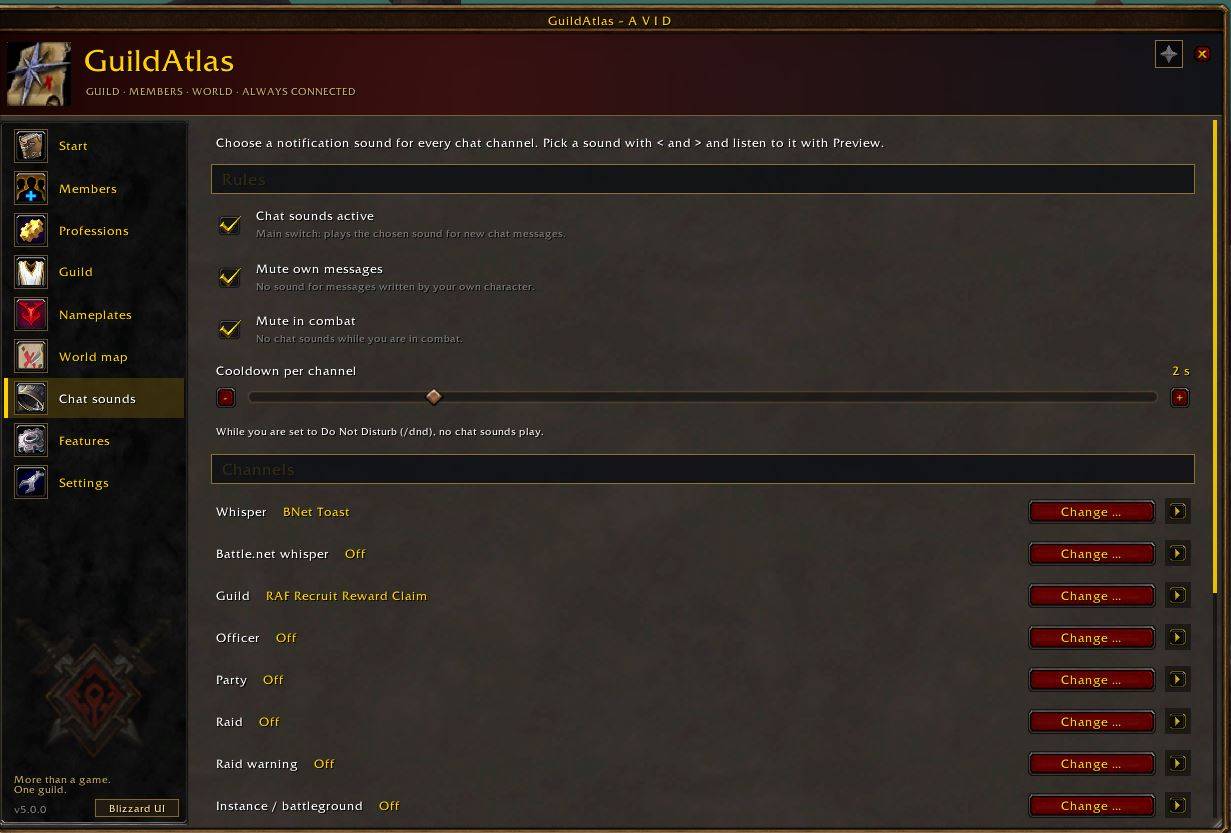
- A notification sound for every chat channel: whisper, Battle.net whisper, guild, officer, party, raid, raid warning, instance, say, yell, emote and custom channels - plus up to five named channels such as World or LFG with their own sound.
- Rules against noise: own messages silent, optional silence in combat, cooldown per channel, no sounds while you are on "do not disturb".
- Preview button for every sound; everything also by command (/ga chatsound).
Main window and settings
- One window with a sidebar: Start, Professions, Guild, Nameplates, Chat sounds, Features, Settings. Three window styles (game, classic, plain).
- Every setting also appears in the game's own options menu under GuildAtlas.
- Minimap button (can be hidden or reset), entry in the addon compartment, slash commands for everything.
Version notice
- When someone in your guild runs a newer version of GuildAtlas, BetterMaps or BetterMessenger, you get one chat line and a small "Update available" window - update via CurseForge and you are done.
Error log
- GuildAtlas records blocked calls and Lua errors of its own in a log with an export window, so that problems can be reported with one copy and paste.
ATLASSYNC BY ATOMMOEHRE (DATA FOR THE AUTHOR)
GuildAtlas, BetterMaps and BetterMessenger share a small library. In GuildAtlas it is called AtlasSync by Atommoehre. It collects short error summaries of the addon and sends them by invisible addon whisper to the addon author while he is online in your guild.
- On the first start a small window asks once for all three addons: Switch on or Switch off. Nothing is sent before you decide.
- Nothing else is collected - no chats, no personal data. Only players from your own guild are accepted.
- Switch it on or off at any time with /atlassync on, /atlassync off or the switch "Send data to the addon author" in the settings. /atlassync window shows the decision window again.
COMMANDS (SELECTION)
/ga - open or close the main window
/ga hub <page> - open a page: start, professions, guild, nameplates, chatsound, features, settings
/ga help - list all commands
/ga icon <word>, /ga npcicon <word>, /ga size, /ga pos, /ga offset - nameplate icons
/ga friendly - turn on nameplates of friendly NPCs (needed for the star)
/ga guildmap, /ga guildmap share on|off, /ga guildmap list - guild map
/ga prof, /ga prof search <text>, /ga prof share on|off - professions
/ga guild on|off, /ga guildtest, /ga bannersize <50-160> - banners
/ga events test join|death|level|max - sample banners
/ga deaths [reset|debug] - death counter
/ga chatsound - chat sounds page, /ga chatsound <channel> <sound|off>, /ga chatsound test <channel>
/ga lang auto|de|en - language
/ga errors - error log, /ga errors show - export window
/ga version - your version and the highest version seen in the guild
/atlassync status|on|off|window|versions - AtlasSync
INSTALLATION
1. Download the zip and unpack it.
2. Copy the folder "GuildAtlas" into Interface/AddOns of your game folder.
3. Restart the game and enable the addon on the character screen.
4. Type /ga in the game.
Upgrading from GuildQuestHelper: GuildAtlas takes over all saved settings on the first start. If you still have the old folder, remove it.
Upgrading from an older GuildAtlas with map or messenger features: install BetterMaps and BetterMessenger from CurseForge; both take over your saved map settings and your message history on their first start.
Join my discord for bugreports : http://discord.gg/3S47jmHn6X
Buy me a coffe (feel free) : https://buymeacoffee.com/atommoehre
NOTES
- Client: World of Warcraft: Forever (Interface 16001). German and English, automatic by client language or chosen by hand.
- GuildAtlas uses only official API and textures that ship with the game. It hooks no other addon.
- Guild map, professions, banners and AtlasSync send invisible addon messages inside your own guild; nothing leaves the game.
- Libraries: LibStub, CallbackHandler-1.0, LibDataBroker-1.1, LibDBIcon-1.0, BetterSync-1.0.
Made by Atommoehre for the guild Avid - and for every guild that wants to play together.
You must be logged in to leave a comment.