
Groceries
Groceries makes profession planning easier by turning the items you want to craft into organized material lists. Spend less time calculating reagents and more time gathering, shopping, and crafting.
Details
Expansion
 Forever
 Developers

Having issues?
Groceries
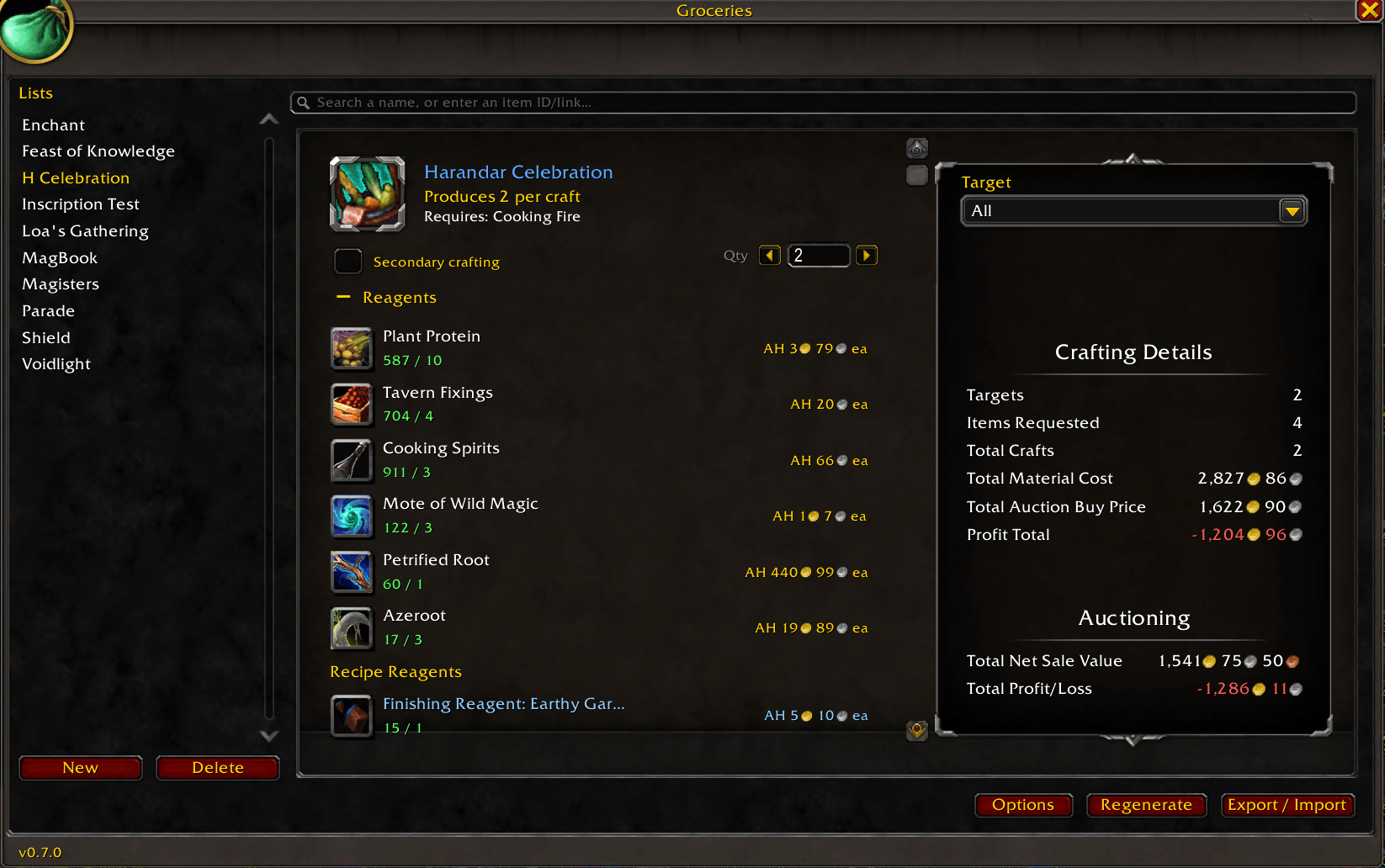
Every crafter knows the drill: you want twenty flasks, a fresh set of gear, a batch of enchants — and working out what to actually buy means juggling a spreadsheet, a website, and your own memory. Groceries does that math in-game. Tell it what you want to end up with, and it works backward through the recipes, checks what you already own, and hands you an exact list of what's still missing — then helps you buy it without ever leaving the Auction House.
What it does
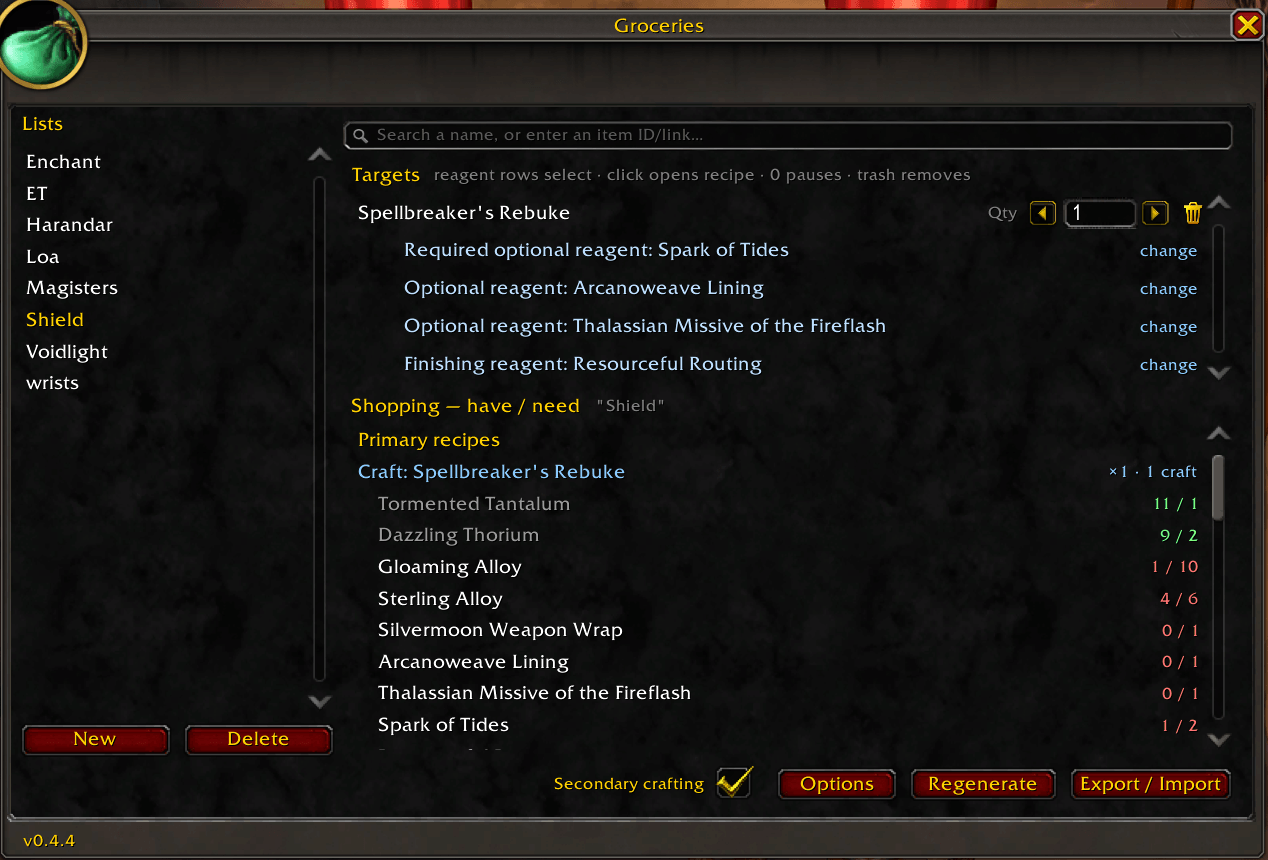
- Plan by result, not by reagent. Add a target — a craftable item or a raw material — and Groceries expands it into every reagent it needs, recursively, all the way down to base materials.
- Knows what you already have. It subtracts your current stock across bags, character bank, reagent bank, Warband bank, and — once you've opened it — your guild bank, so "need" always means what you actually still need.
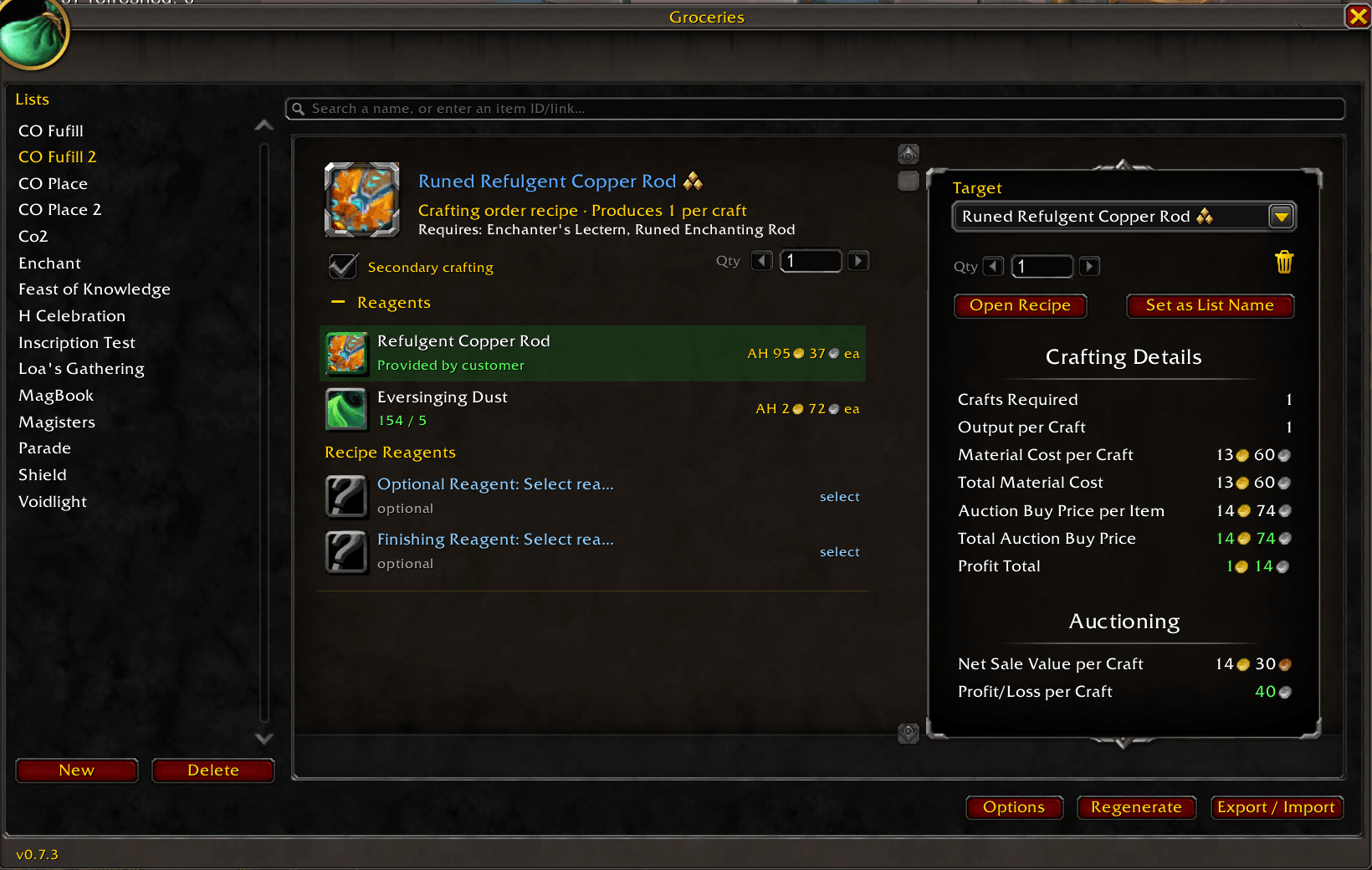
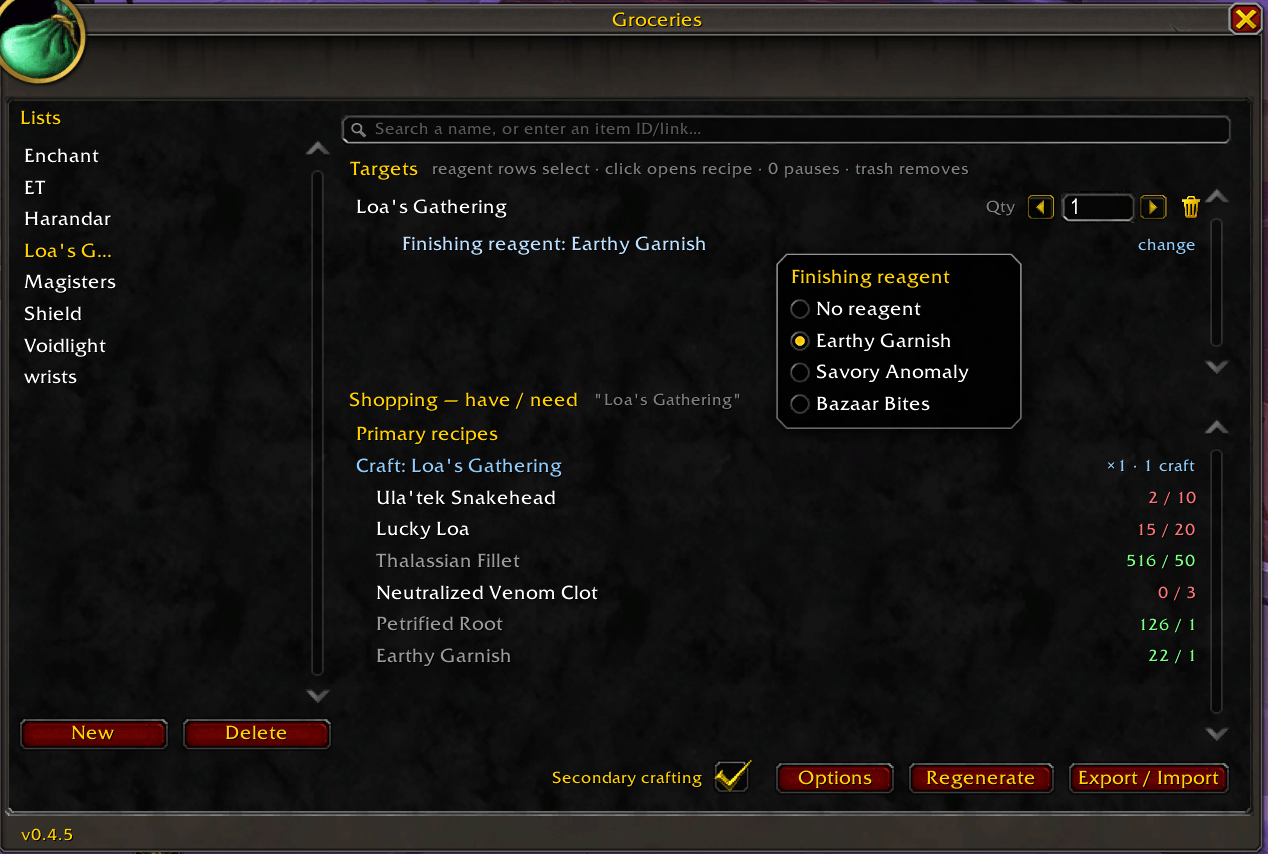
- Craft-aware. Reagents you can craft yourself get broken down too, or left as things to buy — your call, with a per-list Secondary crafting toggle.
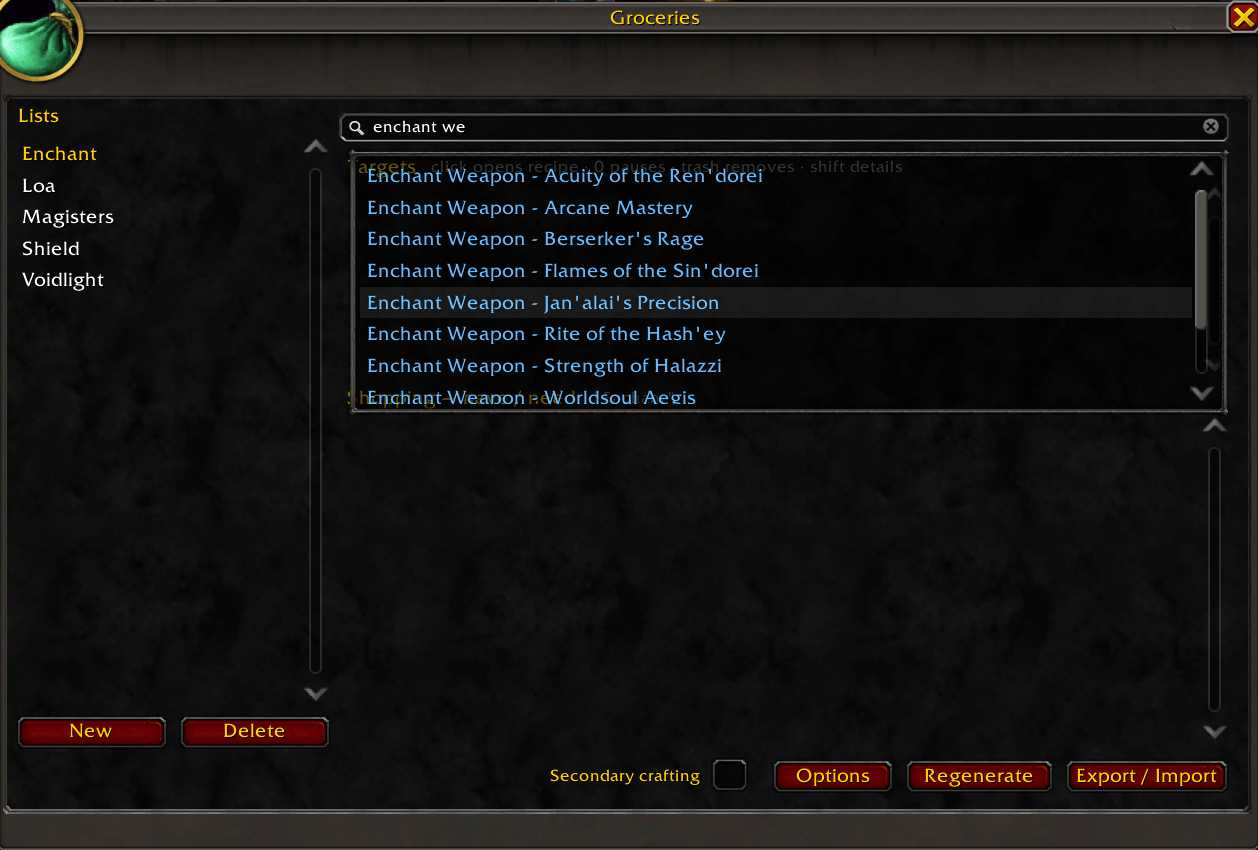
- As many lists as you want. Keep raid consumables, an alt's gear, and your weekly restock apart. Name them yourself, or let Groceries name a list from its contents.
Shop beside the Auction House
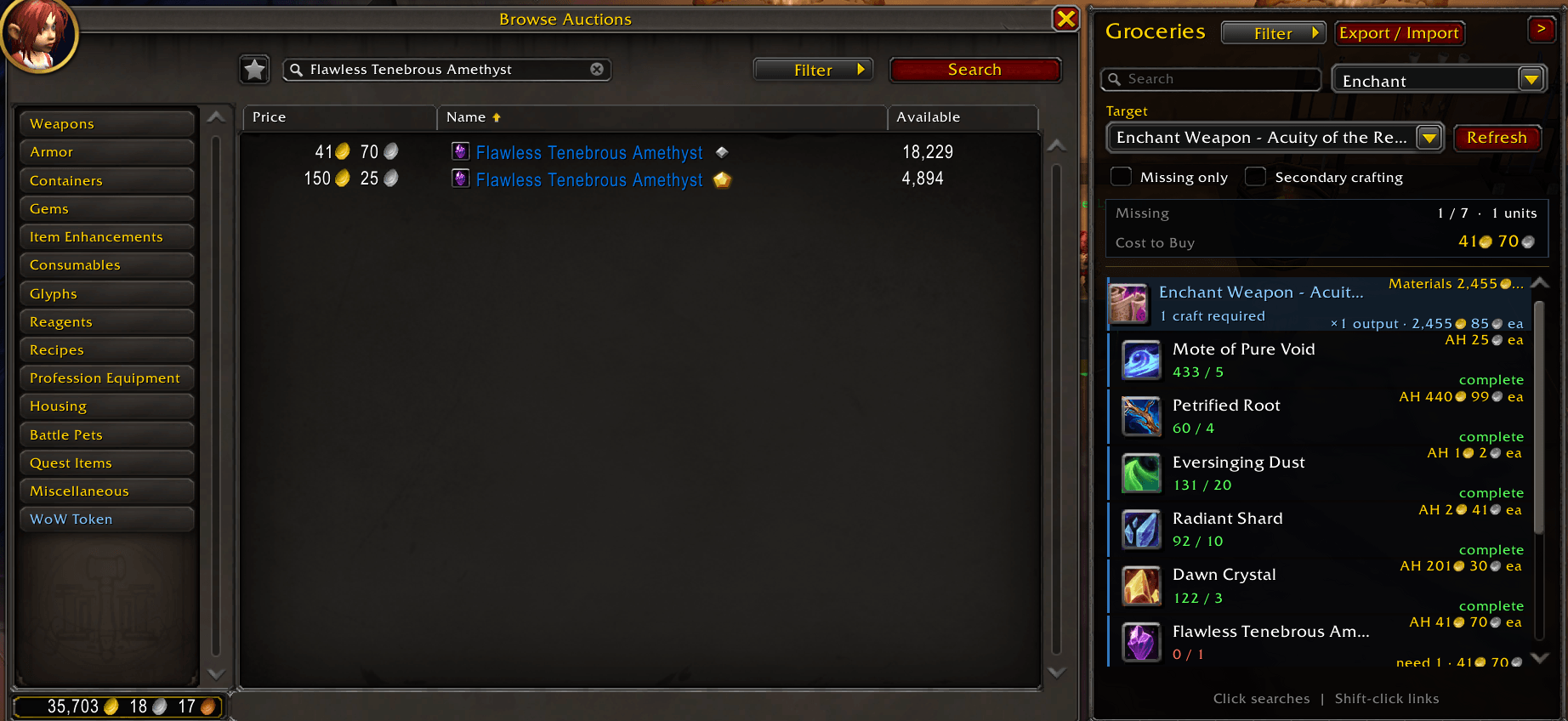
Open the Auction House and a Groceries companion panel appears alongside it. Pick any list, optionally show only what you're still short on, and click a material to search for it on the AH instantly. Shift-click to link an item in chat. The panel updates your progress live as you buy, and collapses to a slim strip of icons when you want the room back.
Pull recipes straight from your professions
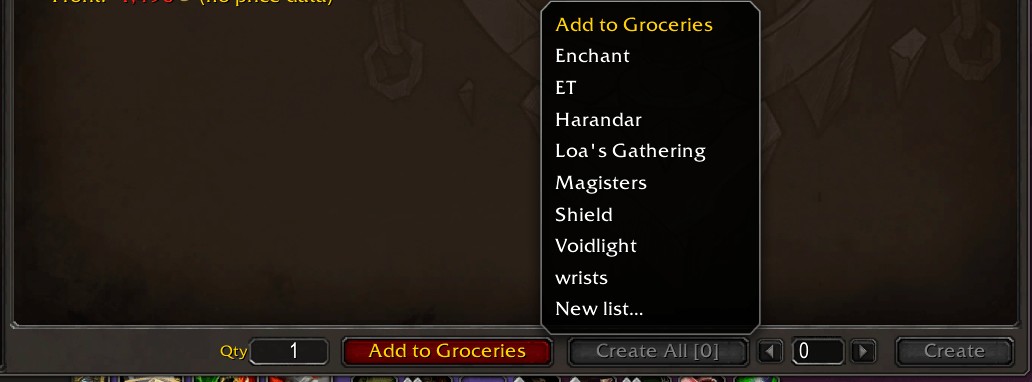
Open a profession and Groceries adds an Add to Groceries button — with a quantity field and a list picker — next to Create All. It reads whatever recipe you have selected, including any optional or finishing reagents you've chosen, and drops it onto the list you choose.
Export and share
- Auctionator — one-click batch import text that turns your whole shopping list into searches in Auctionator.
Getting started
Enable Groceries and log in, then open it with the minimap button or the /gr command — /groceries works too; the two are interchangeable. Search an item by name, paste an item link, or type an item ID; set a quantity, and read off your list.
Useful commands:
/gr— open or close the window/gr add <item ID or link> [count]— quick-add a target (for example,/gr add 243606 5)/gr new <name>— create a list/gr regen— recalculate against your current inventory/gr minimap— show or hide the minimap button/gr help— list every command
Recipe database
Groceries ships with a prebuilt database of over 10,000 recipes and their item names, so search and planning work the instant you log in — no waiting on the item cache, and no required dependencies (Auctionator is optional, used only for its export format).
You must be logged in to leave a comment.