
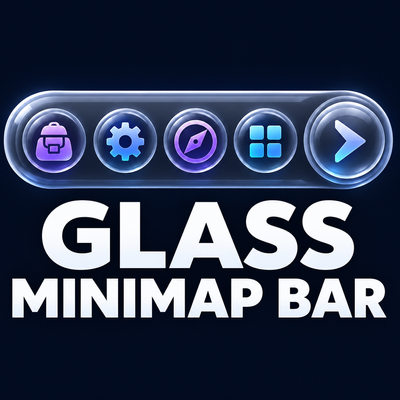
Glass Minimap Bar
Organize your minimap addon buttons into a compact, customizable bar with a sleek liquid-glass look.
Details
Expansion
 Forever
 Categories
Developers

Having issues?
Glass MiniMap Bar
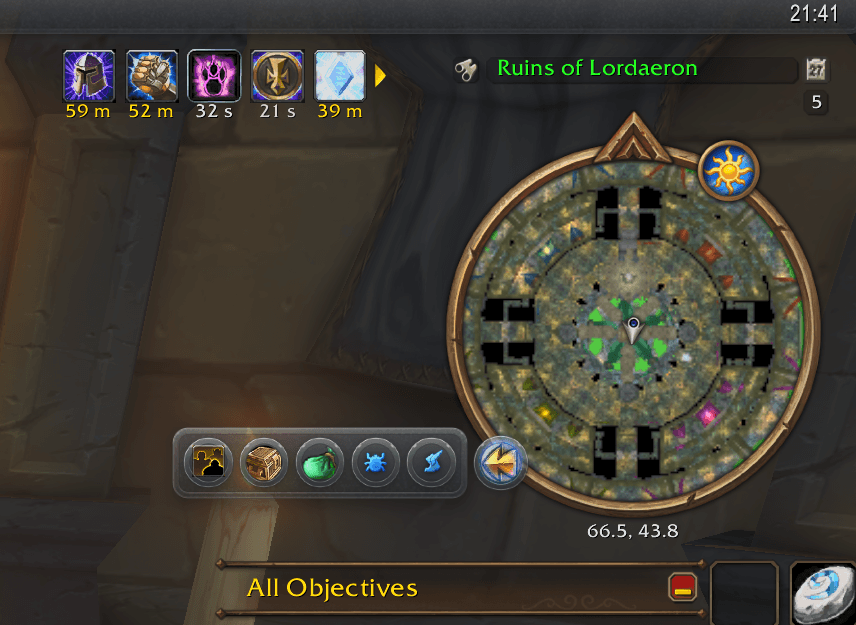
Glass MiniMap Bar gathers your addons' minimap buttons into one liquid-glass bar that grows out of a single launcher on the minimap ring. Hover the launcher to open the bar; move away and it tucks itself back in.
This is the World of Warcraft: Forever edition (client 1.60.1, Interface 16001).
If you want more, use HidingBar. Glass MiniMap Bar is a deliberately small, streamlined take on one HidingBar setup. Multiple bars, profiles, free-floating bars, Masque skins and Blizzard's own minimap buttons in the bar are all HidingBar's, the addon this one is based on.
Features
- One button instead of a ring full of them. Every addon button on the minimap (DBM, BugSack, AtlasLoot, Leatrix, RXPGuides, …) moves into the bar, including the ones made with LibDBIcon and hand-made ones.
- Liquid glass. The bar is a translucent, softly lit glass panel, and each button gets a matching round glass skin (you can turn the skin off).
- Opens toward the middle of the screen, from wherever you drag the launcher on the ring, and wraps into rows or columns if you like.
- Hover or click to open. It closes on its own when the mouse leaves, but stays open while you're in a menu one of its buttons opened.
- Hide and order the buttons from the options: a Hidden / Shown list with arrows to move a button across, and Up / Down to set its place in the bar.
- Last used, one click away (optional): the launcher shows the last button you used, and a right-click on the launcher uses it again.
- Works in combat: nothing it touches is protected.
Usage
Hover the launcher (the glass arrow on the minimap ring) to open the bar. Drag the launcher around the ring to move it.
| On the launcher | Does |
|---|---|
| Hover | opens the bar (in hover mode) |
| Left-click | opens or closes the bar |
| Right-click | opens the options, or uses the last button again when that option is on |
| Shift-right-click, middle-click | always opens the options |
The options live in Options → AddOns → Glass MiniMap Bar.
/gmb           open the options
/gmb open      open the bar
/gmb scan      list the buttons collected, and the ones skipped and why
/gmb reset     put the launcher back at its default spot (after /reload)
/gmb failures  show any errors the addon recorded
Installation
CurseForge (recommended)
Install through the CurseForge app and enable it in game.
Manual
Download the release zip and extract it so the folder lands at:
World of Warcraft/_classic_beta_/Interface/AddOns/GlassMiniMapBar/A brand-new addon folder needs a full game restart, not just a /reload.
Using HidingBar already? Disable it (and HidingBar_Options) before enabling Glass MiniMap Bar: both collect the same minimap buttons and would fight over them.
Feedback
Open an issue on GitHub or leave a comment on CurseForge. /gmb scan and /gmb failures output
is the most useful thing to paste into a report.
Credits
- Based on HidingBar by sfmict (GPLv3): the way minimap buttons are found and taken into the bar comes from it.
- Embeds LibStub, CallbackHandler-1.0, LibDataBroker-1.1 and LibDBIcon-1.0.
Author
Spotnick
License
GPLv3, as HidingBar is. See LICENSE.
You must be logged in to leave a comment.