
GelatoBar
A minimal health and class resource bar for your character, fully customizable in size, position and visibility.
Details
Expansion
 Forever
 Categories
Developers

Having issues?
GelatoBar
GelatoBar is a minimal, lightweight health and class resource bar for your character. It stays out of your way when you don't need it and shows up when you do. Size, position and visibility are all adjustable in a small in-game options menu, one click away on your minimap.
Features
Smart visibility
- In combat: everything is shown
- Out of combat: you only see what's missing
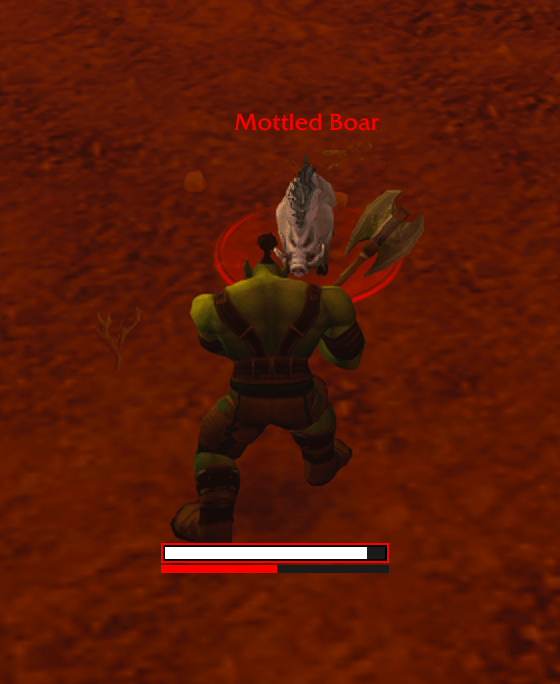
- The health bar shows while you're missing health
- The mana bar shows while you're missing mana, e.g. while drinking after a fight
- Hidden when everything is full
- Instant on attack: when you cast a harmful spell at an enemy, both bars appear right away, together
- Smooth fading: quick to fade in, soft to fade out, no popping or flickering
- Turn off Auto-hide out of combat if you want the bar visible all the time
Health bar
- Clean, flat health bar with a thin border
- Shows your damage absorb shields on the bar
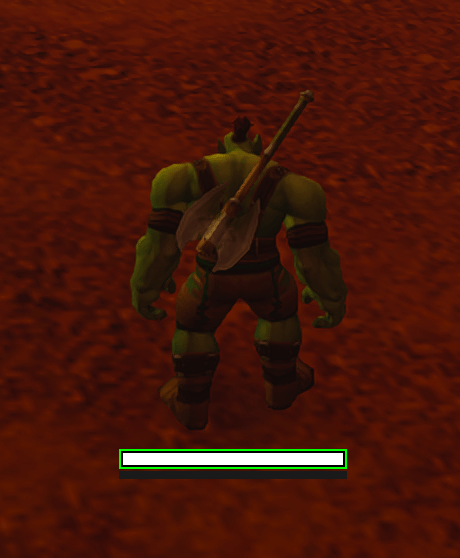
- Colored border:
- Green: out of combat
- Orange: you're gaining threat
- Red: you have aggro
- No border: in combat without threat
Class resource bar
- Picks up your class and current resource automatically
- Class colors:
- Rage: red (Warrior, Druid in Bear Form)
- Energy: yellow (Rogue, Druid in Cat Form)
- Mana: blue (casters and healers)
- Other resources such as Focus and Runic Power get their own colors too
- Druid support: in Bear or Cat Form an extra mana bar is shown, so you always see your mana
- Lines up flush with the health bar
- Can be turned off if you only want the health bar
Options menu
Open the menu by clicking the GelatoBar button on your minimap, or with any of these commands:
/gb options/gb option/gb opt
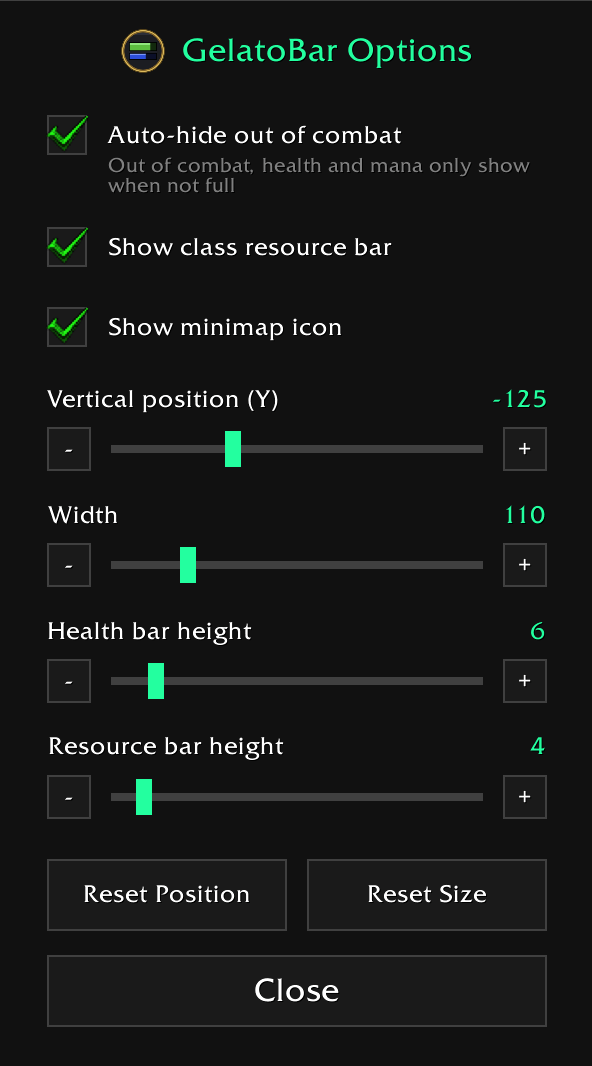
In the menu you can:
- Turn Auto-hide out of combat on or off
- Turn Show class resource bar on or off
- Turn Show minimap icon on or off
- Adjust the vertical position (Y)
- Adjust the width, health bar height and resource bar height
- Reset Position and Reset Size with one click
Sliders support dragging, the - / + buttons and the mouse wheel for pixel-perfect tweaks. While the menu is open, the bar is always visible so you can see exactly where it sits. The menu can be moved around and closed with Esc.
Minimap button
- Click it to open or close the options menu
- Drag it anywhere around the minimap; its position is saved
- Don't need it? Hide it in the options menu. The
/gb optionscommand still works
Good to know
- On your very first login, the bar pulses a few times so you can see where it is.
- Mana counts only when it's shown on the resource bar. Rage and Energy don't keep the bar visible out of combat: Rage drops to 0 and Energy refills on their own.
- All settings are saved per account.
- Position and size can be changed at any time, even in combat.
/gb debugprints the current state of the bar to chat, which helps with bug reports.
Feedback
Found a bug or have a feature idea? Leave a comment or open an issue on this page.
You must be logged in to leave a comment.