

Geardon: Item Level (iLvl)
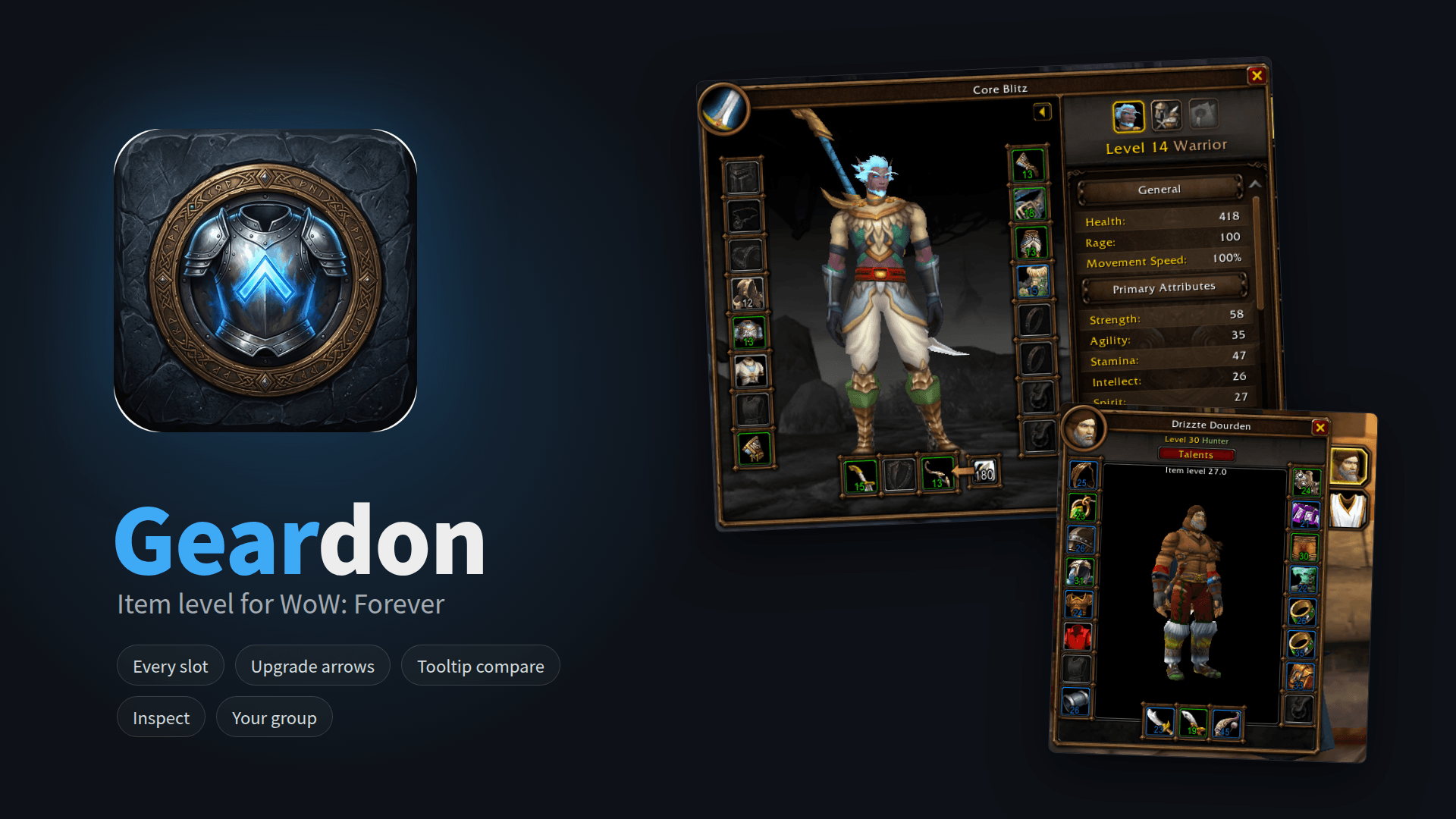
Item level for WoW Forever on every slot, in bags, bank, loot, quest rewards and at merchants, with an upgrade arrow, a tooltip comparison and your whole group's item level.
Details
Expansion
 Forever
 Categories
Developers

Having issues?
Geardon shows item level everywhere in World of Warcraft: Forever. In Forever an item stores only its item level, quality and stat split, the game computes the stats from them: item level is the item's strength. Blizzard's Forever character frame shows none of it.
Quick start
Install and log in. Open your character frame or your bags: the numbers are there. /gd opens the options.
What it does
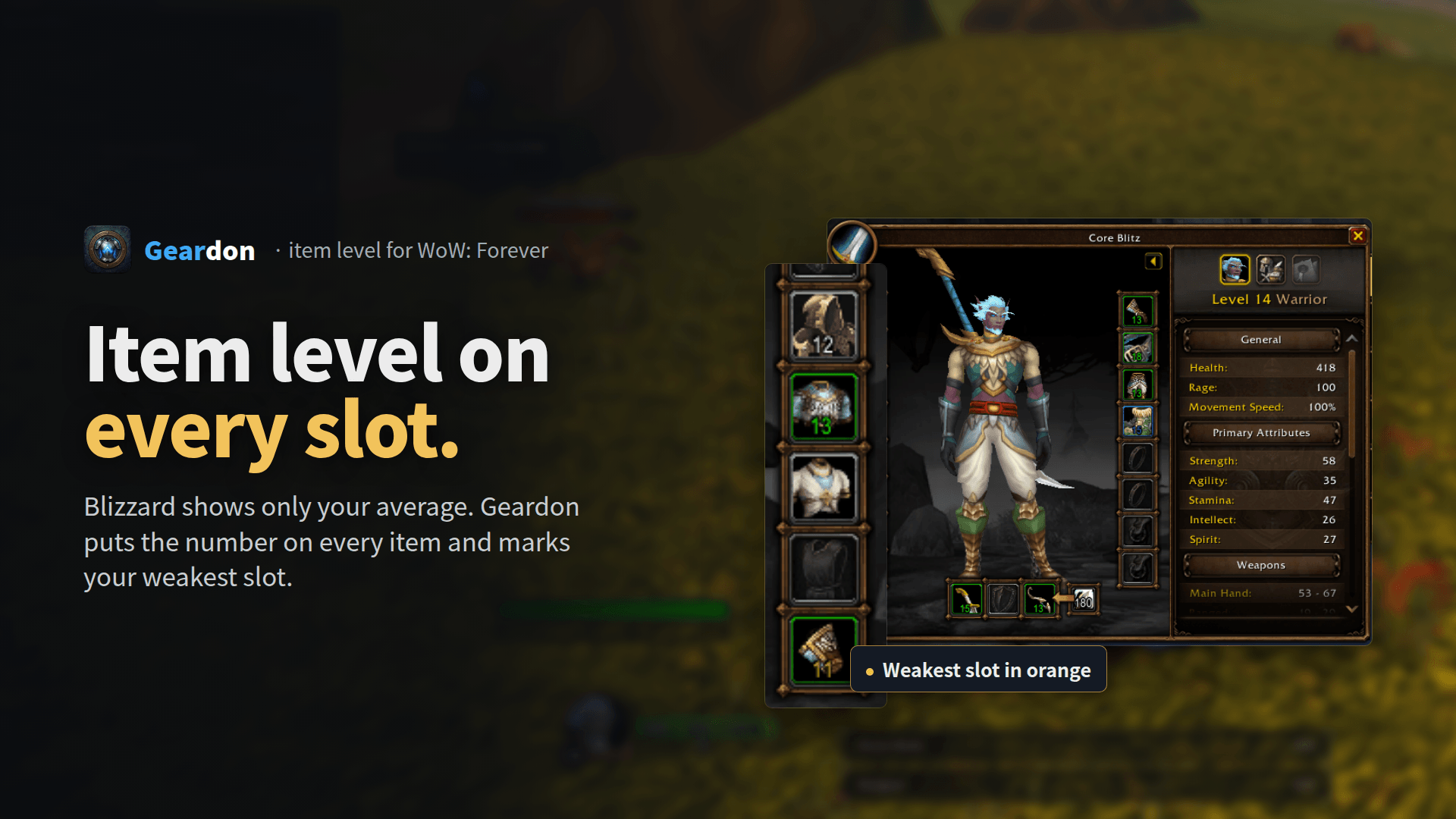
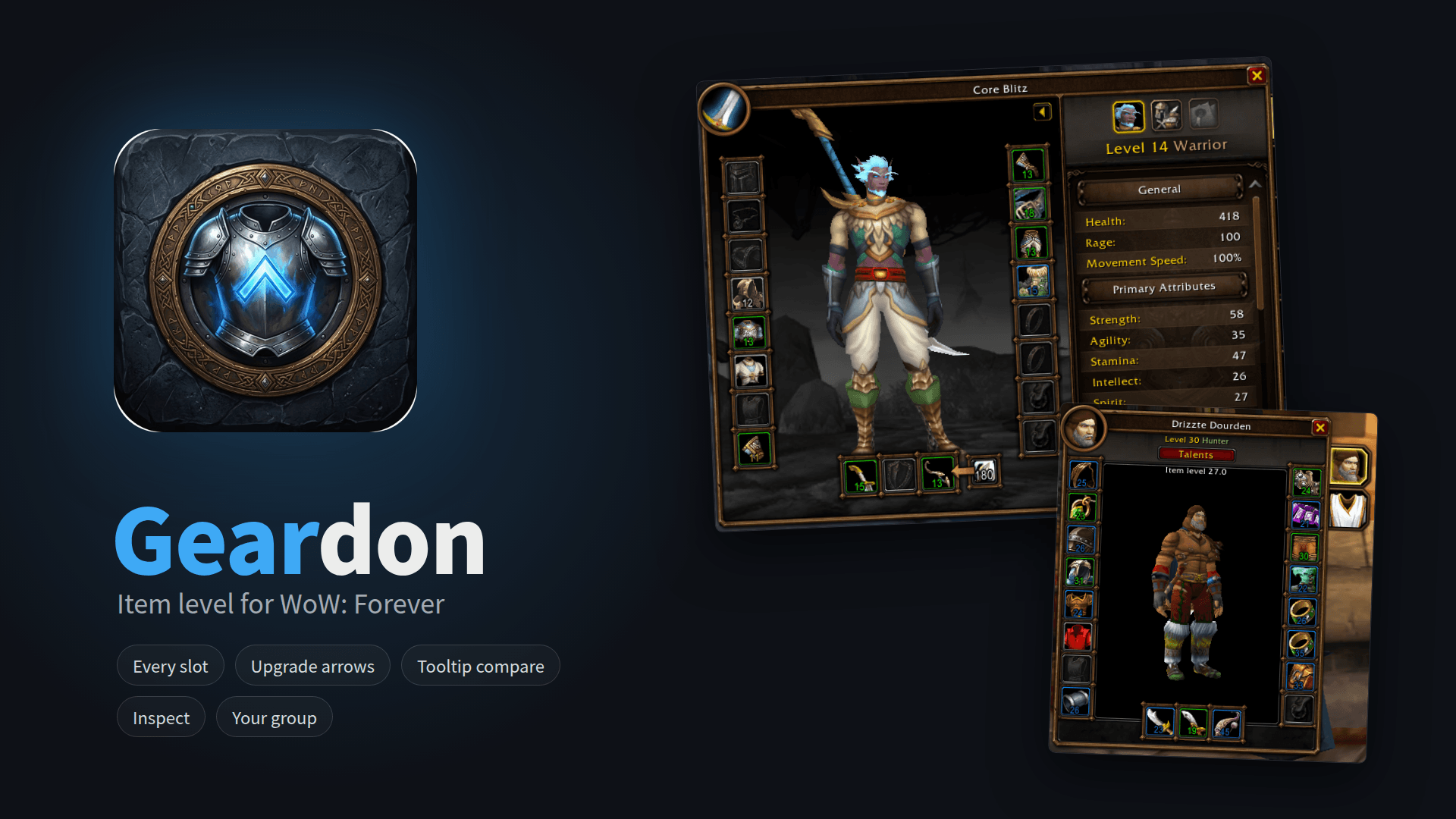
- Character frame: item level on every slot, your weakest slot in orange and your average at the top.
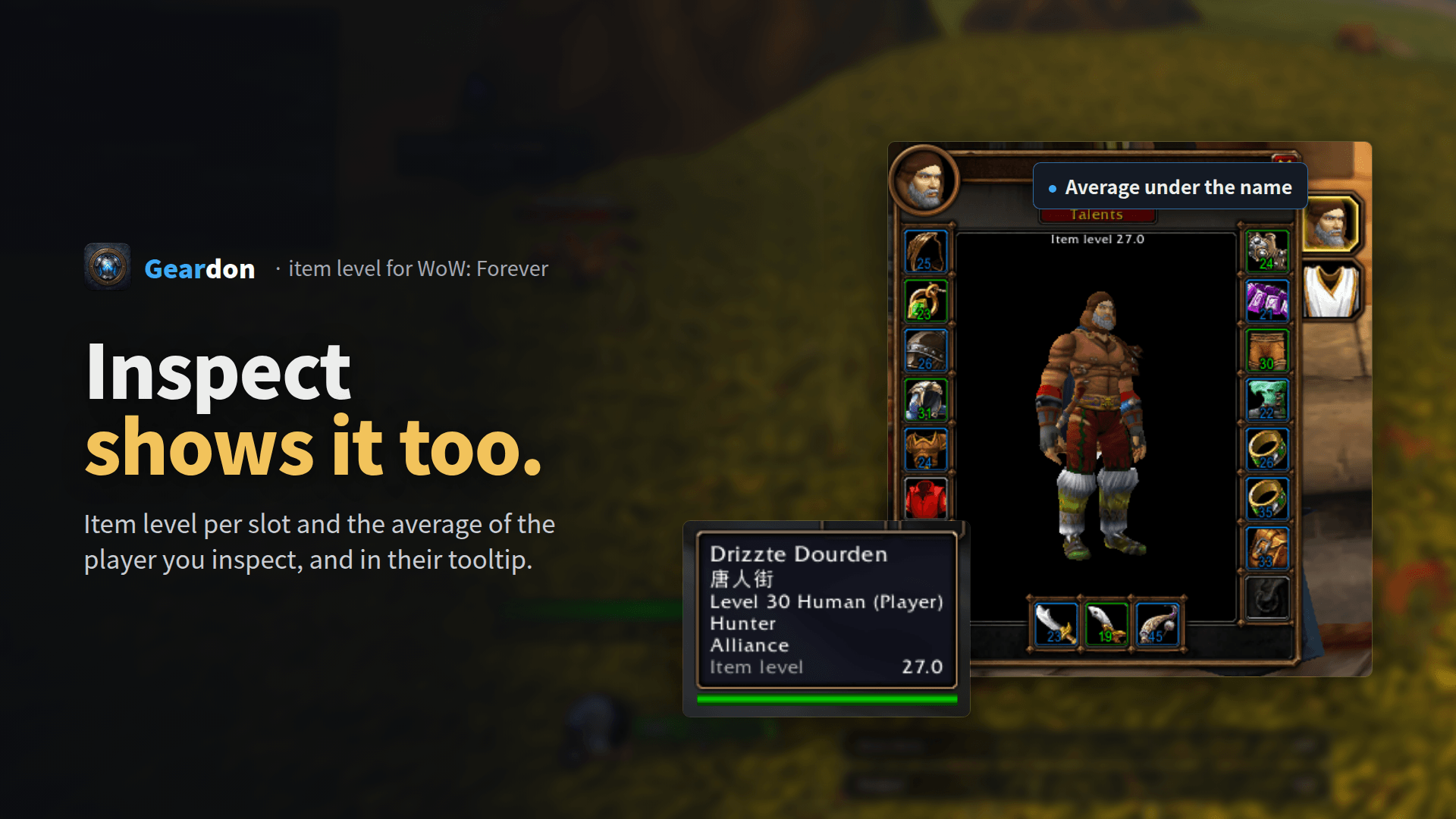
- Inspect frame: item level per slot and the average of the inspected player.
- Bags, bank, loot, quest rewards, merchants: item level on weapons and armor and a green arrow when it beats what you wear and you can wear it now (class, armor type, level). Rings, trinkets and one-hand weapons compare with the weaker of your two.
- Equipment flyout: item level on every item you can put in a slot (hold Alt over a slot).
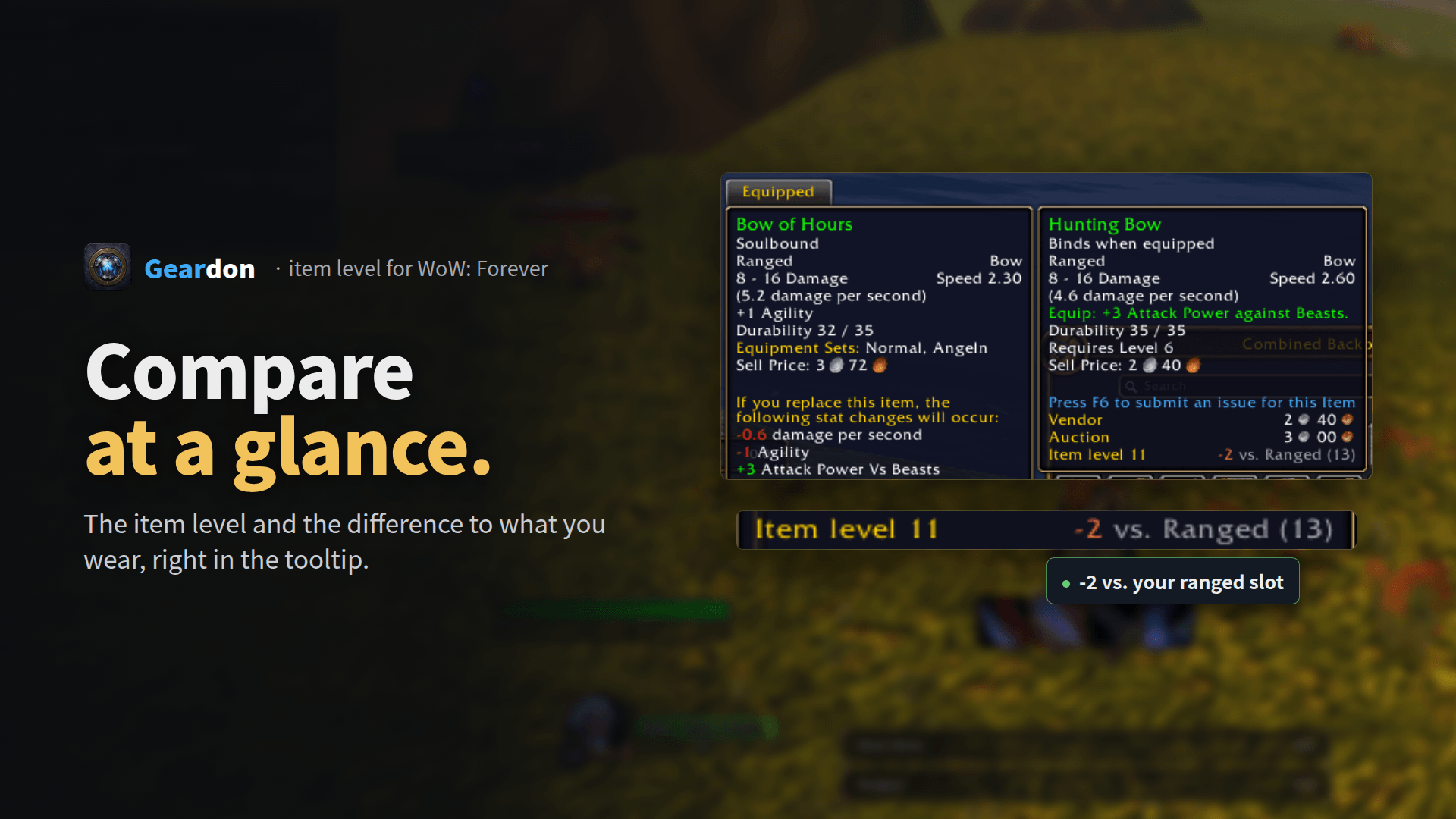
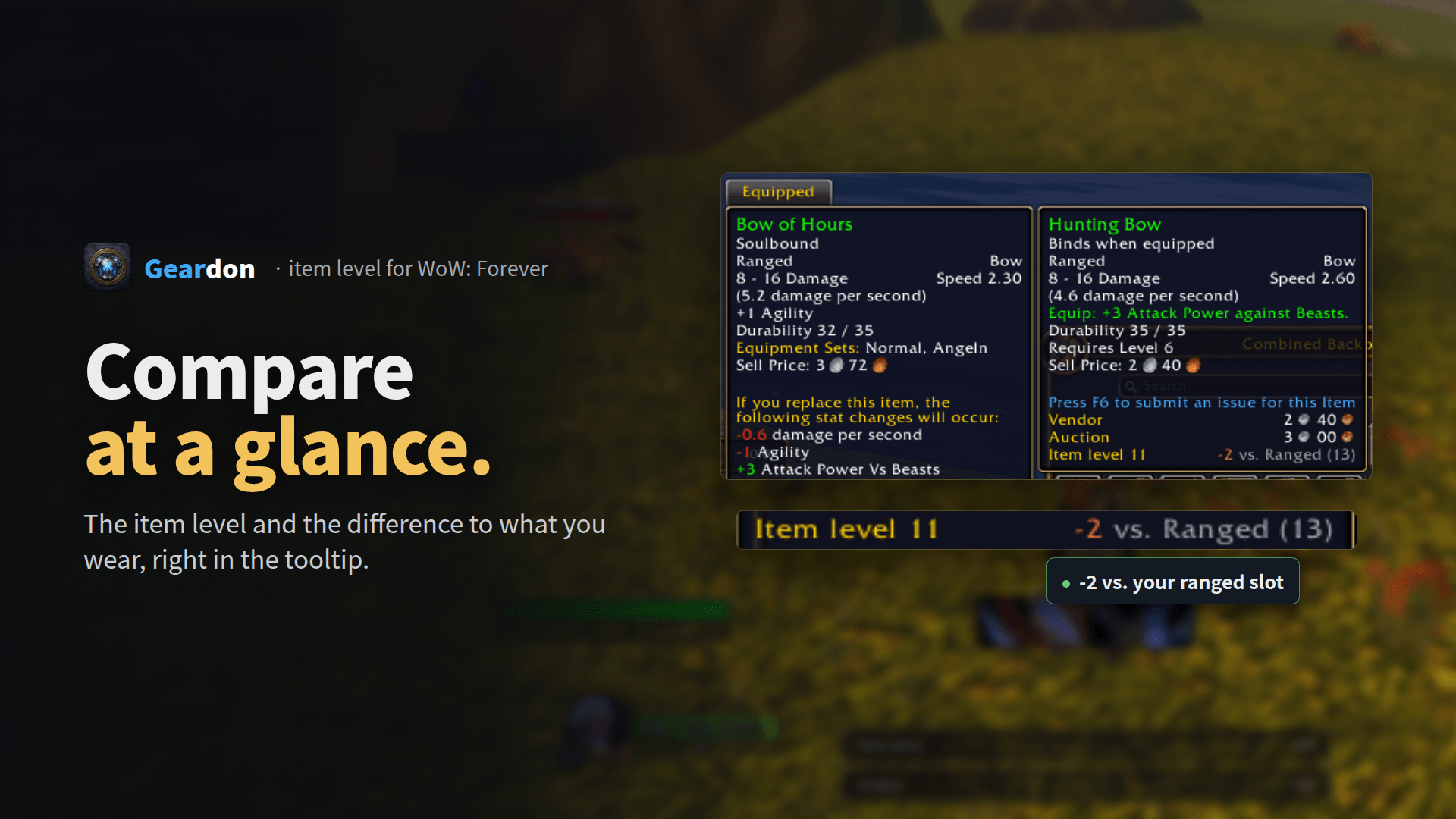
- Tooltips: the item level line when the game shows none, and the difference to your item, e.g. "+3 vs. Head (15)". Player tooltips show the item level of group members.
- Group: group members with Geardon send their item level, everyone else is inspected one by one, only out of combat. A small window lists everyone, highest first, with the group average and each member's weakest slot.
- Light: only its own frames, no hooks on Blizzard functions, closed windows cost nothing.
- English and German.
Feedback
Something wrong? Post /gd diag in the comments or open an issue on GitHub.
Also by DonCoohd
- Questdon: quest helper built for WoW Forever
- Luredon: fishing helper for WoW Forever
- Vitaldon: health and power text on Blizzard's unit frames
Deutsch: Gegenstandsstufe für WoW Forever: Durchschnitt und Stufe an jedem Platz im Charakterfenster, in Taschen, Bank, Beute, Questbelohnungen und beim Händler, mit Pfeil für Verbesserungen, Vergleich im Tooltip und der Stufe deiner ganzen Gruppe. Befehle: /gd, Hilfe: /gd help.
You must be logged in to leave a comment.