

FRF_CoinFlow
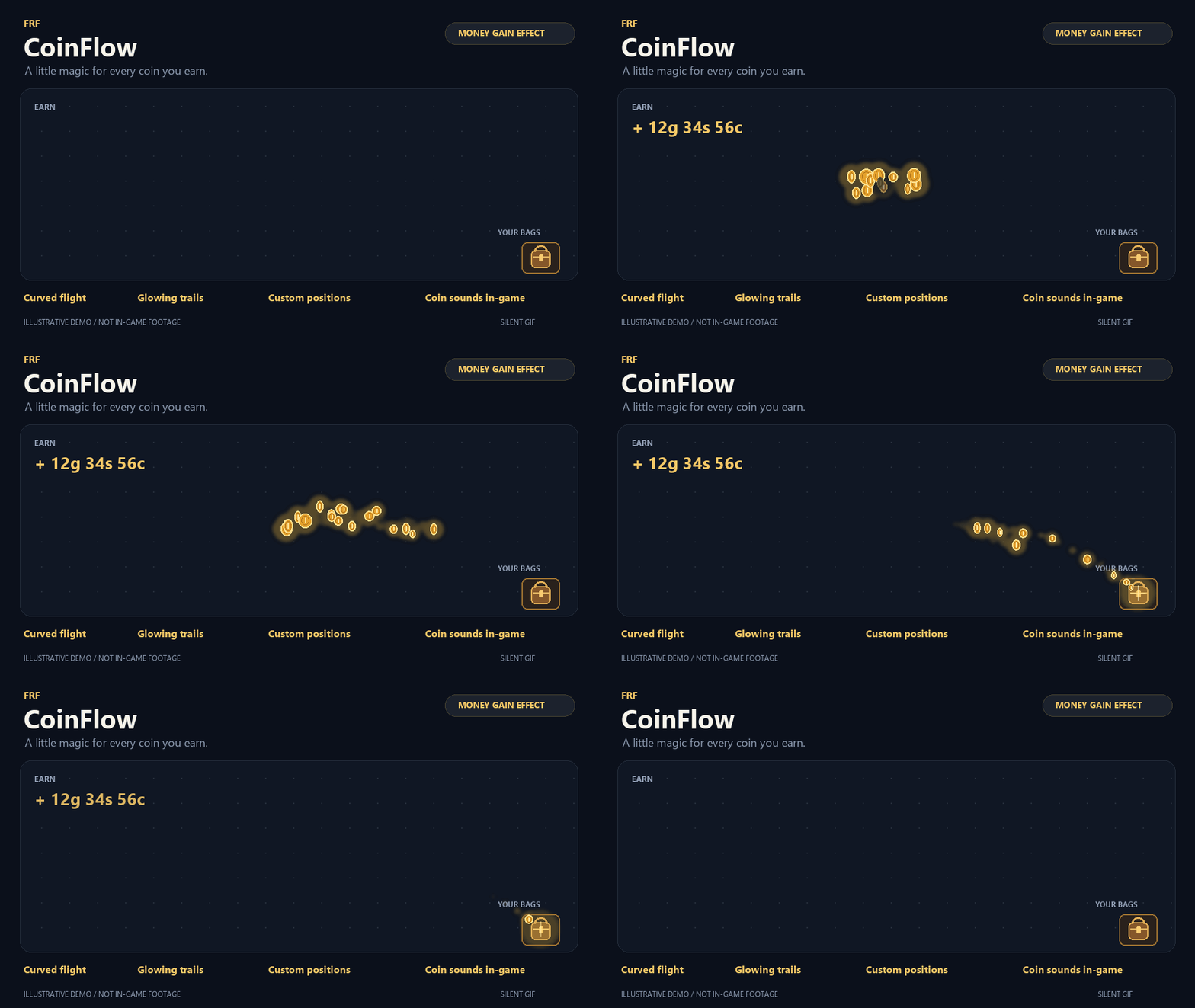
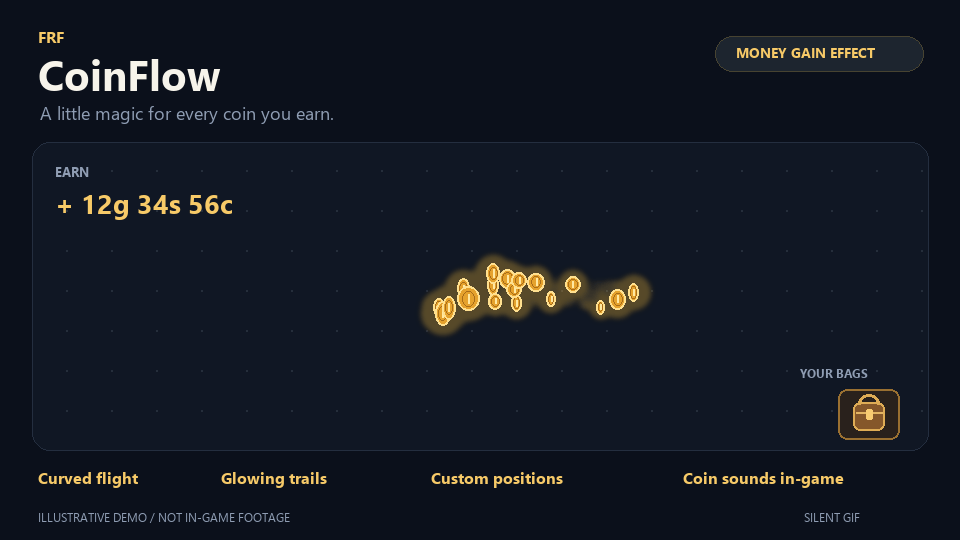
Glowing coins fly into your bags whenever you gain money, with coin sounds and customizable visual effects.
Details
Expansion
 Forever
 Categories
Developers

Having issues?
FRF CoinFlow
Make every coin feel rewarding—and see where it goes.
FRF CoinFlow brings your gold income and spending to life. Glowing coins fly toward your bag when you earn money, while spending sends coins bursting outward from the same destination. A built-in ledger helps you review your activity, compare weekly expenses, and track a savings goal.
Features
- Animated income: Glowing coins follow curved paths toward your bag, with optional trails and arrival sounds.
- Spending effects: Coins burst outward from your income destination when you spend money. Enable this effect separately and adjust its intensity.
- Income and expense amounts: Display money gained or spent. Click an amount label to open recent activity.
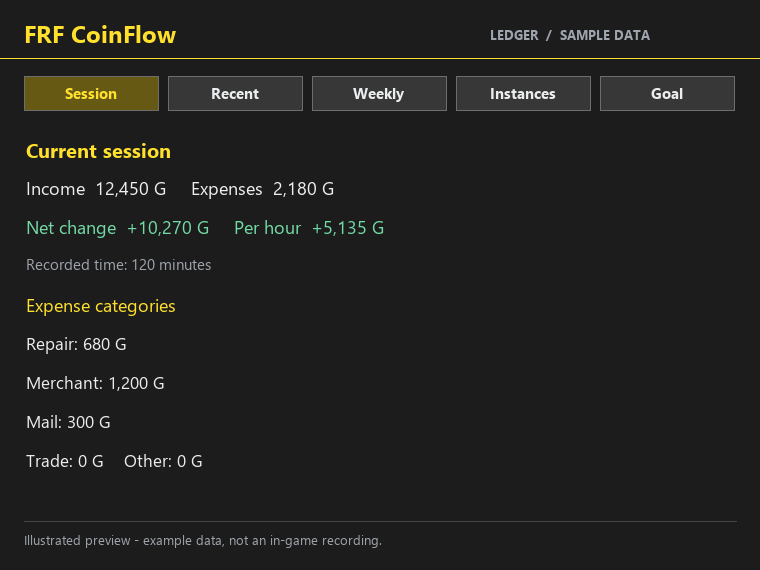
- Session summary: Review income, expenses, net change, and net change per hour during your current play session.
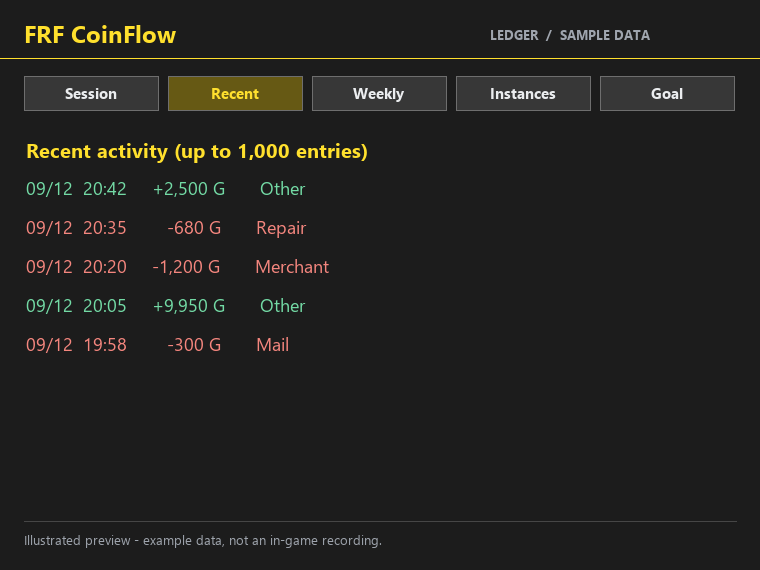
- Recent activity: Browse up to 1,000 recorded balance changes per character.
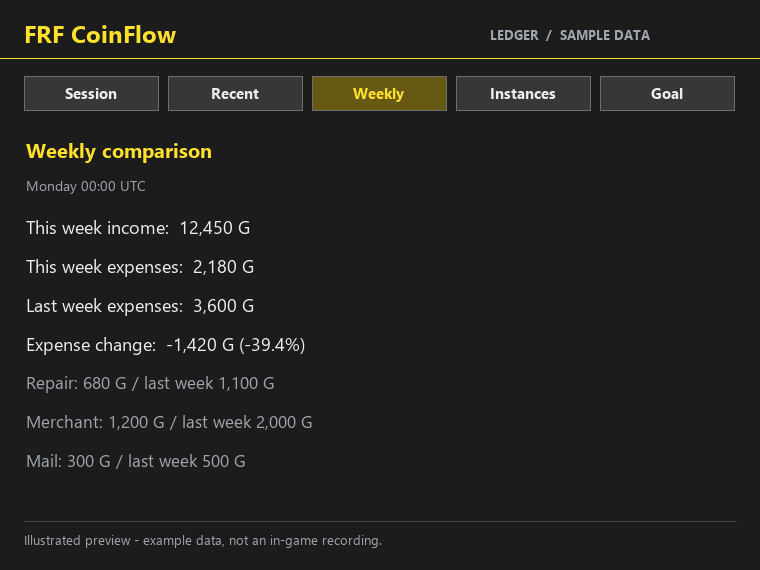
- Weekly comparisons: Compare this week’s expenses with the previous week, including expense categories.
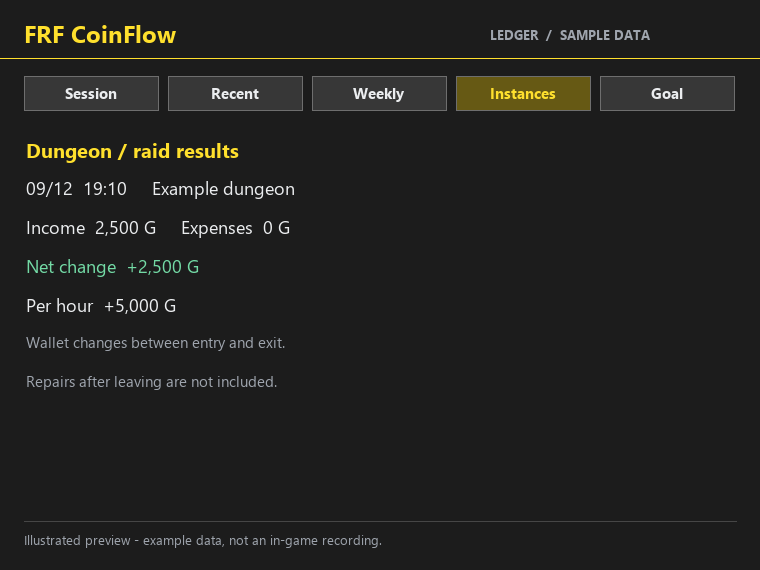
- Dungeon and raid summaries: Review wallet changes between entering and leaving an instance, with an optional summary on exit.
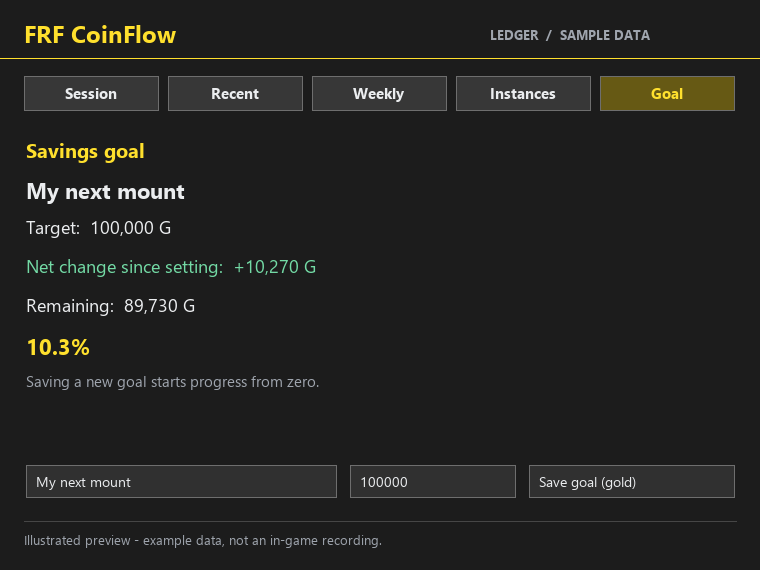
- Savings goals: Set a name and target amount, then track your net balance change toward that goal.
- Custom positions: Drag the income starting point and destination wherever you prefer.
- Default bag tracking: Automatically send coins toward the default backpack button when it is visible.
- Adjustable visuals: Customize coin count, flight time, size, spread, curvature, opacity, and spending intensity.
- Sound and combat options: Control coin sounds and whether effects appear during combat.
- Separate previews: Preview income and spending without changing your actual balance.
- Master enable setting: Suspend effects and recording while preserving your preferences.
- Standalone support: No other addon is required.
The ledger
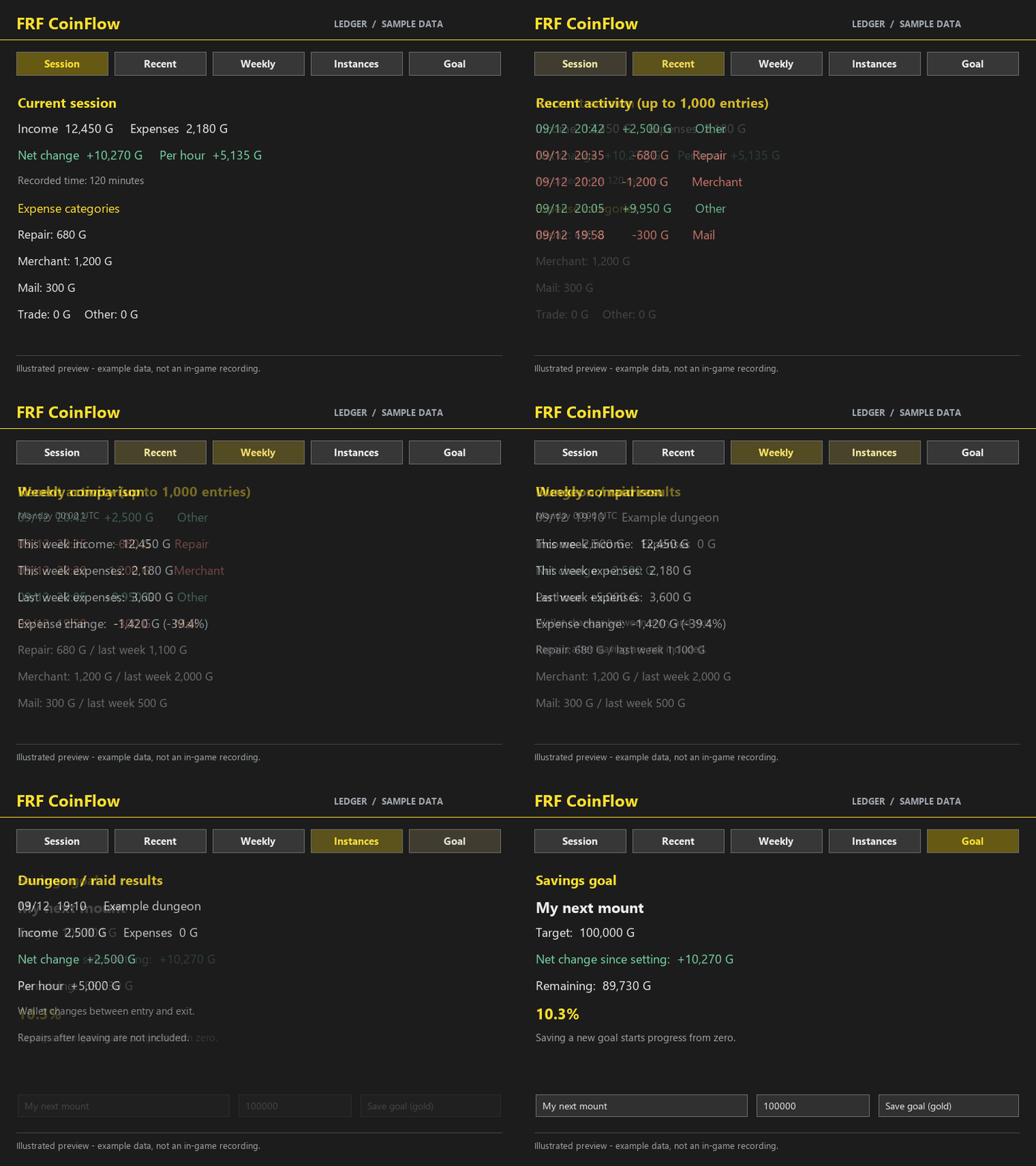
The ledger contains five tabs:
| Tab | What it shows |
|---|---|
| Session | Current-session income, expenses, net change, hourly net change, and expense categories |
| Recent | Individual recorded balance changes |
| Weekly | Current and previous week’s expenses and category comparisons |
| Instances | Dungeon and raid income and expense summaries |
| Goal | Your savings target and progress since setting it |
The ledger is stored per character, retaining up to 1,000 recent entries, 90 daily summaries, and 50 completed instance summaries.
Weekly comparisons begin on Monday at 00:00 UTC; they do not follow regional weekly reset times.
Savings progress uses net balance changes, so spending can reduce progress. Saving a new goal starts progress from zero.
Optional FRF integrations
FRF Config
When available, settings and the ledger open inside FRF Config.
FRF TokenDAQ
When both addons are loaded:
- Right-click the FRF TokenDAQ ticker: Open FRF CoinFlow recent activity.
- Shift+right-click: Open FRF TokenDAQ settings.
- Left-click: Open the current item’s chart.
Without FRF CoinFlow, FRF TokenDAQ retains its normal right-click settings action.
Getting started
- Install and enable FRF CoinFlow.
- Type
/coinflowto open settings. - Preview income with
/coinflow testand spending with/coinflow spend. - Type
/coinflow ledgerto open the ledger. - For a custom bag layout, use
/coinflow move, drag the destination marker onto your preferred position, then use/coinflow lock.
Dragging the destination marker disables automatic bag tracking. If the default backpack button is hidden, automatic mode uses your saved destination instead.
Commands
| Command | Action |
|---|---|
/coinflow or /fcf | Open settings |
/coinflow test | Preview income effects |
/coinflow spend | Preview spending effects |
/coinflow ledger | Open the ledger |
/coinflow move | Move the starting point and destination |
/coinflow lock | Hide and lock position markers |
How recording works
FRF CoinFlow monitors changes to the money your character carries. Loot, quest rewards, purchases, repairs, mail, trades, and transfers can all affect this balance.
Income and expenses represent wallet changes, not necessarily profit or loss. Transfers and withdrawals may also be included.
Merchant, mail, and trade categories describe the interaction context when the balance changed; they do not guarantee the exact transaction source. Some transactions may appear under Other.
Instance summaries cover changes between entry and exit. Repairs performed after leaving are not included.
Rapid changes may be combined into short visual bursts, while the ledger records individual detected balance changes. Animated coin counts are illustrative.
Hiding effects during combat does not stop recording. Turning off the master Enable addon setting suspends both effects and recording.
Language and compatibility
- Korean and English interface.
- Follows the language selected in FRF Config when available.
- Without FRF Config, Korean clients use Korean; other clients use English.
- Designed for Retail WoW, Interface 120100.
- Custom bag layouts are supported through manual destination positioning.
- Settings are shared across characters; ledger records and savings goals are per character.
- Tracks gold, silver, and copper—not other game currencies.
Example GIFs use illustrative animations and sample data, not in-game recordings. GIFs contain no sound, and the appearance may differ in-game.
FRF CoinFlow
돈을 얻는 재미부터, 어디에 썼는지 확인하는 장부까지.
FRF CoinFlow는 골드 수입과 지출에 동전 애니메이션을 더합니다. 돈을 얻으면 반짝이는 동전이 가방으로 날아가고, 돈을 쓰면 같은 도착 지점에서 동전이 바깥으로 튀어나갑니다. 내장 장부에서는 최근 내역, 주간 지출, 목표 저금통 등을 확인할 수 있습니다.
주요 기능
- 수입 동전 효과: 동전이 곡선을 그리며 가방으로 날아갑니다. 빛 잔상과 도착 소리를 선택할 수 있습니다.
- 지출 동전 효과: 돈을 쓰면 수입 효과의 도착 지점에서 동전이 바깥으로 튀어나갑니다. 사용 여부와 강도를 별도로 설정합니다.
- 수입·지출 금액 표시: 들어오거나 나간 금액을 표시합니다. 금액을 클릭하면 최근 내역을 엽니다.
- 플레이 결산: 현재 플레이의 수입, 지출, 순변동, 시간당 순변동을 확인합니다.
- 최근 내역: 캐릭터별로 최근 1,000건의 소지금 변동을 확인합니다.
- 주간 비교: 이번 주와 지난주의 지출을 항목별로 비교합니다.
- 던전·레이드 결산: 입장부터 퇴장까지의 소지금 변동을 확인하며, 퇴장 시 결산 표시를 선택할 수 있습니다.
- 목표 저금통: 목표 이름과 금액을 지정하고 설정 이후의 순변동으로 진행 상황을 확인합니다.
- 자유로운 위치 지정: 수입 동전의 출발 위치와 도착 위치를 드래그해서 옮깁니다.
- 기본 가방 자동 추적: 기본 가방 버튼이 보이면 해당 위치로 동전이 날아갑니다.
- 효과 세부 설정: 동전 수, 비행 시간, 크기, 퍼짐, 경로 휘어짐, 불투명도, 지출 효과 강도를 조절합니다.
- 소리·전투 표시 설정: 동전 소리와 전투 중 효과 표시 여부를 선택합니다.
- 수입·지출 미리보기: 실제 소지금을 바꾸지 않고 각각의 효과를 확인합니다.
- 전체 사용 설정: 설정을 보존한 채 효과와 기록을 중지하거나 다시 켭니다.
- 독립 실행: 다른 애드온 없이도 사용할 수 있습니다.
수입·지출 장부
장부는 다섯 가지 탭으로 구성됩니다.
| 탭 | 표시 내용 |
|---|---|
| 플레이 결산 | 현재 플레이의 수입·지출·순변동·시간당 순변동과 지출 분류 |
| 최근 내역 | 개별 소지금 변동 기록 |
| 주간 비교 | 이번 주와 지난주의 지출 및 항목별 비교 |
| 던전·레이드 | 던전·레이드에서 발생한 수입·지출 결산 |
| 목표 저금통 | 목표 금액과 설정 이후의 진행 상황 |
장부는 캐릭터별로 저장하며, 최대 최근 내역 1,000건, 일별 집계 90일, 완료한 던전·레이드 결산 50건을 보관합니다.
주간 비교는 월요일 00:00 UTC를 기준으로 합니다. 지역별 주간 초기화 시각과는 다릅니다.
목표 진행 상황은 소지금의 순변동을 사용하므로 지출하면 줄어들 수 있습니다. 목표를 새로 저장하면 진행 상황은 0부터 시작합니다.
FRF 애드온 연동
FRF Config
함께 사용하면 설정과 장부를 FRF Config 내부에서 엽니다.
FRF TokenDAQ
두 애드온이 모두 로드되어 있으면 다음 기능을 사용할 수 있습니다.
- FRF TokenDAQ 자막 바 우클릭: FRF CoinFlow 최근 내역 열기
- Shift+우클릭: FRF TokenDAQ 설정 열기
- 좌클릭: 현재 항목 차트 열기
FRF CoinFlow가 없으면 FRF TokenDAQ의 우클릭은 기존처럼 설정을 엽니다.
시작하기
- FRF CoinFlow를 설치하고 활성화합니다.
/coinflow를 입력해 설정을 엽니다./coinflow test로 수입 효과를,/coinflow spend로 지출 효과를 확인합니다./coinflow ledger를 입력해 장부를 엽니다.- 커스텀 가방을 사용한다면
/coinflow move를 입력하고 도착 표시를 원하는 위치로 옮긴 뒤/coinflow lock으로 잠급니다.
도착 표시를 직접 옮기면 자동 추적이 꺼집니다. 자동 추적 상태에서 기본 가방 버튼이 보이지 않으면 저장된 도착 위치를 사용합니다.
명령어
| 명령어 | 기능 |
|---|---|
/coinflow 또는 /fcf | 설정 열기 |
/coinflow test | 수입 효과 미리보기 |
/coinflow spend | 지출 효과 미리보기 |
/coinflow ledger | 장부 열기 |
/coinflow move | 출발·도착 위치 이동 |
/coinflow lock | 위치 표시 숨기기 및 잠금 |
기록 방식
FRF CoinFlow는 캐릭터가 소지한 돈의 변화를 감지합니다. 전리품, 퀘스트 보상, 구매, 수리, 우편, 거래, 자금 이동 등이 소지금에 반영되면 기록 대상이 됩니다.
수입·지출은 소지금의 변동이며, 반드시 이익·손실을 의미하지는 않습니다. 송금이나 인출도 포함될 수 있습니다.
상점·우편·거래 분류는 소지금이 바뀐 당시의 이용 상황을 기준으로 하며, 개별 거래의 정확한 원인을 보장하지 않습니다. 일부 내역은 기타로 표시될 수 있습니다.
던전·레이드 결산은 입장부터 퇴장까지의 변동을 집계합니다. 퇴장한 뒤 지불한 수리비는 포함하지 않습니다.
빠르게 연속 발생한 변동은 효과에서 짧게 묶어 표시할 수 있지만, 장부는 감지한 개별 소지금 변동을 기록합니다. 화면에 나타나는 동전 개수는 실제 금액과 일치하지 않습니다.
전투 중 효과를 숨겨도 기록은 계속됩니다. 전체 사용 설정을 끄면 효과와 기록이 모두 중지됩니다.
언어 및 호환성
- 한국어·영어 인터페이스를 지원합니다.
- FRF Config를 사용하면 해당 애드온에서 선택한 언어를 따릅니다.
- FRF Config가 없으면 한국어 클라이언트는 한국어, 그 외 클라이언트는 영어를 사용합니다.
- 리테일 WoW, Interface 120100을 대상으로 제작했습니다.
- 커스텀 가방은 도착 위치를 직접 지정해서 사용할 수 있습니다.
- 설정은 캐릭터 간 공유하며, 장부와 목표 저금통은 캐릭터별로 저장합니다.
- 골드·실버·코퍼를 기록하며 다른 게임 화폐는 추적하지 않습니다.
예시 GIF는 실제 게임 녹화가 아닌 동작 설명용 애니메이션과 샘플 데이터를 사용합니다. GIF에는 소리가 없으며 실제 게임 화면과 차이가 있을 수 있습니다.

You must be logged in to leave a comment.