
ForeverXPBar – Custom XP Bar & Leveling Tracker
A sleek, minimalist visual Experience Bar featuring an aurora gradient, session tracking, and a built-in settings panel.
Details
Expansion
 Forever
 Categories
Developers

Having issues?




ForeverXP Bar
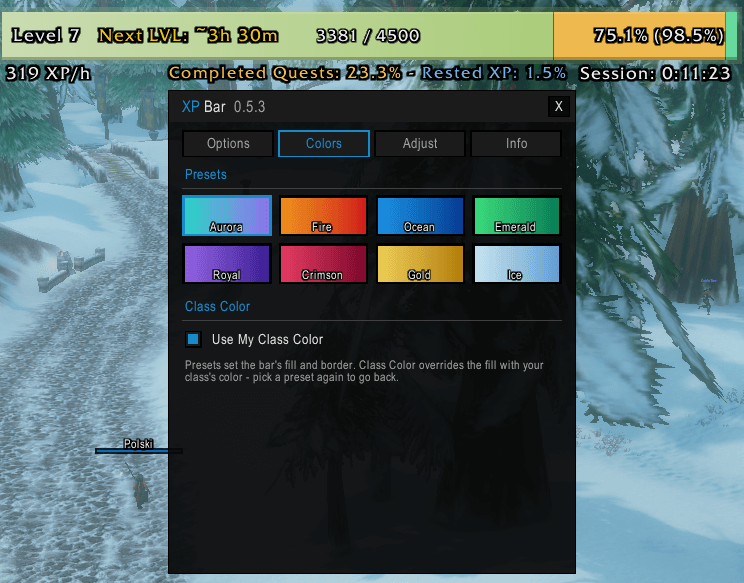
A sleek, modern, and minimalist visual Experience Bar for World of Warcraft featuring an "aurora" design aesthetic: a teal-to-violet gradient fill, an amber segment for pending quest XP, and a mint segment for banked rested bonus.
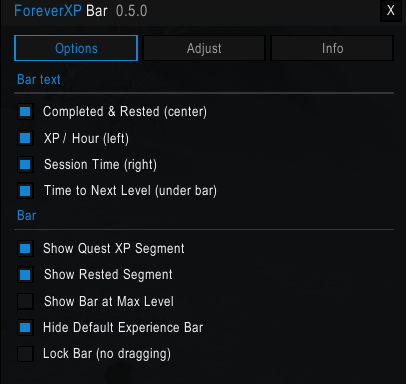
Settings live in an ElvUI-styled panel with dark backgrounds, 1px borders, and value-color accents, opened directly from the included minimap button.
Features
- Aurora Visuals: High-quality gradient fills with a soft outer glow and a glass-edge sheen.
- Smart XP Segments: Visually displays your current XP, pending Quest XP sitting unclaimed in your log (amber), and your remaining Rested XP (mint).
- Advanced Tracking: Computes your XP/hour based on your time spent in the current level, giving you an accurate "Time to Next Level" estimate.
- Session Tracking: Tracks your current play session time, resetting automatically on fresh logins but surviving UI reloads and zoning.
- In-Game Configuration: fully functional settings panel to adjust width, height, text styles, and toggles without editing code.
Clean, Minimalist Text Layout
The bar features a refined, uncluttered text layout for easy reading at a glance:
On the Bar:
- Left: Next Level Estimate (e.g.,
Next lvl: ~1h 24m) - Center: XP Left / Total XP (e.g.,
15.2k / 28.0k) - Right: Session Time (e.g.,
Session: 0:37:38)
Under the Bar:
- Left: Leveling Speed (e.g.,
1.4k XP/h) - Center: Segment Percentages (e.g.,
Completed: 24.3% - Rested: 0.0%)
Slash Commands
You can use the minimap button to open settings, or use the following slash commands:
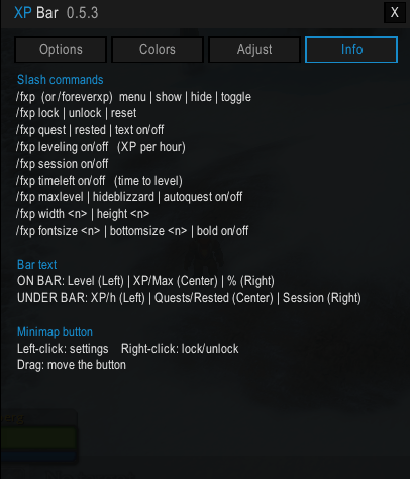
/fxp menu- Opens the settings panel./fxp show/hide/toggle- Shows, hides or toggles the entire bar./fxp lock/unlock- Allows or prevents dragging the bar across your screen./fxp quest/rested/text/leveling/session/timelefton/off- Toggles individual text elements./fxp maxlevel on/off- Choose whether to show the bar at max level./fxp hideblizzard on/off- Hides the default Blizzard experience bar./fxp autoquest on/off- Automatically accepts and turns in quests (hold Shift to pause)./fxp width <n>//fxp height <n>- Adjusts the bar dimensions./fxp fontsize <n>//fxp bottomsize <n>//fxp bold on/off- Adjusts the text styling./fxp reset- Resets the bar to its default position and size.
/foreverxp works exactly the same as /fxp if you prefer the long form.

You must be logged in to leave a comment.